
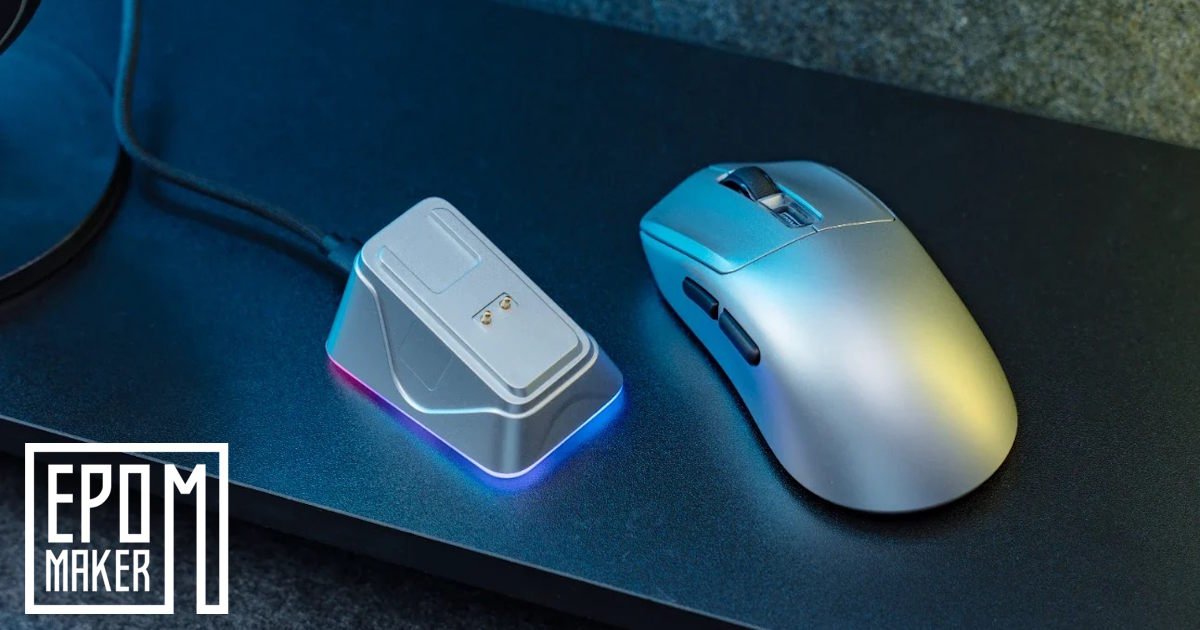
EPOMAKER built its name on keyboards, but its steady expansion into gaming mice is proving to be less of a side project and more of a serious hardware evolution. Over the past few months, we’ve put two of their contrasting pointers to the test: the ultra‑lightweight, 58g EPOMAKER Click and the chunkier, premium EPOMAKER Carbonis.
Now, the EPOMAKER NEX Pro Wireless Gaming Mouse has landed on the desk. On paper, it packs the same flagship internals we’ve come to expect from top‑tier mice. But in hand, it attempts to bridge the gap between its siblings, striking a deliberate balance in ergonomics, weight, and everyday desk convenience.
What stood out almost immediately was how familiar it felt, even before digging into specs or build details. There’s a sense that EPOMAKER has been quietly learning from each release, almost iterating in public, and the EPOMAKER NEX Pro Wireless Gaming Mouse arrives with that slightly refined confidence. Not flashy, not trying to out‑muscle the competition, just a mouse that seems to know exactly what kind of user it’s aiming for. I found myself turning it over a couple of times, noticing small choices in the shell and button placement that didn’t exist on the Click or Carbonis. Nothing dramatic, but enough to suggest EPOMAKER is settling into its identity in the mouse space.
It’s the first time I’ve picked up one of their mice and thought, ah, this might be the one they expect people to daily‑drive. Not because it’s perfect, no mouse is, but because it feels like the natural midpoint of everything they’ve been experimenting with so far.
Ergonomics & Hand Feel: The “Goldilocks” Shape
When it comes to physical size and design, peripheral manufacturers often force you to choose between two extremes. We saw this clearly when comparing the previous two models:
- The Click: An ultra‑lean, 58g featherweight that skated effortlessly but felt a bit too sparse for relaxed palm grips over long days.
- The Carbonis: A chunkier, highly aggressive right‑handed ergo shape that wrapped comfortably around the hand at 50g but leaned heavily into its tall, distinctive profile.
The EPOMAKER NEX Pro Wireless Gaming Mouse splits the difference beautifully. Weighing in at 65g, it occupies the perfect middle ground. It gives you enough structural feedback to feel incredibly sturdy, avoiding any hollow, budget plastic vibes, while remaining light enough for swift, fatigue‑free flick shots.
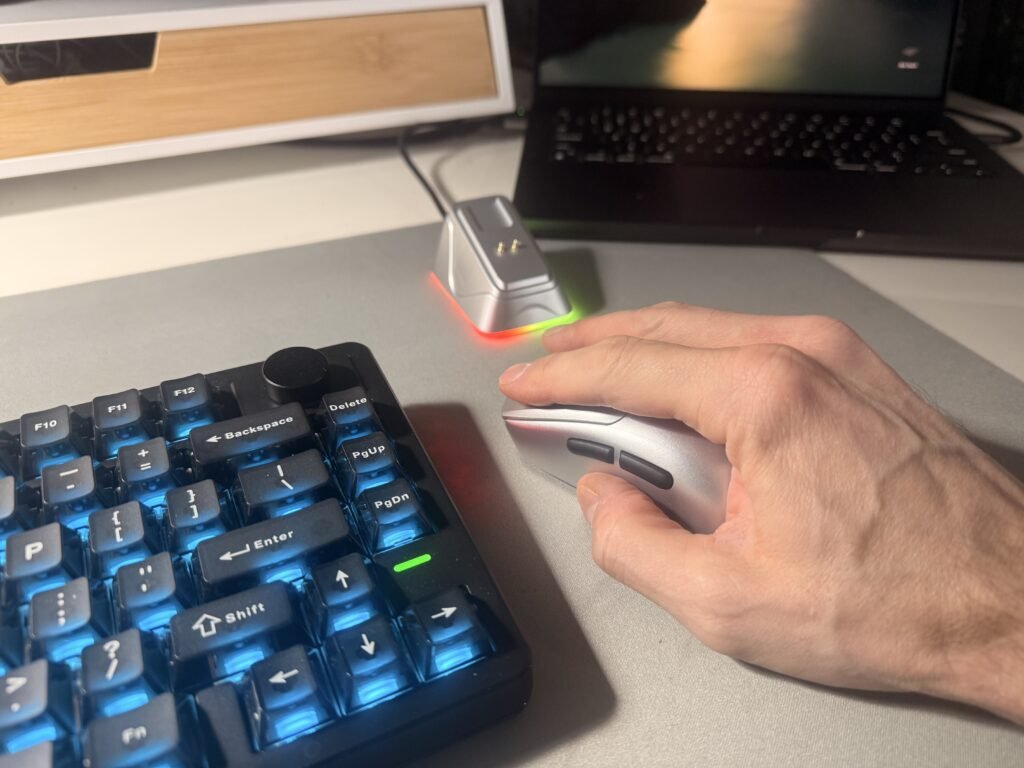
Designed specifically for right‑handed users with medium‑to‑large hands (Sorry, Editor Dez), the curves are noticeably toned down compared to the Carbonis. Your palm settles naturally into a supportive arch, and your fingers rest cleanly on the primary buttons without the desk‑dragging friction or awkward clawing that can plague flatter, ambidextrous designs. It feels like the Goldilocks shape of the lineup: substantial enough for an 8‑hour spreadsheet marathon, yet nimble enough to transition instantly into high‑stakes gaming at 5:01 PM.
What surprised me a little was how quickly my hand relaxed into it. With some mice, you can feel that early period where your grip is still negotiating with the shape, almost like you’re waiting for something to feel off. Here, that moment never really arrived. The shell has just enough contour to guide your hand without bossing it around, and I found myself switching between palm and a loose claw grip without thinking too much about it. Maybe that’s the real strength of this design — it doesn’t demand a particular style, it just accommodates whatever you fall into naturally.
There’s also a quiet confidence to the way it sits on the desk. Not flashy, not trying to look like a spaceship, just a comfortable, well‑proportioned mouse that feels like it was made for long days and quick reactions in equal measure. It’s the kind of shape you stop noticing, and honestly, that’s usually the best sign.
Performance: Flagship DNA
Under the hood, EPOMAKER didn’t compromise. The NEX Pro is powered by the current king of optical tracking: the PixArt PAW3950 sensor, paired with a Nordic 54L MCU.
Just like the Click and Carbonis, EPOMAKER includes an 8,000Hz polling rate right out of the box. Dropping down to a standard 1,000Hz mouse after experiencing the buttery‑smooth cursor fluidity of 8K is tough. The main clicks (rated for a massive 100 million activations) deliver a sharp, defined snap with no frustrating mushiness or pre‑travel delay.
What I noticed after a few days was how quietly consistent it felt. Some mice have that initial “wow” moment and then settle into something more ordinary once the novelty wears off. The EPOMAKER NEX Pro Wireless Gaming Mouse didn’t really do that. It just kept behaving exactly the same way every time I sat down, no odd lift‑off quirks, no jitter at higher DPI, no sudden sensitivity shifts that make you second‑guess your settings. I found myself trusting it more than I expected, especially during those tiny, fussy movements you make when lining up a cursor on a timeline or nudging my weapon sight by a pixel or two.
There’s also a certain steadiness to the way the sensor and MCU pair together. It’s not dramatic, but you can feel that the hardware isn’t fighting you or trying to over‑interpret your hand. Movements come through cleanly, almost matter‑of‑factly, which is exactly what you want from a mouse that’s meant to handle both work and play. It’s the kind of performance that fades into the background, and honestly, that’s usually the sign of a well‑tuned sensor system.
Battery & Connection: The 2.4G Rechargeable Advantage
Tri‑mode connectivity (2.4GHz wireless, Bluetooth, and USB‑C wired) has become standard, but the way the EPOMAKER NEX Pro Wireless Gaming Mouse manages power is where it truly shines over its predecessors.
One of our minor gripes with the Carbonis was its 300mAh battery, which required a watchful eye when running at power‑hungry high polling rates. The EPOMAKER NEX Pro Wireless Gaming Mouse steps things up with a 500mAh high‑capacity battery, delivering an impressive 350 hours of use at a standard 125Hz report rate, and up to 50 hours of continuous, uninterrupted runtime at full 8,000Hz performance
                  [ NEX Pro 2.4G Mode ]
                            │
         ┌──────────────────┴──────────────────┐
         ▼                                     ▼
[ Magnetic Dock Charging ]             [ USB-C Smart Charging ]
- Drop-and-go desktop charging         - Zero-latency wired play
- Dynamic RGB status indicator         - Empty to full in 1.5 hrs
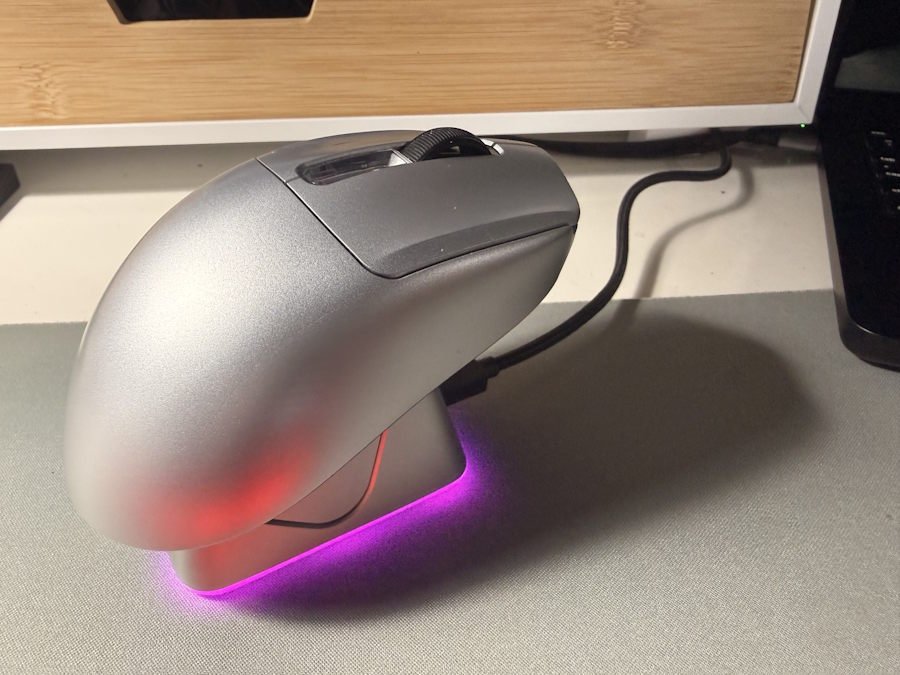
More importantly, it completely eliminates the tedious ritual of hunting for a charging cable mid‑match. The package includes a dedicated RGB Charging Dock. The mouse utilises magnetic pins on its underbelly to drop cleanly onto the cradle when you step away from the desk.
The dock doubles as a functional status dashboard: the light strip flashes red when power is running low, glows a solid purple while recharging, and shuts off completely once the internal cell hits 100%. If you do manage to run it completely flat, a quick 1.5‑hour plug‑in via the flexible Type‑C braided cable tops it right back up, allowing you to use it in wired mode simultaneously with a blazing 0.158ms latency.
What I appreciated more than I expected was how the dock quietly changed my habits. Instead of thinking about battery life, I’d just set the mouse down in roughly the right spot and let the magnets do the rest. No fiddling, no lining up a connector, no wondering whether the cable is still plugged into the right port. It’s a small quality‑of‑life thing, but it adds up over a week or two. You start to forget what it was like to keep mental tabs on charge levels, and that’s a relief in its own way.
Even the RGB indicator feels more practical than decorative. I caught myself glancing at it once or twice while walking past the desk, almost subconsciously checking whether it was topped up. It’s not trying to be a showpiece, just a quiet little signal that everything’s fine and you don’t need to think about it.
Customisation: Ditching the Desktop Bloat
Another massive win for daily usability is EPOMAKER’s shift toward web‑based online software. Rather than forcing you to download resource‑heavy desktop apps that clog up your operating system, configuring the EPOMAKER NEX Pro Wireless Gaming Mouse is done entirely through a Chrome‑engine browser window.
From the web interface, you can effortlessly adjust the 6‑stage DPI presets, rebind its 5 programmable buttons, record complex macros, and fine‑tune your Lift‑Off Distance (LOD) down to 0.7mm. It makes setting up custom productivity binds or gaming profiles remarkably seamless, regardless of whether you’re jumping between a Windows rig, a Linux machine, or a MAC.
What I liked most was how unintrusive the whole thing felt. There’s no splash screen, no background process lurking in the taskbar, nothing asking for permissions it doesn’t need. You just open the page, tweak what you want, and close it again. I found myself adjusting DPI steps a couple of times during the first week, partly because it was so quick to do that I didn’t mind experimenting a little. It’s the sort of software approach that fades into the background, almost the opposite of the usual “install this suite to unlock basic features” routine.
There’s also a quiet reassurance in knowing you won’t have to reinstall anything after a system update or a fresh OS install. The settings are there whenever you need them, and that’s it. Simple, maybe even a bit understated, but in a way that makes day‑to‑day use feel lighter.
The Verdict
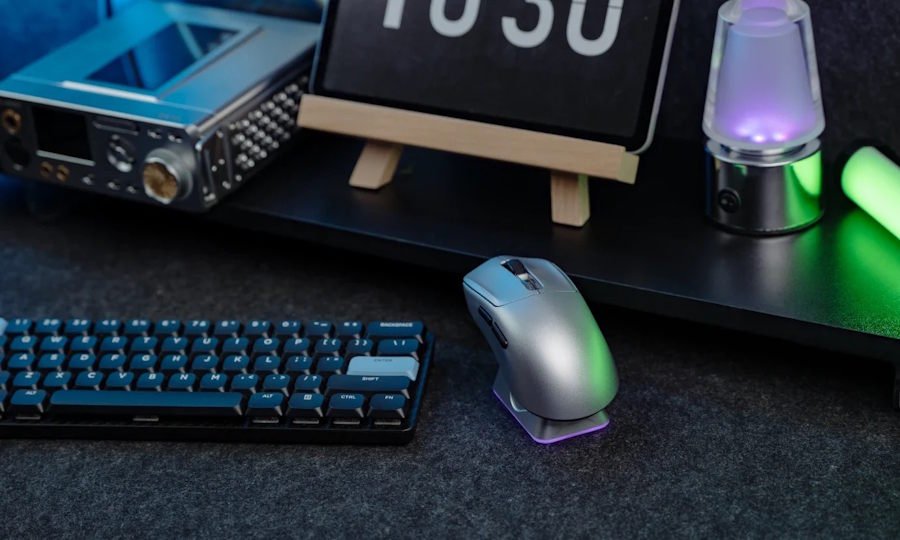
The EPOMAKER NEX Pro Wireless Gaming Mouse proves that you don’t need an aggressively loud, over‑stylised design to make a great gaming mouse. By taking the top‑tier sensor tech of the Click and the structural rigidity of the Carbonis, and melting them into a highly comfortable middle‑ground silhouette, EPOMAKER has crafted their most well‑rounded mouse yet.
Backed by a spectacular magnetic charging dock that cures battery anxiety for good, the EPOMAKER NEX Pro Wireless Gaming Mouse is a versatile, responsive powerhouse that easily earns a permanent spot on the desk.
Pros:
- The perfect fit and weight (65g) compromise between the Click and Carbonis.
- Flagship PAW3950 sensor tracking with flawless 8K polling.
- Seamless, drop‑and‑go magnetic RGB charging dock.
- No‑bloatware web configuration tool.
Cons:
- Right‑handed ergo shape means lefties are left out.
- The silver aesthetic may pop too much on entirely stealth‑black setups.
After spending time with all three EPOMAKER mice, it’s hard to point to a single “winner.” Each one settles into a different part of daily life almost without trying. I’ve noticed the Click naturally drifting toward office duty, probably because of its featherweight feel and how easy it is to move around between meetings. The Carbonis ended up paired with a MacBook, where its taller profile feels oddly reassuring during longer editing sessions. And now the EPOMAKER NEX Pro Wireless Gaming Mouse has taken over the main sit/stand desk, sitting there like it was always meant to be part of that setup.
It’s a strange kind of rotation, but it works, and maybe that says more about EPOMAKER’s recent mouse lineup than any spec sheet could.
Get the EPOMAKER NEX Pro Wireless Gaming Mouse today via our affiliate link.



One Comment
[…] Nex Pro Wireless Gaming Mouse: Driven by the flagship PAW3950 optical sensor, complete with tri-mode wireless, custom software tuning, and an included charging dock. […]
Comments are closed.