
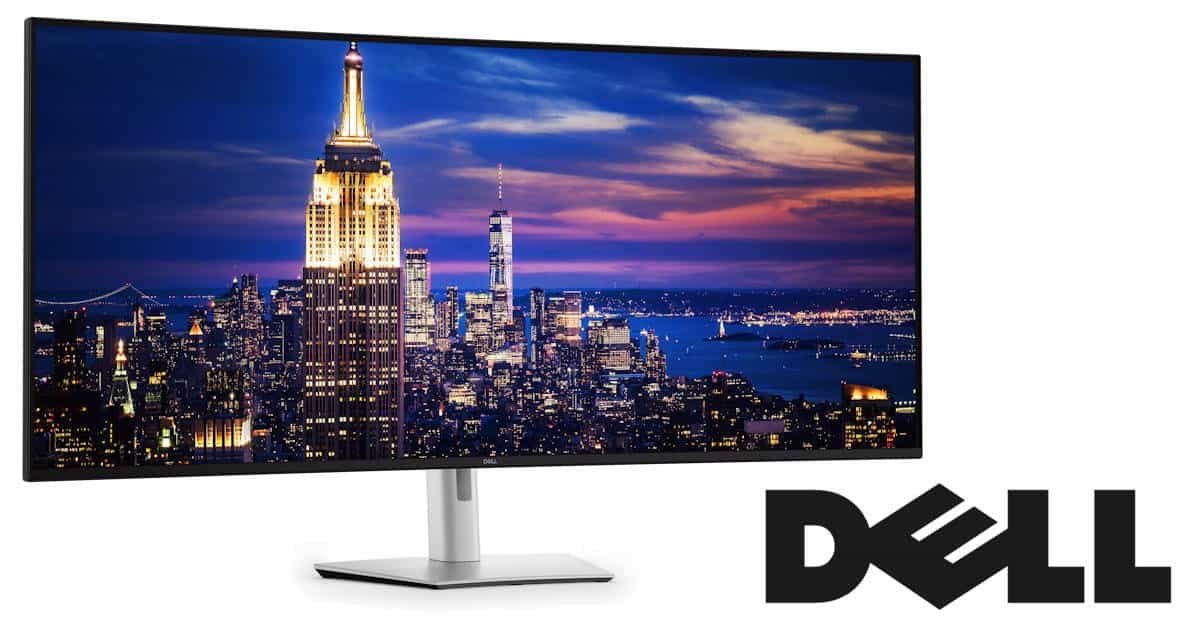
I’ve reviewed a lot of monitors over the years, and the ritual is usually the same. A delivery driver shows up, we wrestle a large cardboard box together, and I try not to knock over half the furniture while manoeuvring it into my office. It’s clumsy, but manageable. This time with the Dell UltraSharp 52 Thunderbolt Hub Monitor? Not so manageable.
The same driver arrived, glanced at me, and instead of the usual routine, simply asked if I could open the garage. That was my first warning sign.
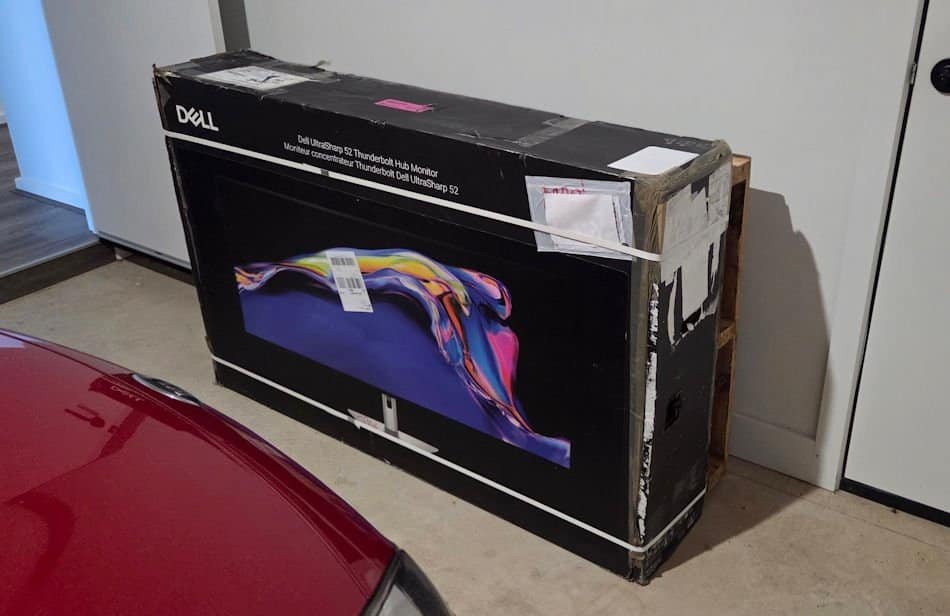
A few minutes later, I was watching the Dell UltraSharp 52 Thunderbolt Hub Monitor (U5226KW) being wheeled into the house on a pallet jack. A pallet jack. For a monitor.
That was the moment I started questioning my life choices.
I knew it was big. I’d read the specs: a 51.5‑inch curved IPS Black panel, 6144 × 2560 resolution, 21:9 aspect ratio. Numbers on a page. Impressive, sure, but abstract. None of that prepares you for standing next to a 52‑inch ultrawide in person.
It’s bigger than my television. My 1200mm desk looked genuinely nervous when the box was opened, like it was calculating escape routes. I was excited. My desk, less so.
Then I powered it on. And suddenly, the size stopped being a joke and started making sense.
One Screen to Rule Them All
The Dell UltraSharp 52 Thunderbolt Hub Monitor (U5226KW) isn’t just wide. It’s absurdly wide. A 51.5‑inch curved IPS Black panel with a 6144 × 2560 resolution and a 21:9 aspect ratio. That’s not “a lot of pixels,” that’s an entire city of pixels, complete with suburbs, traffic lights, and probably a few coffee shops tucked in the corners. Mmm… Coffee!
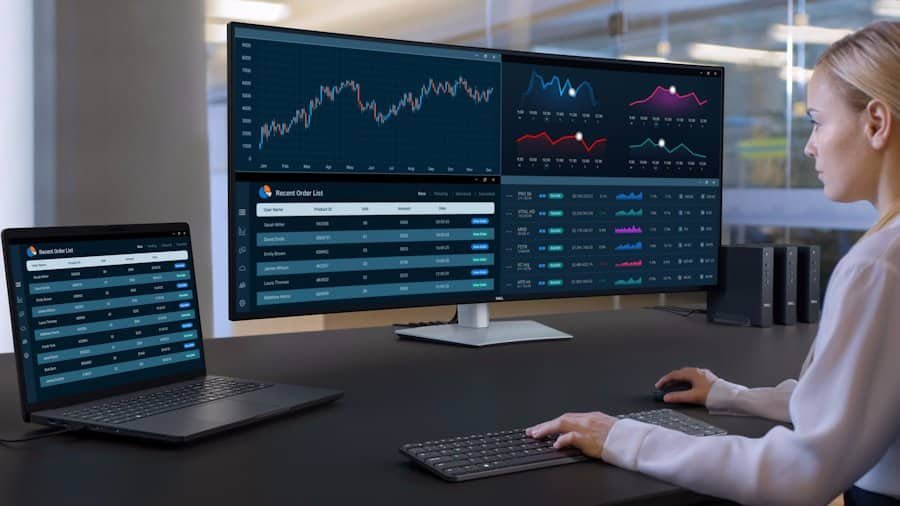
Naturally, the first thing I did was open far too many windows. Email on one side. Teams on another. A browser with more tabs than I’d admit to anyone. A spreadsheet or three. A document floating in the middle. And somehow, there was still room left over, like the screen was mocking me: is that all you’ve got?
It feels less like a monitor and more like a workspace that swallowed every other workspace I’ve ever used. I’ve run dual‑monitor setups for years, even flirted with triple screens once. Within a few days, I realised I didn’t miss them. No bezels slicing through content. No juggling Alt‑Tab like a circus act. Everything just… sits there.
Waiting for you to get distracted. Which, let’s be honest, you will.
The sheer width of the Dell UltraSharp 52 Thunderbolt Hub Monitor makes multitasking feel natural rather than forced. You stop thinking about “where to put things” and just spread out. It’s liberating, in a slightly dangerous way, because suddenly you believe you can handle all the tasks at once. Spoiler: you can’t. But the monitor will happily let you try, and then have room for more!
And here’s the funny part: even when you’re not working, the scale changes how you behave. I caught myself dragging a single browser window across the entire width just to see how ridiculous it looked. It felt like opening a Word document on a cinema screen. Completely unnecessary, but strangely satisfying. That being said, the DezDoes.com website looks great at 51.5 inches!
Then I gave in to temptation and launched World of Warcraft, its Brewfest, and I really want that mount. Azeroth on a 52‑inch ultrawide doesn’t just look bigger; it feels like it’s spilling out of the desk and into the room. Flying over Stormwind gave me the odd sensation that I should probably buckle a seatbelt. Raids looked less like a game interface and more like a panoramic battlefield from Lord of the Rings. Even my fat panda hunter suddenly felt like he had a stage all to himself.
The Dell UltraSharp 52 Thunderbolt Hub Monitor is not exactly practical. Menus stretch, UI elements scatter, and you’ll spend a few minutes fiddling with settings to make it all usable. But once you settle in, the immersion is ridiculous. You stop noticing the edges of the screen because they’re practically in another postcode. And honestly, if you’ve ever wanted to feel like you’re commanding your own war room, this monitor delivers that fantasy with alarming ease.
The Resolution Is Simply Ridiculous
The 6K resolution is the first thing that really grabs you with the Dell UltraSharp 52 Thunderbolt Hub Monitor. It’s not just sharp; it’s unnervingly sharp. Text looks like it’s been etched onto the panel rather than displayed by it. Spreadsheets stop feeling like endless grids of numbers and start looking like something you might actually want to read. At roughly 130 pixels per inch, the clarity sits in that sweet spot where everything is crisp without forcing you into awkward scaling settings.
I spend most of my days bouncing between supplier reports, contracts, articles, emails, and more spreadsheets than any human should reasonably tolerate. On smaller monitors, I’m constantly zooming in and out, squinting at tiny fonts, or leaning forward like I’m trying to decode ancient runes. With this panel, I found myself leaning back more often, letting the screen do the heavy lifting. It’s a subtle shift, but after a few long workdays, my eyes felt less strained and my shoulder and neck muscles less tight. Being able to lean back in my chair was magical
The IPS Black technology deserves a mention. It isn’t just marketing fluff. Blacks look deeper, contrast feels richer, and colours pop without tipping into oversaturation. When you’re staring at documents all day, that matters more than you’d think. White backgrounds don’t glare, dark text doesn’t blur, and the overall balance makes everything easier to digest.
And after hours, I decided to test the Dell UltraSharp 52 Thunderbolt Hub Monitor with something less serious. I threw on The Devil’s Mouth, a shark movie so bad it loops back around to being good. On this panel, though, it almost felt convincing. The shark seemed to be lunging straight at me, teeth and all. At one point I actually paused, walked away, and grabbed a drink; just to shake off the feeling that I’d somehow been dropped into the ocean with it.
Then there’s the curve of the Dell UltraSharp 52 Thunderbolt Hub Monitor. A gentle 4200R sweep across the width doesn’t sound dramatic, but on a panel this size it makes a genuine difference. Without it, the edges would feel like they’re sitting in another postcode. With it, everything angles slightly toward you, creating a sense of reachability. It’s subtle, but once you’ve used it, flat ultrawides start to feel oddly distant.
I tested the resolution with a few indulgent tasks too. Opening a 6K photo that took up half my hard drive and stretching it across the entire panel felt like hanging a mural in my office. Video playback was equally impressive even if I could only find something 4 K, with detail so fine I caught myself pausing scenes just to stare at textures. Even simple things like scrolling through a PDF or spreadsheets became oddly satisfying, because the text stayed razor sharp no matter how far I zoomed.
Of course, the ridiculous resolution isn’t just about clarity. It’s about space. You can line up multiple documents side by side and still have room for a chat window, a browser, and a calendar. It’s the kind of setup that makes you believe you’re more productive, even if you’re really just admiring how neat everything looks.
And yes, I tried gaming here too. World of Warcraft at 6K resolution is a spectacle. The landscapes stretch out like panoramic paintings, character models look sharper than I’ve ever seen them, and the UI suddenly feels like it has acres of breathing room. It’s not always practical; menus scatter, and you’ll spend time tweaking the interface, but once it’s dialled in, the immersion of the Dell UltraSharp 52 Thunderbolt Hub Monitor is absurd. Flying across Azeroth felt less like playing a game and more like piloting a cinematic experience.
The truth is, the resolution doesn’t just impress; it changes how you interact with the screen. You stop thinking about limitations and start experimenting. You drag things wider than necessary, you open more than you need, and you catch yourself staring at details that would normally go unnoticed. It’s indulgent, but in the best possible way.
The Thunderbolt Hub Changes Everything
The name might be a mouthful, but the “Thunderbolt Hub” part of the Dell UltraSharp 52 Thunderbolt Hub Monitor ends up being one of its best tricks.
Thunderbolt 4 connectivity supports up to 140W power delivery, which means a single cable can handle video, charging, and data all at once. That’s enough to keep most laptops powered without a separate charger. Add in DisplayPort, HDMI, multiple USB‑C and USB‑A ports, Ethernet, and audio passthrough, and suddenly the monitor isn’t just a display; it’s the hub everything else revolves around.
After a few days, my desk looked noticeably cleaner. My laptop connected with one cable. One. That was it. No dock, no adapters, no cable spaghetti lurking behind the stand. Everything flowed through the display itself.
It’s one of those upgrades that sounds boring until you experience it. Then you start wondering why every monitor doesn’t work this way.
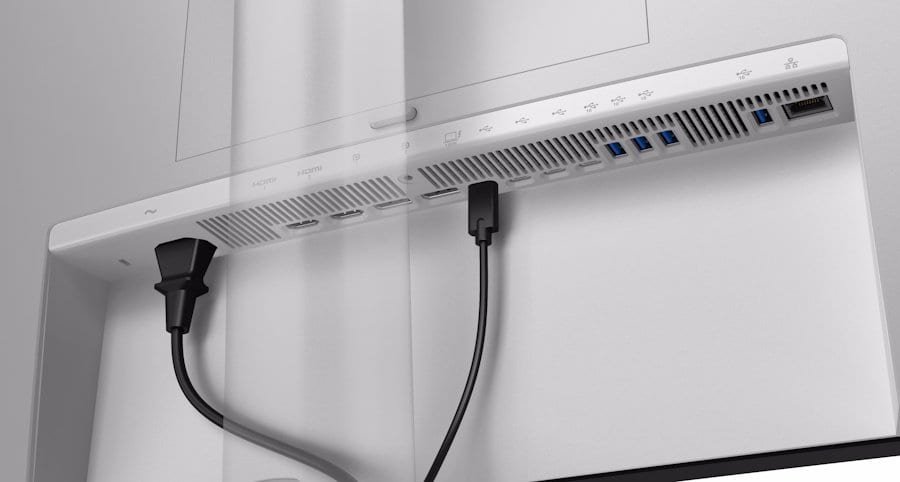
The hub also makes swapping devices painless. I tested it with my Windows laptop, a desktop tower, and even my Xbox. And honestly, I wish Ben had been around while I had the Dell UltraSharp 52 Thunderbolt Hub Monitor. Ben is our resident Apple loyalist at DezDoes.com, the guy who insists Macs are the pinnacle of design. Watching him plug in his MacBook with a single cable, see it charge, push out a crisp 6K signal, and handle all his peripherals through the monitor would have been… entertaining. He’d never admit it, but I can picture the look on his face, that mix of jealousy and reluctant admiration that he likes something that wasn’t made by a fruit!
The hub genuinely changes how you think about desk setups. Instead of juggling docks, hubs, and adapters, you just plug in and go. The integrated KVM switch means you can control multiple systems with the same keyboard and mouse, flipping between them seamlessly. For anyone balancing a work laptop and a personal rig, that’s a lifesaver. And I’m glad these are becoming more commonplace. My external KVM is bulky and eats up desk space, though I can’t live without it now.
And because it’s all built into the monitor, you don’t lose half your desk to extra hardware. The Dell UltraSharp 52 Thunderbolt Hub Monitor stand is already massive, it takes up less room than I expected considering the massive thing it was holding. The result is a cleaner, simpler workspace that feels more intentional.
It’s not flashy, but it’s the kind of feature that sneaks up on you. One day you’re plugging in a dozen cables, the next you’re wondering how you ever tolerated that mess.
Surprisingly Good Looking
A monitor this large could easily dominate a room in the wrong way. It could look like you’ve dragged a cinema screen into your office and forgotten to buy tickets. Thankfully, Dell showed some restraint with the Dell UltraSharp 52 Thunderbolt Hub Monitor.
The design feels premium and understated, which is exactly what a professional display should aim for. Slim bezels help soften the sheer scale, while the silver and black finish gives it a clean, modern look. It doesn’t scream for attention; it just sits there quietly, like it knows it’s the biggest thing in the room and doesn’t need to prove it.
Oddly enough, once it’s on the desk, it doesn’t feel excessive… weirdly. Physically, yes, it’s enormous. You’ll still wonder if your desk is plotting revenge. But visually, it’s remarkably balanced. The curve helps, the proportions help, and the stand, while heavy enough to double as gym equipment, keeps everything steady without looking clunky. Which is impressive, to say the least, with something this big.
I found myself appreciating little touches of the Dell UltraSharp 52 Thunderbolt Hub Monitor, too. The cable management is neat, the stand adjusts smoothly, and the overall build feels solid enough that you’d trust it to survive a minor earthquake. It’s the kind of design that fades into the background when you’re working, which is exactly what you want.
And here’s the funny part: despite its size, it doesn’t overwhelm the room which I know is weird to say. It’s big, yes, but it’s not gaudy. It feels like a tool, not a toy. Which is a difficult trick to pull off when you’re effectively putting an entire workstation on a stand.
Smooth for Work, Better Than Expected for Play
I approached the 120Hz refresh rate with cautious optimism. Most productivity monitors still live in the 60Hz world, which is fine until you’ve experienced something faster. Then going back feels slightly painful. The Dell UltraSharp 52 Thunderbolt Hub Monitor supports up to 120Hz, and you notice the difference immediately. Scrolling feels smoother, windows glide around the desktop, and general navigation has a fluidity that quickly becomes addictive.
Of course, I couldn’t resist loading up a few games. Because self‑control is overrated.
Gaming on a 52‑inch 6K ultrawide is an experience in itself. Whether it’s practical depends entirely on the game, your graphics card, and how much desk space you’re willing to dedicate to turning your office into a command centre. But when it works, it’s spectacular.
On World of Warcraft, the refresh rate and sheer width combine to make Azeroth feel alive in a way I hadn’t expected. The landscapes stretch out like panoramic paintings, and the curve of the panel pulls you into the world rather than leaving the edges feeling distant. Raids become sprawling spectacles, with every spell effect and boss mechanic filling the screen without feeling cramped. It’s not just immersive; it’s overwhelming in the best possible way. And dying in a Mythic plus 10 hits harder, as you just lie there letting your team down in 6k glory.
Switching gears to Farlight 84, the chaos of battle takes on a new dimension. Explosions ripple across the ultrawide canvas, gunfire streaks from one corner to the other, and the refresh rate keeps everything sharp and fluid even when the action gets frantic. It’s the kind of setup that makes you lean forward instinctively, caught up in the spectacle, forgetting you’re supposed to be “testing” rather than just enjoying yourself.
And then there’s Borderlands. The cel‑shaded art style looks phenomenal at 6K. Colours pop, outlines stay razor sharp, and the exaggerated humour of the game feels even more ridiculous when it’s plastered across a 52‑inch canvas. Looting a chest becomes a cinematic event, and Claptrap… well, Claptrap at this size is both hilarious and slightly unsettling… with a sprinkle of annoying.
The truth is, the Dell UltraSharp 52 Thunderbolt Hub Monitor wasn’t built for gaming, but it doesn’t shy away from it either. The refresh rate, the resolution, the curve; they all combine to make games feel bigger, sharper, and more immersive than they have any right to be. It’s not the most practical choice for competitive play, but for sheer spectacle, it’s hard to beat.
And here’s the funny part: after a few sessions, I found myself justifying it as “testing.” Which is technically true, but also a convenient excuse to spend hours…well, actually, it was the whole Grand Final long weekend, wandering through Azeroth, blasting through Farlight 84, and looting everything in sight in Borderlands. Productivity monitor? Sure. Entertainment system? Absolutely.
Colour Accuracy for People Who Care About Colour Accuracy
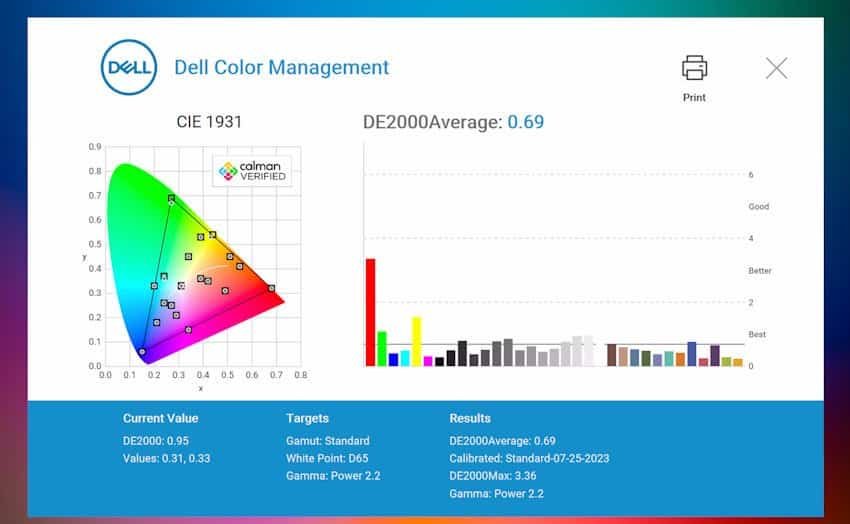
Dell clearly built this panel for people who notice the difference. The UltraSharp 52 covers 99% of the DCI‑P3 colour space and 100% of sRGB, which means it’s tuned for professional work where accuracy matters. Photographers, video editors, and designers will appreciate that colours don’t drift, whites stay neutral, and gradients remain smooth instead of breaking into ugly bands.
The IPS Black technology is the secret sauce here. Blacks look genuinely deep rather than washed‑out grey, and contrasts feel richer and more natural. It’s not about exaggerated saturation; it’s about balance. Documents look cleaner, images hold detail in both shadows and highlights, and even simple web browsing feels easier on the eyes.
I tested it with high‑resolution photos, and the difference was obvious. Skin tones looked realistic, skies carried subtle shifts in blue, and darker areas held detail instead of collapsing into mush. Video playback was equally impressive, with HDR adding just enough punch to make scenes feel alive without turning them into neon light shows.
Games benefit too, though in different ways. Borderlands looked phenomenal, its cel‑shaded art style popping against the deep blacks and vibrant highlights. Farlight 84 turned into a riot of colour, with explosions and neon effects filling the ultrawide canvas without washing out. And World of Warcraft? Azeroth’s forests, deserts, and cities all carried a depth that made me stop mid‑quest just to admire the view.
The wide viewing angles are another perk. Even when I leaned back or shifted to the side, colours stayed consistent. That matters when you’re sharing the screen with someone else, or when you’re sprawled across the desk pretending to be productive.
The truth is, colour accuracy isn’t just for creative professionals. It’s for anyone who spends hours looking at a screen and wants the experience to feel natural, comfortable, and occasionally breathtaking. Dell nailed that balance here, and once you’ve seen it, you’ll notice when other panels fall short.
Final Verdict
The Dell UltraSharp 52 Thunderbolt Hub Monitor is the kind of product that makes you rethink what a monitor can be. It’s not just a screen; it’s a workspace, a hub, and occasionally a cinema. The sheer size, the 6K resolution, the Thunderbolt connectivity, and the IPS Black panel all combine into something that feels less like a tool and more like an environment.
But here’s the thing: not everyone needs 52 inches of ultrawide glory. Dell offers this design in smaller sizes too, and for most people, those will make far more sense. The 52‑inch version is a statement piece, the kind of monitor you buy when you want your desk to feel like mission control. The smaller models keep the same DNA, the colour accuracy, the connectivity, the premium design, but in dimensions that won’t make your desk look like it’s bracing for impact.
For me, the 52‑inch was both exhilarating and ridiculous. It made work smoother, games more immersive, and movies unexpectedly intense. It also made me laugh at myself more than once, whether I was dragging a single browser window across the entire width just to see how silly it looked, or having a single spreadsheet going from A to BA and down almost 150 lines. It was an experience.
The truth is, this monitor isn’t for everyone. It’s for people who want excess, who want to spread out, who want to feel like they’re commanding their own war room. If that’s you, the Dell UltraSharp 52 Thunderbolt Hub Monitor delivers in ways you didn’t know you wanted. If it’s not, the smaller versions will still give you the same premium experience without requiring a pallet jack to get it into the house.
Either way, Dell has built something impressive here. A monitor that’s not just surprisingly good-looking, but surprisingly transformative.



Recent Comments