
How Can Aussies Fix Keyboard Damage from Dining at Their Desks?

Australians who eat at their desks need to give their mice and keyboards some overdue care and attention, says a workspace expert. Even in offices with dedicated dining areas, deadline-conscious Aussies are often in the habit of eating lunch or snacking in front of their monitor. The temptation to get ahead of workloads is very real, as workers forgo a midday walk and fresh air to chomp on sandwiches, burritos, and sushi over their spacebars. Research from Logitech indicates that the shrinking gap between working and dining isn’t unique to Australia, with a 2026 survey across four countries finding that more than half of respondents had prepped a meal while preparing for a meeting. According to Marisol Vargas, Senior Category Portfolio Manager, Personal Workspace Solutions at Logitech ANZ, these habits are doing slow, invisible damage to Australian keyboards, but the damage can be stopped with a few key steps. “Eating at your desk isn’t an issue, but the aftermath most definitely is,” she says. “Crumbs under the spacebar, oily sauces between the keys and spills from at-desk drinks can turn even the hardiest of keyboards and mice into a sticky, unwanted mess over time. “Though it’s easy to miss this build-up, the good news is that it doesn’t take much effort to stop it from happening again. Simply pushing the keyboard or laptop back before unwrapping lunch prevents crumbs from clogging all-important work peripherals, while switching to a wipe-clean desk mat lets mice glide smoothly without catching on spills or stains.” For keyboards already caked in crumbs from past lunches, Vargas recommends not reaching for the kitchen sponge, but taking a few steps instead. Cutting the power, holding the keyboard over a bin and shaking it should dislodge most debris, before using an upright can of compressed air to clear stubborn dust from around switches. Following this, she suggests lightly wiping down keycaps with a soft microfibre cloth dampened with water, taking care not to spray liquid directly onto the keyboard to prevent moisture from travelling into unexpected gaps. As Vargas notes, mechanical keyboard owners may go a step further knowing keycaps can be safely removed for a more thorough cleaning underneath. She advises investing in a keycap puller tool to make this process easier – pulling directly up to avoid damaging switch stems and stabilisers, then using a soft brush to reach into the gaps before firmly clicking the caps back into place. “Everyone should take the time to clean their peripherals, but it’s important to remember these tools shouldn’t be treated like typical household items,” Vargas concludes. “Don’t reach for what’s under the kitchen sink – bleach, acetone or anything solvent-based will eat through plastic and strip the lettering off keys. Warm water and mild soap will do the trick. “Think of it like looking after a car – you don’t wait for it to break down before booking a service. Having lunch at the desk, while often unavoidable, will naturally take its toll on work peripherals. Giving them a quick, simple clean every now and again means you can eat over your desk guilt-free while powering through your inbox.” Click the link for Logitech’s full keyboard cleaning guide.

Media Release:

Australians who eat at their desks need to give their mice and keyboards some overdue care and attention, says a workspace expert.

Even in offices with dedicated dining areas, deadline-conscious Aussies are often in the habit of eating lunch or snacking in front of their monitor. The temptation to get ahead of workloads is very real, as workers forgo a midday walk and fresh air to chomp on sandwiches, burritos, and sushi over their spacebars.

Research from Logitech indicates that the shrinking gap between working and dining isn’t unique to Australia, with a 2026 survey across four countries finding that more than half of respondents had prepped a meal while preparing for a meeting. According to Marisol Vargas, Senior Category Portfolio Manager, Personal Workspace Solutions at Logitech ANZ, these habits are doing slow, invisible damage to Australian keyboards, but the damage can be stopped with a few key steps.

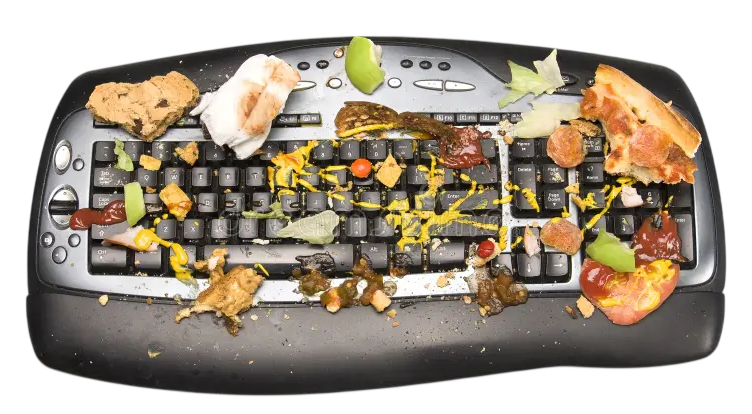
“Eating at your desk isn’t an issue, but the aftermath most definitely is,” she says. “Crumbs under the spacebar, oily sauces between the keys and spills from at-desk drinks can turn even the hardiest of keyboards and mice into a sticky, unwanted mess over time.
“Though it’s easy to miss this build-up, the good news is that it doesn’t take much effort to stop it from happening again. Simply pushing the keyboard or laptop back before unwrapping lunch prevents crumbs from clogging all-important work peripherals, while switching to a wipe-clean desk mat lets mice glide smoothly without catching on spills or stains.”
Australians who eat at their desks need to give their mice and keyboards some overdue care and attention, says a workspace expert. Even in offices with dedicated dining areas, deadline-conscious Aussies are often in the habit of eating lunch or snacking in front of their monitor. The temptation to get ahead of workloads is very real, as workers forgo a midday walk and fresh air to chomp on sandwiches, burritos, and sushi over their spacebars. Research from Logitech indicates that the shrinking gap between working and dining isn’t unique to Australia, with a 2026 survey across four countries finding that more than half of respondents had prepped a meal while preparing for a meeting. According to Marisol Vargas, Senior Category Portfolio Manager, Personal Workspace Solutions at Logitech ANZ, these habits are doing slow, invisible damage to Australian keyboards, but the damage can be stopped with a few key steps. “Eating at your desk isn’t an issue, but the aftermath most definitely is,” she says. “Crumbs under the spacebar, oily sauces between the keys and spills from at-desk drinks can turn even the hardiest of keyboards and mice into a sticky, unwanted mess over time. “Though it’s easy to miss this build-up, the good news is that it doesn’t take much effort to stop it from happening again. Simply pushing the keyboard or laptop back before unwrapping lunch prevents crumbs from clogging all-important work peripherals, while switching to a wipe-clean desk mat lets mice glide smoothly without catching on spills or stains.” For keyboards already caked in crumbs from past lunches, Vargas recommends not reaching for the kitchen sponge, but taking a few steps instead. Cutting the power, holding the keyboard over a bin and shaking it should dislodge most debris, before using an upright can of compressed air to clear stubborn dust from around switches. Following this, she suggests lightly wiping down keycaps with a soft microfibre cloth dampened with water, taking care not to spray liquid directly onto the keyboard to prevent moisture from travelling into unexpected gaps. As Vargas notes, mechanical keyboard owners may go a step further knowing keycaps can be safely removed for a more thorough cleaning underneath. She advises investing in a keycap puller tool to make this process easier – pulling directly up to avoid damaging switch stems and stabilisers, then using a soft brush to reach into the gaps before firmly clicking the caps back into place. “Everyone should take the time to clean their peripherals, but it’s important to remember these tools shouldn’t be treated like typical household items,” Vargas concludes. “Don’t reach for what’s under the kitchen sink – bleach, acetone or anything solvent-based will eat through plastic and strip the lettering off keys. Warm water and mild soap will do the trick. “Think of it like looking after a car – you don’t wait for it to break down before booking a service. Having lunch at the desk, while often unavoidable, will naturally take its toll on work peripherals. Giving them a quick, simple clean every now and again means you can eat over your desk guilt-free while powering through your inbox.” Click the link for Logitech’s full keyboard cleaning guide.

For keyboards already caked in crumbs from past lunches, Vargas recommends not reaching for the kitchen sponge, but taking a few steps instead. Cutting the power, holding the keyboard over a bin and shaking it should dislodge most debris, before using an upright can of compressed air to clear stubborn dust from around switches. Following this, she suggests lightly wiping down keycaps with a soft microfibre cloth dampened with water, taking care not to spray liquid directly onto the keyboard to prevent moisture from travelling into unexpected gaps.

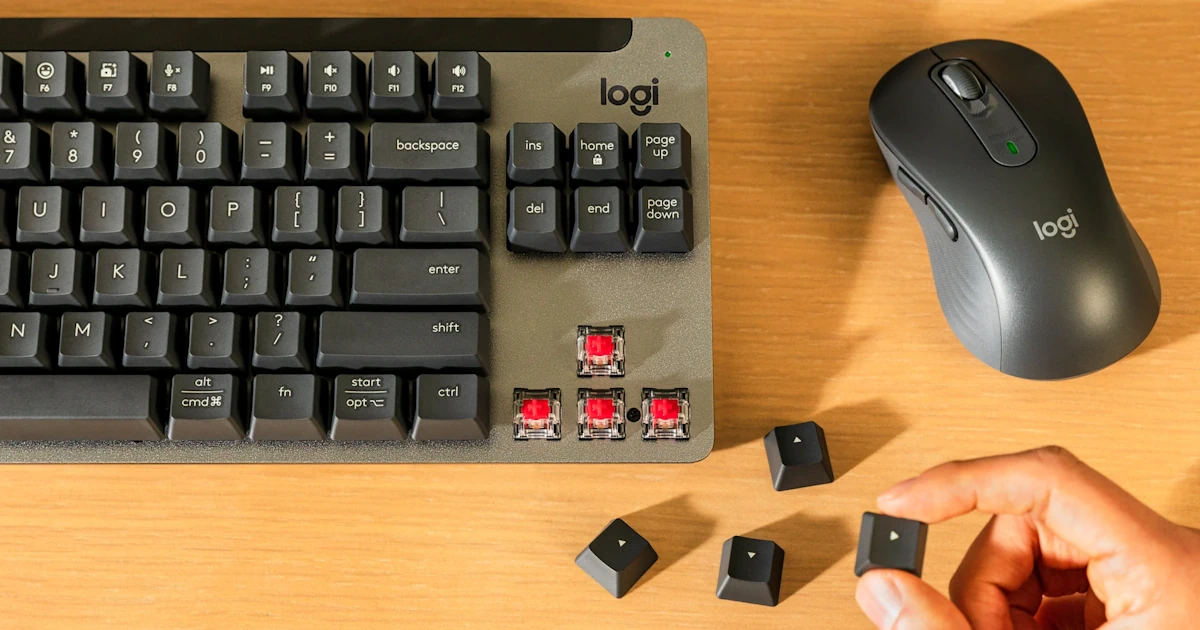
As Vargas notes, mechanical keyboard owners may go a step further knowing keycaps can be safely removed for a more thorough cleaning underneath. She advises investing in a keycap puller tool to make this process easier – pulling directly up to avoid damaging switch stems and stabilisers, then using a soft brush to reach into the gaps before firmly clicking the caps back into place.

“Everyone should take the time to clean their peripherals, but it’s important to remember these tools shouldn’t be treated like typical household items,” Vargas concludes. “Don’t reach for what’s under the kitchen sink – bleach, acetone or anything solvent-based will eat through plastic and strip the lettering off keys. Warm water and mild soap will do the trick.
“Think of it like looking after a car – you don’t wait for it to break down before booking a service. Having lunch at the desk, while often unavoidable, will naturally take its toll on work peripherals. Giving them a quick, simple clean every now and again means you can eat over your desk guilt-free while powering through your inbox.”

Click the link for Logitech’s full keyboard cleaning guide.
Read Previous

The Ultimate Kris Kringle Gift Guide thanks to Funko

Read Next

Master Crafted For Complete Control: Razer Unveils The Raiju V3 Pro Signature Edition

Most Popular