
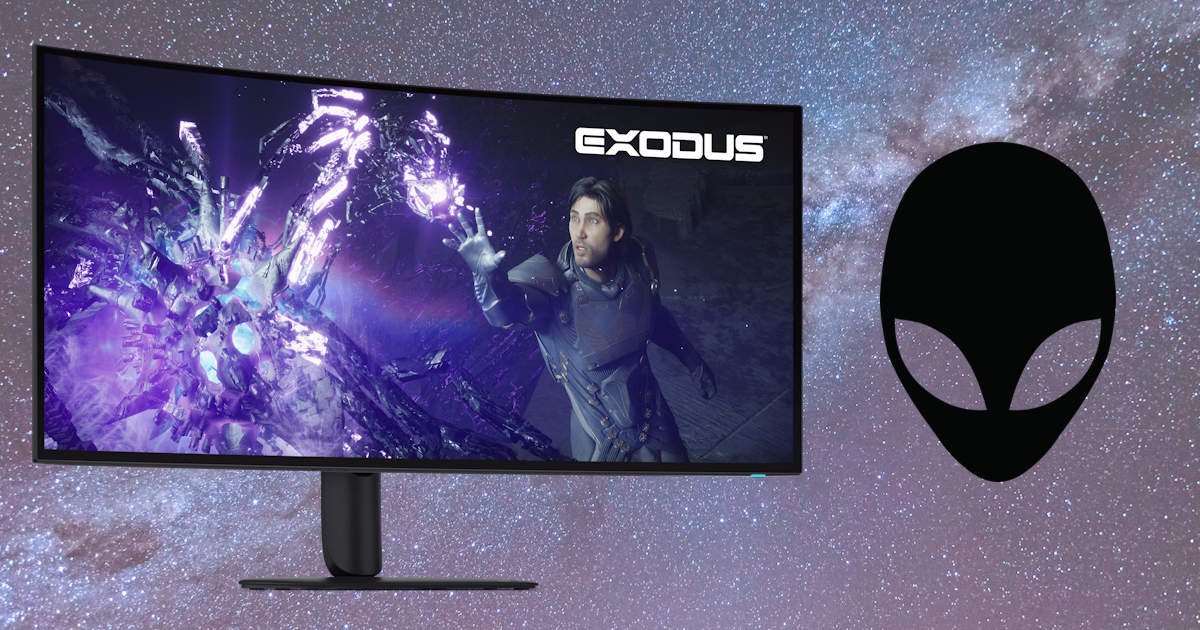
Premium gaming monitors aren’t exactly a rare sight these days, but it’s not often a display that comes along that genuinely feels different. The Alienware 39 5K OLED Gaming Monitor (AW3926QW) enters the market with some seriously ambitious specifications, combining a massive 39-inch curved OLED panel, a sharp 5120 x 2160 resolution, a 165Hz refresh rate, and enough premium features to make enthusiast gamers and content creators take notice… even if it didn’t arrive on a pallet.
On paper, it’s the sort of monitor that promises to do everything. High-end gaming, productivity, content creation and a healthy amount of showing off when friends inevitably ask how large your screen actually is. The real question is whether the experience lives up to the impressive specification sheet.
The monitor also arrives at a time when premium displays are becoming increasingly competitive. Every manufacturer seems to have an OLED panel, a high refresh rate and a long list of buzzwords ready for the marketing department. Standing out isn’t as easy as it once was. That’s why products in this category need to offer more than just impressive numbers on a box.
Fortunately, the Alienware 39 5K OLED Gaming Monitor makes a strong first impression before it’s even switched on. The sheer size of the display commands attention, and once it’s sitting on your desk, it quickly becomes the focal point of the entire setup. In fact, calling it a monitor almost feels like underselling it. It’s closer to a command centre for gaming, work and whatever random YouTube rabbit hole you happen to fall into at 11 PM… I blame BeardMeatsFood.
After spending several weeks with the Alienware 39 5K OLED Gaming Monitor, the answer became pretty clear. This isn’t simply a big screen with a flashy spec sheet. It’s one of those rare displays that consistently finds new ways to impress, whether you’re deep into a game, tackling a workload or just finding excuses to admire how ridiculously good everything looks.
Big Screen Energy
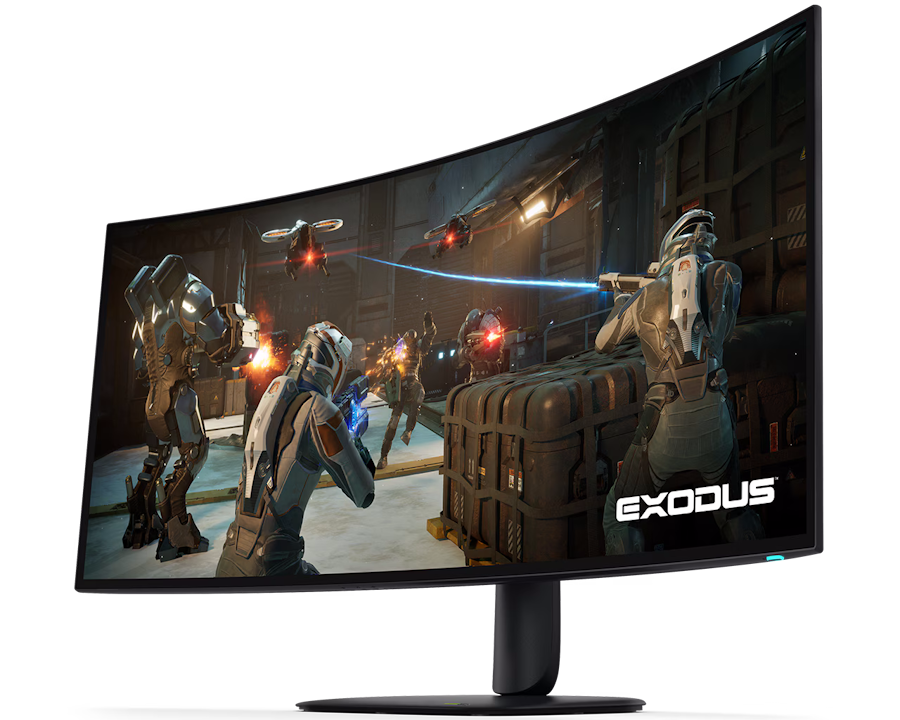
The Alienware 39 5K OLED Gaming Monitor features a 38.9-inch curved OLED panel with a 5120 x 2160 resolution and a 21:9 ultrawide aspect ratio. That’s a lot of screen. In fact, “monitor” almost feels like an understatement. The first time I sat down in front of it, my usual dual-monitor setup suddenly seemed a little unnecessary.
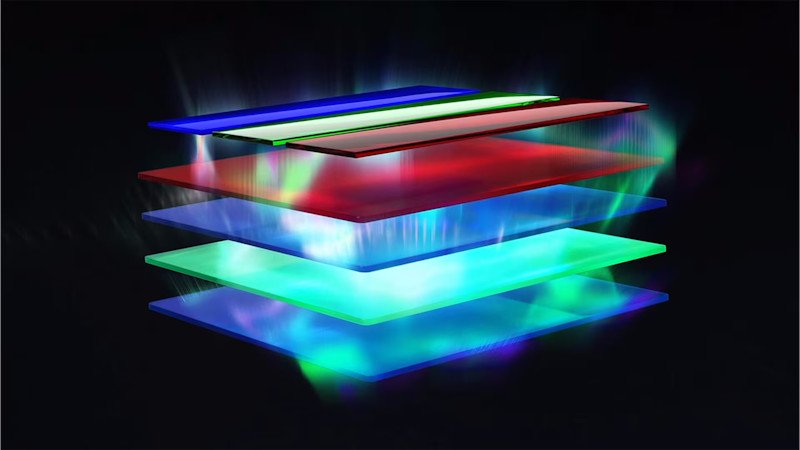
Dell also uses RGB stripe tandem OLED technology here, which helps deliver sharper text and improved brightness compared to some OLED panels we’ve seen in previous generations. That might sound like the sort of feature usually buried halfway down a spec sheet, but it makes a genuine difference in everyday use. Text looks crisp and clean, whether you’re typing documents, editing photos or staring at the same paragraph for ten minutes because you’ve somehow ended up scrolling Reddit instead of working. The additional brightness also helps HDR content stand out beautifully, giving highlights more impact without sacrificing those deep OLED blacks we’re all here for.
The 1500R curve feels just right for a display this size. It gently wraps around your field of view without making Excel spreadsheets look like they’re attempting a dramatic stunt sequence. That’s important because a screen this large could easily become overwhelming, yet the curvature helps everything feel surprisingly natural after only a few days of use.
I spent a good few hours bouncing between gaming, productivity work, photo editing and the usual thirty browser tabs that apparently live permanently on my desktop. The extra vertical space compared to traditional ultrawides is immediately noticeable. You get the cinematic width while still having plenty of room for actual work, which isn’t always a guarantee in the ultrawide space.
Games benefit from it too. World of Warcraft felt particularly at home on the Alienware 39 5K OLED Gaming Monitor. The ultrawide format gives you an incredible view of the world around you, whether you’re flying across Khaz Algar, running dungeons or simply standing around in Dornogal pretending you’re organising your inventory while actually admiring your transmog. The combination of the expansive screen space, rich OLED colours and deep contrast makes Azeroth look stunning, even during those nights when I’m supposedly logging in for “just one quick thing” and somehow emerge three hours later.
I quickly found myself treating the monitor like three screens without any of the bezels getting in the way. One side would be filled with research, the centre occupied by whatever I was actively working on, and the other side inevitably became home to Discord, Spotify, or some completely unrelated YouTube video that definitely wasn’t distracting me from the task at hand.
That’s probably the biggest surprise here. The Alienware 39 5K OLED Gaming Monitor isn’t only great for gaming. It’s ridiculously good for just about everything you throw at it. By the end of the review period, I was looking for excuses to use it, even when gaming wasn’t on the agenda. In hindsight, I probably spent as much time working on it as I did actually reviewing it.
OLED Continues To Be Unreal
Look, OLED displays have almost reached the point where describing the image quality feels repetitive. The blacks are perfect. The contrast is outstanding. HDR content looks fantastic. But that’s because it remains true.
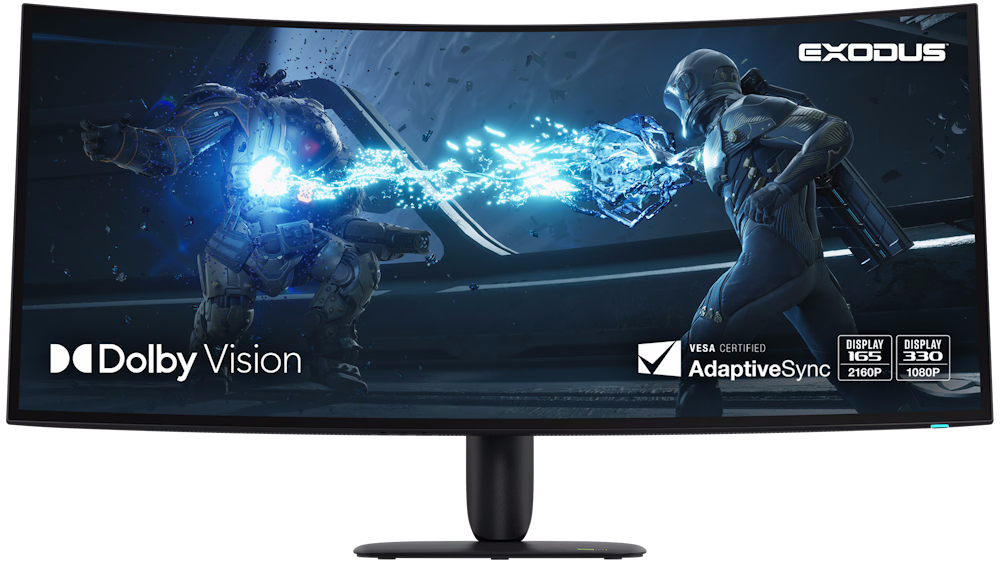
The Alienware 39 5K OLED Gaming Monitor supports Dolby Vision HDR and carries a VESA DisplayHDR True Black 500 certification, and the combination delivers the sort of image quality that reminds you why OLED remains the benchmark for premium gaming displays. Bright highlights leap off the screen while darker scenes retain impressive detail, creating an image that feels rich, vibrant and, at times, almost three-dimensional.
What impressed me most wasn’t necessarily the big HDR showcase moments. Sure, explosions looked fantastic and neon-drenched cityscapes practically glowed. The real surprise was how consistently good everything looked. It didn’t matter whether I was exploring a dark cave, watching a movie or simply staring at an overly colourful desktop wallpaper that had no business looking that impressive.
Games like Cyberpunk 2077 and Alan Wake 2 looked spectacular. Neon signs glowed. Dark areas retained detail without looking washed out. Every time I thought I’d seen what the panel could do, another scene would come along and make me pause for a second.
The same was true in World of Warcraft. Flying across Khaz Algar at sunset looked incredible, with vibrant spell effects, richly detailed environments and enough contrast to make armour sets seem even more expensive than they already were. I’m fairly certain I spent at least one evening standing around in Silvermoon admiring my character and those around me instead of doing anything remotely productive.
The 5K WUHD resolution also deserves some credit here. At nearly 39 inches, a lower-resolution panel would have struggled to maintain that premium feel. And when I’m talking about a lower-resolution panel. I’m talking about anything under 2k. Instead, everything looks wonderfully sharp. Fine details are easy to spot, textures appear crisp, and the screen has enough pixel density that you’re not constantly thinking about the display itself. You’re simply absorbed in whatever is on it.
I know “I stopped to admire the graphics” is one of the oldest gaming-review clichés around, but sometimes clichés exist because they’re unavoidable. This was one of those times.
Actually, it happened more than once. Quite a bit more than once. At some point I stopped pretending I was benchmarking the monitor and accepted that I was just showing off what it could do.
Gaming Performance That Keeps Up
Thankfully, the Alienware 39 5K OLED Gaming Monitor backs up its visual quality with the performance you’d expect from a premium gaming display.
The panel supports a refresh rate of up to 165Hz at its native 5120 x 2160 resolution and offers an incredibly fast 0.03ms grey-to-grey response time. It also supports NVIDIA G-SYNC Compatible, AMD FreeSync Premium Pro and VESA AdaptiveSync technologies.
Sorry, got a bit too technical there, but all of that boils down to a simple result: gaming feels exceptionally smooth. Mouse movements are precise, camera pans remain fluid, and fast-moving objects stay remarkably clear even during chaotic moments.
I spent most of my gaming time moving between Farlight 84, Alan Wake 2 and a surprisingly large amount of Moon Sweeper. One of those is a fast-paced shooter. One is a gorgeous horror masterpiece. The other is a game about cleaning dust off the Moon. Somehow, all three gave the monitor an opportunity to shine… get it, cleaning and shine? Ok, I’ll stop.
Farlight 84 was a fantastic showcase for Alienware’s speed. The 165Hz refresh rate and near-instant response times kept the action feeling smooth even when the screen was packed with abilities, explosions and players desperately trying to ruin my afternoon. The monitor never felt like the thing holding me back. My aim was doing a perfectly adequate job of that on its own. I swear, every time I think I’m getting better, I get killed by a bot or some person with a default skin. The monitor helped me to finish in the top half, but still, I suck.
Meanwhile, Alan Wake 2 combined the monitor’s performance and image quality into something genuinely impressive. The dark forests, moody lighting and dense atmosphere felt incredibly immersive, while camera movement remained silky smooth. Horror games live and die by presentation, and this display absolutely elevated the experience. In fact, one particularly stormy afternoon had me questioning my life choices. It was raining outside, the room was getting darker by the minute, and the OLED panel made every shadow in Alan Wake 2 look uncomfortably convincing. I eventually turned the lights on. Not because I was scared, of course. Let’s just say I was taking sensible precautions for a fully grown adult who definitely wasn’t getting nervous playing a horror game in broad daylight.
Then there was Moon Sweeper.
I fully appreciate how ridiculous it sounds to discuss a premium 39-inch 5K OLED monitor while talking about a game whose primary objective is cleaning Moon dust. Yet I found myself completely absorbed by it. The enormous screen, the gentle curve and the sharp image quality gave the strange feeling of actually standing on the lunar surface tidying up after somebody else’s mess. It’s probably the closest I’ll ever get to becoming an astronaut, which is mildly disappointing considering how much of my time was spent vacuuming dirt.
The monitor also supports a unique dual-resolution mode, allowing users to run at 2560 x 1080 with a blistering 330Hz refresh rate if maximum speed is the priority. That’s a genuinely nice option for competitive players who want every possible frame and every possible advantage.
Most people will likely spend their time enjoying the gorgeous native 5K resolution, but it’s nice knowing the extra speed is available… even if it didn’t help my fat duck in Farlight 84. Whether you’re battling through a competitive shooter, surviving a psychological horror game, or performing surprisingly satisfying lunar cleaning duties, the Alienware 39 5K OLED Gaming Monitor feels more than capable of keeping up.
Surprisingly Great For Productivity
This isn’t the section I expected to spend much time talking about. Yet here we are.
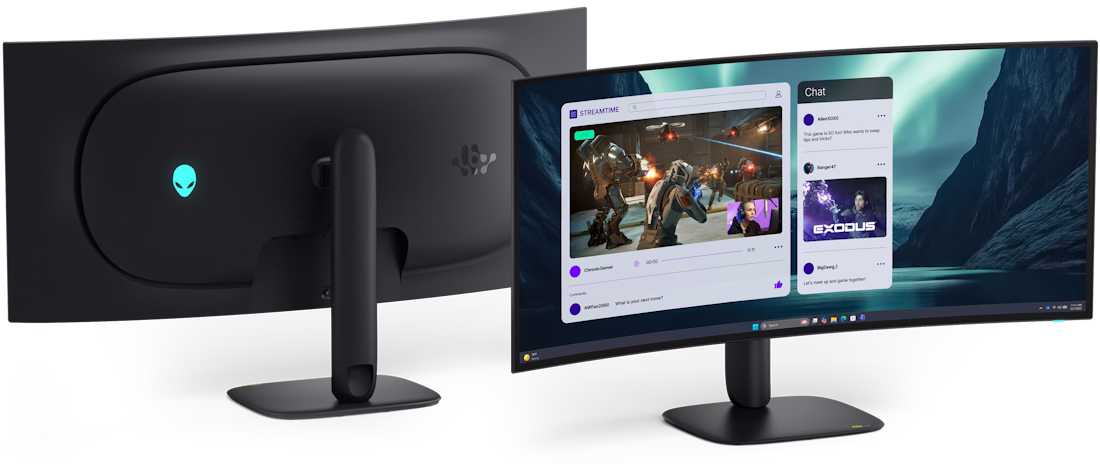
With a 5K WUHD resolution spread across a 39-inch panel, desktop real estate is almost absurd. Side-by-side documents feel spacious. Video editing timelines stretch out comfortably. Multitasking becomes so easy that I accidentally created more work for myself.
At one point I had Photoshop open, several browser windows running, YouTube playing, Discord lurking in the corner, and a document half-finished because I became distracted looking at how nice everything looked.
That’s probably not Alienware’s fault.
What surprised me most was just how much of my working day ended up being spent on this monitor. Reviews often focus heavily on gaming performance, but the reality is that I spent weeks using the Alienware 39 5K OLED Gaming Monitor for actual work. Emails, spreadsheets, presentations, Teams calls, article writing, image editing and more browser tabs than any reasonable person should have open at once… 37 for those playing at home.
The extra screen real estate genuinely changes how you work. I normally run a dual-screen setup, and more often than I’d like to admit, my spreadsheets still end up feeling cramped. On the Alienware 39 5K OLED Gaming Monitor, I could spread everything out comfortably and actually see what I was working on without constantly scrolling left and right. Honestly, it was a little bit heavenly.
When I wasn’t buried in spreadsheets, it was just as easy to have Outlook open on one side, Teams on the other and my active workload front and centre. I wasn’t constantly resizing windows or digging around for applications hiding behind each other. It sounds like a small quality-of-life improvement, but after spending an entire workday this way, it becomes difficult to give up. Going back to a smaller display felt like somebody had quietly stolen a third of my desk overnight.
The monitor also became my primary video editing display during several editing sessions, and that’s where the combination of the 5K resolution and OLED panel really started to shine. Having a long timeline stretched across the bottom of the screen while still leaving room for preview windows, effects panels and project assets made editing feel much less cramped. It didn’t magically make my edits better, unfortunately, but it did remove a lot of the frustration that comes from constantly rearranging workspace layouts.
The RGB stripe pixel structure also helps keep text looking crisp, which is important when you’re staring at words all day. It’s one of those specifications that sounds boring until you’re actually using the monitor for real work. Then it suddenly becomes very important.
By the end of the review period, I realised something interesting. There were days when I barely played a game at all, yet I still spent eight or ten hours sitting in front of the monitor. Plenty of gaming monitors are fantastic at gaming. Far fewer are displays you’d genuinely want to spend your entire working week using as well.
The Alienware 39 5K OLED Gaming Monitor manages both, and it does so without feeling like it’s making compromises in either direction.
Connectivity And Features
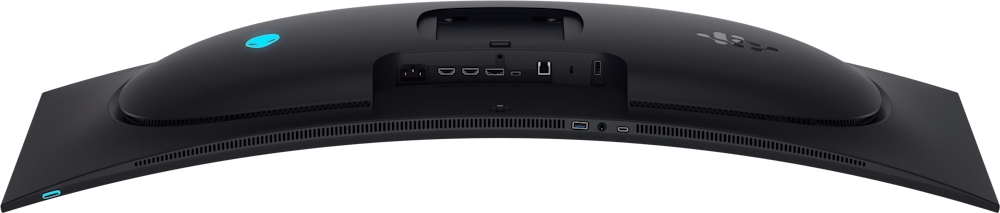
Alienware hasn’t been stingy with the connectivity either.
The monitor includes DisplayPort 2.1, dual HDMI 2.1 ports, USB-C connectivity with up to 90W power delivery, USB hub functionality and an integrated KVM switch. Picture-in-Picture and Picture-by-Picture modes are also supported.
The KVM functionality deserves a quick mention because once you start using it, it becomes surprisingly difficult to live without. Being able to bounce between systems with minimal fuss is one of those quality-of-life features that sounds minor until it isn’t.
As somebody who already uses an external KVM switch to jump between my work laptop and my gaming PC, I wasn’t expecting to be particularly impressed. My existing KVM was cheap, occasionally stubborn and best described as “functional”. It did the job… mostly. Usually. Assuming it was having a good day.
The integrated solution on the Alienware, however, is in a completely different league. Switching between devices felt fast, reliable and seamless, without the occasional moments of panic where you’re left wondering whether you’ve pressed the button correctly or accidentally disconnected half your setup.
The USB-C connection is equally useful, particularly if you’re working across a desktop and laptop setup. Being able to connect a laptop with a single cable while receiving display output, data connectivity and up to 90W of power delivery helps keep cable clutter under control. My desk certainly appreciated it, even if the collection of coffee cups scattered around it didn’t. I’m actually scared to give this back, as I have about 7 cables I need to replug into my old KVM switch.
Taken together, the connectivity options make the Alienware 39 5K OLED Gaming Monitor feel like more than just a gaming display. Whether you’re gaming, working, creating content or constantly switching between devices throughout the day, there’s a level of convenience here that quickly becomes part of your routine. Once you’ve had it, it’s surprisingly difficult to go back. In fact, I’m genuinely not looking forward to sending it back. The thought of reconnecting everything manually after getting used to Alienware’s seamless implementation is already giving me a headache.
The Not-So-Small Caveat
There’s only one real catch. To properly drive a 5120 x 2160 OLED monitor at high refresh rates, you’re going to want some serious graphics horsepower.
This is not the monitor’s fault. It’s simply the reality of pushing over eleven million pixels in modern games. Pairing the Alienware 39 5K OLED Gaming Monitor with a lower-end GPU feels a little like putting economy tyres on a supercar.
Will it work? Certainly.
Will you be using the monitor to its full potential? Probably not.
During my review period, I paired the monitor with an RTX 3090, which still proved more than capable in most situations. Even so, some newer AAA titles occasionally required a few settings tweaks or the assistance of DLSS to maintain the sort of frame rates that really let a 165Hz display stretch its legs. That’s less a criticism of the monitor and more a reminder of just how demanding a 5120 x 2160 resolution can be.
Final Verdict
The Alienware 39 5K OLED Gaming Monitor is one of those products that’s very easy to appreciate on a spec sheet, but it’s only after living with it for a few weeks that you begin to understand just how good it really is.
Yes, the OLED panel is stunning. Yes, the 5120 x 2160 resolution delivers incredible image quality. Yes, the 165Hz refresh rate keeps games feeling smooth and responsive. Those are all expected at this price point. What surprised me was how quickly the monitor became part of my daily routine.
During the review period, this wasn’t just a gaming monitor. It became my work display, my video editing display, my Teams call display, my spreadsheet display, and occasionally my “watch random YouTube videos when I should be working” display. Very few gaming monitors manage to excel across all of those areas without feeling like they’re compromising somewhere.
Of course, it isn’t a monitor for everyone. The size alone will be too much for some setups, and you’ll need reasonably capable hardware to make the most of that 5K ultrawide resolution. My RTX 3090 handled it well, but there were certainly moments where I found myself wondering what a newer graphics card could do. That’s both a compliment and a warning.
What really stands out, though, is that the Alienware 39 5K OLED Gaming Monitor consistently made me want to use it. Whether I was exploring Night City in Cyberpunk 2077, nervously stumbling through Alan Wake 2, cleaning moon dust in Moon Sweeper, editing videos, building spreadsheets, or simply clearing out my inbox, the experience always felt a little more enjoyable than it probably should have.
And honestly, that’s what makes great tech stand out.
The real test of any review product comes when it’s time to pack it back into the box. Usually I’m ready to move on to the next thing. This time, I’m not. I’m already dreading reconnecting my old KVM switch, reorganising my cables, and returning to a setup that suddenly feels much smaller than it did a month ago.



Recent Comments