

There comes a point when gaming mice get so light, so fast, and so absurdly responsive that reviewing them starts to feel a bit like reviewing Formula 1 cars on a suburban street. Yes, one is technically faster. Yes, there are measurable improvements. No, your local supermarket run probably doesn’t require it.
Then Logitech sends over the Logitech Pro X3 Superstrike in Magenta, and suddenly I’m sitting at my desk, repeatedly picking it up and putting it back down because I can’t quite believe how little it weighs.
It’s also pink. A very good pink. And honestly, I absolutely love it!
The Logitech Pro X3 Superstrike arrives as the successor to the Logitech Pro X2 Superstrike, the mouse that made headlines after helping professional players set reaction-based records thanks to Logitech’s innovative Haptic Inductive Trigger System. The Logitech Pro X3 Superstrike builds on that foundation with a lighter chassis, improved battery life, a new NxLOGI chipset and further refinements to the click system that made the previous generation so unique. Logitech claims the Logitech Pro X3 Superstrike can reduce click latency by up to 30 milliseconds through its HITS technology while offering fully customisable actuation and reset points.
That sounds incredibly technical. In practice?
It feels ridiculously fast.
First Impressions: The Mouse Equivalent Of A Sports Car
The moment you pull the Logitech Pro X3 Superstrike out of the box, the weight immediately stands out. Or perhaps the lack of it.
At around 61 grams, the mouse feels almost suspiciously light. For the first few minutes, I genuinely wondered whether Logitech had forgotten to install something important inside. Fortunately, they had not. The weight reduction comes from redesigned internals and a more balanced distribution across the chassis.
The first time I picked it up, my brain actually did a brief double take. Years of using gaming mice have apparently trained me to expect a certain amount of heft, so when the Logitech Pro X3 Superstrike practically floated off the desk, it felt a little strange. Not bad strange. More like “did somebody swap this for a display hallowed out model?” strange.
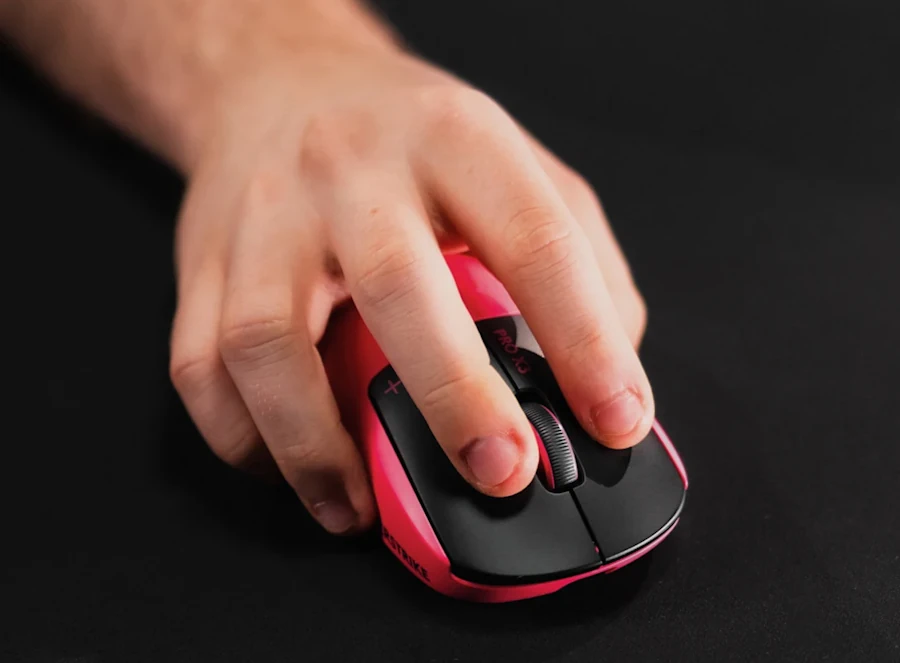
The shape remains familiar if you’ve used previous Logitech Pro Superstrike mice. That’s a good thing. Logitech didn’t try to reinvent ergonomics after a late-night brainstorming session involving too much coffee and a whiteboard. The symmetrical design is comfortable, safe, and surprisingly versatile across claw grip, fingertip grip and hybrid styles.
Within a few minutes, it felt completely natural in hand. Great gaming peripherals tend to disappear. You stop thinking about them and just get on with whatever game you’re playing, whether that’s climbing ranked ladders or repeatedly convincing yourself that the next match will definitely go better than the last one.
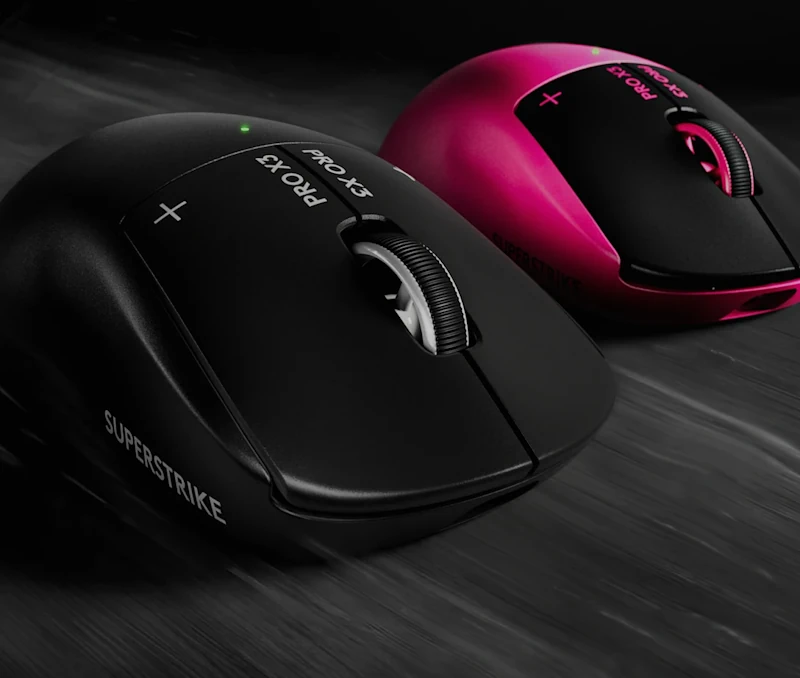
The Magenta finish deserves special mention.
Most gaming peripherals still arrive in an endless parade of black-on-black-on-slightly-different-black. The vibrant Magenta option adds some personality without looking like a toy. It stands out on a desk immediately and somehow manages to look both playful and premium at the same time.
Honestly, every time I glanced over during testing, it caught my attention. Friends who wandered into my office noticed it almost immediately too. Nobody ever walks into a room and says, “Wow, that black mouse is really exciting.” They did, however, comment on the Magenta one.
HITS Technology Continues To Impress
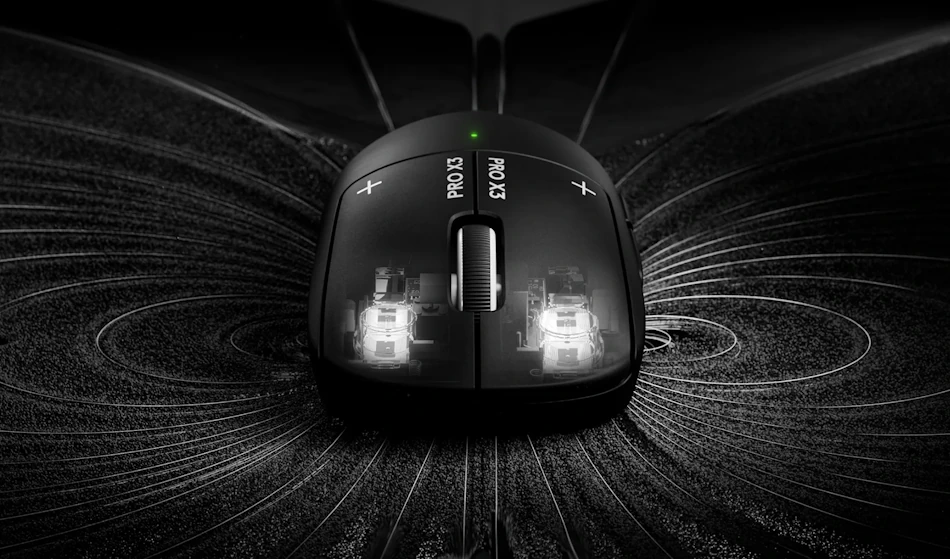
The headline feature remains Logitech’s Haptic Inductive Trigger System, or HITS for short. It’s also one of those acronyms that sounds like it belongs in an action movie rather than a gaming mouse.
Instead of using traditional mechanical microswitches, the Logitech Pro X3 Superstrike relies on an electromagnetic system that allows users to customise actuation points, reset behaviour, and even aspects of the click feel itself. Logitech says the technology reduces click latency while providing greater control over responsiveness, which sounds like the sort of thing esports professionals get very excited about during interviews.
Specs are one thing. Playing actual games is another.
Over the course of testing, I spent most of my time jumping between Farlight 84 and World of Warcraft, two games that couldn’t be much more different. Farlight 84 immediately let the Logitech Pro X3 Superstrike show off its speed. Quick target acquisition, frantic firefights, desperately trying to survive after pushing far too aggressively, everything felt incredibly responsive.
World of Warcraft, on the other hand, demanded a different kind of effort from this little beauty.
MMOs aren’t usually the first thing people think of when discussing high-performance esports mice, but WoW can be absolutely relentless. Between targeting enemies, managing abilities, navigating menus, looting, and occasionally panic-clicking because you’ve somehow pulled half a dungeon, the mouse rarely gets a moment to rest. The Logitech Pro X3 Superstrike handled it all without missing a beat.
There’s a crispness here that’s difficult to properly describe until you’ve used it yourself. Every click feels deliberate and immediate. The buttons react with almost alarming urgency. You click, and the action happens. No hesitation. No mushiness. No wondering whether you’ve actually pressed the button hard enough.
The level of customisation is surprisingly useful too. With ten configurable actuation points and five reset points available through Logitech G Hub, it’s possible to tune the mouse to feel exactly how you like it. Some players will spend hours tweaking every setting. Others will find a setup they love within three minutes and never touch it again. I mostly fell into the second camp.
What really stood out wasn’t any single feature. It was how quickly the technology disappeared into the background. After a few gaming sessions, everything simply felt effortless. The clicks became an extension of whatever I was trying to do on-screen, whether that was landing a crucial shot in Farlight 84 or mashing abilities in WoW while trying to convince my guild that a mechanic I’d definitely stood in was actually lag.
The difference becomes most noticeable when you switch back to a conventional mouse. Suddenly everything feels slightly slower. Slightly softer.
Like walking through water.
Or perhaps like switching back to a budget office keyboard after spending a week on a premium mechanical board. Nothing is technically wrong. Your brain just can’t stop noticing that something feels a little less precise than it did yesterday.
Sensor Performance Is Exactly What You’d Expect At This Level
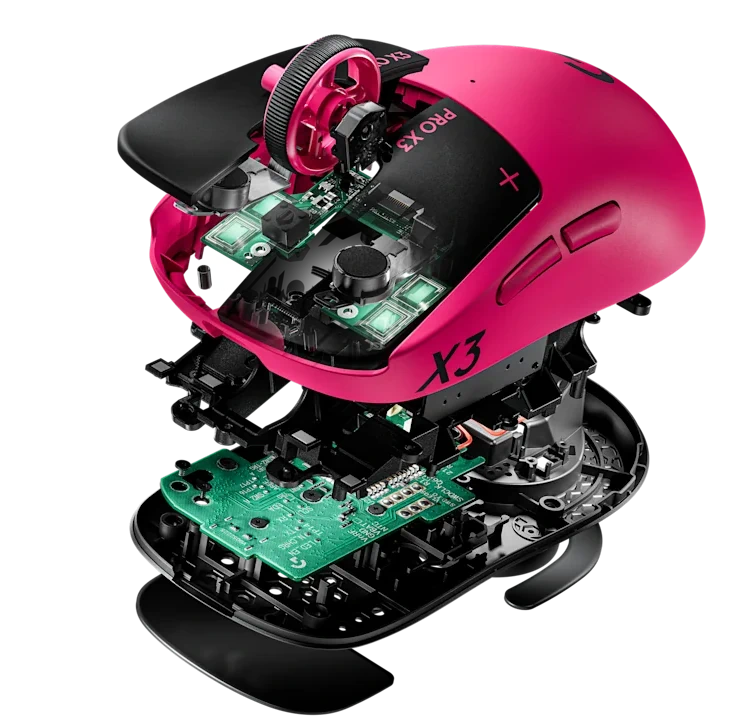
The Logitech Pro X3 Superstrike features Logitech’s HERO 2 sensor, capable of tracking beyond 930 IPS, handling 90G acceleration, and supporting sensitivity levels all the way up to a frankly ridiculous 48,000 DPI.
Will most people use 48,000 DPI? Absolutely not.
Would I like to meet someone who does? Yes. I have questions. Possibly several.
The kind that start with, “Who hurt you?” and end with a discussion about whether moving your mouse three millimetres should really launch your cursor to the neighbouring postcode.
Fortunately, you don’t need to crank the DPI into absurd territory to appreciate what the HERO 2 sensor is capable of. During testing in both Farlight 84 and World of Warcraft, tracking was faultless. Fast flicks, tiny adjustments, quick direction changes and the occasional panic-induced flailing all translated exactly as intended on screen.
Well, mostly as intended.
The sensor accurately tracked everything I did. Whether what I did was actually the correct decision is an entirely separate conversation.
In Farlight 84, the sensor’s precision was immediately noticeable during hectic firefights. Quick target switches felt effortless, and tracking moving opponents remained smooth even during those moments where the match suddenly descends into complete chaos. There was never a moment where I felt the mouse was struggling to keep up. The old man controlling it, well, that is a different story.
World of Warcraft provided a different challenge entirely. Between selecting targets, weaving through crowded cities, managing inventory screens and frantically clicking abilities during encounters, the mouse was constantly being asked to do something. Despite that workload, tracking remained perfectly reliable and precise.
Honestly, modern flagship gaming sensors have become so good that they rarely draw attention to themselves anymore. A great sensor shouldn’t make you think about the sensor. It should simply disappear into the experience and do its job.
That’s exactly what happens here.
Throughout my testing, I never encountered a situation where the sensor became the limiting factor. Missed shots were my fault. Failed mechanics were my fault. Accidentally pulling more enemies than I could handle in WoW was definitely my fault.
The mouse, unfortunately for my excuses, performed flawlessly. The reality is that modern high-end sensors are all very good. The Logitech Pro X3 Superstrike sits comfortably among the best.
Wireless Performance Has Reached The Point Of Being Boring
And I mean that as a compliment.
The Logitech Pro X3 Superstrike supports Logitech’s LIGHTSPEED wireless technology with polling rates up to 8kHz, delivering response times that comfortably meet esports standards.
Years ago, every wireless mouse review came with a discussion about latency concerns.
Now? I barely think about it.
Whether I was jumping into chaotic Farlight 84 matches or spending hours in World of Warcraft, or cleaning the moon in Moon Sweeper, the connection remained completely solid. No dropouts. No strange behaviour. No moments where I found myself blaming the wireless connection for a bad play.
Trust me, I looked for excuses. The Logitech Pro X3 Superstrike simply refused to provide any.
That’s really the story here. The wireless performance becomes almost invisible. I completely stopped thinking about the connection and focused entirely on the game. I simply forgot it was wireless.
When the technology disappears into the background, it means it’s doing exactly what it’s supposed to do.
Battery Life Is Surprisingly Strong
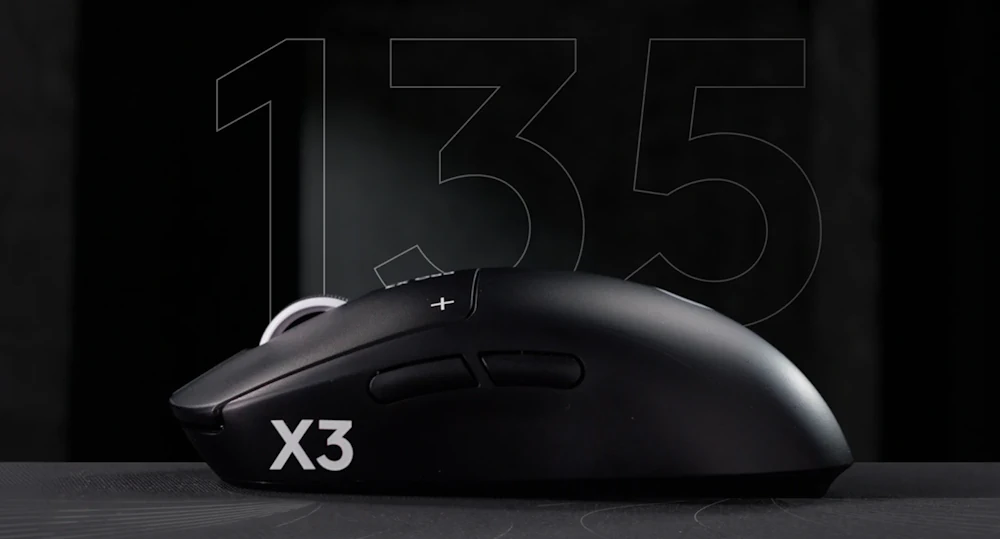
Despite the faster internal hardware and advanced click technology, Logitech rates the Logitech Pro X3 Superstrike for over 135 hours of battery life on a single charge thanks to its new NxLOGI chipset.
That figure feels almost excessive.
Gaming mouse reviews usually involve at least one moment where I stop what I’m doing, look at the battery indicator, and think, “Ah. Right. I should probably charge this thing.” That moment never really arrived here.
At one stage I found myself checking the battery percentage because I hadn’t thought about charging the mouse in what felt like forever. I was convinced it had to be getting low. It wasn’t.
Like the Energiser Bunny, the battery just kept going. And going. And going.
Through long Farlight 84 sessions, late-night World of Warcraft adventures, general day-to-day work, and plenty of scrolling through websites while pretending I was working, the Logitech Pro X3 Superstrike simply refused to run out of energy.
The impressive part is that all of this endurance comes from a mouse that’s pushing some seriously high-end hardware. Between the HERO 2 sensor, HITS technology, and support for up to an 8kHz polling rate, though I only ran it on 2kHz, you’d expect at least some trade-off. Instead, Logitech somehow manages to deliver performance that feels uncompromising without turning battery life into an afterthought.
What I appreciated most wasn’t the actual number itself. It was the freedom of not having to think about it. I never felt the need to plug the mouse in “just in case” before a gaming session, and that’s a surprisingly nice feeling.
If you’re the type of person who forgets chargers exist until a device starts flashing angry warning lights like me, you’ll probably appreciate that. That reminds me, I need to charge my earbuds for work tomorrow!
Logitech G Hub Still Exists
This is the section where I say something controversial. I don’t hate Logitech G Hub. There. I said it.
The software allows extensive tweaking of actuation points, polling rates, DPI stages and HITS settings. Most users will likely dive in once, configure everything exactly how they like it, then never touch it again.
That’s largely what I did.
The customisation options are substantial without becoming overwhelming, which feels like the correct balance for a product aimed at competitive players. Logitech has managed to pack in plenty of advanced features without making the software feel like you’re preparing for a professional certification course just to change your DPI.
I spent some time experimenting with different actuation settings and polling rates because, well, that’s part of the job. Eventually I landed on a setup that felt right, saved it, and promptly forgot G Hub existed for the rest of my testing.
Honestly, that’s probably the ideal outcome.
The software gives enthusiasts plenty to tinker with, while everyone else can make a few adjustments and get back to gaming. For a mouse packed with as much technology as the Logitech Pro X3 Superstrike, that feels like exactly the right approach.
Pro X2 Superstrike vs Pro X3 Superstrike: Evolution, Not Revolution
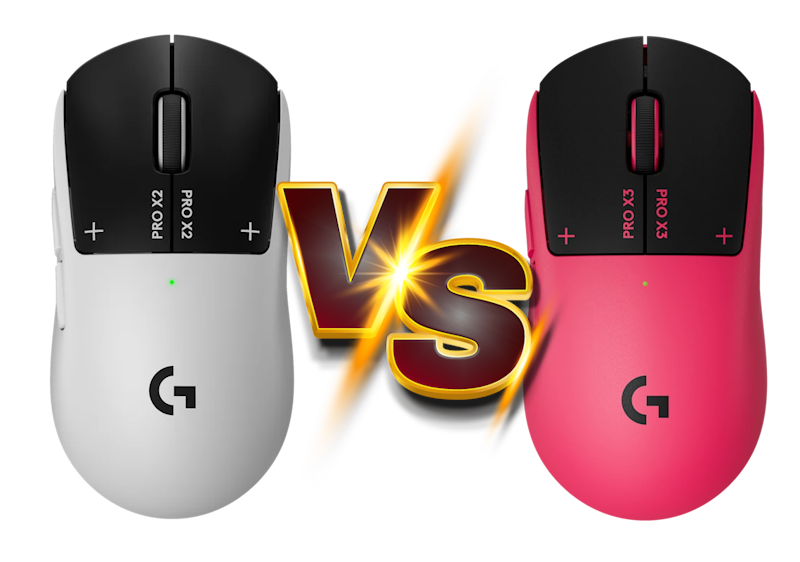
Anyone hoping for a completely reinvented mouse may be a little surprised by the Logitech Pro X3 Superstrike. And honestly, that’s probably a good thing.
The Logitech Pro X2 Superstrike earned its reputation for a reason. Its record-breaking HITS technology gave competitive players a level of click responsiveness that genuinely stood out from the crowd. Logitech would have been crazy to throw that foundation away and start from scratch.
Instead, the Pro X3 Superstrike feels like Logitech looked at the X2 and asked a very simple question: “What can we make better?”
The biggest improvements come from refinement rather than dramatic redesigns. The X3 is lighter at around 61 grams, with the weight feeling more evenly distributed across the chassis. It’s one of those changes you notice immediately when switching between the two. The X2 was already a lightweight mouse, but the X3 feels slightly more agile and a little easier to throw around during fast-paced gameplay.
Battery life also receives a substantial boost. Thanks to Logitech’s new NxLOGI chipset, the Logitech Pro X3 Superstrike stretches battery life beyond 135 hours while simultaneously improving efficiency and wireless performance. That’s one of those rare upgrades where you genuinely gain something without giving anything up in return.
The HITS technology remains the star of the show, but it feels more refined here. The customisable actuation and reset points are still present, yet the overall experience feels slightly more polished and responsive. It’s not the kind of upgrade that punches you in the face the moment you click the mouse. It’s more subtle than that. After a few days of gaming, however, going back to the X2 makes the differences easier to appreciate.
Then there’s the HERO 2 sensor and improved wireless performance. The Logitech Pro X2 already performed at an extremely high level, so Logitech’s challenge wasn’t fixing problems. It was squeezing out even more performance from an already impressive platform.
That’s really what defines the relationship between these two mice. The Pro X2 Superstrike was the breakthrough. The Pro X3 Superstrike is the refinement.
If you’re still using the Pro X2 Superstrike and loving it, there’s no reason to suddenly view your mouse as outdated. It’s still an exceptional piece of hardware. The Logitech Pro X3 Superstrike simply takes everything that worked, trims some weight, boosts battery life, enhances the internals and polishes the overall experience.
It’s the gaming mouse equivalent of taking a sports car that’s already ridiculously fast and handing it back to the engineers for one more round of fine-tuning.
Final Verdict
After spending a considerable amount of time with the Logitech Pro X3 Superstrike, I’ve come away genuinely impressed.
That’s perhaps not surprising. Logitech had a fantastic foundation to build upon with the Pro X2 Superstrike, a mouse I still use to this day. The challenge wasn’t creating something entirely new. The challenge was improving a mouse that was already sitting near the top of the gaming mouse food chain.
Somehow, they managed it.
The Logitech Pro X3 Superstrike feels lighter, sharper, more refined, and more polished across almost every area that matters. The HITS technology remains one of the most interesting innovations I’ve seen in a gaming mouse in recent years; the HERO 2 sensor is predictably excellent, battery life borders on ridiculous, and the wireless performance is so dependable that you’ll completely forget it’s wireless.
More importantly, it’s simply fun to use.
That’s the thing I kept coming back to throughout testing. Beneath all the specifications, all the latency figures, and all the engineering jargon, the Logitech Pro X3 Superstrike just feels good in the hand. Every click feels satisfying. Every movement feels precise. Whether I was desperately trying to survive in Farlight 84, running dungeons in World of Warcraft, or supposedly working while absent-mindedly moving my cursor around the desktop, it consistently made me want to keep using it.
And then there’s the Magenta finish.
Look, I know colour shouldn’t be a deciding factor when buying a competitive gaming mouse. Performance is what matters. Features matter. Comfort matters. But the Magenta colourway absolutely put a smile on my face every single day I used it.
Gaming peripherals can sometimes take themselves a little too seriously. The Logitech Pro X3 Superstrike feels like a world-class esports mouse that also remembers it’s allowed to have some personality.
If you’re already using a Pro X2 Superstrike, there’s no urgent need to throw it out and rush to the nearest retailer. The X2 remains an excellent mouse. However, if you’re looking for the most refined version of Logitech’s Superstrike formula to date, the Logitech Pro X3 Superstrike is an easy recommendation.
It’s fast. It’s lightweight. It’s packed with genuinely useful technology. And it’s pink.
Honestly, Logitech had me at pink.


Recent Comments