
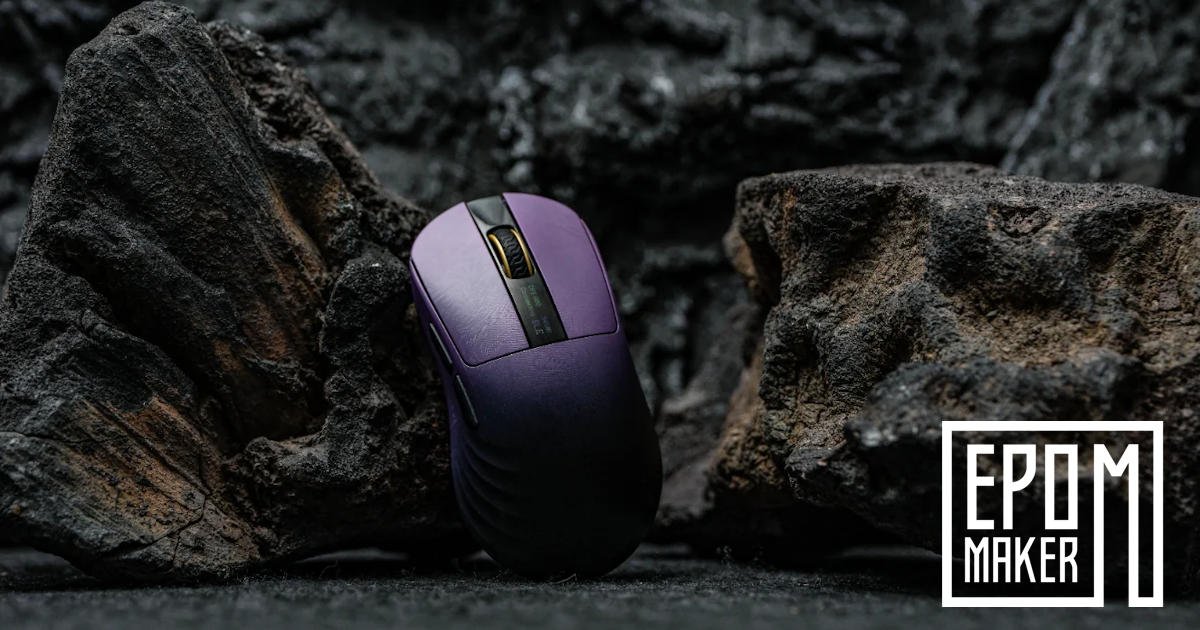
EPOMAKER built its name on keyboards, but it’s clearly branching out. The EPOMAKER Carbonis Gaming Mouse feels like part of that shift, less of a side project, more of a statement.
On paper, it leans heavily into specs. 8K polling, tri-mode connectivity, carbon fibre. It almost feels like it’s trying to tick every enthusiast box at once, which made me a bit cautious going in. Mice are personal. Small differences matter more than they should.
That said, this isn’t a forgettable design. The EPOMAKER Carbonis Gaming Mouse has a clear identity and a specific audience in mind, and that comes through quickly. After a few days of switching between gaming and regular use, it started to feel less like a spec experiment and more like something intentional… even if a couple of choices still feel a little overthought.
Either way, it sticks with you. And that’s probably the point.
Ergonomics and Hand Feel: Designed for Sizeable Hands
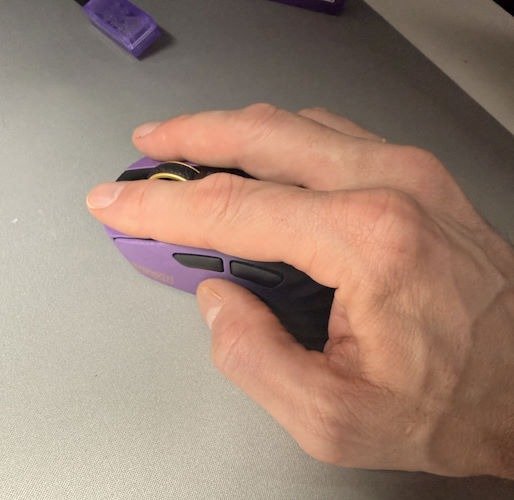
The first thing you notice about the EPOMAKER Carbonis Gaming Mouse is its shape. It doesn’t try to hide what it is. In a market full of safe, symmetrical, ambidextrous designs that blur together after a while, EPOMAKER takes a different approach with a dedicated right-handed ergonomic build.
It feels purposeful. Maybe even a little bold, depending on what you’re used to.
That slightly taller, chunkier profile makes an immediate difference. And I mean immediate, you don’t need a few hours to figure it out. Your hand just sort of settles into place. There’s proper support under the palm, your fingers sit where they’re supposed to, and you’re not constantly adjusting your grip without realising it. I noticed it most when switching back to a flatter mouse. Everything suddenly felt… cramped again.
It also cuts out some of those small annoyances that build up over time. No awkward clawing to find control. No fingers dragging along the desk because there’s nowhere else for them to go. The curve of the shell follows your natural hand position pretty closely, which sounds like marketing speak, but here it actually lines up. Or at least, it did for me.
And the wrist fatigue, this is where it sneaks up on you. You don’t feel strain, not because it’s doing something dramatic, but because it’s quietly removing the need to compensate. Even before the first proper gaming session, just normal use, it feels easier. Lighter on the wrist. Less effort in a way that’s hard to put your finger on… until you notice it’s gone. And as someone who is getting older, anything that can be a little easier on my body is a huge tick for me.
It won’t be for everyone. If you’re locked into ultra-low, ambidextrous shapes, this might feel like too much at first. But for medium-to-large hands, especially if you lean towards a palm grip, it makes a lot of sense. Arguably more than most of the safer designs out there.
Materials & Tactile Engineering
Once you get past the overall shape, what really starts to stand out is how the EPOMAKER Carbonis Gaming Mouse feels under your fingers. Not just in a general “nice plastic” way, but something a bit more deliberate. The carbon fibre shell gives it a kind of rigid confidence. There’s no creaking, no subtle flex, nothing that makes you second-guess the build. It’s light, yes, but it doesn’t feel fragile. That balance is harder to get right than it sounds.
EPOMAKER didn’t stick to one surface either. They’ve split the experience into two distinct zones, and it’s immediately noticeable once you start using it properly.
The top shell has this soft matte finish that almost tricks you at first. It looks like it might be slightly rough, but it’s actually smooth in a controlled way. Your fingers glide, but don’t lose contact. I caught myself running my hand over it a few times while idle, which probably says more than any spec ever could. And also brought me some strange looks from my wife, as I sat there caressing my new mouse.
Then the sides shift the tone completely. Much grippier, more textured, almost aggressive by comparison. It locks your thumb and pinky in place without needing constant pressure. You don’t have to think about your grip; it just sort of holds.
In day-to-day use, that combination starts to make sense. Sweat doesn’t really build up the same way it does on glossier finishes, and you don’t get that slightly unpleasant “greasy sheen” after a long session. I noticed it most after a few hours of back-to-back use, gaming into work, and then more gaming. Usually, that’s when things start to feel a bit slippery. Here, it stayed consistent. Predictable, I guess.
What surprised me more, though, was how it moves.
For something that visually reads as larger and more substantial, the EPOMAKER Carbonis Gaming Mouse is quick. Almost unexpectedly so. At around 50 grams, it doesn’t fight you. It glides. There’s this slight disconnect between what you see and what you feel in motion, and it takes a moment to adjust to.
Once you do, it clicks.
Quick flicks feel effortless, but more importantly, small adjustments don’t feel overcorrected. It’s controlled without feeling heavy, and fast without becoming twitchy. I found that balance especially noticeable in FPS sessions, where tiny movements matter more than big ones. It doesn’t overreact, but it also doesn’t lag behind. It just goes where you push it, which sounds obvious, but isn’t always guaranteed.
Mice that cater to larger hands usually end up feeling bulky or slow. This one… doesn’t. It somehow avoids that trap. I’m not entirely sure how much of that comes down to weight versus surface design, probably both, but the end result feels considered rather than accidental. And after a while, you stop noticing it altogether.
Tactile Warfare: Switch & Wheel Feedback
This is usually where you figure out pretty quickly whether a mouse is going to annoy you long-term or just… disappear into the background and do its job. The EPOMAKER Carbonis Gaming Mouse leans firmly toward the latter, though not without a bit of personality.
The main clicks are the first thing you notice. They’re sharp. Not overly loud, not muted either. Just a clean, defined snap that feels immediate. There’s no soft lead-in, no vague pre-travel where you’re wondering if it’s actually going to register. You press, it responds. Simple. I found myself clicking a bit more than necessary at times, almost absent-mindedly, which probably says everything.
The side buttons follow that same approach but in a slightly more restrained way. They sit close enough to the shell that you don’t hit them by mistake, but they’re still easy to find when things get chaotic. And they will, especially mid-match. There’s a nice confidence to them. No wobble, no looseness, nothing that makes you second-guess whether you actually pressed it or just brushed against it.
The scroll wheel feels… deliberate. That’s the word I keep coming back to. Each step is clearly defined, with a bit more weight than I expected. Not stiff, but not loose either. It gives scrolling a sense of control that’s hard to explain until you notice how inconsistent some other wheels feel by comparison. Weapon swaps, quick selections, even just scrolling through pages; it all lands exactly where you expect.
Then there’s everything happening under the surface.
The EPOMAKER Carbonis Gaming Mouse handles connectivity in a way that feels practical rather than flashy. The 2.4GHz wireless mode is where it really settles in, especially with the included 8K dongle. It just feels responsive. Immediate, without that faint delay you sometimes try to ignore. Bluetooth is there when you need it, switching to a laptop or secondary device without fuss, and the wired option does what it should, no drama, no stiffness from the cable getting in your way.
Performance-wise, the sensor does exactly what you want it to do: nothing noticeable.
That sounds like a strange compliment, but it makes sense in use. Tracking feels stable and predictable across a wide DPI range, from slower, more controlled movements to absurdly high sensitivity levels that I honestly didn’t need but tested anyway just to see what would happen. Paired with the 8K polling rate, movement feels tightly linked to your hand. No drift, no sudden jumps, nothing that pulls you out of the moment.
After a while, you stop thinking about clicks, scrolls, or tracking entirely. Everything just lines up. And when a mouse gets to that point, where it fades into the background, that’s usually when you realise it’s doing something right.
The Command Centre features a smart glass LCD.
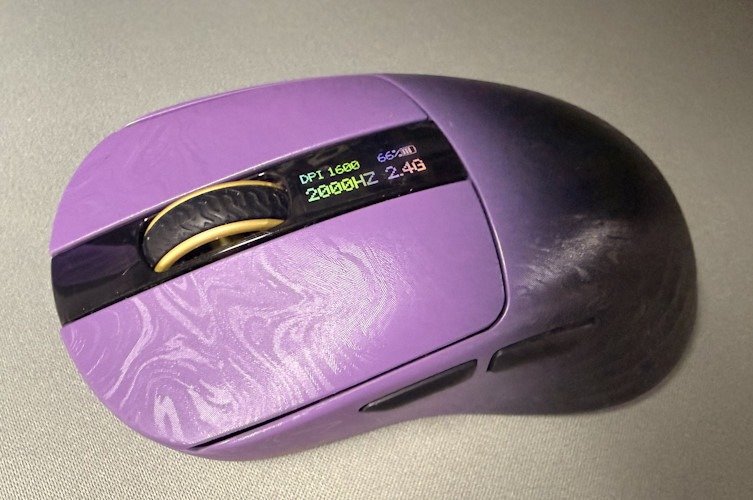
One feature that genuinely caught me off guard is the small glass LCD built right into the top of the EPOMAKER Carbonis Gaming Mouse. You don’t see this often. Actually, I’m not sure I’ve seen it done quite like this before. It sits neatly in the centre, almost blending into the design until it lights up and shows you what’s going on.
It acts like a little dashboard. DPI levels, polling rate, battery life; everything you’d normally have to check through software is just… there. It sounds like a minor convenience, but in practice, it saves you from tabbing out mid-game or digging through menus when you just want to make a quick adjustment and move on. I didn’t realise how much I’d appreciate that until I started using it regularly.
There’s also some thought put into how it behaves. The display shuts off as soon as you start moving the mouse, then comes back after a few seconds of idle time. It’s a small detail, but it stops it from feeling like a constant drain or a distraction. It just shows up when you need it, disappears when you don’t.
That said, the battery is probably the one area where things feel a bit constrained.
The EPOMAKER Carbonis Gaming Mouse 300mAh battery cell is fine for moderate use, but once you start pushing the mouse, high polling rates, display active, extended sessions, it drains faster than you might expect. Not drastically, but enough that you notice it over a few days. I found myself checking the battery more often than I usually would, just to be safe. It’s manageable, but it does take a bit of adjustment.
The upside is the charging speed. It’s quick. From empty to full in under an hour, which honestly softens the issue quite a bit. You’re never waiting around too long. And the included braided cable helps here too; it’s light, flexible, and almost disappears during use. Plugging in mid-session doesn’t feel like a compromise. If anything, it just feels like switching modes and keeping going.
So yeah, the battery isn’t perfect. But it’s not frustrating either. More of a small trade-off that you learn to work around pretty quickly.
Aesthetic Eloquence: Desk Presence Over Bling
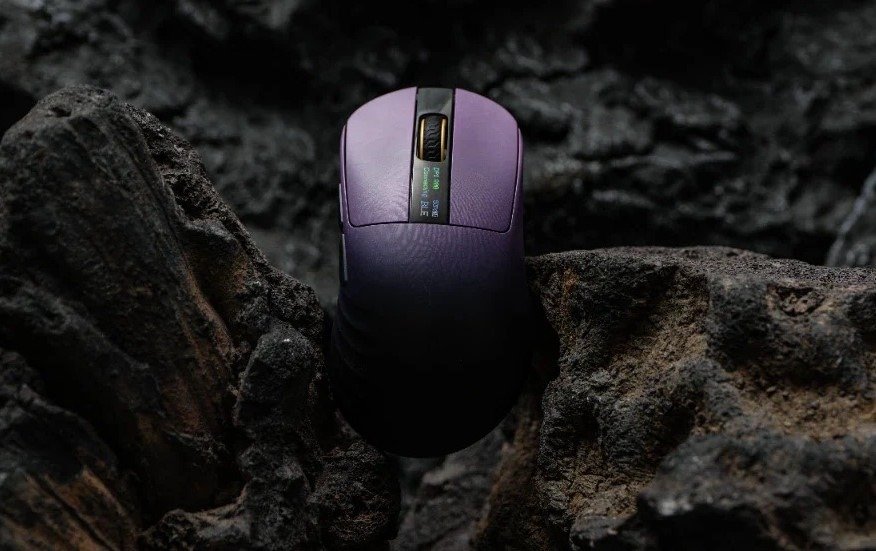
There’s a certain restraint to the way the EPOMAKER Carbonis Gaming Mouse looks. It doesn’t shout for attention, which is… refreshing, honestly. EPOMAKER leans into a more considered design here, and it shows. The colour transition from that deep purple into matte black feels smooth, almost subtle, until the light catches it properly. Then the gold accents come through, along with that faint swirl pattern across the shell. It’s not loud, but it’s definitely intentional.
The little details carry a lot of the weight. Even the translucent purple 8K dongle feels like part of the same idea rather than an afterthought you immediately hide behind your PC. I actually left it visible on my desk for once, which is not something I usually do. It just fits.
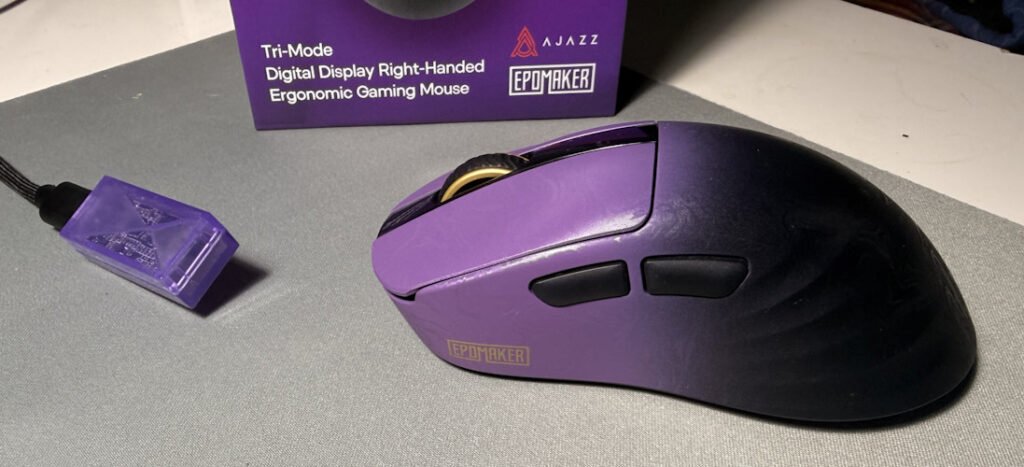
On a setup, it looks… composed, I think. There’s a quiet confidence to it. No aggressive RGB zones flashing away in your peripheral vision, no over-the-top gamer aesthetic. Just clean, slightly premium without trying too hard to prove it. I can see it sitting comfortably next to more minimalist desk setups, but it doesn’t feel out of place in a more typical gaming environment either. That balance is tricky.
Spending time with the EPOMAKER Carbonis Gaming Mouse, it starts to feel like the design and performance are aiming for the same thing. Thoughtful, a bit different, occasionally overreaching, but mostly landing where it needs to. The carbon fibre build, the responsiveness, the tactile feedback, the small touches like the LCD, they all pull in the same direction.
The battery is the one part that doesn’t fully keep up, I think. It gets through a session, but you become aware of it in a way you don’t with some other wireless mice. Not a dealbreaker, just something you adjust around. The quick charging helps more than I expected.
At the end of it, the Carbonis sits in an interesting spot. It doesn’t feel like a safe release, and I like that. It feels built for a specific kind of user who knows what they want and doesn’t really need convincing. And if it happens to line up with what you’re after, it makes a pretty strong case for itself.
Check out the unboxing and hands-on overview in the Quick Review – Epomaker Carbonis Mouse





Recent Comments