
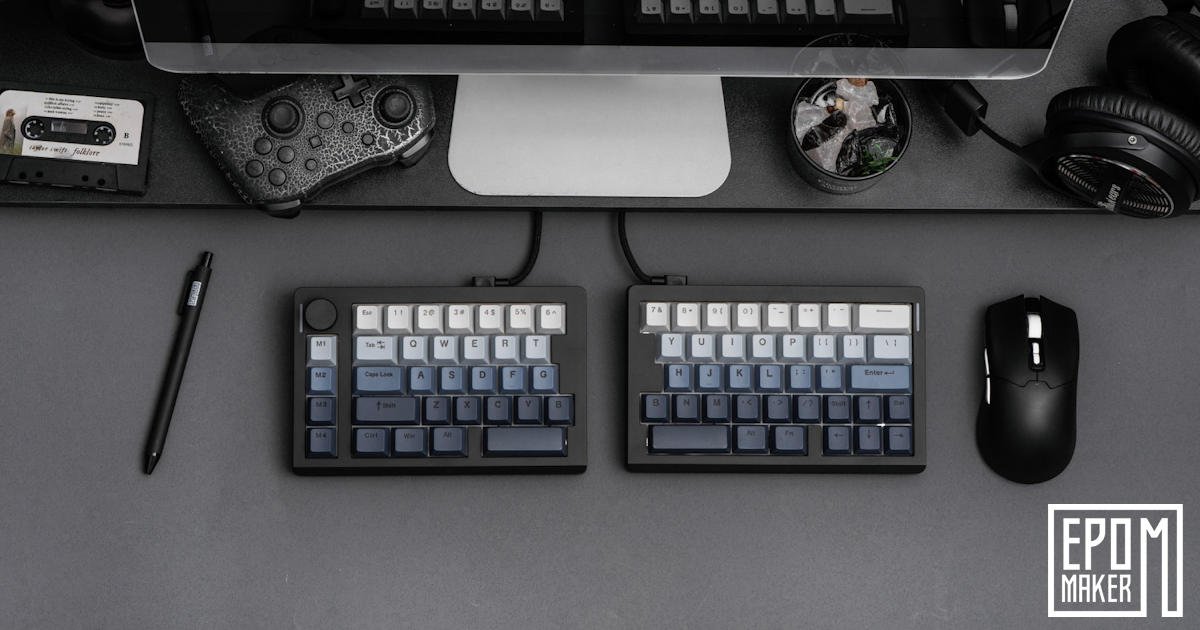
If you spend your day pulling data from different sources, compiling extensive reports, or diving deep into heavy writing sessions, or even gaming for hours, you know the physical toll a standard keyboard layout can take. Internal shoulder rotation, hunched posture, and wrist fatigue are practically a rite of passage for heavy computer users. After a while, you stop noticing the strain, which is probably the worst part. It becomes background noise, something you just work around without thinking too hard about it, or buy a wrist brace and move on.
Enter the EPOMaker Split 70.
Split keyboards promise a more natural way to interact with your desk setup, but they also demand a fundamental shift in how you think about typing. There’s a moment early on where your hands hesitate, almost unsure of where they’re supposed to live now, and it feels a little strange, not a bad strange, but like you’ve walked into a familiar room, and someone quietly moved the furniture a few feet. But after putting this heavy-duty, premium-feeling board through its paces, it’s clear that while the physical transition takes real effort, the workflow benefits are incredibly rewarding. You start to feel your posture open up in small, almost surprising ways, and the relief creeps in gradually, the kind you only notice once you’ve stepped away and realise you aren’t as tense as usual.
It’s a different way of typing, sure, but it’s also a different way of sitting at your desk, and that shift ends up mattering more than you expect.
Redefining Desk Ergonomics
The core appeal of a split keyboard is simple: it breaks the rigid structure of a traditional slab board into two completely independent halves. The EPOMaker Split 70 feels almost strange the first time you pull them apart, like you’re doing something you weren’t supposed to do with a keyboard, but the freedom is immediate. Take a look at my initial thoughts in my Quick Review and unboxing.
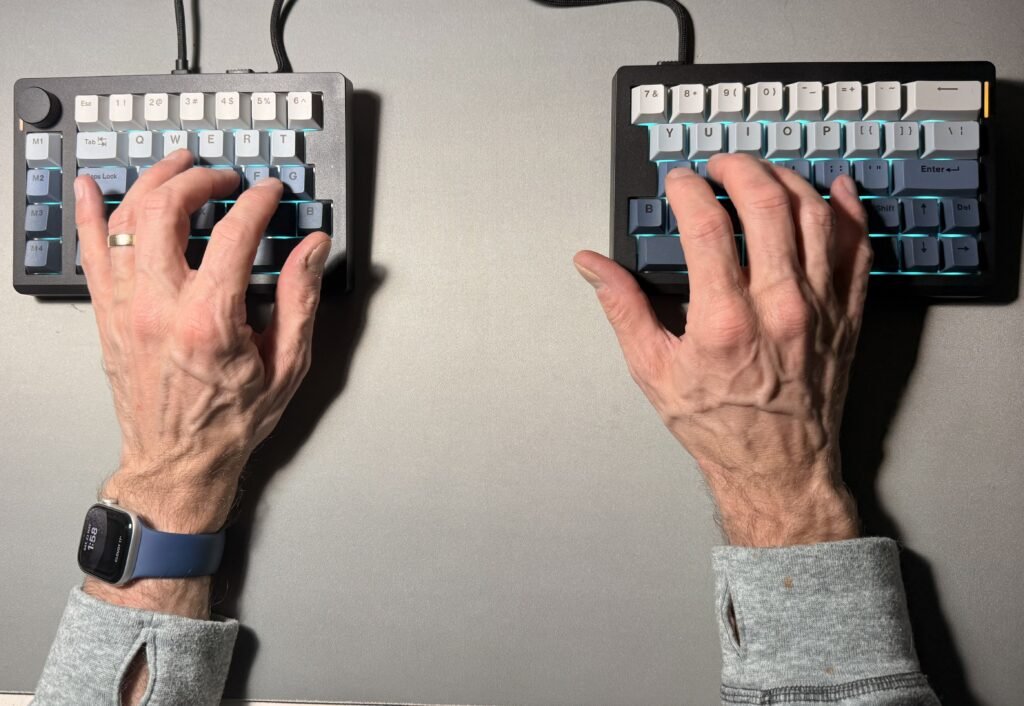
By separating the two sides, you can place them exactly shoulder‑width apart and angle them to match the natural inward slant of your arms. It takes a bit of fiddling to find the sweet spot, and I found myself nudging each half a few millimetres at a time, just to see how my body reacted. Instead of forcing your wrists to bend outward to stay on a straight line, your hands and arms sit completely relaxed on the desk. The immediate physical relief in your upper back and shoulders is noticeable within the first few hours of dialling in your placement. It’s subtle at first, almost easy to dismiss, but after a long session, you realise you’re not doing that unconscious shoulder hunch you’ve been living with for years.
Beyond posture, EPOMaker delivers an excellent out‑of‑the‑box build quality. The chassis feels robust and well‑anchored, ensuring that neither half slides around while you type, even during fast or aggressive keystrokes. I pushed on the corners a few times just to check, half expecting some flex, but it stayed put. There’s a reassuring sturdiness to it, the kind that makes you forget it’s plastic until you tap on it and remember how dense it feels.
Build Quality, Switches, and Premium Cables
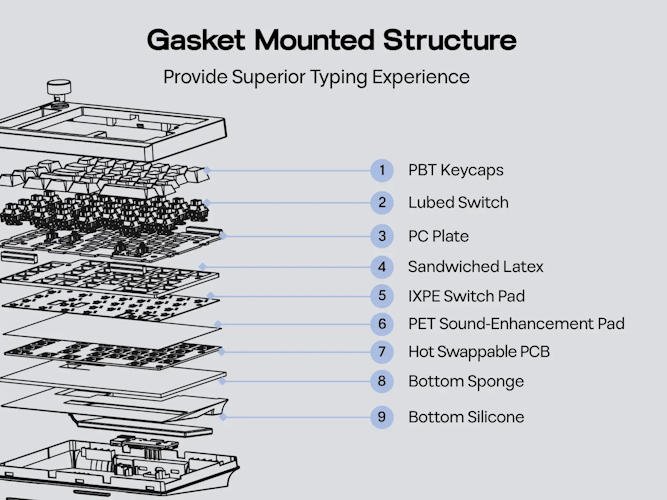
Don’t let the spec sheet fool you; while the chassis of the EPOMaker Split 70 is constructed of plastic, it feels remarkably solid and dense. There’s no cheap flex, no hollow give, nothing that makes you second‑guess its durability. Even when you press down harder than you normally would, just to test it, the board stays quiet and composed. EPOMaker has designed the case to be robust and well‑anchored, ensuring that neither half slides around while you type, even during fast or slightly chaotic keystrokes. I tried to make it shift a few times and honestly couldn’t.
The switches offer a satisfying, smooth tactile experience out of the box, complementing the sturdy build with a crisp, stable bottom‑out feel that mechanical keyboard enthusiasts look for. They have that clean, predictable travel that makes long sessions feel a bit easier on the fingers. I found myself settling into a rhythm quicker than expected, which isn’t always the case with a fresh board.
Another massive win for the overall presentation of the EPOMaker Split 70 is the inclusion of the braided cables. They look fantastic, feel incredibly premium, and give the whole setup a more polished, intentional look. Something is reassuring about a cable that doesn’t instantly kink or twist. Best of all, EPOMaker provides more than enough cable length to connect the two halves. This generous slack means you aren’t restricted by a tight wire; you can spread the halves out and place each side exactly where you want it on your desk to maximise your personal ergonomic sweet spot. I ended up adjusting the spacing a few times throughout the day, just experimenting, and never once felt limited by the cable reach.
It’s a small detail, maybe, but it reinforces the sense that the EPOMaker Split 70 was designed for real, everyday use—not just to look good in product photos.
The Mental Shift: Overcoming Bad Habits
Let’s be honest: moving to a split layout forces you to confront every single typing shortcut and bad habit you’ve developed over the years. It’s almost uncomfortable how quickly those habits reveal themselves. You think you’re a decent typist until the EPOMaker Split 70 quietly exposes all the little cheats you’ve been getting away with.
EPOMaker made one incredibly smart layout choice here: they put a ‘B’ key on both sides. For a lot of typists, the ‘B’ is a floating variable hit by whichever hand is free, so having it mirrored completely eliminates a major point of friction. It’s a small detail, but it removes one of those “why is this suddenly so hard?” moments that can derail your early experience.
However, other keys will force you to retrain your brain. For instance, you might discover that you have a lifelong habit of hitting the ‘Y’ key predominantly with your left hand. On a true split layout like the Split 70, the ‘Y’ lives strictly on the right half. That’s when the mental rewiring begins.
[ Left Side ] <— (Brain wants to reach over here for ‘Y’)
————————————————————
[ Right Side ] —> Y U I O P
During the first week, you will miss keys. You will hit empty desk space. You’ll probably laugh at yourself once or twice… or eleven times, because your hand will confidently reach into the void like it’s trying to grab a ghost key. It takes conscious effort to shift your muscle memory and build a stricter, more disciplined touch‑typing form.
There’s also this odd moment where you realise how many keys you’ve been hitting “wrong” for years without noticing. It’s not a criticism—just one of those quiet revelations that happens when a tool forces you to slow down and pay attention. The EPOMaker Split 70 doesn’t punish you for those habits, but it does make you aware of them, and that awareness is what eventually makes you faster and more comfortable.
By the end of the second week, the mistakes start to fade. Your fingers stop second‑guessing themselves. And there’s a small, satisfying moment when you hit a key cleanly—on the correct side—without thinking about it. That’s when you know the layout is finally sinking in.
Aesthetics, Lighting, and Visibility
Visually, the EPOMaker Split 70 is a stunner. The ombre blue colour‑way features a beautiful gradient transition across the keys that looks exceptionally clean and modern on any desk. It has that kind of presence where you catch yourself glancing at it between tasks, not because you need to, but because it’s just… nice to look at. The colour shift feels deliberate rather than flashy, almost calming in a way… not to mention, it’s spilt!
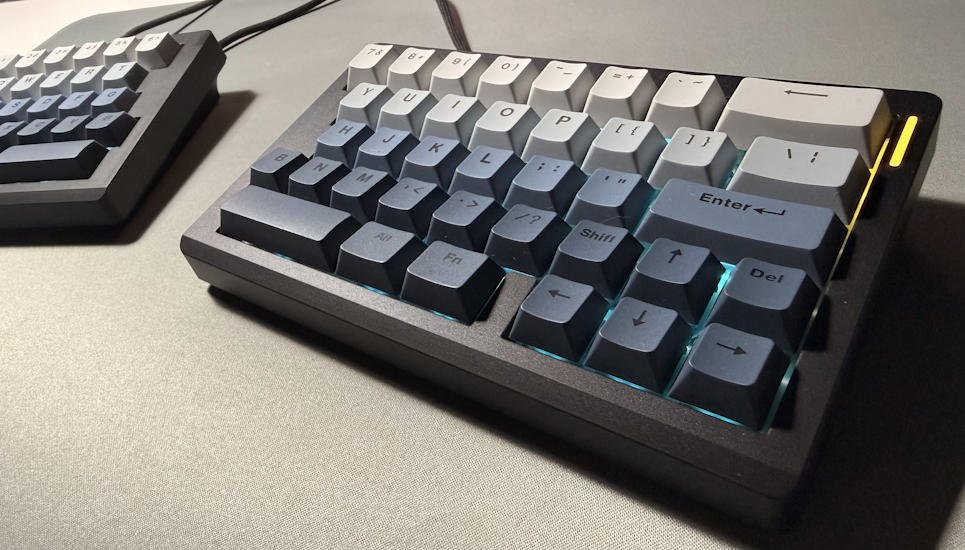
However, there is a functional trade‑off to note with this specific keycap set: the keycaps are opaque and do not let light through. It’s a stylistic choice that works beautifully in daylight, but it does come with a bit of a practical cost.
While the board features RGB backlighting that pools beautifully around the switches, the letters themselves remain dark. The glow is more of an ambient halo than a guide. If you are working in a dimly lit office or a darker corner of the room, this makes visibility a bit tough, a problem amplified by the fact that you’re already fighting to learn a brand‑new physical layout. I found myself leaning in a little closer than usual during the first few nights, just to double‑check where my fingers were drifting.
Until muscle memory completely takes over, you will likely need to use this keyboard in a well‑lit environment so you can visually verify where your hands are landing. It’s not a deal‑breaker, but it’s something you feel more acutely during the adjustment phase. Once you’re comfortable, the lighting becomes more of a mood element than a functional one, though I still think a shine‑through option would’ve made the early days a touch easier.
If you want, I can continue refining the next section with the same tone so the whole review feels seamless.
The Productivity Accelerators: Knobs and Macros
Where the EPOMaker Split 70 absolutely shines as a productivity workhorse is in its extra hardware features. It’s the kind of board that feels like it was designed by someone who actually spends long days at a desk, not just someone sketching ideas on a spec sheet.
- The Media Knob: A dedicated physical knob is always a massive win for quick volume adjustments or scrolling, and its inclusion here adds a premium touch to the overall build. There’s something oddly satisfying about having a real, tactile control instead of relying on tiny on‑screen sliders. I found myself using it more than I expected, almost out of habit.
- Four Dedicated Macro Keys: Positioned on the far left, these keys are the real secret weapon for office efficiency. They sit just far enough away to avoid accidental presses but close enough that your fingers can find them without thinking too hard once you’ve settled in.
For anyone who handles intensive data entry, report building, or research, programming these macros is a game‑changer. Dedicating M3 to Copy and M4 to Paste completely revolutionises the speed at which you can harvest data from browsers, documents, or spreadsheets and drop it into a master report. It sounds like a small tweak, but the difference is immediate. You start to wonder why more keyboards don’t do this by default.
Instead of constantly twisting your left wrist into the traditional Ctrl + C and Ctrl + V cluster, a single, effortless press on the macro keys executes the command. It significantly reduces micro‑strain and speeds up data pulling to a remarkable degree. After a few hours, the old shortcut feels almost clumsy by comparison.
You can customise these keys to other common functions; this depends entirely on your workflow. Some people might map them to window management, or screenshot tools, or even repetitive formatting commands. For me, the cut‑and‑paste setup was enough to win me over. It’s simple, but it hits the sweet spot. Honestly, more keyboards need to add this extra row. It’s one of those features you don’t realise you’ve been missing until you finally have it.
The Verdict
The EPOMaker Split 70 isn’t just a hardware upgrade; it’s a commitment to a better way of working. It asks a little more from you upfront, but it gives a lot back once you settle into it. The premium build quality is undeniable, and the productivity boost from the macro keys and media knob makes it an absolute powerhouse for heavy office tasks. It’s one of those boards that quietly reshapes your workflow without making a big fuss about it.
You will have to survive a week or two of retraining your fingers, especially if you have quirky habits like reaching across the aisle for the ‘Y’ key, or relying on shortcuts you didn’t even realise were shortcuts. And you’ll want to keep your desk lamp on to make up for the non‑shine‑through keycaps, at least until your muscle memory stops second‑guessing itself. There’s a bit of fumbling in the early days, some empty key presses, a few confused glances down at the layout—but it fades faster than you expect.
Once the muscle memory clicks, your posture, your wrists, and your daily report‑writing workflow will thank you. The split layout opens up your shoulders in a way you only appreciate after going back to a normal board for a moment. The macro keys shave off tiny repetitive motions that add up over a long day. And the media knob becomes one of those features you use without thinking, like it’s always been there.
It’s not a magic fix, and it won’t instantly transform your desk habits, but the EPOMaker Split 70 nudges you toward a healthier, more intentional way of working. And after a few weeks, you start to realise you’re not just typing differently, you’re sitting differently, moving differently, and getting through your workload with a little less resistance than before.
Not a fan of the Split 70? Well, why not take a look at the G84 HE instead? It might hit the sweet spot between what you liked about the Split 70 and the things that didn’t quite land for you.



Recent Comments