
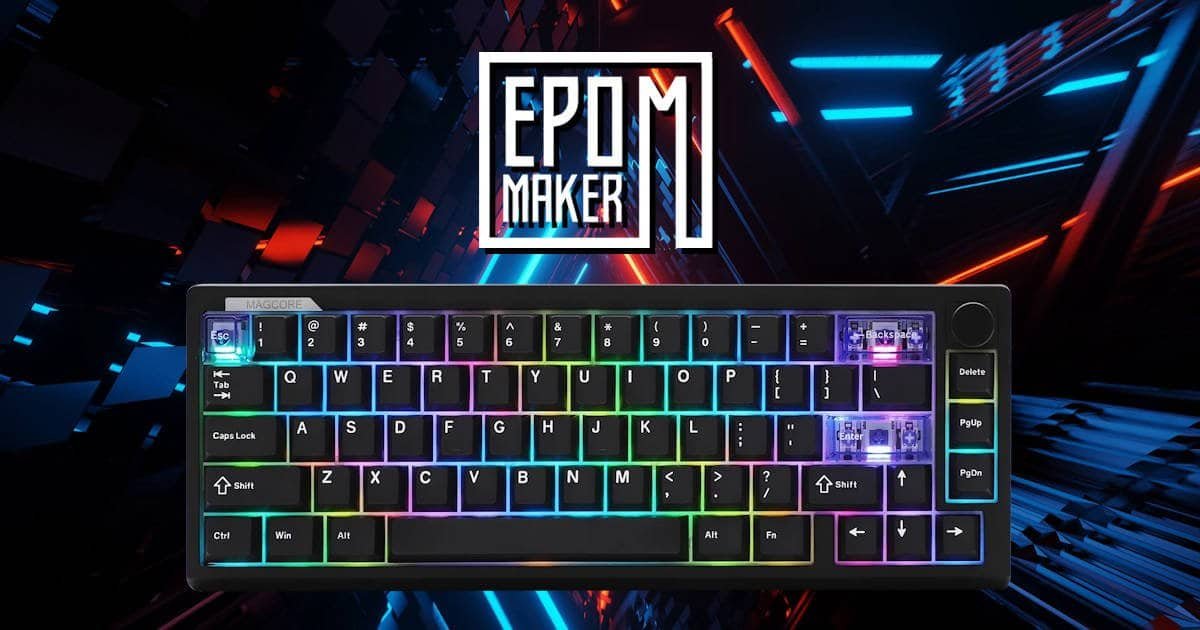
EPOMAKER has been on a roll lately, continuously refining their compact offerings while pushing the boundaries of switch technology. Their latest release, the EPOMAKERMagcore 65 Lite, aims squarely at the enthusiast gaming crowd. By pairing inductive analog switch technology, complete with high‑speed 8,000Hz wired polling, with a dense, gasket‑mounted acoustic stack, EPOMAKER is chasing that rare combination of ultra‑fast esports responsiveness and the deep, creamy sound profile people usually associate with custom builds.
Taking the EPOMAKER Magcore 65 Lite out of the box, you get that immediate sense that EPOMAKER is trying to merge two priorities that don’t always coexist gracefully. The frame feels tighter and more deliberate than you expect from a board focused on speed, and there’s a certain novelty in knowing you’re handling an inductive analog system rather than a traditional mechanical or Hall Effect setup. It’s the kind of first impression that makes you pause for a moment to see how it behaves once it’s actually on the desk.
We spent some time with it, typing, gaming, running through the analog settings, enough to get a clear feel for what EPOMAKER is aiming for here. Below is the full breakdown, starting with the unboxing experience.
What’s in the Box & Presentation
EPOMAKER keeps the unboxing for the EPOMAKER Magcore65 Lite clean, modular, and pleasantly straightforward. There’s no unnecessary fluff or dramatic packaging theatrics, just a tidy layout that makes it easy to get straight to the hardware. Lifting the lid, the keyboard sits centred and well‑protected, with the documentation tucked neatly beside it. The quick‑scan QR codes for manuals and driver access are a small convenience, but one you end up appreciating when you want to jump into the analog settings without digging through a website.
Under the front compartment, the accessory kit is arranged in a way that feels almost methodical:
- Braided USB‑A to USB‑C Cable: About six feet long, with gold‑toned connectors and a built‑in Velcro tie. The cable has a slightly firm, textured feel that suggests it’ll hold up to repeated coiling and uncoiling over time.
- Combo Keycap & Switch Puller: A simple tool; I seem to own 20 of these now and yet still enjoy getting them. And it’s nice not having to hunt for one if you want to test the spare switches right away.
- Three Spare Inductive Switches: Bright yellow stems inside purple housings, a fun colour combo, and surprisingly helpful when you’re trying to identify them quickly during hot‑swap tests.
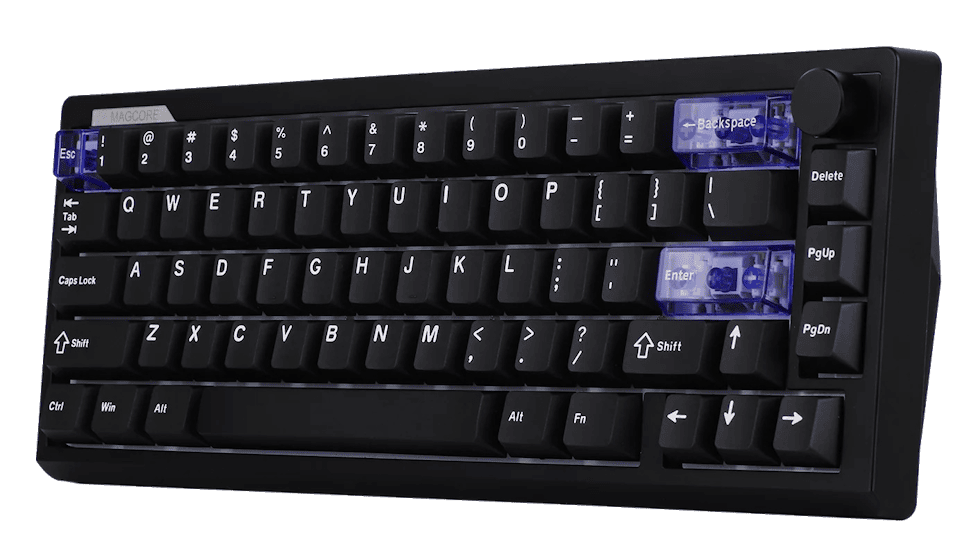
- Accent Keycap Set: Translucent purple caps for Escape, Enter, and Spacebar. They’re tucked into their own little tray, almost inviting you to swap them in immediately.
The accent keycaps are the first thing that really catches your eye. They’re not loud or overly stylised, but they add a small spark of personality to the EPOMAKER Magcore 65 Lite. Once you pop them on, the board takes on a slightly retro‑futuristic vibe, especially when the backlighting shines through the translucent purple. It’s one of those touches that doesn’t change how the keyboard performs, but it does make the initial setup feel a bit more personal; like EPOMAKER wanted you to have at least one moment of customisation right out of the box.
There’s a quiet confidence to the whole presentation. Nothing feels wasteful, and nothing feels missing. It’s the kind of unboxing where you finish laying everything out on the desk and think, ‘yes, this is exactly what I expected to find here’, maybe even a little more.
The 65% Sweet Spot: Productivity Meets Gaming Efficiency
For a lot of people, choosing a keyboard layout ends up being a quiet compromise. You either give up desk space for a full‑size board or you sacrifice convenience with a 60% that hides half its functions behind layers. The EPOMAKER Magcore65 Lite sits in that middle ground where you don’t really feel like you’re giving anything up. It’s compact enough to open up your desk, but not so compact that you’re constantly reaching for an Fn key just to do something simple.
                  LAYOUT COMPARISON AT A GLANCE

Full-Size (100%) [====================================================] Max Keys / Max Desk Footprint
Tenkeyless (80%) [=================================] Dedicated Arrows & Nav Cluster
65% Form Factor  [==========================] Dedicated Arrows + Essential Nav Keys (Ideal Balance)
60% Form Factor  [========================] No Arrow Keys / Heavy Layer Dependency
1. Productivity & Everyday Typing
Going smaller doesn’t have to mean slowing down. The 65% layout keeps the entire main typing cluster exactly where your fingers expect it to be, so there’s no awkward relearning curve. I found myself typing normally within seconds, which isn’t always the case with more compact boards.
- Dedicated Arrow Keys: This is the big one. On a 60%, you’re constantly juggling layers just to nudge a cursor or move through text. With the 65% layout, the arrows are right there, ready to use. Editing copy, jumping through spreadsheets, or navigating code feels natural. Almost like using a full‑size board, just without the extra bulk.
- Essential Navigation: Delete, Page Up, Page Down- they’re all present. It’s surprising how much smoother everyday tasks feel when these keys aren’t buried behind layers. Quick document jumps stay single‑stroke actions, and you don’t have to think about what layer you’re in.
- Ergonomic Reach: Removing the number pad brings your mouse closer to your shoulder line. It’s one of those ergonomic improvements you don’t notice immediately, but after a long writing session, your arm feels less stretched out. I didn’t expect it to matter as much as it did, but the reduced reach genuinely makes desk work more comfortable.
2. Tailored for Gaming
When you shift from typing to gaming, the benefits of the 65% layout become even more obvious. More desk space directly translates to more mouse space, and that’s something you feel instantly if you play at lower DPI settings.
- Maximum Mouse Travel: With the Numpad and Function row gone, you get a wider horizontal range for your mouse. It’s subtle at first, but during fast FPS flicks or broad sweeping movements, you notice how rarely your mouse bumps into the keyboard. It’s a small quality‑of‑life improvement that ends up mattering more than you’d think.
- The “Goldilocks” Key Count: The 66‑key layout gives you exactly what you need for gaming, nothing more, nothing less. WASD sits comfortably, modifiers are easy to reach, and the number row (1–6 especially) stays perfectly accessible for hotkeys. Physical arrow keys also help for games or emulators that rely on directional input. There’s no visual clutter, no wasted keys, and no sense that you’re missing something essential.
The EPOMAKER Magcore65 Lite leans into this balance nicely. It feels like a layout designed for people who want efficiency without the compromises that usually come with going smaller.
Design, Ergonomics & Aesthetics
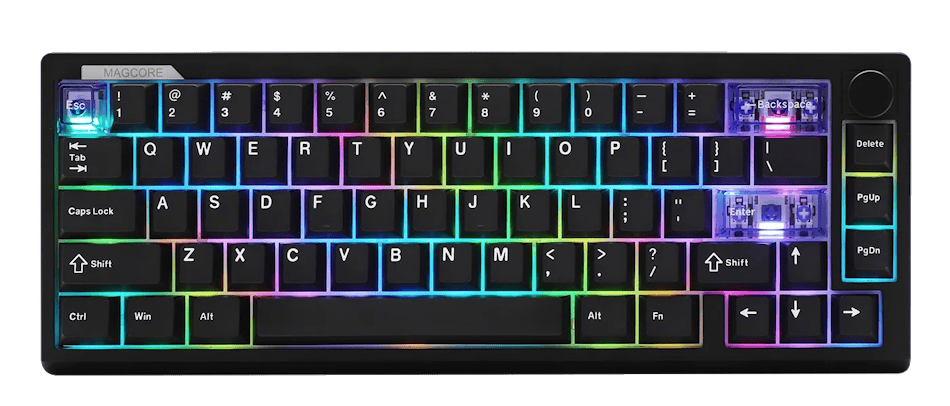
The EPOMAKER Magcore65 Lite follows the familiar 65% layout, but it presents itself with a level of refinement that feels a little more intentional than most boards in this size category. Even at a glance, the compact footprint stands out. The 66‑key arrangement keeps the arrow cluster and essential navigation keys exactly where you expect them, which means you don’t have to compromise usability just to reclaim desk space. It’s a layout that feels efficient without ever feeling cramped, and once it’s on the desk, the extra mouse room becomes immediately noticeable.
Visually, the Magcore65 Lite leans into a clean, understated aesthetic. The matte black ABS chassis has a soft, uniform finish that gives the board a sleek, modern look without drawing too much attention to itself. EPOMAKER added a small strip of side badging with the Magcore branding, subtle enough that you only really notice it when the light catches it. One design choice that works particularly well is the absence of dual Mac/Windows legends on the bottom row. It keeps the board visually tidy and reinforces the gaming‑focused identity without cluttering the layout with extra markings.
The keycaps contribute a lot to the overall feel of the board. EPOMAKER uses Cherry‑profile double‑shot PBT for the main set, paired with translucent PC elements that introduce a gentle glow when the RGB lighting is active. The topside of each keycap has a slight concave shape that naturally guides your fingertips into place, which becomes surprisingly noticeable during longer typing or gaming sessions. There’s a smoothness to the texture that feels premium without being slippery, and it complements the Magcore65 Lite’s broader design language nicely.
Turning the board over reveals a few thoughtful ergonomic touches. The two‑stage adjustable feet allow for three distinct typing angles, 6°, 9.5°, and 13.5°, giving you enough flexibility to find a position that suits your posture. Along the rear edge, EPOMAKER has integrated a magnetic storage slot for the 2.4GHz wireless dongle. It’s a small detail, but it prevents the usual scramble to find the dongle when you switch devices or tidy your desk. The USB‑C port sits neatly beside a physical toggle that lets you move between wired, 2.4GHz wireless, and Bluetooth modes without relying on software, which makes the board feel more practical in everyday use.
Altogether, the EPOMAKER Magcore65 Lite presents a design that balances simplicity with purpose. Nothing feels ornamental, and nothing feels like it was added just to tick a box. It’s a compact board that looks good, feels comfortable, and carries enough thoughtful touches to make it a genuinely pleasant piece of hardware to use day‑to‑day.
Performance & Inductive Analog Tech
The EPOMAKER Magcore65 Lite starts to separate itself from more traditional keyboards the moment you look at how its switches actually work. Instead of relying on the familiar mechanical contact system or the magnetic Hall Effect approach that’s become popular in recent years, EPOMAKER has gone with inductive analog switches. It’s a different kind of architecture, one that detects keystrokes through electromagnetic induction rather than physical contact. The idea sounds a little technical at first, but in practice it creates a very smooth, almost frictionless feel under the fingers. There’s a sense of precision to each press that you don’t always get from mechanical switches, and I think that’s part of what makes the Magcore65 Lite feel so distinct once you start using it.
In wired mode, the board pushes its performance to a level that’s genuinely impressive. The 8,000Hz polling rate delivers a response time of 0.125 milliseconds, which is fast enough that you don’t really think about latency at all, it just disappears into the background. For competitive players, especially those who rely on rapid directional changes or tight timing windows, this kind of responsiveness can make a noticeable difference. It’s not something you consciously track while gaming, but you do feel the immediacy of each input.
EPOMAKER web‑based driver adds another layer of control that’s surprisingly accessible. Features like Rapid Trigger, SOCD cleaning, Dual Key Stroke, and Mod‑Tap give you the ability to fine‑tune how the keyboard behaves in different scenarios. Rapid Trigger, in particular, feels incredibly snappy on the EPOMAKER Magcore65 Lite. It allows keys to reset the moment they start to rise, which is ideal for FPS players who rely on quick strafe cancels or repeated directional adjustments. The whole suite of features feels like it was designed with competitive play in mind, but it’s flexible enough that you can tailor it to more casual use as well.
When you’re not chasing the absolute lowest latency, the EPOMAKER Magcore65 Lite has your back. By offers a more relaxed tri‑mode connectivity setup. Switching over to 2.4GHz wireless still gives you a solid 1,000Hz polling rate, which is more than enough for everyday gaming and general desk work. Bluetooth sits at 125Hz, making it the least responsive option, but it’s perfectly fine for typing, browsing, or pairing with a laptop or tablet. The onboard 4000mAh battery, split into two 2000mAh cells, keeps the board running for long stretches without needing a recharge, and it’s nice not having to think about battery life every other day.
One thing worth noting is the hot‑swap system. While the EPOMAKER Magcore65 Lite does support switch swapping, it’s built specifically for inductive analog switches. Standard 3‑pin or 5‑pin mechanical switches won’t fit, and neither will typical magnetic HE switches. It’s a limitation, but it’s also part of what allows the board to maintain its unique performance characteristics. If you’re someone who enjoys experimenting with different switch types, this is something to keep in mind. For most users, though, the included inductive switches feel refined enough that you may not feel the need to swap them out at all.
Altogether, the EPOMAKER Magcore65 Lite delivers a performance profile that feels both modern and intentionally engineered. It’s fast, flexible, and surprisingly intuitive once you start exploring its analog capabilities. There’s a sense that EPOMAKER wanted this board to stand out not just in speed, but in how it responds to the way you actually play and type.
Sound Profile & Acoustics
Sound has always been a tricky area for analog and magnetic keyboards. They often end up with that slightly hollow, sometimes even metallic ping that comes from lightweight housings and the internal sensor hardware. It’s one of those things you notice immediately when you start typing. The board feels fast, sure, but the acoustics don’t always match the experience. With the EPOMAKER Magcore65 Lite, it’s clear EPOMAKER wanted to avoid that problem entirely. They’ve built a surprisingly complex dampening system inside the chassis, and it changes the way the board sounds in a pretty dramatic way.
Inside the Magcore65 Lite, EPOMAKER uses a gasket‑mounted FR4 plate paired with several layers of foam and silicone. There’s a sandwich of latex foam sitting above an IXPE switch pad, followed by a PCB latex layer and a bottom silicone sheet. It’s a lot of material for a board in this price range, and you can tell it wasn’t added just for marketing. Each layer contributes something different, cushioning, vibration control, or high‑frequency absorption, and together they create a sound profile that feels far more refined than what you’d normally expect from an inductive analog keyboard.
Once you start typing, the result becomes obvious. The stabilisers are pre‑lubed and plate‑mounted, and they work beautifully with the foam stack to produce a deep, clean thock. Larger keys like the spacebar and Enter land with a smooth, rounded sound that doesn’t rattle or echo. There’s no harsh bottom‑out, no wire noise, and none of that sharp ping that tends to creep into magnetic boards at this price range. Instead, each keypress has a soft, dampened pop that feels controlled and pleasantly warm.
It’s the kind of acoustic profile that makes you pause for a moment because it doesn’t quite match what you expect from an analog board. The EPOMAKER Magcore65 Lite sounds closer to a well‑tuned custom build than a mass‑produced gaming keyboard. The foam layers do a lot of heavy lifting here, absorbing the higher frequencies and leaving behind a more rounded, creamy tone. It’s not overly loud, and it doesn’t try to be showy; it just feels balanced in a way that makes everyday typing genuinely enjoyable.
If you’re someone who cares about sound as much as performance, this part of the EPOMAKER Magcore65 Lite might surprise you. It’s rare to see an analog board with acoustics this polished straight out of the box, and it gives the keyboard a personality that goes beyond its technical specs.
Verdict: Initial Impressions
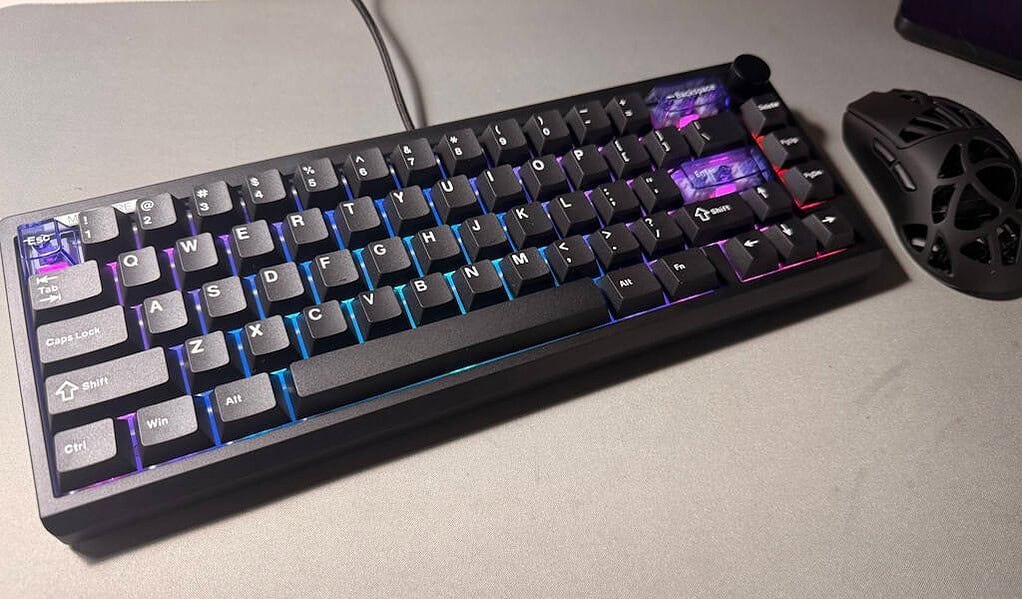
After spending time with the EPOMAKER Magcore65 Lite, it’s hard not to feel like EPOMAKER has managed to bridge two worlds that usually sit at opposite ends of the keyboard spectrum. On one side, you’ve got the high‑speed, ultra‑responsive performance that competitive players chase. On the other, the warm, cushioned acoustics and refined feel that custom‑keyboard enthusiasts obsess over. It’s rare to see both qualities coexist in a single board, especially one that doesn’t demand any modding to get there or at a price point that makes dads like me happy to buy their kids.
The Magcore65 Lite feels confident in what it’s trying to be. It doesn’t lean too heavily into the “gaming” identity, nor does it pretend to be a boutique custom build. Instead, it settles into a comfortable middle ground, fast enough for serious play, but pleasant enough for long typing sessions. I found myself noticing small things over time, like how consistent the stabilisers sounded or how natural the analog settings felt once dialled in. None of it is flashy, but it adds up.
Pros:
- Lightning-fast 8K wired polling (0.125ms latency) with full Rapid Trigger & SOCD suite.
- Surprisingly deep, creamy sound profile right out of the box, no mods required.
- Included translucent purple accent keycaps elevate the RGB lighting aesthetic.
- Flexible Tri-Mode wireless connectivity with a massive 4000mAh battery.
- Dual-stage feet offer versatile ergonomic positioning.
Cons:
- Hot-swap socket compatibility is restricted strictly to inductive switches.
- Matte black ABS case keeps weight down (750g), though metal chassis lovers might miss heavy aluminium heft.
Whether you’re chasing sub‑millisecond strafes in competitive shooters or simply want a compact desk companion that feels and sounds great during everyday work, the EPOMAKER Magcore65 Lite makes a strong first impression. It’s the kind of board that doesn’t try too hard to impress, yet somehow ends up doing exactly that.





Recent Comments