
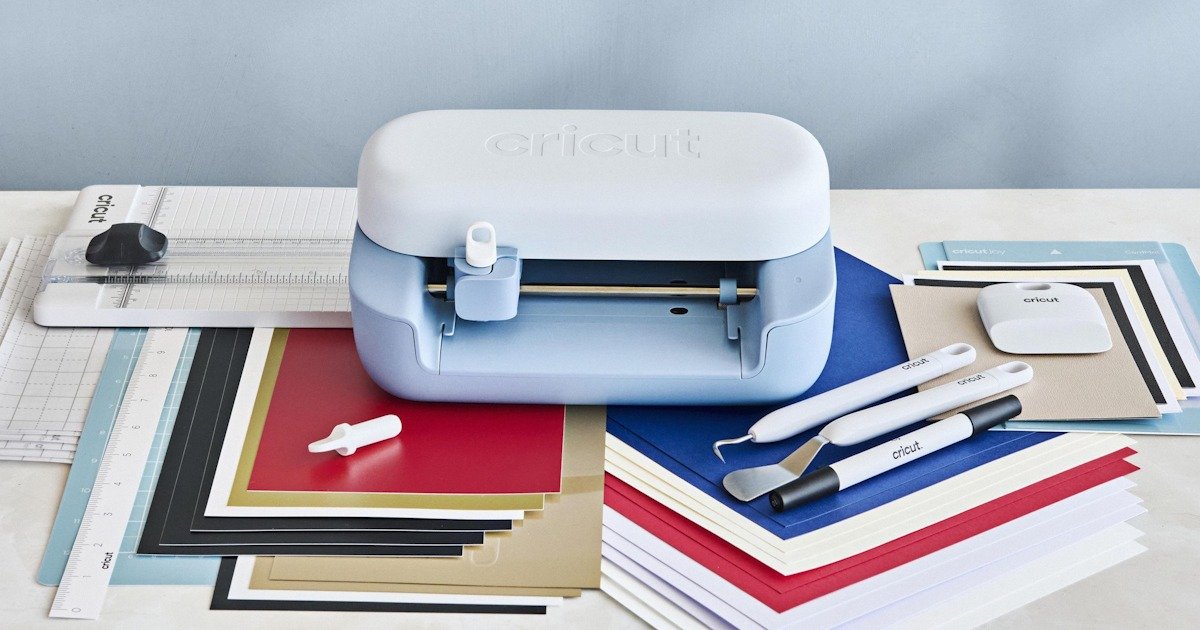
I didn’t really expect to get hooked on something like the Cricut Joy 2. Not this quickly anyway.
The Cricut Joy 2 Essential Bundle showed up, I opened the box, and within, honestly, minutes, I had something printing. That part surprised me most. I’ve messed around with hobby gear before, and there’s usually that awkward “what am I doing wrong?” phase. The bit where you’re tapping through settings, second-guessing every click, maybe watching a tutorial you pretend you don’t need. This didn’t really have that. Or at least, not yet. I’m sure I’ll hit a wall eventually.
But in that first stretch, everything just… worked. I kept waiting for something to misalign, or for the app to throw up some cryptic error. It never came. The Cricut Joy 2 connected, the material loaded, and before I’d properly settled into my chair, it was already cutting. I actually hovered over it for a minute, just watching, like I was expecting it to prove me wrong halfway through.
It didn’t.
I think that’s what got me, that immediate feedback. There’s something oddly convincing about seeing your first attempt come out right. It tricks you a little. Makes you feel far more capable than you probably are at that point. I definitely had that moment of, “oh, this is easy,” which… I mean, maybe it is, or maybe I just haven’t tried anything difficult yet. Either way, that first success sticks with you. It makes you want to try again. And again.
First Impressions (and a Slightly Nervous Start)
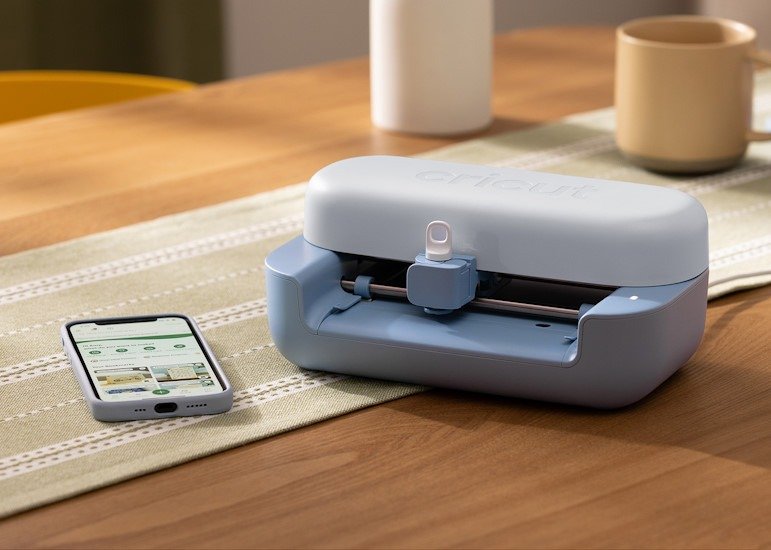
Everything in the Cricut Joy 2 Essentials bundle felt… approachable. That’s probably the word. Not overly polished, not intimidating, just easy to pick up and start. I didn’t feel like I had to “learn the system” before doing anything. Which, honestly, is usually where I start losing interest with new gear. I’ve downloaded software or opened the box and just thought, ‘yeah, nah!’
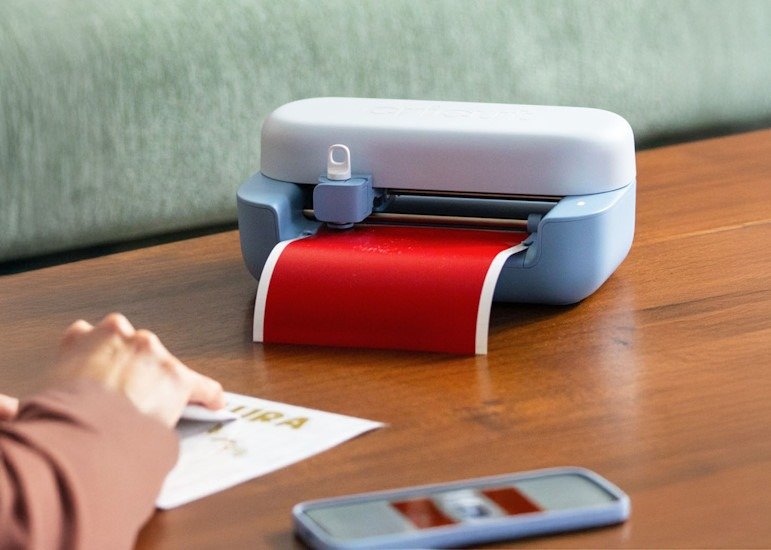
The Cricut Joy 2 is small. Smaller than I thought, actually. I had this vague idea that it would take over half my desk like a printer that demands attention, but it just sits there. Quietly. It’s almost like it’s waiting for you to mess up, but in a supportive way. If that makes sense, it doesn’t feel intrusive. More like a tool you can ignore until you suddenly want it.
I did catch myself rearranging my desk for it anyway, though. Not because I had to, just… it felt like it deserved a proper spot. That might say more about me than the machine.
The setup was straightforward. App install, quick pairing, a couple of prompts. Nothing weird. No frantic Googling, no second device open just in case something goes wrong. I kept expecting a hiccup somewhere along the way, something not connecting, or a step I misunderstood. It didn’t happen. Everything just linked up. Smoothly. Almost suspiciously smooth, to be honest.
And then I did a test print.
Which worked. Immediately. No hesitation, no weird noises, no half-cut lines that make you question everything you just did. The Cricut Joy 2 just… started, ran through the job, and finished like that was completely normal. I actually paused for a second because I wasn’t sure if I’d skipped a step. Usually, there’s at least one small disaster early on. A misfeed, a failed cut, something slightly off that you pretend is intentional. Not this time.
I think I even double-checked the result, like I didn’t trust it. Like maybe I’d been a bit lucky, and the next attempt would reveal the “real” experience. But no, the Cricut Joy 2 genuinely felt that simple. At least at the start.
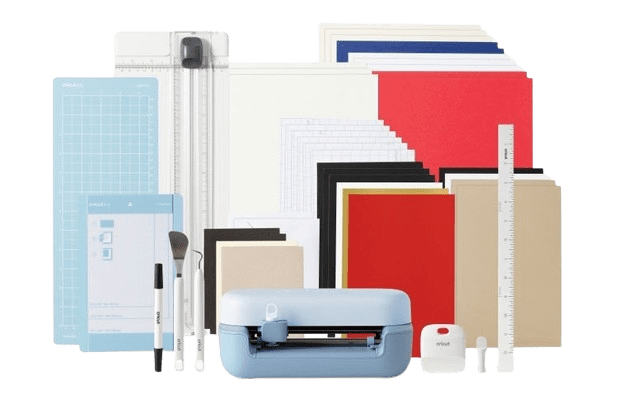
What’s in the Box – Cricut Joy 2 Essential Bundle (Blue)
Opening it up, it actually feels pretty complete. Not one of those “you’ll need to buy five more things” situations.
The Essentials
- Cricut Joy 2 machine (blue)
- Power cable and adapter
Tools You Get
- Fine-point blade (already installed)
- Weeding tool
- Scraper tool
- Portable paper trimmer
- Ruler
- LightGrip cutting mat
- Card mat
Materials to Start Playing With
- Smart Vinyl
- Smart Iron-On
- Cardstock sheets
- Insert cards
- Printable vinyl
- Transfer tape
That First Cut Feeling
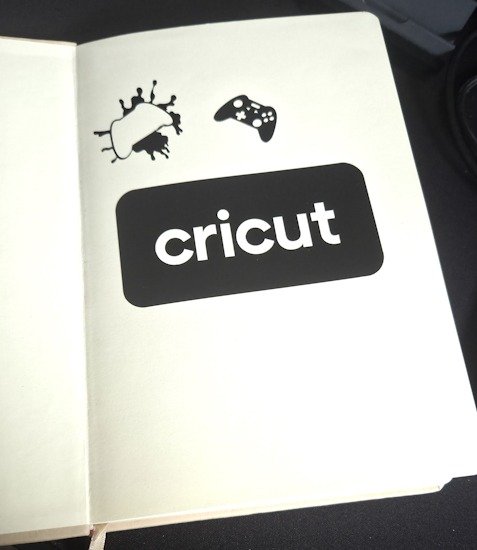
My first actual cut ended up being the Cricut logo. It felt like the obvious place to start. A bit like printing a 3DBenchy when you first get a 3D printer. Not exciting on paper, but somehow important. Almost like a small ritual to prove everything’s working the way it should. And the Cricut Joy 2 did it with ease, and surprising speed.
Watching it trace out that logo was… oddly calming. I didn’t expect that part. The movement is precise but not rushed, and there’s this quiet confidence to it. Like it knows exactly what it’s doing, even if you’re still figuring things out. Once that worked, I got a bit bolder. Probably too quickly. I moved on to this small gamepad design I found, something with a few more details, just to see how it would handle it, I even shrank it down in size by 50%. I half-expected it to struggle, or at least look slightly off. It didn’t.
It just carried on, same steady motion, clean lines forming without any hesitation. I found myself leaning in a bit closer, like I was trying to catch it making a mistake. It never really did.
Peeling the vinyl off was the moment, though. That’s where I thought things might fall apart. Maybe edges lifting, maybe bits not fully cut through. But no, it came away clean. Surprisingly clean. Some might say precisely clean. I kind of held it up for a second just to check, like I didn’t entirely trust the Cricut Joy 2. It looked… good. Better than I expected for something I’d thrown together with zero experience. And yeah, that gave me confidence. Maybe a bit too much, if I’m being honest.
There’s always that early phase with a new tool where everything feels easy, and you start thinking you’ve picked it up instantly. I’m very aware that I might be in that phase right now. Still, it’s a nice place to be. Even if it comes with a reality check later.
What I’m Planning (AKA Why I Bought This in the First Place)
The real reason I grabbed, well, accepted this review unit of the Cricut Joy 2 was for Warhammer stencils. Specifically, for my Angry Marines. They deserve more personality than my freehand skills can deliver, which… let’s just say are inconsistent at best. Some days it works, most days it very much does not. So I will take all the help I can get.
I’ve already started messing around with sizing things down, just to see how far I can push it. Doing a few cuts, then the same design slightly smaller, then smaller again. Almost like testing the limits without really knowing what the limits are yet. It’s been interesting watching where it holds up and where things start getting a bit… questionable.
Some of the tiny cuts still came out cleaner than I expected, which gave me a bit of confidence in the Cricut Joy 2. Maybe too much, again. But it also made me realise this might actually work for the minis. Not perfectly, probably not at the really fine detail level right away, but close enough to be worth chasing.And that’s where it starts to click.
I’m already picturing squad markings, little custom logos, maybe even something overly dramatic because that feels right for Angry Marines. Big, loud designs or ‘naughty words’ that have no business being on something that small. The idea that I can design something quickly, cut it, and then throw it onto a miniature… It’s kind of exciting in a very specific, hobby-brain way. Also slightly dangerous. I can see myself going overboard.
The scaling tests definitely didn’t help with that either. Each time something worked at a smaller size, I’d immediately think, “alright, what else can I shrink?” It becomes a bit of a rabbit hole. You start chasing that perfect stencil size instead of actually using them. There’s a small part of me wondering if I’ll spend more time making stencils than actually painting. That seems likely. Maybe even inevitable.
Still, the Cricut Joy 2 has me properly motivated to get those 40k minis sorted. Which, if I’m being honest, is half the battle. Getting started is usually the hardest bit. This feels like a shortcut around that, or at least a really fun distraction that somehow leads back to it.
The Learning Curve (Or Lack of One, So Far)
Right now, it feels almost too easy. And I mean that in both a good way and a slightly suspicious way. Like I’m waiting for the “real complexity” to show up once I try something more involved. There’s this quiet sense that I’ve only seen the easy layers so far, and the harder stuff is just… sitting there, waiting. Patiencely, ready to jump out like a jump scare in a horror movie… but it never comes!
The design software is simple, like really simple. I didn’t feel lost. Which is saying something, because I usually bounce off these kinds of tools at first. There are always hidden menus or features buried somewhere odd, or some setting that completely changes how things behave, and you only find it by accident.
This felt clean. Not empty, just… controlled. Like it’s guiding you without making a big deal about it. I could move things around, resize, test cuts, and undo mistakes without feeling like I’d broken something or having to restart the project. Which, again, is unusual for me in the first hour of using something new.
I did have a couple of those small pauses, though. The kind where you hover over a button and think, “is this going to ruin everything?” It didn’t. Nothing catastrophic happened. But I still hesitated.
I haven’t pushed it hard yet, though. No layered designs, no complicated cuts. Just the basics. Shapes, simple graphics, small experiments. The kind of stuff that’s hard to get wrong, if I’m being honest. So maybe I haven’t earned my confidence yet.
I keep telling myself that.
At the same time, I’ve started testing smaller and smaller cuts, just to see how far it goes. And every time something works, it sort of chips away at that doubt. Not completely, but enough that I start thinking, “alright, maybe this is as straightforward as it feels.”
Or maybe I’m just in the honeymoon phase. That’s probably more accurate.
Still, for a beginner? It’s been smooth. Almost suspiciously smooth. And I’m not entirely complaining.
Small Things I Noticed (and Maybe Overthought)
It’s quiet. Noticeably so. I kept checking to make sure it was still running. A couple of times I actually leaned in just to hear something, anything, like I didn’t fully trust that it could be doing that much without making a fuss.
The materials in the bundle are enough to get started without feeling boxed in. Not endless, obviously, but enough variety that you can try a few different things before you start thinking about buying more. I didn’t feel stuck doing the same kind of project over and over, which I half expected.
The size helps a lot, too. It doesn’t feel like “equipment.” It doesn’t take over your space or demand attention. It just kind of sits there until you decide to use it. I actually moved it around my desk a few times, not because I had to, just because I could.
I did hesitate a bit lining up my material the first time. That felt like the moment I was most likely to mess something up. Getting it straight, feeding it in properly… it looked simple, but I overthought it anyway. Turns out it was fine. Less fragile than I expected.
Also, and this is going to sound a bit silly, I enjoyed the process more than I thought I would. There’s something about making something physical, even if it’s just a small vinyl cut, that scratches that hobby itch. You start out testing, and then suddenly it feels like you’re actually making something.
Even if it’s tiny. Even if it’s not perfect.
Final Thoughts (Still Early, Still Figuring It Out)
I think the best thing I can say is this: I didn’t feel intimidated. And coming from someone who recently built, configured, and tried to learn 3D printing… that’s huge. I expected this to come with a steep learning curve and take hours just to feel like a beginner. Instead, the Cricut Joy 2 has been a bit of a dream.
That’s rare for a new piece of tech, especially something tied to creative work. Usually, there’s friction, or at least a bit of resistance at the start. Something doesn’t connect, or a setting isn’t quite right. Here, it just worked. Quickly. No real drama.
I’m still at the beginning, though. I haven’t really pushed it yet, and I can already see where things might get a bit trickier. Smaller details, more precise cuts, lining things up on actual miniatures… that’s going to need a bit more patience. Probably a few failed attempts, too. Although if I’m honest, after about a month with it, I haven’t really hit that wall yet. It’s been doing exactly what I need it to.
I’m sure those harder projects will come. They always do. But right now, it feels like a win. A pretty easy one, actually.
And honestly, if all it ends up doing is helping me get some properly over-the-top stencils onto my Angry Marines, that’s enough for me. Even if a few come out slightly crooked or a bit messier than planned. Which, realistically… they probably will. But at least the Cricut Joy 2 gives me a fighting chance.
This was one of those bits of tech I genuinely didn’t think I needed. Something I wasn’t even sure I’d use. And yet, it’s quietly become something I keep going back to. Labels, stencils, random stickers for my coffee mug… things I wasn’t planning on making, but now just do.
If you’re anything like me and you’ve hesitated because it feels too time-consuming, or you think you don’t have the space… I get it. I had the same thought. But it really isn’t demanding. It behaves more like a simple tool than a big piece of equipment. And the Cricut Joy 2 especially doesn’t need much room at all. Mine lives in an Alex drawer and comes out when I need it. Takes maybe a minute to set up.
It’s funny, looking back. Something I didn’t think I wanted has turned into something I don’t really want to be without. Cricut’s made it easy to get into, and somehow even easier to keep coming back to.
I think I’ve become a convert.





Recent Comments