
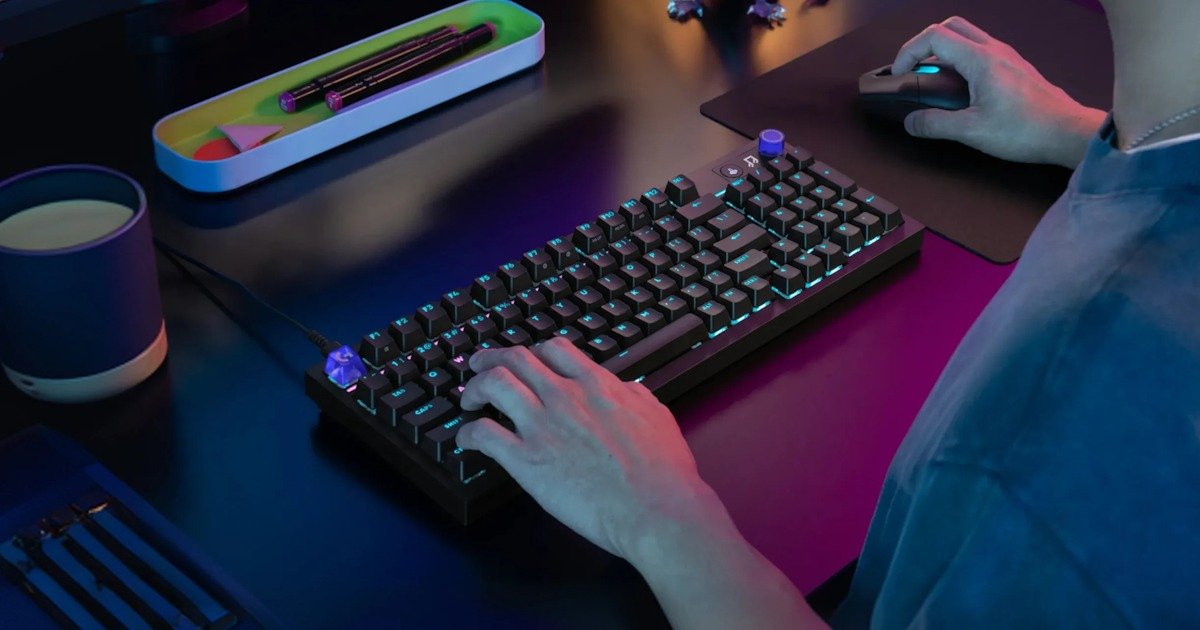
I went into this one expecting… I don’t know, something fairly standard when you think of the G3 series.
Another solid gaming keyboard with RGB, switches, and a few familiar features. Something reliable, something I’d probably like, but nothing that would really stand out. Then I actually spent some time with the Logitech G316X Keyboard. And what surprised me most is how intentional it feels. Not complicated. Just… thought through.
After a bit of time with it, I realised this lines up with what I’ve come to expect from the newer G3 direction. It feels like the goal is to remove that awkward gap between plugging something in and actually enjoying it.
I’ve used Logitech G gear for years. It’s always had that reputation, solid, dependable, no nonsense. You plug it in, it works, and you forget about it. Which, thinking about it, is exactly what you want. If you don’t notice your gear, it’s probably doing its job. The Logitech G316X Keyboard feels like that same idea, just tightened up. There’s less friction. That’s the best way I can put it.
First Look – Small Details Add Up
The Logitech G316X Keyboard doesn’t feel overdesigned. It leans into that idea of “powerful simplicity”, which I’d normally take with a bit of scepticism. It’s an easy phrase to throw around. Harder to actually deliver. But here, I can see it.
You plug it in, and it’s ready. No setup headache, no digging through menus before you can even type. There’s something nice about not having to earn your way into using a keyboard. It just feels ready the moment you plug it in. And then the smaller details start standing out.
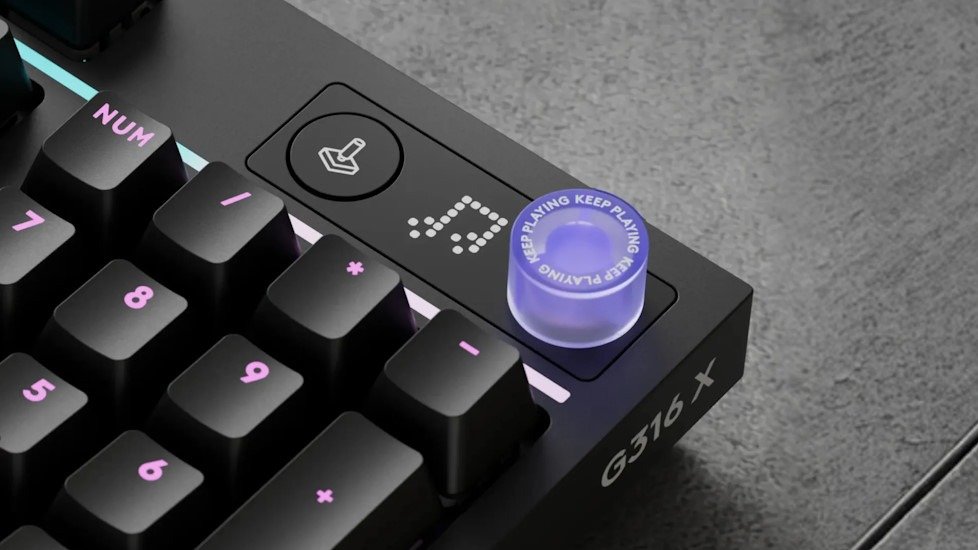
There’s a control dial with a small LED screen sitting on the board, which sounds like a gimmick at first. I thought I’d ignore it after ten minutes. I didn’t. It handles volume, media, and even report rate changes, and it does it instantly. It’s fast to use. Almost too easy, to the point where I found myself spinning it just to see it respond.
That’s where it clicks.
You don’t really think about how often you adjust volume or skip tracks until it’s right there, one movement away. No reaching for function keys, no half-remembered shortcuts or tabbing out of what you’re doing. Just turn, press, done. The small screen reinforces that as well, showing exactly what you’ve changed. It removes that tiny bit of doubt.
Performance – Probably Faster Than I Need
The Logitech G316X Keyboard runs with an 8kHz report rate, which is… a lot. Or in the words of the Spaceballs movie, Ludicrous Speed!
I’ll be honest, I’m not entirely convinced I need that level of responsiveness, especially as I age and my old hands are a little slow for FPS. But it’s there, and you can feel it, especially on a higher refresh rate setup. Inputs come through cleanly, instantly. There’s no sense of delay or hesitation. You press a key, it registers, it registers instantly, without any noticeable delay. Simple as that.
What surprised me more is how consistent that feeling is.
Sometimes with “high-performance” gear, you get peaks. Moments where it shines, but also moments where it feels uneven or overly sensitive. I have a keyboard I love gaming on, but then even writing a chat in-game makes me want to rage-quit on the keyboard. The Logitech G316X Keyboard doesn’t do that. It stays steady. No spikes, no weird behaviour, just a predictable, reliable response every time you use it.
There’s also the flexibility to step that performance down if you want to. You don’t have to lock yourself into the highest setting all the time, which makes sense. I found myself wondering if I’d actually notice the difference in day-to-day use… then remembering it’s probably more about consistency than something you consciously pick up.
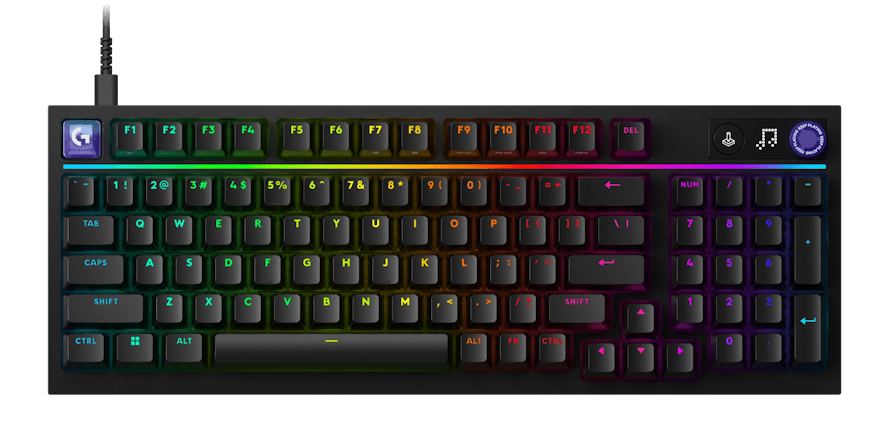
Then there’s the game mode button, which disables keys like the Windows key so you don’t accidentally kick yourself out mid-game. It sounds like a small thing. It is a small thing. Until it isn’t.
Anyone who’s fat-fingered the wrong key at the worst possible moment knows exactly why this exists. Like recently on a Heroic Raid on WOW, where I accidentally missed my press-to-talk button and died 30 seconds in. It’s the kind of feature you forget about right up until the moment you need it. And then you don’t want to be without it again.
I like that it’s straightforward, too. You don’t have to dig into software to use it. It’s just there, ready to go, doing its job quietly in the background. That seems to be a bit of a theme with the Logitech G316X Keyboard overall.
The performance is definitely there. Probably more than I personally need most of the time. But it’s delivered in a way that feels practical rather than excessive, which makes it easier to appreciate, even if you’re not pushing it to its limits.
Sound and Feel – This Is Where It Gets Interesting
This is the part I didn’t expect to care about as much. As I feel like now, sounds are a bit same-y. The Logitech G316X Keyboard uses a snap-fit construction with multiple internal foam layers, designed to shape both the sound and the overall feel. On paper, that sounds… fairly technical. Easy to gloss over. But in use, it does make a difference.
There’s a noticeable consistency to how each keypress lands. Not soft, not overly sharp either. Just controlled. It feels stable under your hands, like everything is held together a bit more tightly than you might expect from something that doesn’t rely on the usual screw-heavy build.
And the sound…
It lands somewhere between crisp and slightly deeper than I expected. There’s a bit of that “thock” people like to talk about, but it isn’t exaggerated, and I like it. It doesn’t feel like the keyboard is trying to perform for you. It just sounds… right. Subtle, but satisfying enough that you notice it.
What stood out more was how repeatable it is.
You press a key, you get the same response. Again. And again. No odd variations, no hollow notes hiding in the corners. That consistency adds up over time, especially when you’re switching between typing and gaming.
I caught myself typing more than I needed to, just to hear it again. Which probably says more than any spec sheet could.
And it’s not just about the sound either. There’s a certain rhythm to it once you’ve been using it for a while. You stop thinking about each keypress individually and just fall into it. It feels settled, predictable in a good way.
I didn’t expect this to be the part I’d notice most, but it stayed with me longer than I thought it would.
Customisation (That You Might Actually Use)
Coming from someone who’s built a fair few custom keyboards… like 80. Yes, I have a problem. This is the bit I paid attention to straight away.
The Logitech G316X Keyboard does customisation in a way that feels… respectful, I guess. It gives you the options without pretending you need to rebuild the entire board from day one to enjoy it.
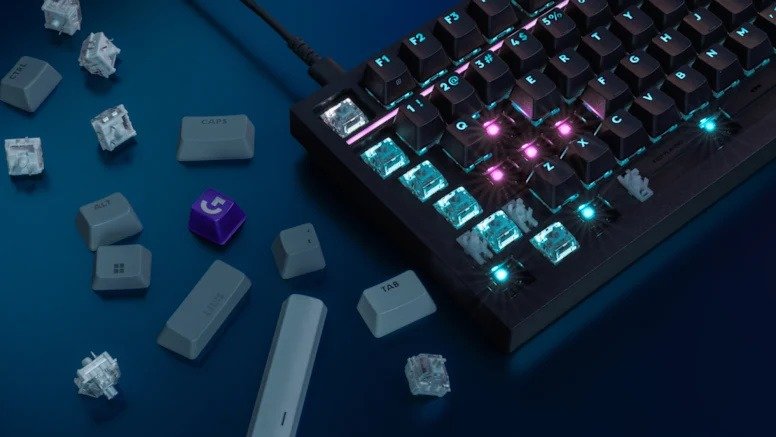
You’ve got hot‑swappable switches here, and that immediately makes a difference. No soldering, no teardown sessions that end with screws mysteriously missing. If you want to change the feel, you just pull them out and swap them. Simple. And because it sticks to a standard keycap layout, you’re not locked into anything. You can throw on whatever caps you’ve got lying around, or go down that rabbit hole if you feel like it.
And that’s the key thing, it lets you go down the rabbit hole, but it doesn’t push you.
I’ve built boards where the process is the whole point. You spend hours tweaking, testing switches, pulling it apart again because something feels slightly off. That’s fun… sometimes. Other times, you just want something that already feels good without needing a full afternoon dedicated to it.
The Logitech G316X Keyboard lands somewhere in between.
Out of the box, it feels sorted. You can type on it, game on it, and not feel like you’re missing something. But there’s that layer underneath, switches you can swap, keycaps you can replace, layouts you can personalise, that gives it a bit more longevity. And I like that approach more than I expected.
It means I don’t feel the need to immediately start modding it. And coming from someone who usually can’t leave keyboards alone for very long, that says something. I probably will start experimenting with it at some point…. maybe a different switch set, maybe something a bit heavier for typing, but it feels like a choice rather than an obligation. And that’s a subtle shift, but an important one.
The Logitech G316X Keyboard gives you the flexibility you want from a custom setup, without taking away the simplicity of something you can just sit down and use.
RGB (Of Course)
Yes, it has RGB.
I’ll admit, I’ve never really been a huge RGB person. I’ve always leaned toward keeping things simple, maybe even a bit plain. Too much lighting can feel distracting, or just… unnecessary. But the Logitech G316X Keyboard handles it differently.
You get per-key RGB lighting alongside a light bar with around 30 lighting zones, all customisable through Logitech G Hub. It sounds like a lot, and it is, but it doesn’t feel overwhelming when you actually use it.
I ended up going with a purple setup, or old faithful, as I call it. I thought I’d go straight to something minimal and leave it there, but after playing around for a bit, I realised the lighting here is done in a way that feels… controlled. Tasteful, I think is the word. Nothing feels overly bright or is trying too hard to show off.
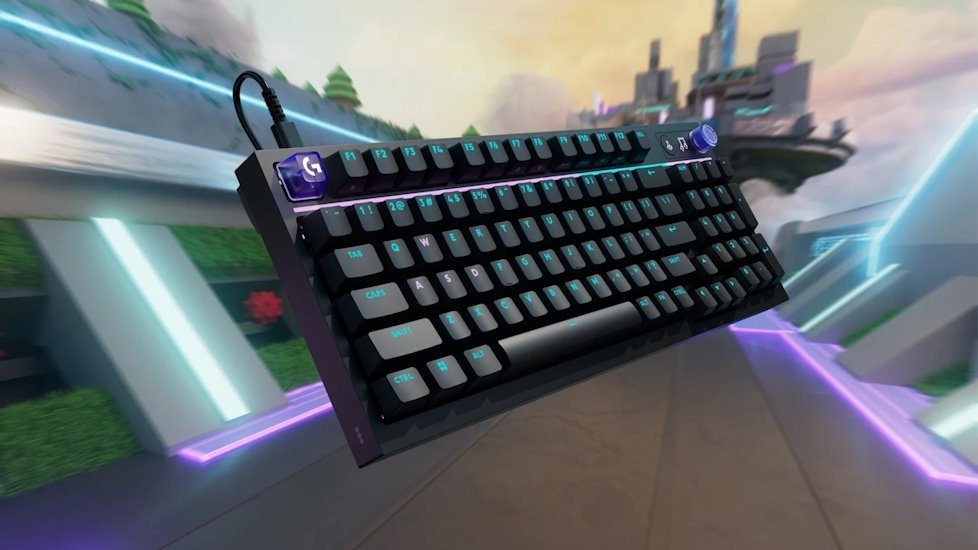
The light bar is actually the standout. It reacts when you adjust settings, giving you quick visual feedback that feels oddly satisfying. Small shifts, subtle changes, it all feels connected rather than decorative.
I did try a full rainbow setup at one point, just to see how it looked. And, surprisingly… I didn’t hate it, I didn’t like it either… but that is as positive as I will get about RGB. I probably wouldn’t leave it on permanently, but it didn’t feel as chaotic as I expected. That’s what stuck with me.
The RGB on the Logitech G316X Keyboard doesn’t feel like it’s there just to tick a box or needs to be more gamer-y. It feels considered. You can go bold if you want, or keep things clean and understated. And either way, it works.
Which, for someone who’s usually not sold on RGB at all, is kind of unexpected.
Software – Better Than Expected
Everything runs through Logitech G Hub, and it’s… surprisingly straightforward and an app I’ve used for years.
As I got this before release, I went in expecting a bit of friction here, as it normally is optimised for new unreleased gear. Software is usually where things slow down, too many menus, too many options thrown at you all at once. But this one always feels manageable. Not perfect, but easy enough to move around without feeling lost.
You can adjust the things you’d expect, lighting, report rates, depending on what you’re doing, key remapping, macros, and different profiles for games or general use. It’s all there, but it doesn’t feel like it’s trying to overwhelm you with it, and most will just go with the default. That is perfectly fine.
At the same time… I still ended up spending longer in there than I planned.
Not because I had to, more because it’s easy to keep tweaking. You change one thing, then notice something else you might want to adjust, then you’re suddenly going through lighting profiles you didn’t intend to touch. It sort of pulls you in without forcing you to. I like that balance.
You can ignore G Hub completely and just use the Logitech G316X Keyboard as-is, and it works well. Or you can dip into it and start shaping things around how you play or work. It doesn’t demand your time, but it rewards it if you give it some.
A Quick Note on Build (and Something Unexpected)
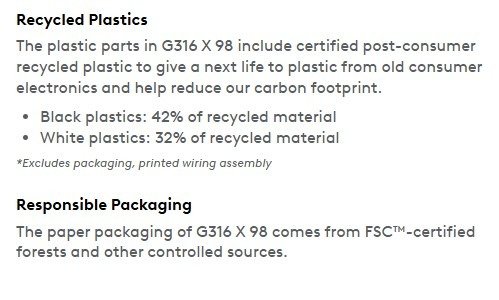
The Logitech G316X Keyboard uses up to 42% post-recycled plastic, which is a detail I wouldn’t normally call out, but it stuck with me… And I just went to an Environmental, Social, and Governance seminar with work. And though I’ve seen numerous companies claim to use recycled plastic. It doesn’t feel like a compromise. Just feels like a solid keyboard.
And the fact that it can be customised and upgraded over time makes it feel like something you keep, rather than replace. At least in theory.
Final Thoughts – Still Early, but It Lands
I keep coming back to this feeling that the Logitech G316X Keyboard just fits.
Not perfectly, maybe not in that “this changes everything” kind of way, but in a much quieter, more practical way. It fits into how I actually use my setup day to day. Gaming, typing, jumping between both without really thinking about it.
After spending time with it, I don’t feel like I’m working around the keyboard. It’s already in the right place. Already doing what I expect. That probably sounds simple, but it’s surprisingly rare. There’s usually something that needs adjusting, something that pulls you out of the moment, even briefly. That hasn’t really happened here.
I still haven’t gone all-in on tweaking it, which says a lot. Normally, I’d be swapping switches, pulling things apart, chasing that “perfect” feel. Here, I haven’t felt the need to rush that. The base experience holds up on its own, and that takes some of the pressure off.
I probably will mess with it eventually. That itch doesn’t go away. But it feels like I can take my time with it, rather than feeling like I need to fix something straight away. And I think that’s what the Logitech G316X Keyboard gets right.
It gives you performance, it gives you flexibility, and then it just… lets you use it. No demands, no learning curve to overcome, no sense that you’re only getting part of the experience until you dive into settings or mods. It meets you where you are.
Which, thinking about it now, is probably the best compliment I can give it.





Recent Comments