
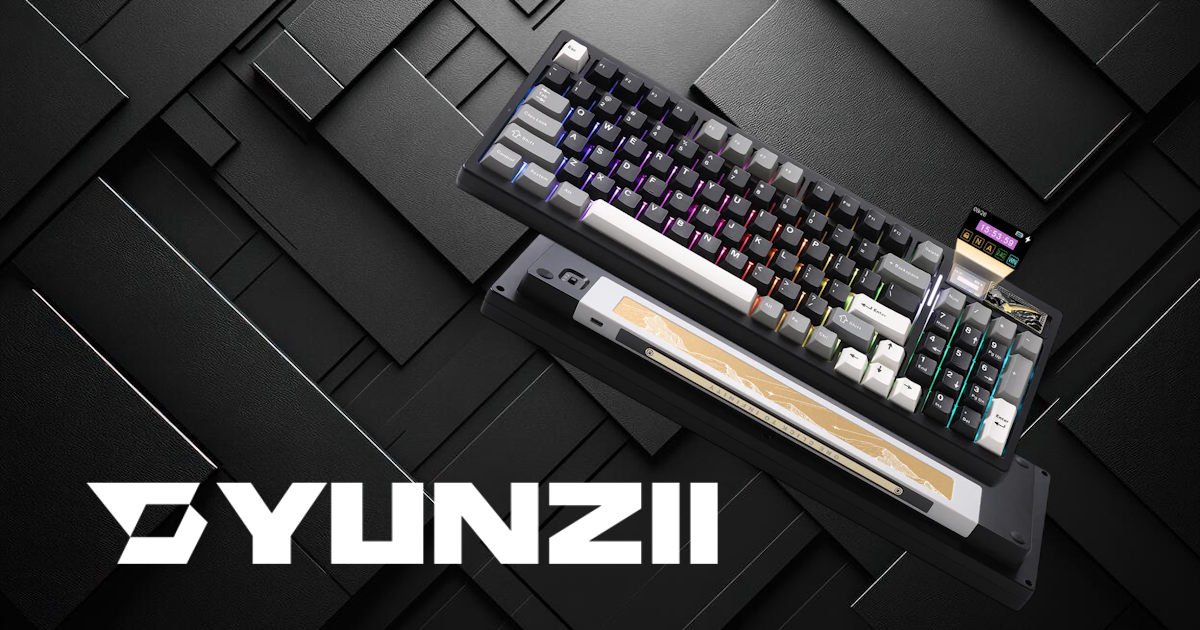
Full‑size layouts often get the short end of the stick in the enthusiast mechanical keyboard world. While compact 75% and 65% boards dominate the custom market, those of us who need a dedicated number pad for data entry, macro programming, or day‑to‑day workflow are frequently left with clinical, hollow‑sounding office boards.
It’s funny how predictable the pattern has become. Smaller boards get all the attention, all the fancy builds, all the lovingly tuned sound tests on YouTube. Meanwhile, anyone who actually needs a numpad ends up settling for something that feels like it was designed by a committee that never actually typed on it. I’ve owned more than a few of those “it’ll do” boards over the years, and they always left me feeling like I’d compromised on something important.
So when a full‑size or near‑full‑size board shows up promising custom‑tier acoustics, I pay attention. Maybe even more than I should.
Priced around $99.99 USD ($149 AUD, on sale at time of writing for $129), this 95% layout keyboard tries to bridge the gap between premium custom keyboard acoustics and full‑size functionality. It doesn’t just tick boxes; it throws in a built‑in LCD screen, open‑source QMK/VIA support, an enormous 8000mAh battery, and a gasket‑mounted structure. It’s a surprisingly bold feature list for something that sits under the $100 mark.
After a few weeks of typing, gaming, and working on the Yunzii IF99, I put its claims of “creamy, thocky perfection” to the test, and found myself thinking about it more than I expected.
Design and Aesthetics: Minimal Footprint, Maximum Heft
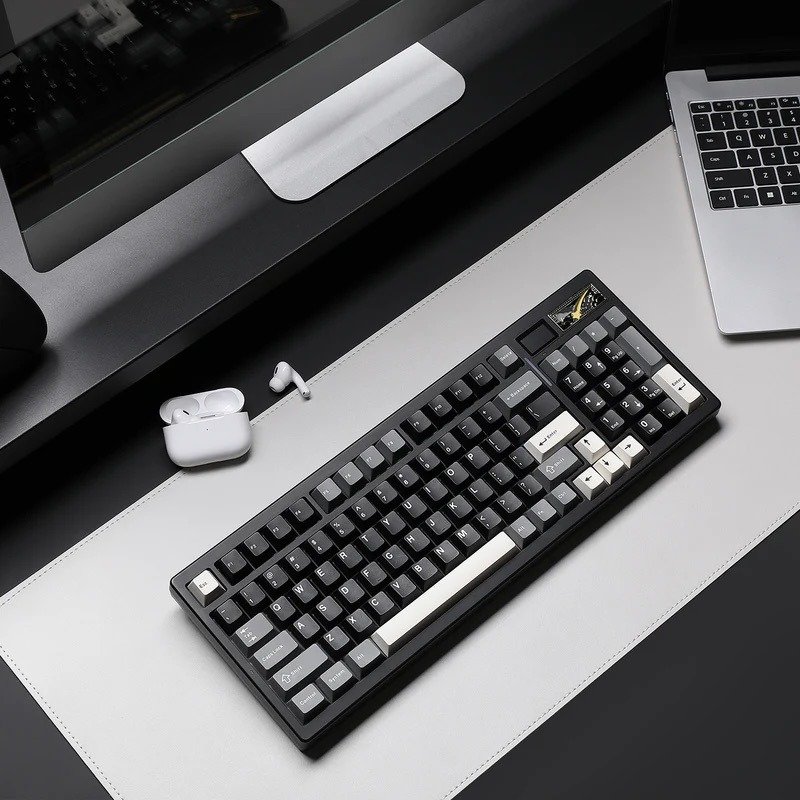
The Yunzii IF99 takes a 95% layout and squeezes it into something that feels far more intentional than the usual “almost full‑size” boards. The arrow cluster and numpad sit snugly against the main alphanumeric block, almost like the whole layout has been gently compressed inward. It’s a clever bit of design that saves more desk space than you’d expect. After a day or two, I kept glancing at my setup thinking, this looks cleaner than it should. It’s close to a TKL footprint, but you still get the full numpad, which, for some of us, isn’t optional.
Visually, the Yunzii IF99 leans into a crisp, icy aesthetic. Both the white and black colourways have this clean, almost frosted look that feels modern without trying too hard. The unboxing experience reinforces that impression. You lift the lid, and everything is arranged neatly: a frosted dust cover, four accent keycaps, a handful of replacement switches, and a multi‑tool puller. Nothing extravagant, but it feels curated, like someone thought about what would make the first few minutes with the board feel good.
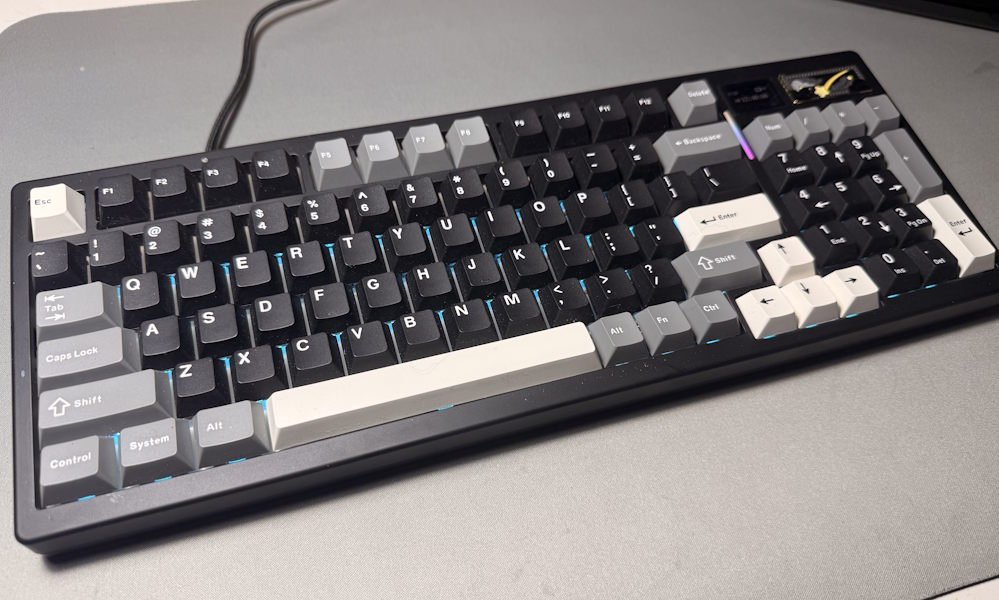
And then there’s the weight. At 1.23 kg (2.73 Freedom Units), the Yunzii IF99 is surprisingly hefty for a pre‑built board. The moment you pick it up, you feel it. There’s absolutely no deck flex, not even the faint kind you sometimes get when you press down on the corners. Flip it over, and the reason becomes obvious: a heavy metal accent bar running across the underside, engraved with “One Click to Infinity.” It’s a small flourish, but it gives the board a sense of identity. The four large rubber feet keep it planted so firmly that I had to use both hands to reposition it, one hand just nudged my whole arm instead.
There is one ergonomic quirk worth mentioning. The Yunzii IF99 has a completely flat casing with no flip‑out feet. The built‑in typing angle is fine, comfortable enough for long sessions, but if you’re someone who prefers a steeper incline, you might notice the absence immediately. I found myself adjusting my posture a few times before settling in. It’s not a flaw, exactly, just one of those design decisions that reminds you the IF99 has its own way of doing things. A wrist rest or a set of riser pads will solve it, but it’s something to keep in mind.
The Typing Experience: Out-of-the-Box “Creamy” Bliss
Typing on the Yunzii IF99 feels surprisingly refined right from the first keystroke. If you stick with the factory‑loaded Yunzii Cocoa Cream V2 linear switches, you get this soft, almost velvety sensation that’s hard to describe without sounding a little dramatic. I remember pressing a few keys just to test the board and then, without meaning to, typing out half a paragraph because the sound and feel were oddly addictive.
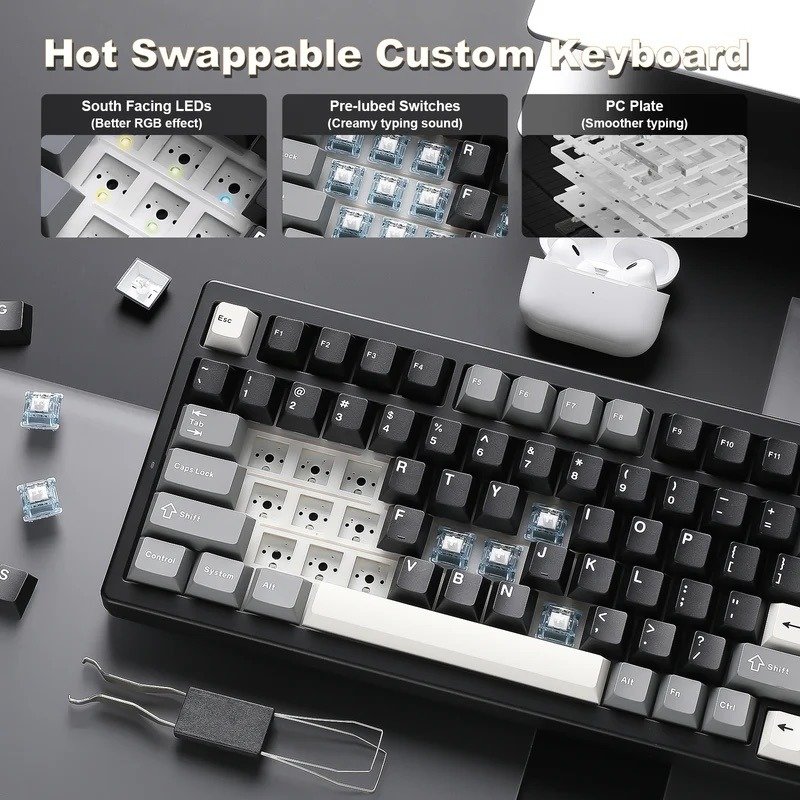
The switches themselves are 5‑pin, factory pre‑lubed, with an operating force of 50 ± 10gf, a total travel of 3.30mm, and an actuation point at 2.00mm. Numbers aside, they’re smooth in a way that doesn’t feel forced. There’s no scratchiness, no weird inconsistencies between rows. Everything feels balanced. The plate‑mounted stabilisers help a lot here; they’re tuned so well out of the box that I pressed the spacebar twice just to check if I imagined the lack of rattle. It’s rare to see stabilisers this clean on a board at this price.
The real magic of the Yunzii IF99 sits underneath the plate. The gasket‑mounted structure, paired with a 5‑layer sound‑dampening system, gives the board its signature “creamy” or “thocky” profile. There’s a distinct internal white layer that absorbs sharper frequencies, leaving behind a deep, marbly pop that feels both muted and expressive at the same time. It’s quiet enough for office use; I typed next to someone on a call, and they didn’t even look over, but still satisfying enough that you notice the character in every keypress.
It’s one of those sound profiles that makes you slow down a little, maybe linger on a key longer than necessary. I caught myself doing that more than once.
For anyone who likes experimenting, Yunzii includes a pack of 21 Gateron Zero linear switches in the box. It’s not enough to swap the whole board, but it’s perfect for testing a few keys or building a small comparison section. The hot‑swappable PCB makes the process painless, and I ended up swapping a handful of keys just out of curiosity.
The keycaps round out the experience nicely. They’re thick double‑shot PBT in a light blue, white, and grey mix, using a Cherry profile that feels comfortable without being overly sculpted. The colours give the Yunzii IF99 a gentle, almost calming look, and the texture has that slightly matte finish that makes your fingers feel anchored without sticking.
Connectivity, Battery Life, and The Sleep Caveat
The Yunzii IF99 feels like it was built by someone who didn’t want to compromise on connectivity. It offers three modes, all controlled by a simple toggle on the underside, and each one feels like it serves a slightly different personality. Some days I found myself switching modes just because I could.
- Wired Type‑C gives you the fastest response time and a crisp 1000Hz polling rate. It’s the mode that feels the most predictable: no surprises, no delays, just a clean, responsive connection. If you’re gaming or doing anything where timing matters, this is the one you’ll probably gravitate toward.
- 2.4GHz wireless is the middle ground. It’s snappy, stable, and uses a receiver tucked away under a magnetic metal badge on the top right of the Yunzii IF99. The first time I discovered it, I actually paused for a moment because it felt like a tiny magic trick. You lift the badge, and there’s the dongle, sitting neatly in its little compartment. It’s a small detail, but it makes the board feel more thoughtfully designed.
- Bluetooth 5.0 supports pairing with three devices, and switching between them is as simple as tapping Fn + 1/2/3. I used this mode when bouncing between my laptop and tablet, and it worked well enough that I didn’t think about it much, which is usually a good sign.
Powering all of this is a massive 8000mAh battery, and it’s genuinely impressive. Even with the south‑facing RGB lighting and the secondary “LOG” LED bar running, the Yunzii IF99 lasts for weeks. I kept checking the battery percentage out of habit, not necessity. The way you check it feels oddly satisfying: hold Fn + Right Ctrl and the number row lights up from 1 to 0 like a physical charging meter. It’s simple, but it makes the board feel more tactile, almost analog in a way.
But wireless mode does come with a quirk, and depending on your workflow, it might be a noticeable one.
After about 4 minutes of inactivity, the Yunzii IF99 slips into a light sleep mode to conserve battery. Waking it requires a keypress, and Bluetooth can take up to 4 seconds to reconnect. Four seconds doesn’t sound like much, but if you step away from your desk often, those pauses start to feel longer. I had a few moments where I typed a sentence and only the last half appeared, which is… mildly frustrating.
Screens and Software: Open Source Power
The true centrepiece of the Yunzii IF99’s aesthetics is that small custom LCD screen tucked into the top‑right corner. It’s funny, you don’t expect it to matter much until you start using the board, and then suddenly you’re glancing at it more often than you’d planned. By default, it acts like a tiny dashboard, showing the date, time, battery level, connectivity mode, and your lock indicators. It’s simple, but it gives the keyboard a bit of personality, almost like it’s quietly keeping you updated without demanding attention.
If you want to customise it, the Yunzii IF99 gives you a couple of paths. Using the web‑based app or Yunzii’s downloadable software, you can upload static images or even animated GIFs. I tried a few just to see how they looked, and there’s something oddly charming about having a tiny pixel animation looping in the corner of your keyboard. Switching between screens is tied to hardware shortcuts: Fn + 8 for the home dashboard, Fn + 9 for your static image, and Fn + 0 for your animation. It’s straightforward enough that you don’t need to memorise anything; after a day or two, the muscle memory just settles in.
For layout and key remapping, the Yunzii IF99 leans fully into the open‑source ecosystem with QMK and VIA support. Head to the VIA web portal (usevia.app) and you can remap any key, build multi‑layer layouts, or tweak individual south‑facing RGB patterns. It’s the kind of flexibility that makes the board feel more like a custom build than a pre‑built one. I spent a little time adjusting a few layers for shortcuts I use constantly, and it was nice not having to fight the software to get there.
There is one small caveat. VIA can be a bit finicky depending on your browser. Chromium‑based browsers like Chrome or Opera tend to behave best, while others occasionally refuse to recognise the board. It’s not a deal‑breaker, just one of those mild annoyances you learn to work around. And you can’t use VIA to upload images to the screen, that part is exclusive to Yunzii’s own tools. It’s a slight separation of responsibilities, but once you know which tool handles what, it becomes second nature.
Overall, the screen and software experience on the Yunzii IF99 feels surprisingly polished for a keyboard in this price range. It’s flexible, expressive, and just a little playful, enough to make the board feel like more than a slab of keys on your desk.
Second Opinion: A View from Across the Desk
I made the mistake of bringing the Yunzii IF99 to the office. It wasn’t even a dramatic entrance, I just set it down, plugged it in, and before I’d finished my coffee, a colleague had already drifted over with that look people get when they spot a new gadget. I didn’t even bother pretending I wasn’t going to let her try it. The unspoken ask was loud enough. So I handed it over, and somehow she ended up keeping it for the rest of the week.
She normally daily‑drives a full‑size Keychron, so she’s not easily impressed. Here’s her take, in her own words:
After trying the Yunzii AL80 (yes, she stole that one too, but only for the day) and thoroughly LOVING it, I was keen to try the 95% cousin, because I am a diehard numpad girl and that’s my unfortunate truth.
And I am thoroughly impressed. Its weight means it sits solidly on your desk without shifting around, and the keys are lovely and tactile, although a touch lighter than the AL80, with a slightly less “creamy” sound. This keyboard made me want to type a whole essay. In one sitting. Then maybe another essay. It makes typing so satisfying.
It’s very reasonably priced for such a quality keyboard, too. I proudly showed it to my husband, who tippy‑tapped the keys and immediately asked me “how much is this?” with an impressed face, so I know what to get him for Christmas now.
It’s also gorgeous, the design on the underside is such a nice touch, as is the magnetic compartment for the USB slot. The customisable screen is surprisingly useful; I found myself checking the time on it regularly.
Overall, this is a beautiful keyboard that feels very much like a gateway drug. 10/10, would recommend.
Listening to her talk about the Yunzii IF99, I realised she’d bonded with it faster than I expected. There was this moment, halfway through the week, where she casually mentioned she’d typed more in two days than she had in the past month. I don’t think she meant it as a compliment, but it absolutely was.
It’s always interesting seeing a keyboard through someone else’s hands. You get a different angle, a different set of priorities. And in her case, the Yunzii IF99 didn’t just pass the test; it became the thing she didn’t want to give back.
Final Verdict
The Yunzii IF99 feels like one of those rare keyboards that punches far above its price bracket. For under $100 USD, it delivers a sound and feel that usually requires an afternoon of hand‑lubing switches, stabiliser tuning, and a small pile of foam mods. Instead, you take it out of the box, plug it in, and it already sounds like something you’d expect from a mid‑range custom build. It’s a bit surprising, honestly, almost like the board is trying to prove a point.
The value proposition is hard to ignore. You get a masterfully dampened typing experience, a genuinely useful LCD screen, a massive battery, and full open‑source QMK/VIA support. It’s the kind of package that makes you pause and wonder how it’s still priced where it is.



Recent Comments