
There are plenty of monitors that scream for attention; I should know, I’ve reviewed most of them. You know the type: neon-soaked RGB strips, refresh rates plastered across the box in bold fonts, and marketing lines that feel like they were written to spark arguments in Reddit threads.
The Dell UltraSharp 32 4K QD-OLED Monitor (U3226Q) doesn’t play that game.
At first glance, it almost feels modest like so many of Dell’s Newest offerings. Clean lines, professional finish, very much in step with Dell’s UltraSharp design language. But modesty can be misleading. A closer look reveals a 32‑inch 4K QD‑OLED panel, a built‑in colourimeter, Thunderbolt 4 with 140W power delivery, and factory‑calibrated colour accuracy. That’s not the usual checklist you see on a monitor sitting quietly on a shelf.
And so I find myself wondering: what exactly is Dell aiming for here? Is this a display built squarely for creative professionals, or is it meant to straddle the line between productivity and play? It doesn’t appear to be chasing every possible audience at once. Which makes me curious, maybe that’s the most interesting part of all.
Design That Prioritises Work Over Flash
Dell knows its audience.
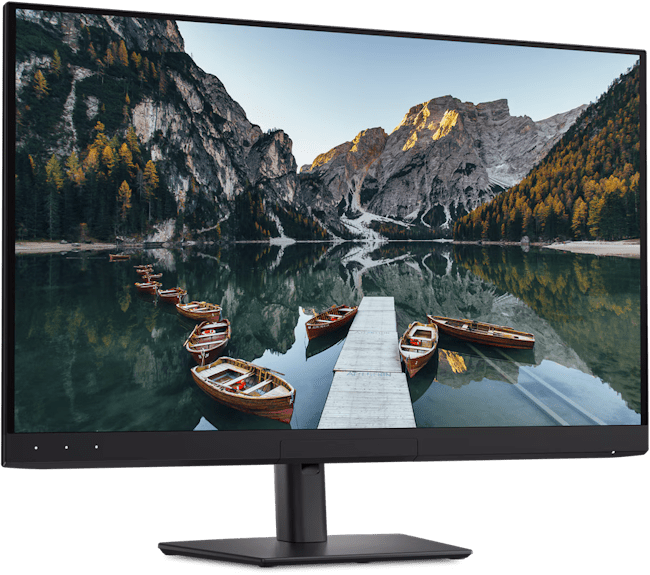
The Dell UltraSharp 32 4K QD‑OLED Monitor looks like it belongs in a professional studio, a design agency, or a serious home office… or my nerd dungeon… right, Dell? The thin bezels maximise usable screen space, while the stand offers height, tilt, swivel, and pivot adjustments that make it easy to settle into a comfortable position. It’s the kind of flexibility that quietly matters when you’re sitting in front of a display for hours at a time. I actually appreciate this approach.
There was a stretch of years when every premium monitor seemed determined to look like a spaceship: angular frames, glowing accents, shapes that felt more like props than tools. These days, I find myself gravitating toward cleaner designs. Maybe that’s age. Or maybe it’s just fatigue from too many hours spent staring at glowing RGB strips that never really added anything to the work itself.
The UltraSharp aesthetic avoids all of that. It’s professional without being dull, restrained without feeling sterile. The matte finish and subtle lines give it a kind of quiet confidence, the sort of design that doesn’t need to shout to be noticed. And there’s something reassuring about that. A monitor that looks like it was built for work tends to put you in the right mindset. You stop thinking about whether it matches your mouse and keyboard lighting or whether it looks “cool” enough, and instead you focus on what’s on the screen. Which, in the end, is the whole point.
The QD-OLED Panel Is Absolutely Gorgeous
Let’s get straight to the main event. The Dell UltraSharp 32 4K QD‑OLED Monitor features a 31.5‑inch 4K QD‑OLED panel running at up to 120Hz, with support for DisplayHDR True Black 500 and Dolby Vision. On paper, that’s already impressive, but is it as good as the paper says?
Yes, 100% yes, It’s even better.

The first thing that stood out to me was contrast. OLED technology has always excelled here, and this panel continues that trend. Blacks are genuinely black, not the dark grey or black-ish, which you sometimes see on IPS displays. Shadow detail feels layered, almost three‑dimensional. Bright highlights, meanwhile, seem to float on screen without bleeding into darker areas.
Then there’s colour reproduction. Quantum Dot filtering gives the OLED panel a wider colour gamut, pushing coverage close to 99% of DCI‑P3 and AdobeRGB. That means reds carry intensity without clipping, blues feel deep and nuanced, and greens pop in a way that avoids the oversaturation trap. I found myself opening random image folders or downloading the 12k images just to see how they looked, which is usually a sign the display is doing something right.
Motion handling is another area worth noting. The 120Hz refresh rate, combined with OLED’s near‑instant pixel response times, keeps fast‑moving content looking clean. Scrolling through long documents feels smooth, and video playback benefits from reduced blur. It’s not the 240Hz you’ll find on dedicated esports monitors, but for creative work and everyday use, it strikes a balance between fluidity and practicality. Or as I told my friend, between overkill and extreme overkill.
I think many people underestimate how much a high‑quality screen can change the overall computing experience. You don’t notice it immediately. Then you switch back to something average, and suddenly everything feels flat, muted, almost lifeless. That’s when you realise just how much the panel elevates everything you do.
Built For Creative Professionals
This is where the Dell UltraSharp 32 4K QD‑OLED Monitor really starts to show its intent.
The headline feature is the built‑in colourimeter. That’s not something you see every day. Most professionals, photographers, video editors, and designers rely on external calibration tools to keep their displays accurate over time. Dell has integrated that functionality directly into the monitor, pairing it with colour management software that supports ongoing calibration schedules. It’s a small detail, but it changes the workflow. And for many people, this alone will have them swiping their credit card.
Out of the box, the monitor arrives factory‑calibrated with Delta‑E values under 2, which is excellent. But displays shift over time, and that’s where the integrated colourimeter matters. You can run recalibration without extra hardware cluttering your desk, ensuring consistency across projects. For anyone delivering colour‑critical work to clients, that kind of reliability is more than convenient; it’s essential. I know when I told Zac, a graphic designer friend, he thought it was a gimmick, or just an app that simulates a colourimeter. Until he came over and saw it in the flesh… then 3 days later when he came over to finish a major freelance project he was working on.
The panel itself supports wide colour gamuts, covering nearly 99% of AdobeRGB and DCI‑P3. Or, in English, you’re not just getting vibrant colours; you’re getting colours that align with professional standards used in print, film, and digital media. Combined with support for Dolby Vision and HDR True Black 500, the monitor can handle both creative workflows and high‑dynamic‑range content with confidence.
And here’s the thing: I’m not a full‑time colourist or a seasoned motion graphics artist. I’d call myself more of a hack video editor, someone who dabbles in graphic design when the project calls for it. Even so, I noticed the difference. Footage I’d cut together before suddenly looked cleaner, more balanced. Colours I thought were “fine” on other displays revealed subtle shifts I hadn’t caught. It was a reminder that the right screen doesn’t just make professionals more precise; it makes amateurs more aware… and tells me, maybe the contrasted only needed to go up to 6 and not 11.
Surprisingly Strong Connectivity
This is one of those areas that doesn’t sound exciting until you actually start using it.
The Dell UltraSharp 32 4K QD‑OLED Monitor comes loaded with options: Thunderbolt 4 with up to 140W power delivery, multiple USB‑C and USB‑A ports, DisplayPort, HDMI 2.1 inputs, integrated KVM functionality, and even Ethernet support. On paper, it’s a long list. In practice, it means you can sit down with a laptop, plug in a single cable, and suddenly you’ve got power, video, networking, and peripherals all running through the monitor.
I’ve tested setups like this before, and once you get used to it, going back to a desk covered in separate cables feels clumsy. Convenience becomes addictive very quickly. One cable, and you’re done. I almost wrote, one cable to rule them all, but then stopped before I wandered too far into Tolkien territory.
The KVM switch is another thoughtful touch. If you’re juggling multiple systems, like I do with my work laptop and my potato of a PC, you can control both with the same keyboard and mouse, switching between them seamlessly. It’s the kind of feature you don’t think about until you need it, and then you wonder how you managed without it. In my case, I didn’t manage without it; I’ve always had a separate KVM box on my desk. But packing up this monitor reminded me how much space that box actually eats. I didn’t realise until it was gone just how tidy the built‑in solution felt.
Ethernet support is also worth mentioning. For creative professionals moving large files or anyone who prefers the stability of a wired connection, having networking built directly into the monitor saves you from extra dongles or adapters. It’s subtle, but it adds to the sense that Dell designed this display to simplify the desk, not complicate it.
Even as someone who spends more time editing video clips and tinkering with graphics than managing complex workflows, I noticed the difference. My desk felt cleaner, my setup faster, and the whole process of plugging in and getting started became less of a ritual and more of a single step. That’s the kind of everyday improvement that doesn’t show up in spec sheets but matters in real life.

What About Gaming?
This is where things get interesting.
On paper, a 4K QD‑OLED panel with a 120Hz refresh rate and near‑instant response times sounds like a very capable gaming monitor. And in practice, it absolutely can be. Games look fantastic here. OLED contrast makes environments feel more immersive, HDR content benefits from deep blacks and vibrant highlights, and motion stays clean thanks to the fast pixel response.
I tried it on the beautiful world of World of Warcraft, cranking the settings as high as my PC could handle before it started to sweat. The result was stunning, Azeroth’s landscapes felt alive, with glowing spell effects cutting through dark dungeons and sunsets painting the sky with believable warmth. Even after years of playing, I caught myself pausing just to admire the view. I’ve spent several months in Silvermoon of late, yet it just looks more beautiful on the Dell UltraSharp 32 4K QD‑OLED Monitor.
Then I switched over to my beloved Farlight 84. The fast‑paced action really showed off the panel’s strengths. Explosions had punch, neon‑lit environments popped, and the smooth refresh rate kept frantic firefights feeling responsive. It wasn’t just playable, it was enjoyable in a way that made me want to keep going longer than I probably should have.
That said, competitive players chasing every possible advantage will probably look elsewhere. Dedicated gaming monitors have already pushed into 240Hz and beyond. Dell clearly wasn’t building this monitor for esports professionals. The Dell UltraSharp 32 4K QD‑OLED Monitor feels designed for people who want a professional‑grade display that also happens to make their games look spectacular after work.
A Few Minor Downsides
No monitor is perfect, and the Dell UltraSharp 32 4K QD‑OLED Monitor has a few quirks worth mentioning.
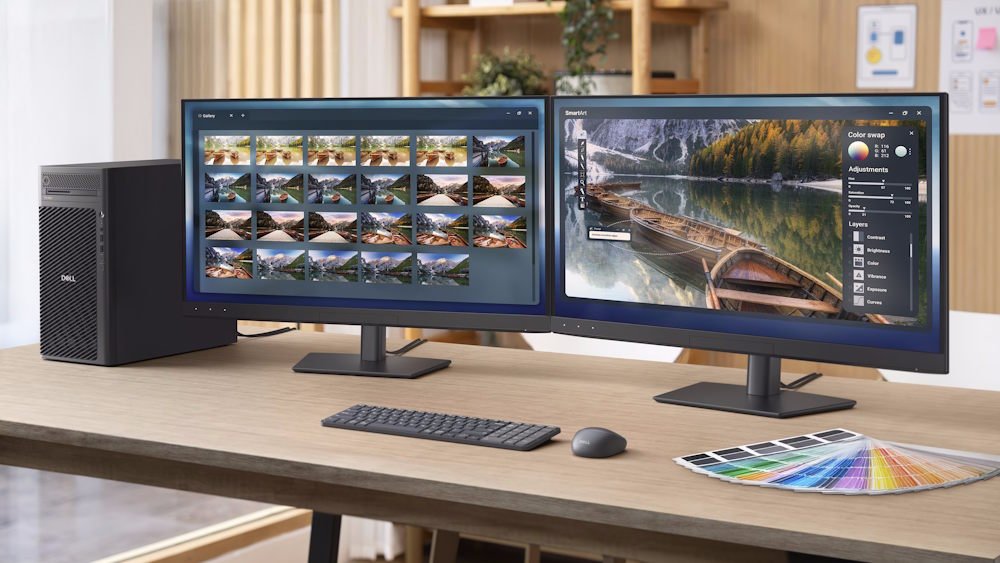
The most obvious one is price. Premium OLED technology combined with professional‑grade features doesn’t come cheap, and this is very much an investment‑grade display; you won’t have to upgrade this in a year like most people do with those few hundred dollar ones. For freelancers or hobbyists, that cost might feel hard to justify, even if the panel itself is stunning. And to be honest, I’d probably pay it. The features mixed with the panel make it worth it.
Then there’s the refresh rate. At 120Hz, it feels smooth for productivity and casual gaming, but enthusiasts comparing specifications may wish Dell had pushed higher. I’ll admit, after playing Farlight 84 on it, I caught myself wondering how much sharper motion might look at 144Hz or beyond. But when I switched back to editing video clips, I realised I’d rather have colour accuracy locked in than chase a few extra frames.
And yes, there are no built‑in speakers. Honestly, I’m glad. I’ve come to hate those poor excuses for speakers that manufacturers cram into monitors. They’re tinny, underpowered, and usually end up being ignored anyway. The fact that Dell skipped them here feels like a step in the right direction. If you care about sound, you’ll use proper speakers or headphones. If you don’t, you won’t miss them.
One other thing to keep in mind: OLED panels can be prone to image retention if you leave static elements on screen for hours. Dell includes pixel‑refresh features to help mitigate this, but it’s still something to be mindful of if your workflow involves static toolbars or spreadsheets that don’t move much.
None of these is a deal-breaker, but they’re reminders that even a polished product has trade‑offs. And in a way, that makes the monitor easier to understand; it’s not trying to tick every single box, just the ones that matter most to its intended audience.
Living With the Dell UltraSharp 32 4K QD‑OLED Monitor
What surprised me most about the Dell UltraSharp 32 4K QD‑OLED Monitor wasn’t just the image quality. I expected that to be excellent.
It was how comfortable it felt to use every day. The anti‑glare coating does a great job of controlling reflections without making the image appear grainy. Long writing sessions, photo editing projects, and the endless cycle of emails and browser tabs all felt pleasant on a screen this size.
The 32‑inch panel also hits a sweet spot for productivity. There’s enough room for multiple applications side by side without constantly resizing windows. Some ultrawide displays offer more horizontal space, but I often find myself missing the extra vertical room when editing documents or working with large images. This monitor never felt cramped. It also never felt excessive. That balance is harder to achieve than it sounds.
And here’s the part that stings a little: I have to send this thing of beauty back to Dell. Right now, my heart is breaking because I know I’ll be living without it. Once you’ve settled into a workflow on a display like this, going back to something more ordinary feels like a step down. It’s not just about specs, it’s about comfort, about the way the monitor quietly supports whatever you’re doing without demanding attention.
That’s the kind of everyday difference you don’t notice until it’s gone.
Final Verdict
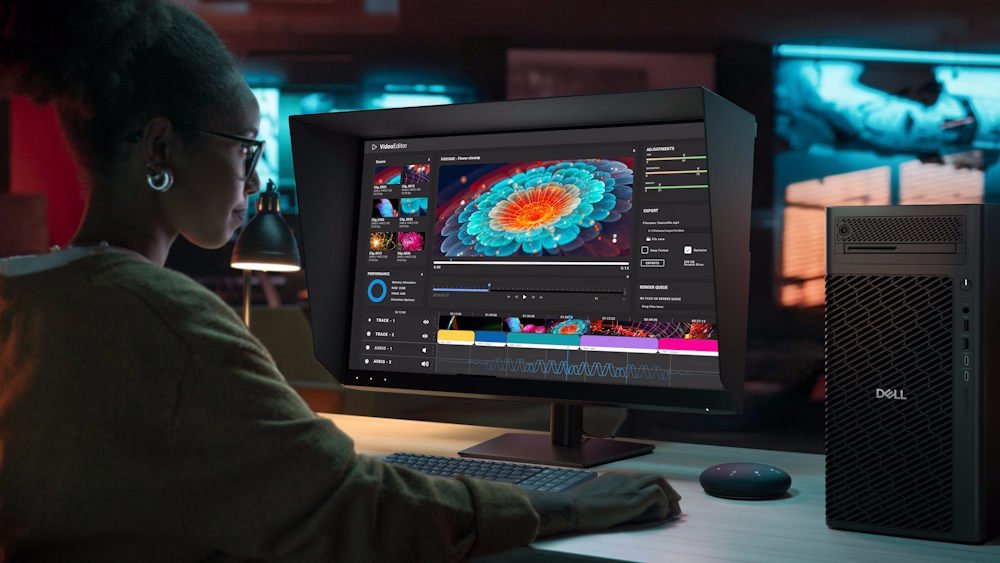
The Dell UltraSharp 32 4K QD‑OLED Monitor feels like a product built with a very clear purpose. It delivers exceptional image quality, professional‑grade colour accuracy, superb connectivity, and thoughtful features that genuinely improve day‑to‑day workflows. The built‑in colourimeter alone helps separate it from much of the competition, and the Thunderbolt 4 docking functionality makes it one of the easiest monitors to live with.
What impressed me most wasn’t any single specification. It was how complete the overall package feels. Every feature seems to support the same goal: creating a display that professionals can rely on every day for years. The OLED panel provides stunning visuals. The connectivity simplifies desk setups. The calibration tools help maintain accuracy long after the monitor comes out of the box.
It’s expensive, yes. There’s no getting around that. But if you’re a photographer, video editor, designer, content creator, or even someone who just wants one of the most capable productivity‑focused OLED monitors available right now, the Dell UltraSharp 32 4K QD‑OLED Monitor earns a very easy recommendation.
A stunning 32‑inch 4K QD‑OLED display that combines exceptional colour accuracy, outstanding connectivity, and thoughtful professional features into one seriously impressive package.



Recent Comments