
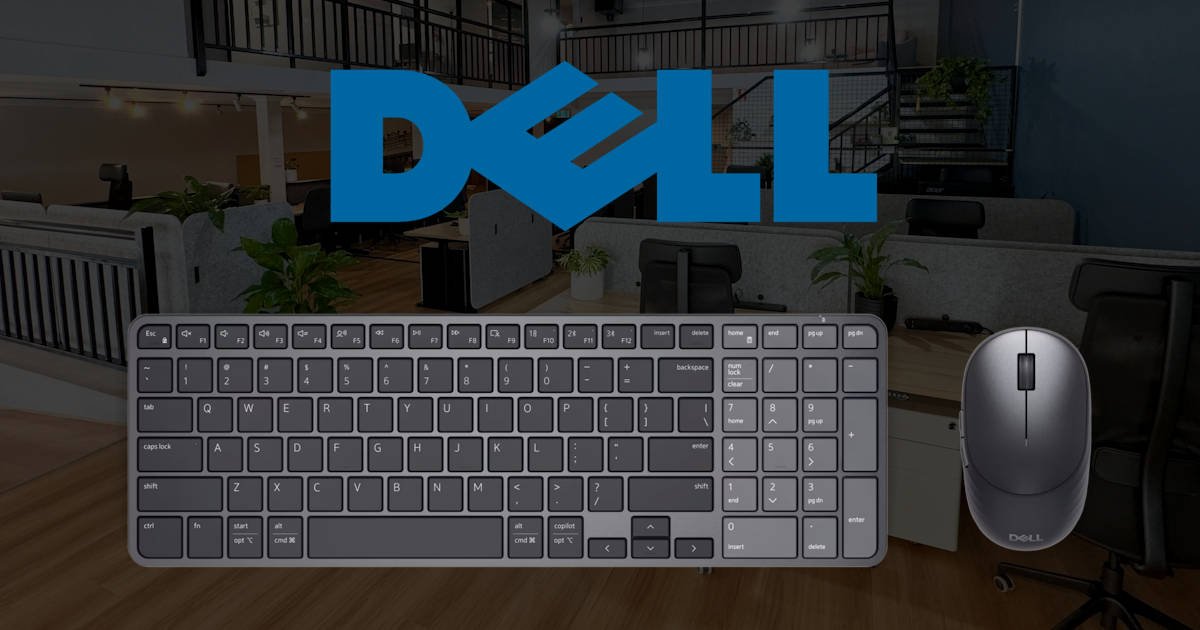
There are some peripherals that immediately scream gaming. RGB everywhere, aggressive angles, switches loud enough for the person three desks away to know you just typed an email. They want your attention before you’ve even plugged them in. Then there are the peripherals designed to quietly sit on your desk and get on with the job. The Dell Pro 7 Rechargeable compact Keyboard and mouse definitely fall into the latter category.
This is Dell taking a fairly familiar office keyboard-and-mouse combination and trying to make it smarter, smaller and considerably easier to live with day to day. The Dell Pro 7 KM746 combines the KB746 keyboard and MS746 mouse into a single wireless package, giving you a matching setup without taking over your entire desk. And honestly, there is something quite appealing about that simplicity.
It’s the sort of combination I can see slipping very easily into a home office or everyday work setup… or taking to my open office, as I know they hate my current Thocky keyboard. There’s no need to make a statement with it. You put the keyboard down, pair everything up and, ideally, stop thinking about the hardware altogether. For something you could potentially spend hours using every day, I think there’s a lot to be said for that.
Dell hasn’t tried to turn an office keyboard into something it isn’t. Instead, the focus here is on quiet typing, compact dimensions, multiple connectivity options and some genuinely interesting charging technology. There are some clever productivity features tucked in there too, but nothing feels like it has been added simply so Dell can put another bullet point on the box.
And oddly enough, it was the charging side of things that grabbed my attention the most.
Yes, I just described the charging technology in a keyboard and mouse as interesting. Apparently this is where my life has taken me.
Design
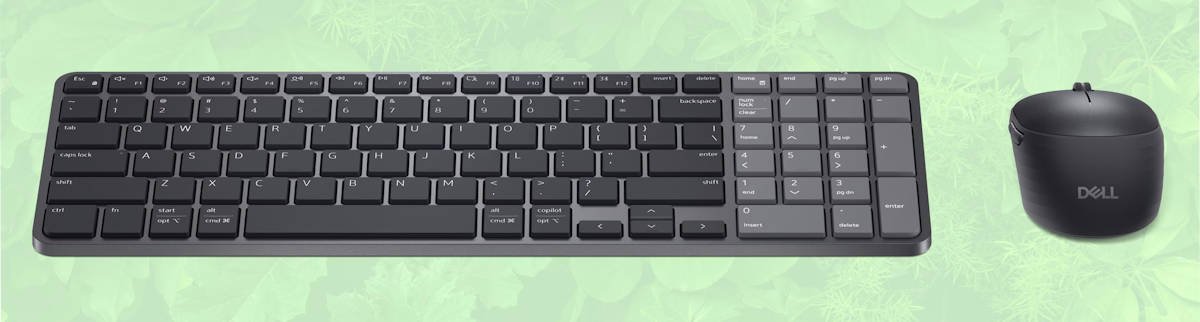
Visually, the Dell Pro 7 Rechargeable compact Keyboard and mouse are quite understated, which feels appropriate for what Dell is going for. Everything looks clean and professional, without unnecessary lighting or styling fighting for attention. It’s the sort of setup that can sit on your desk and quietly blend in. And that is actually a huge compliment.
The keyboard uses low-profile scissor switches and has an adjustable tilt, while Dell has kept the overall design compact. There are dedicated shortcut functions that I use daily, and honestly, I’m shocked we haven’t seen more of this before. Everyday functions like Audio Switch, Talk to Text and my beloved Snipping Tool are right there, alongside a multi-device channel switch. The key legends accommodate both Windows and macOS, and there’s a dedicated Copilot key for compatible Windows systems.
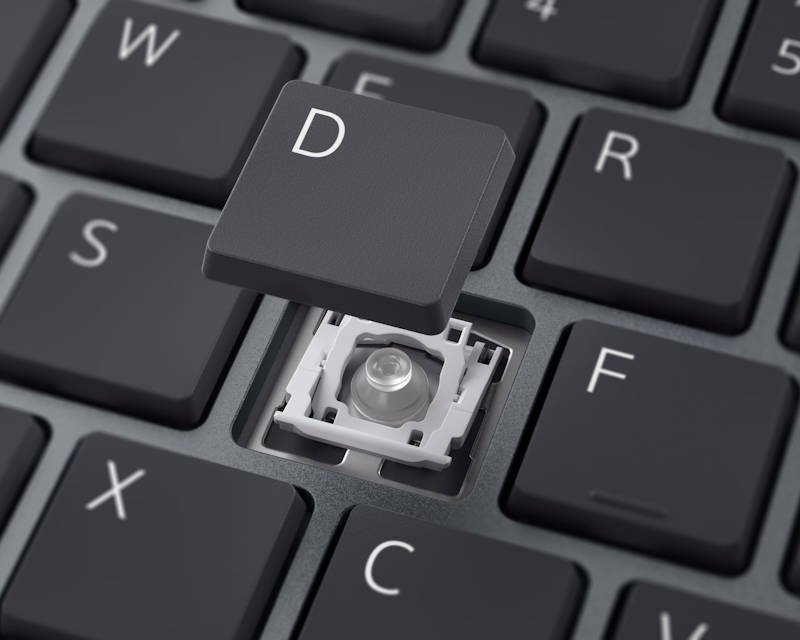
I actually really like this approach and hope we see more of it, because I can’t tell you how often I’ve ended up using these shortcuts.
A compact keyboard can become annoying surprisingly quickly when manufacturers start deleting keys simply to shave a few centimetres off the width. Suddenly, something you’ve instinctively used for years has moved or disappeared altogether. Dell has managed to keep the productivity side of the experience while reducing the amount of desk space the keyboard consumes.
It’s something you may not notice at first, but after a while you start looking at your desk and thinking, ‘Why do I have so much keyboard taking up so much desk?’
The low-profile design also makes sense here. Scissor switches give it that familiar short-travel feel people will recognise from laptops and office keyboards, while the quieter typing experience fits nicely into an office or shared workspace. If you’re coming from a chunky mechanical keyboard, as I am, much to the hatred of our marketing team, it’ll obviously feel quite different. That’s largely going to come down to personal preference.
Then there’s the mouse.
It follows the same restrained design but packs in more functionality than you might initially expect. You’ve got the usual left and right buttons and scroll wheel alongside additional side buttons, which were a genuinely nice surprise.
Combo mice can sometimes feel like an afterthought. You get click, click, wheel and… well, that’s about it. Having those additional buttons gives the mouse a slightly more premium feel while also making them genuinely useful. I’ve programmed mine to copy and paste. Lame, I know, but I can’t tell you how handy that is when you’re working through spreadsheets.
The underside houses the power switch, optical sensor and connection controls. Dell has also incorporated storage for the USB receiver inside the mouse, which is one of those tiny design decisions you appreciate the moment you’re throwing everything into a laptop bag. Because those little USB receivers apparently have an unexplained desire to disappear forever. I currently own four mice that are missing their receivers. I’m convinced I’ll find them one day, so I’m still too afraid to throw the mice out.
Everyday Use

Using the Dell Pro 7 KM746 day to day is probably where I’ve appreciated it the most. Once everything is set up, it pretty much gets out of the way and lets you work. That sounds like a boring compliment, but for something I’m using for hours at a time, it’s actually quite important.
Personally, I think keyboards and mice get overlooked when people are putting together a workspace. We’ll spend ages choosing a laptop, comparing monitors and obsessing over screen sizes, then grab whatever keyboard happened to be sitting in the cupboard since 2017, or whatever Big W or Officeworks has on special. I’m definitely guilty of this. More than once.
Yet these are the things you’re physically touching all day.
What I’ve liked about the Dell Pro 7 KM746 is all the small conveniences you gradually start noticing. Switching between devices is easy, the shortcuts I mentioned earlier quickly become part of your routine, and the mouse feels equally comfortable jumping between emails, documents, web browsing and spreadsheets. Nothing individually changes your life, but after a full day of working, those conveniences start adding up.
The adaptive scroll wheel is a great example. It changes behaviour depending on how quickly you’re scrolling, allowing more precise movement when you need it or letting you fly through a ridiculously long document when you’re desperately trying to find the section you swear you saw five minutes ago. Horizontal scrolling is available too. That sounds incredibly boring until you’re living inside sprawling spreadsheets like I seem to be doing on the daily of late. So yes, unfortunately, I know that life rather well.
Once you’re bouncing between huge spreadsheets, emails, Teams, documents and approximately 47 browser tabs you promised yourself you’d close yesterday, being able to move around quickly becomes surprisingly useful.
The mouse also offers adjustable cursor sensitivity up to 6000 DPI, while three programmable buttons can be configured through Dell Display and Peripheral Manager. I’ve already talked about programming mine for copy and paste, so I won’t bang on about it again. I’ll simply say that my thumb is now doing far more administrative work than I ever expected from it.
For an office-focused mouse, 6000 DPI is plenty. Gaming mice can push those numbers considerably higher, but I don’t need my spreadsheet mouse prepared for competitive esports. That being said, there is a World Excel Championship… but seriously, 600o DPI is more than enough. I need it to get from column B to column AZ without me dragging the mouse halfway across Melbourne.
And for that, the Dell Pro 7 KM746 combo has been genuinely pleasant to use.
Connectivity
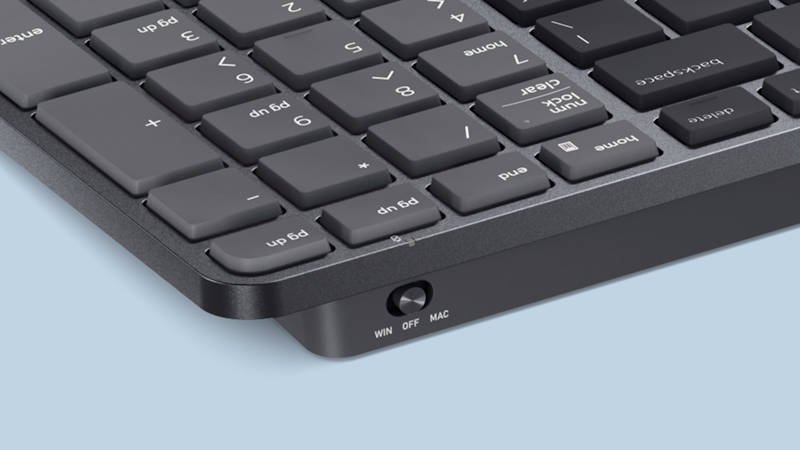
Another area where the Dell Pro 7 KM746 gets things right is connectivity. And admittedly, connectivity on a keyboard and mouse probably isn’t the most exciting thing I’ve ever written about, but stick with me here because it becomes surprisingly useful in everyday use.
The keyboard and mouse can connect using Dell’s Secure Link USB receiver or Bluetooth, allowing the setup to work across different devices rather than permanently belonging to one computer. For me, this flexibility makes a lot of sense. My desk can already have enough going on without introducing another keyboard and mouse into the situation. You might have a work laptop during the day, your personal computer afterwards, or perhaps you’re regularly switching between Windows and Mac. Being able to keep the Dell Pro 7 setup on the desk and move between devices keeps everything considerably tidier. Because apparently the solution to having too much technology on my desk isn’t buying less technology. It’s finding technology that takes up less room.
The keyboard includes a dedicated multi-device channel switch, so moving between connected devices doesn’t feel like something buried away or awkward to access or take weeks to get things to pair. Dell has also incorporated both Windows and macOS legends into the keys, which is a small touch, but a sensible one when the whole idea is being able to use the same keyboard across different systems.
I particularly like this for hybrid working. When you’re constantly plugging and unplugging laptops, moving between desks or to a meeting room or bringing equipment home, you start appreciating anything that removes another cable or peripheral from the equation. It’s one less thing to think about, which seems to be an ongoing theme with the Dell Pro 7.
Of course, you can always use the Secure Link USB receiver and keep things straightforward. Plug it in and get on with your day. Sometimes that’s exactly what I want. Bluetooth is convenient, but there’s also something wonderfully uncomplicated about plugging in a tiny receiver and watching everything simply work. Assuming, of course, you haven’t lost the receiver… again. As established earlier, I apparently can’t be trusted with those.
There’s a security angle here too, with Dell’s Secure Link USB receiver using 128-bit AES encryption with FIPS-approved algorithms for its wireless connection. It’s probably not the feature that will have you excitedly showing your new keyboard to someone, but for a keyboard-and-mouse combination clearly aimed towards professional and business environments, it makes sense.
The Supercapacitor Is the Interesting Bit
Now we get to arguably my favourite idea behind the Dell Pro 7 Rechargeable compact Keyboard and mouse, and weirdly enough, it has to do with the battery. Or, more accurately, what Dell is using instead of a traditional lithium-ion battery.
The Dell Pro 7 uses supercapacitor technology in both the keyboard and mouse. If you’re now sitting there thinking,“Great, Dez, what on earth is a supercapacitor?” don’t worry, I had much the same reaction.
The easiest way to think about it is that a supercapacitor stores energy differently from the rechargeable batteries we’re used to seeing in our phones, laptops and other peripherals. A traditional lithium-ion battery relies on chemical reactions to store and release energy, while a supercapacitor stores energy electrostatically. This allows it to charge extremely quickly, although supercapacitors generally store less energy than conventional batteries of a comparable size. But in something like a low-power keyboard and mouse, Dell has found a pretty clever use for the technology.
And this is where things get interesting.
Dell says the keyboard can fully charge in around five minutes and provide up to three months of use, while the mouse takes just three minutes to fully charge and can run for up to one-and-a-half months. Actual runtime will obviously vary depending on how you’re using them. But I haven’t even got to my favourite bit yet.
Five seconds.
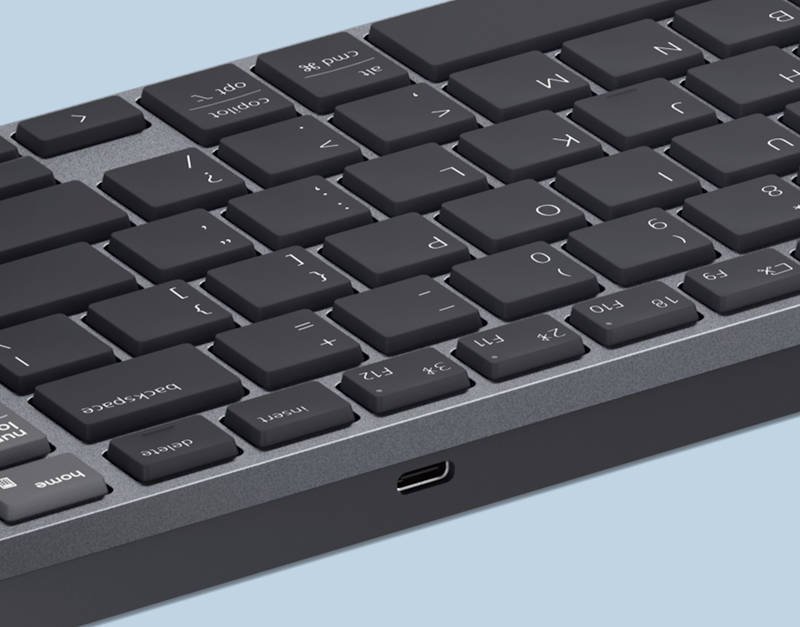
Dell says plugging either device in for just five seconds can provide enough power for a full day’s use. I honestly thought I had read that wrong the first time. Five seconds is barely enough time for me to plug the cable in, stare blankly at the screen and remember why I plugged it in to begin with. Like, what the? I’ve spent longer than five seconds trying to plug in a cable or put the dongle into my laptop
And this might actually be the perfect use case for supercapacitor technology. We’ve all had a wireless mouse suddenly announce that it’s dying at exactly the wrong moment, like when you are about to head into a board meeting. Normally that means searching for batteries, hunting down a charging cable, or plugging the mouse in and using your supposedly wireless mouse with a cable hanging out of it. With the Dell Pro 7, you can plug it in, give it a few seconds and get back to what you were doing.
That’s particularly useful for me because I’m terrible at remembering to charge peripherals. My phone? Absolutely. My watch? Usually. Headphones? Sometimes. My mouse? I generally remember that needs charging when the cursor stops moving, and I start aggressively shaking the mouse around as if that’s somehow going to create electricity.
Dell also includes a USB-C to USB-C cable with the KM746, so at least you have what you need in the box rather than immediately digging through that drawer filled with 46 cables, three mystery power adapters, and something you’re fairly certain belonged to a Nokia in 2007.
For all the productivity features packed into the Dell Pro 7, I think the supercapacitor is one of the genuinely interesting ideas here. It’s clever technology, certainly, but what matters to me is that Dell has used it to solve an incredibly mundane problem.
Your keyboard or mouse is dying. Plug it in for five seconds. Carry on.
What Could Be Better?
There are some unavoidable trade-offs with something designed around compactness and quiet productivity. If you’re coming from a larger mechanical keyboard, particularly something with deeper key travel and very tactile switches, the low-profile scissor design is going to feel quite different. I definitely noticed the change, but whether that’s better or worse really comes down to personal preference and what you’re used to typing on every day.
There’s also no keyboard backlighting, which could be disappointing if you regularly work in darker environments. Personally, I’m okay with that. It would have been nice to have, sure, but for the type of work the Dell Pro 7 is designed for, I never really found myself missing it.
The mouse is similar. Despite having a 6000 DPI sensor and programmable buttons, I’d still look elsewhere if gaming is your priority. For spreadsheets, browsers, emails, productivity apps and the general chaos of a normal working day, it makes perfect sense. If you’re trying to land headshots at 2 am… well, Dell makes other peripherals too.
The bigger question is probably how much use you’ll get from some of the Dell Pro 7 KM746’s additional features. If you sit at the same desk and use the same desktop PC every day, multi-device switching probably isn’t going to change your life. You might use it once, say “that’s neat”, and then completely forget the button exists.
For hybrid workers, though, or anyone regularly bouncing between a work laptop, personal computer and other devices, the Dell Pro 7 starts making considerably more sense. That’s really where I think this combination finds its place. It’s compact, practical and built around making those little everyday transitions easier, without adding more stuff to an already crowded desk.
Final Thoughts
Going into the Dell Pro 7 Rechargeable compact Keyboard and mouse, I wasn’t expecting to have quite this much to say about an office keyboard and mouse combo. On the surface, it looks sensible, professional and perhaps a little boring. Turns out, boring can actually be pretty bloody useful.
The Dell Pro 7 KM746 gets so many of the little everyday things right. The keyboard gives me back some desk space, the shortcuts have become far more useful than I expected, and the mouse actually feels like part of the package rather than something Dell remembered to throw into the box at the last minute.
I’ve even become embarrassingly attached to having copy and paste mapped to the mouse. Yes, I know. Try to contain your excitement.
Then there’s the supercapacitor technology. Somehow, charging became one of my favourite things about a keyboard and mouse. Being able to plug either one in for a few seconds and carry on is genuinely useful, particularly for someone like me who remembers something needs charging approximately three seconds after it stops working. My usual troubleshooting method of aggressively shaking the mouse may finally be retired.
The Dell Pro 7 won’t replace my love of a good thocky mechanical keyboard, and gamers will probably want something built specifically for them. For work, though, especially when bouncing between spreadsheets, emails, Teams and far too many browser tabs, I’ve really enjoyed using it.
It quietly makes my working day a little easier, gives me some desk space back and, perhaps most importantly, means I can finally take a keyboard into the office without annoying everyone sitting around me. Although I’m still not admitting the marketing team was right.



Recent Comments