
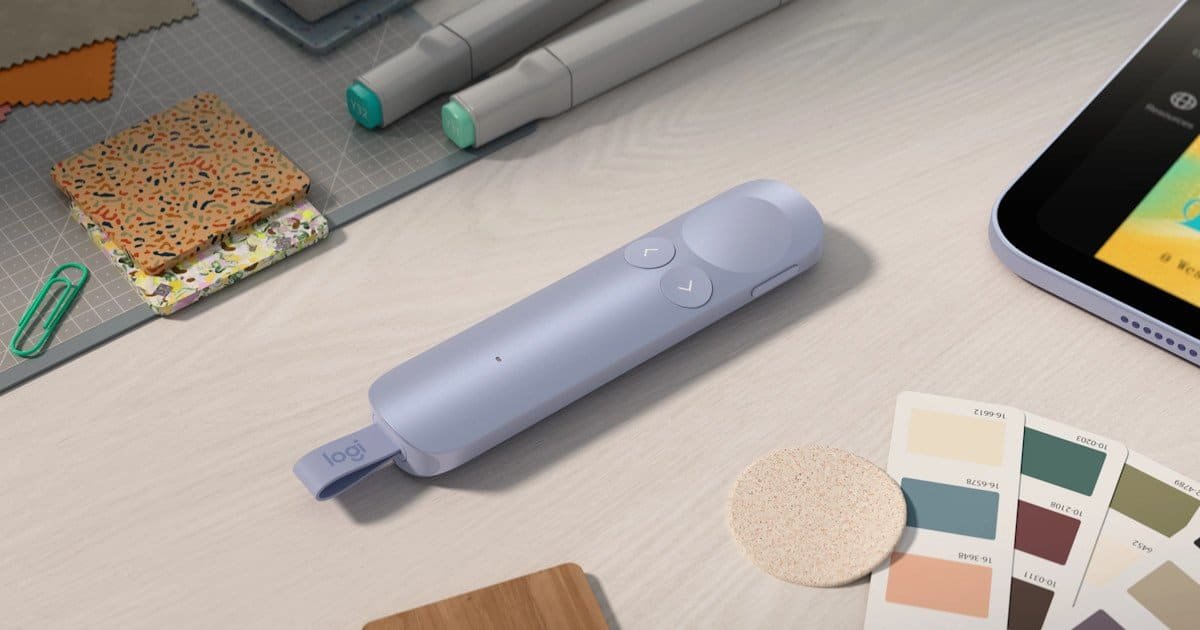
I’ll be honest, when the Logitech Spotlight 2 turned up on my doorstep, I thought it would be a nice little productivity accessory. Useful, sure. Convenient, probably. One of those gadgets you appreciate in passing but don’t think about again. What I didn’t expect was for it to arrive at exactly the right moment, almost like it had been scheduled to show up just when I needed a bit of help.
At my day job, I had a supplier webinar and forum presentation coming up. Not a casual team catch‑up or a quick briefing either. This one was a company-wide webinar. People I’d never met, people I had met and wanted to impress, and that slightly intimidating silence you get before a session starts. If I’m being completely honest, I was incredibly nervous about it. The sort of nervous where you rehearse the opening sentence ten times and still wonder if you’ll somehow forget your own name the moment you unmute.
My biggest concern wasn’t even the content. I knew the material well enough. It was the logistics. I had this picture in my head of being glued to my laptop the entire time, awkwardly stepping back every few minutes to change slides, breaking my flow and probably making myself look more uncomfortable than I already felt. It’s strange how something as small as a slide transition can feel like a hurdle when you’re already on edge.
Then the Logitech Spotlight 2 arrived.
And, genuinely, it saved the day. Or at least it saved me from spiralling into that familiar pre‑presentation panic.
The first thing that stood out was how polished the Logitech Spotlight 2 feels. Presentation remotes aren’t exactly exciting products. Most of them look like they haven’t changed since PowerPoint was installed from CDs, and you can almost hear them rattling around in a drawer somewhere. Logitech has gone in a different direction here, and it shows immediately.
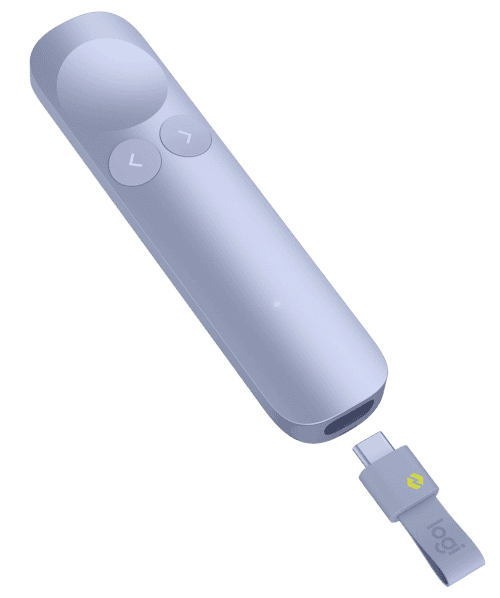
The design is sleek, modern and surprisingly premium. Mine came in a lovely purple finish that quickly became my favourite desk accessory. It’s understated enough for professional environments but still has a bit of personality. That might sound like a small thing, but when most office equipment is grey, black or another shade of corporate sadness, it stands out in a way that feels oddly refreshing.
The build quality inspires confidence too. The buttons have a satisfying feel to them, and nothing rattles or feels loose. It’s one of those devices that feels properly finished, like someone actually cared about how it would feel in your hand. I remember turning it over a few times, almost absent‑mindedly, thinking, okay… this might actually make things easier.
Setup and Ease of Use
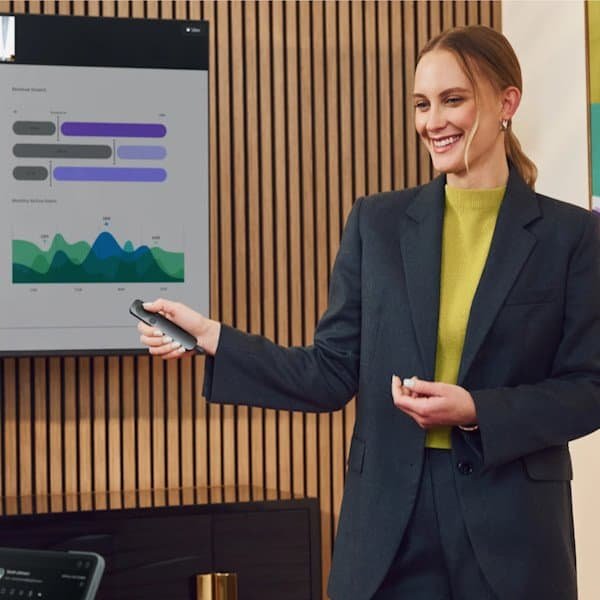
One of my favourite things about the Logitech Spotlight 2 is that it simply works. There’s something almost comforting about that. You plug it in, or connect it wirelessly, and it behaves exactly the way you hope it will. No drama. No hidden steps. No sudden realisation that you should’ve started preparing twenty minutes earlier.
I know that’s not the most exciting praise, but sometimes that’s exactly what you want from a device like this. Especially when you’re already juggling nerves, slides, notes, and whatever last‑minute changes someone inevitably sends through. The Logitech Spotlight 2 doesn’t add to the chaos. It quietly removes a bit of it.
There’s no lengthy setup process, no complicated software wizard, and no frantic searching through help articles five minutes before a presentation starts. I didn’t have to dig through menus or wonder whether I’d clicked the wrong thing. It was more like… connect, breathe, done. I tested a few slides, watched them move exactly as they should, and that was it. Ready to go.
And something I noticed almost immediately, even before the actual presentation, was how reassuring the wireless connection felt. I wandered around the room a little, partly to shake off nerves and partly just to see if the Logitech Spotlight 2 would keep up. It did. Every click registered. No lag. No hesitation. Not even a hint that the connection might drop. That tiny bit of reliability made me feel oddly confident, like the device had my back before I’d even started speaking.
Honestly, I spent longer deciding what shirt to wear for the webinar than I did setting up the device. And I’m not even exaggerating. I remember standing there, holding the Logitech Spotlight 2 in one hand and a half‑ironed shirt in the other, thinking, well, at least one of these decisions is easy.
It’s rare for tech to feel invisible in the best possible way, but that’s what happened here. The Logitech Spotlight 2 didn’t demand attention. It just slotted into the moment, quietly doing its job so I could focus on mine.
The Real Test: Presentation Day
This is where the Logitech Spotlight 2 earned its place in my bag.
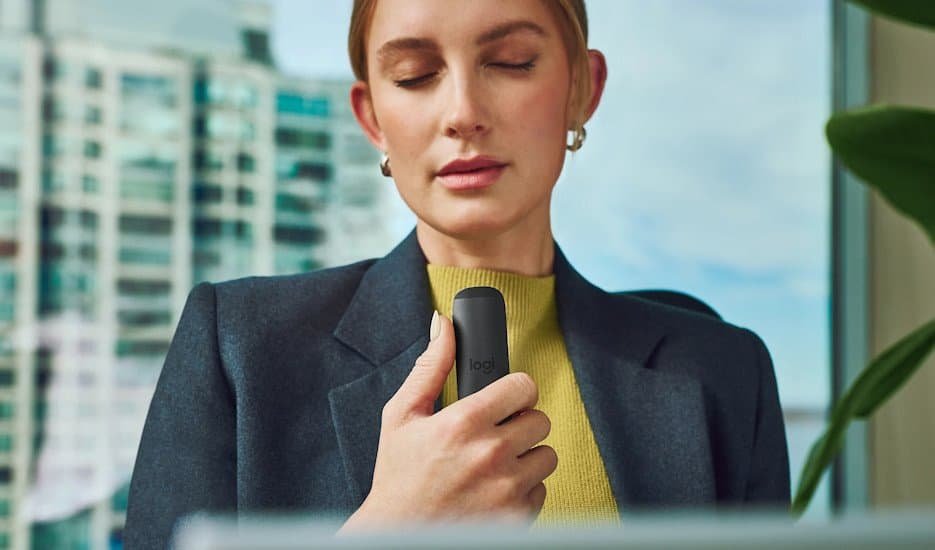
As the webinar started, I had every intention of standing close to my laptop. Old habits die hard. There’s a kind of safety in hovering near the keyboard, even if it makes you look a little stiff. But within a few minutes, I realised I didn’t need to. The Logitech Spotlight 2 gave me permission to step back, almost without me noticing.
I could move. I could walk around naturally. I could gesture without feeling tethered to a desk. I could focus on the audience instead of worrying about slide transitions. That freedom changed everything.
And it wasn’t just the movement itself; it was the confidence behind it. I kept waiting for the moment when the connection might falter, or a click wouldn’t register. It never happened. Every slide advanced exactly when I needed it to, even when I wandered further across the room than I’d planned. There was something quietly reassuring about knowing the Logitech Spotlight 2 wasn’t going to drop out on me mid‑sentence. That reliability settled my nerves more than any pep talk could have.
It’s difficult to explain just how much of a difference that makes until you’ve experienced it. Suddenly, I wasn’t thinking about the technology anymore. I wasn’t calculating when I needed to walk back to my computer. I wasn’t staring at the screen waiting for the next slide change. The whole mental checklist I usually carry into presentations just… faded.
I was simply presenting.
And that sounds obvious, but it gave me confidence. Real confidence. Not the polite, surface‑level kind where you pretend everything’s fine. The Logitech Spotlight 2 let me relax and speak in a way that felt natural to me, without constantly checking whether the tech would keep up.
For somebody who was as nervous as I was that day, that mattered more than any technical specification ever could.
By the end of the session, I wasn’t even thinking about the clicker in my hand. All the stress had somehow been transferred into this little purple Logitech Spotlight 2 while I focused on delivering the presentation. It felt like the device had quietly taken on the part of the job I was most worried about, leaving me to handle the part I actually cared about. The sharing of information I know and had been working on for months.
I was even asked to re-present this to our executive team and board of directors, and weirdly, thanks to the Logitech Spotlight 2, I don’t feel nervous about that. I feel like I now have someone I can trust by my side to help me along the way!
Smart Features That Actually Feel Useful
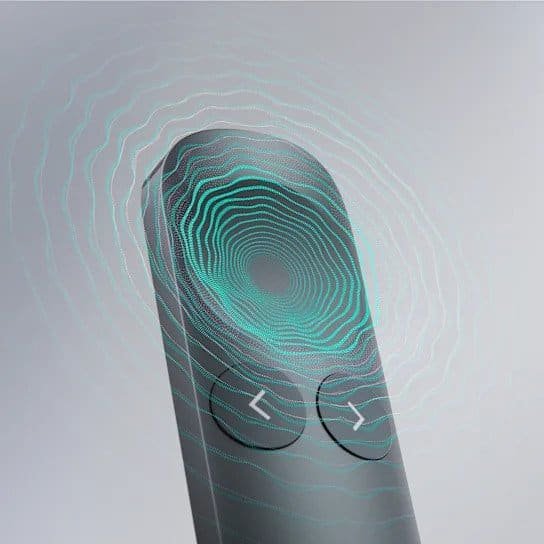
The Logitech Spotlight 2 includes a number of advanced presentation features, and thankfully they don’t feel like gimmicks. I’ve used plenty of devices that promise clever tricks but end up adding more confusion than clarity. This wasn’t one of them. Everything the Logitech Spotlight 2 does seems to exist for a reason, and more importantly, it feels like it was designed by someone who’s actually stood in front of a room full of people trying not to lose their place.
The highlight and pointer functions were the first things that surprised me. They’re subtle, almost understated, but incredibly effective. Instead of waving my hand vaguely at the screen when I walked too far away or hoping people could follow along, I could direct attention exactly where I wanted it. There’s something oddly satisfying about seeing a clean, precise highlight appear on a slide without breaking your rhythm. It feels intentional, like you’re guiding the audience rather than just pointing at things.
And then there are the timer alerts. I didn’t think I’d use them at first; I’m usually the type who glances at the clock and immediately forgets what time it is, but they ended up being quietly reassuring. A gentle vibration, a small reminder that I was on track. Nothing intrusive. Just enough to keep me grounded without pulling me out of the moment. It’s almost like having a calm assistant standing off to the side, giving you a nod when you need it.
The presentation controls themselves feel equally thoughtful. There’s no fumbling or second‑guessing. The Logitech Spotlight 2 responds quickly, and the gestures feel natural once you’ve used them a couple of times. I didn’t have to think about how to trigger a pointer or switch modes; it just became part of the flow. And that’s the thing: these features don’t demand attention. They support you quietly, almost invisibly, which is exactly what good presentation tech should do.
What I appreciated most was how these features worked together without overwhelming me. Nothing felt like a party trick. Nothing felt like it was added just to justify or fill out a spec sheet. The Logitech Spotlight 2 manages to be helpful in a way that feels almost gentle, like it’s nudging you toward a smoother presentation rather than trying to impress you with how clever it is.
By the time I’d finished using it, I realised I’d relied on those features more than I expected. Not because I needed them, but because they made everything feel a little more controlled, a little more deliberate. And when you’re already dealing with nerves, that kind of subtle support goes a long way.
Battery Life
Battery life has been excellent in my experience.
I’m not somebody who remembers to charge devices regularly. My wireless keyboard, headphones and smartwatch can all testify to that, especially the smartwatch. Funnily, about 90% of my friends don’t even know I own one, purely because it spends most of its life switched off in a drawer. I’m just that bad at keeping things topped up. Thankfully, the Logitech Spotlight 2 doesn’t demand constant attention.
It lasts long enough that charging becomes something you occasionally remember rather than something you need to plan for. I haven’t actually charged it other than when I first got it, which feels almost strange to admit. Every time I pick it up, I half‑expect the battery to be low, and it never is. So that’s a good sign, right? At some point I’ll probably plug it in out of guilt more than necessity.
What I appreciate is how quietly reliable it feels. There’s no anxiety about whether it’ll survive a long presentation or whether you should top it up “just in case.” It simply keeps going, and going, and going. Exactly how a productivity device should behave, present when you need it, invisible when you don’t.
Is It Worth Buying?
I wasn’t expecting to become attached to a presentation remote. Yet here we are.
The Logitech Spotlight 2 transformed something I viewed as a nerve‑wracking obligation into a presentation I could genuinely enjoy. It gave me the freedom to move naturally, engage with people properly, and stop worrying about technical distractions that usually sit in the back of my mind like a quiet echo.
Yes, the premium build quality is excellent. Yes, the presentation features are genuinely useful. Yes, the design looks fantastic.
But what I’ll remember most is that webinar.
The Logitech Spotlight 2 arrived at the perfect time. When I thought I’d be trapped beside my laptop throughout a major presentation, it gave me the confidence to step away from the screen, trust myself, and focus on the people in the room. It removed a layer of stress I didn’t even realise I was carrying, the kind that builds slowly and only becomes obvious once it’s gone.
And that might not be the feature Logitech puts on the box, but for me, it ended up being the most valuable one. The reassurance. The quiet support. The sense that the technology wasn’t just functioning; it was helping. Like truly helping.
The Logitech Spotlight 2 isn’t a device you’ll use every day. It’s not meant to be. But when presentation day arrives and those nerves inevitably start creeping in, having one in your hand feels surprisingly reassuring. It gives you a little space to breathe, a little room to move, and sometimes that’s all you need.
Sometimes a little freedom goes a long way.


Recent Comments