
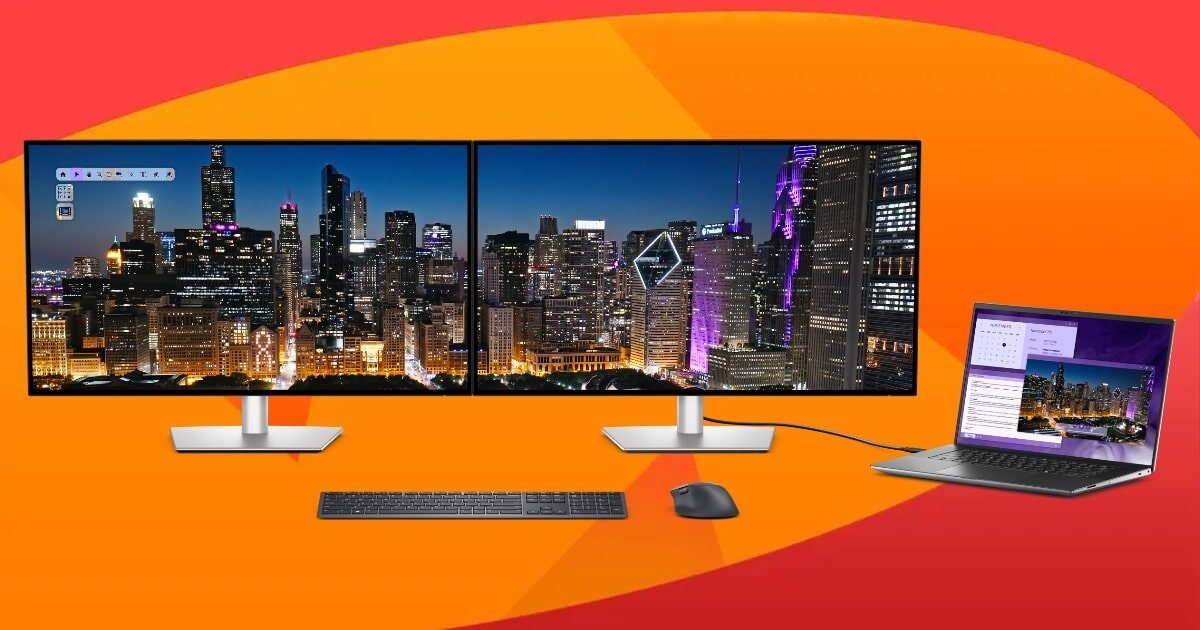
A Monitor That Wants To Be The Centre Of Your Workspace, and The Dell UltraSharp 32 4K Thunderbolt Hub Monitor Earns That Role.
The Dell UltraSharp 32 4K Thunderbolt Hub Monitor arrives in a sleek black box, which, if you care about packaging, feels a bit more premium than the usual brown or white printed box. Giving it a sleekness and elegance that make it feel more premium. Silly, I know, but that was what I thought when I first saw it on my front step. Inside, you’ll find the monitor, a stand, a Thunderbolt 4 cable, a DisplayPort cable, a USB-C to USB-A cable, and a power cord. Which is quite surprising, as though these don’t cost much, Dell just said, ‘We don’t know what you need, here is everything.’ Which is a nice touch, as I didn’t have to rummage through my cable bag to find the right cable.
Assembly is simple. The stand clicks into place without tools, and the cable routing hole is a small but appreciated touch. I mounted mine on a monitor arm, mostly because the stand, while solid, takes up more desk space than I’d like, and desk space is limited with other items, including a KVM Switch.
That said, it’s fully adjustable on the stand: height, tilt, swivel, and even pivot if you’re into vertical layouts.
Display Performance
Let’s talk about the screen, and I apologise in advance, as this is where things get technical. The Dell UltraSharp 32 4K Thunderbolt Hub Monitor uses an IPS Black panel, which is Dell’s way of saying “better contrast than regular IPS.” And it is. The rated 3,000:1 contrast ratio isn’t just marketing fluff; it’s noticeably deeper than what you’d expect from a typical IPS display. Blacks look richer, especially in low light, and colours pop without feeling oversaturated.
Resolution is 3840 x 2160 across a 31.5-inch panel, giving you a pixel density of 140 PPI. That’s sharp enough for high-end photo editing and colour correction, video work, or just having multiple windows open without squinting. Refresh rate tops out at 120Hz, which isn’t essential for productivity, but it does make everything feel smoother. Even dragging windows around feels… cleaner. I didn’t expect to notice it, but I did.
Brightness is rated at 450 nits, though in practice it feels a bit lower. If you’re working in a sunlit room like I do, you might wish for more punch. But for most indoor setups, it’s fine, just draw the curtains a touch. Not dazzling, but fine. Fine, but I still wish they had improved the brightness a little, especially as they went to the extra effort of using an IPS Black panel. Its minor, but still something to consider
Colour accuracy is excellent. Dell claims 99% DCI-P3, sRGB, and BT.709 coverage, with Delta E <1.5. I didn’t calibrate it myself, but everything looked consistent and vibrant. If you’re doing colour-critical work, it’s easily good enough out of the box and will become impressive with proper calibration.
What Makes It Different
And at the current price point, hovering around $1,379 AUD, depending on where you shop. You’re most definitely asking yourself: What makes the Dell UltraSharp 32 4K Thunderbolt Hub Monitor different? I mean, it’s not exactly cheap. You could grab a decent 4K monitor for half that. So why this one?
This is where the Dell UltraSharp 32 4K Thunderbolt Hub Monitor starts to feel like more than just a screen. It’s not just about resolution or refresh rate, or about colour accuracy either. What really sets it apart is how it integrates into your workspace. It’s a hub. A dock. A switchboard. A productivity anchor.
An Anchor that includes:
- Thunderbolt 4 with 140W power delivery. Which means you can plug in your laptop and charge it at full speed. That’s enough for even power-hungry machines like the MacBook Pro 16″.
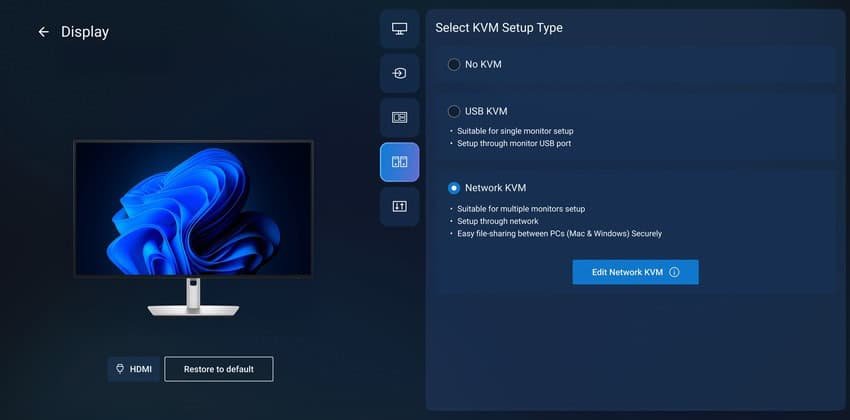
- Built-in KVM switch; allows you to control two systems with a single keyboard and mouse. And this, honestly, is one of the features I use every single day. I already owned a separate KVM switch, and it’s been part of my workflow for years, and it cost me a pretty penny. But having it built into the monitor? It’s cleaner. No extra box. No extra cables. Just seamless switching between my desktop and laptop with a button press. It’s not flashy, but it’s one of those things that quietly improve your setup in a way you don’t want to give up once you’ve tried it.
- Port selection is ridiculous, and ridiculous is probably an understatement:
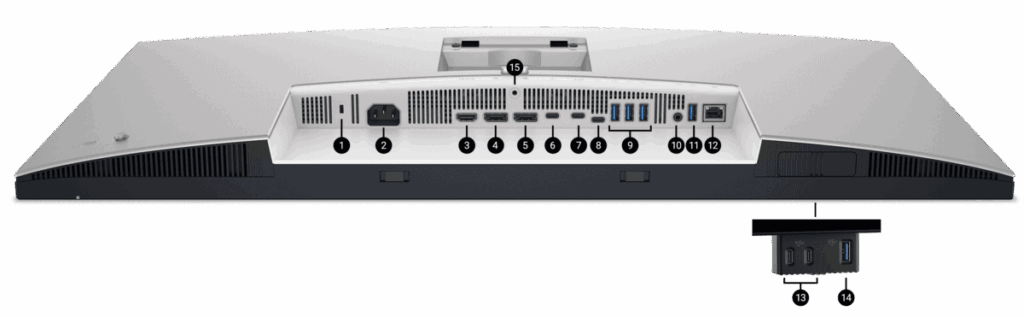
2. Power connector
3. HDMI 2.1
4. DisplayPort 1.4 (in)
5. DisplayPort 1.4 (out)
6. Thunderbolt 4 downstream port (15W)
7. Thunderbolt 4 upstream port (Extended Power Range up to 140W)
8. USB 10Gbps Type-C upstream port
10. Audio line-out
11. USB 10Gbps Type-A downstream port
12. RJ45 Ethernet port, 2.5GbE
13. 2x USB 10Gbps Type-C downstream ports with power charging (15W)
14. USB 10Gbps Type-A downstream port with BC1.2 power charging
15. Stand lock]
The Dell UltraSharp 32 4K Thunderbolt Hub Monitor doesn’t just replace your old display; it replaces your dock, your USB hub, and cuts down on cable clutter. It’s a productivity centrepiece, the kind of gear that quietly streamlines your entire setup and makes that switch from work to play and back again so much easier.
That said, it’s not perfect…. for some.
There are no built-in speakers. Not even bad ones. And while that might seem minor, it’s one of those things you notice when you’re trying to hop on a quick video call or watch a clip without headphones. For some, it’s a small but frustrating omission. Personally? I couldn’t care less. I hate monitor speakers with a passion. I’ve complained about them in more than a few of my recent reviews. Honestly, why do manufacturers even bother? They’re almost always tinny, hollow, and borderline unusable. A $10 set from the Reject Shop or Dollar Store will give you better sound and that’s not an exaggeration.
So yeah, no speakers here. And in my book, that’s a blessing.
Also, one thing that is a little frustrating is that it’s still Thunderbolt 4, not Thunderbolt 5. That’s not a huge issue right now, but at this price point, you’d plan on keeping this monitor a long time. And it does mean you’re buying into tech that’s already been technically surpassed. Whether that matters depends on your setup, but I would have liked to see a Thunderbolt 5
Ergonomics & Comfort
Dell’s ComfortView Plus tech is baked in, along with an ambient light sensor. It adjusts brightness subtly based on room lighting, and while I didn’t notice it actively working, I also didn’t experience eye strain after long sessions. So… maybe that’s the point? It’s not flashy, but it does seem to help. I’ve had monitors before where, after a few hours, I’d start rubbing my eyes and removing my glasses or dimming the screen manually. That didn’t happen here. Whether that’s ComfortView or just good panel tuning, I’m not sure, but I’m not complaining about it.
Viewing angles are excellent. Dell claims 178° horizontal and vertical, and from what I’ve seen, that’s not just marketing fluff. I tried standing off to the side, leaning back, even glancing at it from across the room while walking past my office door. The image held up. No weird colour shifts, no fading. It’s the kind of consistency that makes it easy to forget you’re even looking at a screen until you switch and look at my second monitor, and then you notice the difference.
The stand that comes with the monitor is actually quite capable; 150mm of height adjustment, 30° swivel, 90° pivot, and tilt from -5° to +21°. I didn’t use it, though. I went straight to my monitor arm, partly out of habit and partly because I prefer the extra desk space. Still, I gave the stand a quick look before setting it aside. It felt solid, not flimsy, and the movement was smooth. If I hadn’t already been using an arm, I probably would’ve been fine with it.
Mounting was easy. The monitor’s VESA-compatible, and the back layout is clean—no awkward port placement or recessed screw holes. Everything lined up without fuss. I didn’t have to wrestle with it or second-guess the fit, which is always a relief.
Everyday Use
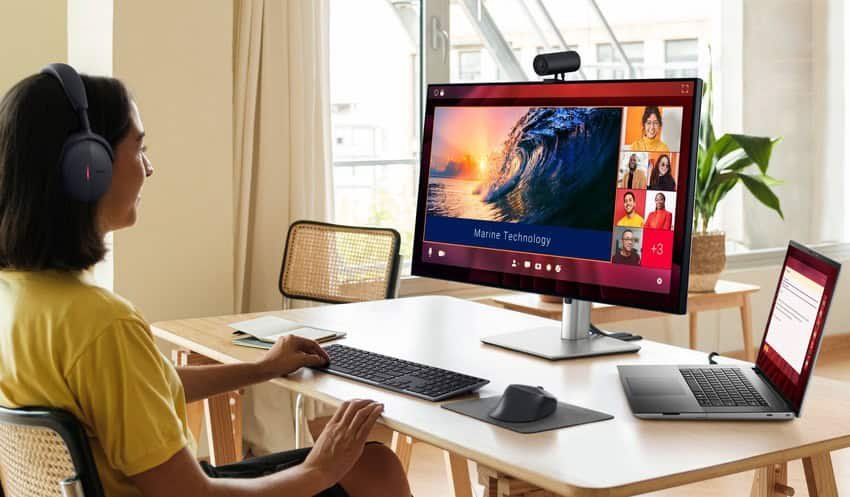
I’ve used the Dell UltraSharp 32 4K Thunderbolt Hub Monitor for everything: writing, editing this article, photo and video work, watching movies, and general browsing (eg. watching Bulldog videos, I want one so much). It’s fast, responsive, and the extra screen real estate makes multitasking easier. I’ve had Teams, a browser…. OK, I was watching a YouTube video, and a work document opened side-by-side without feeling cramped. There’s enough room to breathe, which sounds like a small thing, but when you’re jumping between tasks all day, it makes a difference.
The pop-out USB panel is one of those features that sounds gimmicky at first. I didn’t expect to use it much. But now I’ve stopped reaching under my desk to plug in drives, and I’m not sure I’d want to go back. It’s just… convenient. I’ve used it for everything from quick file transfers to charging a wireless mouse. It’s subtle, but it improves the flow of your day.
Gaming? It’s not built for it, and Dell doesn’t pretend otherwise. But the 120Hz refresh rate and low input lag make casual play surprisingly decent. I’ve played a few rounds of Rocket League and dipped into my beloved Farlight 84, and it felt smooth. No stuttering, no noticeable delay. Just don’t expect G-Sync or FreeSync support, it’s not that kind of monitor. Still, for something that’s clearly designed for productivity, but unless you are some pro gamer, it holds up better than expected.
There’s a kind of quiet reliability to it. The Dell UltraSharp 32 4K Thunderbolt Hub Monitor doesn’t try to be flashy or over-designed. It just works, and keeps working, without drawing attention to itself. That’s probably why I’ve found myself using it for pretty much everything.
Final Thoughts
The Dell UltraSharp 32 4K Thunderbolt Hub Monitor (U3225QE) is one of those rare pieces of tech that feels like it was designed by someone who actually uses it. It’s not trying to be flashy, it’s trying to be useful. And it nails that. Dell, if you have 2 spare sitting around, I’ll gladly update my setup with them!
Would I recommend it? If you are some who only uses their computer to watch Netflix and browse the web… probably not. It’s overkill for casual use. If you’re a creative professional, developer, or anyone juggling multiple devices, absolutely, without a doubt. Especially if you already use a KVM switch daily, like I do or are in the market for one. The built-in version is cleaner, more intuitive, and just makes life easier, which says a lot. My KVM switch makes my life easier, but being able to access it at your fingertips instead of crawling under the desk like me. Or cleaning up desk space, if you have it there. It’s a dream!
But for work? For real, focused, multi-device productivity? The Dell UltraSharp 32 4K Thunderbolt Hub Monitor earns its place. It’s not perfect for some, but it’s close enough that I didn’t even notice it & many will stop thinking about what it lacks and start appreciating what it does.





One Comment
[…] just reviewed the Dell UltraSharp 32″ 4K Thunderbolt Hub Monitor, I can say without hesitation, it’s an absolute unit. I loved it. It’s got that premium feel, […]
Comments are closed.