

The Razer Monitor Stand Chroma is a high-end accessory designed to enhance your desk setup, giving your additional the additional space you always needed. As my monitors are on arms, this was originally going to be used by my housemate, who has a single monitor on a small laptop desk with limited space and an older laptop with even more limited ports. So in theory, this is exactly what the young writer needed. But will this stand elevate her workspace to new heights or end up being a space-wasting downer?
Design and Build Quality
The Razer Monitor Stand Chroma stands out for its exceptional build quality. Made from a single block of CNC aluminum, it feels incredibly durable and sturdy. While having a clean and stylish look thanks to the electrochemically bonded finish that also provides long-lasting protection against wear and tear, and doesn’t destroy itself like my last cheap plastic one that broke in the middle of the night, scaring me half to death.
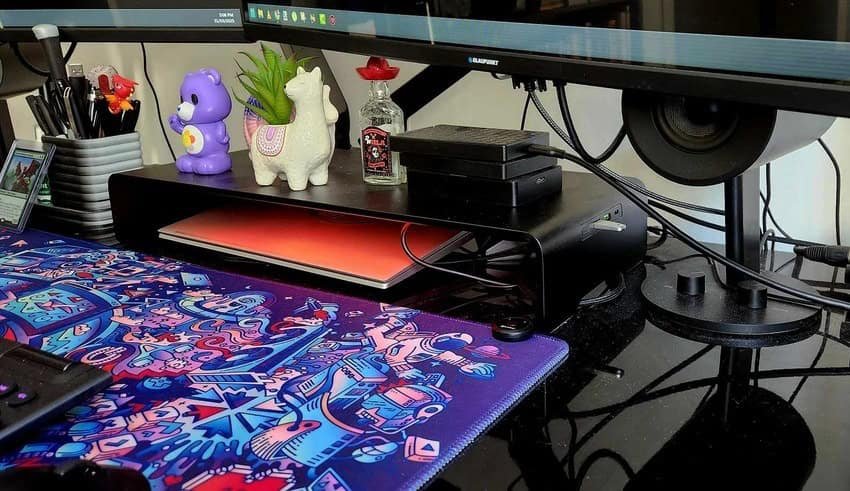
The design is minimalist and understated yet sophisticated with a matte black finish that fits well with any desk setup, especially my black desk. My favourite design features of this stand is the rounded edges, which not only enhance its aesthetic appeal but also prevent accidental scratches or damage to your desk. Additionally, the stand’s dimensions allow for ample storage space underneath, helping you keep your desk organized and clutter-free or a hiding spot for your work laptop.
Measuring 19.7 inches (50cm) wide, 3.1 inches (8cm) high, and 8.3 inches (21cm) deep, the stand can support monitors up to 20kg or 44 freedom units (LBS) for our American readers. This makes it versatile enough for a variety of monitors, from standard office displays to high-end gaming screens, to even most medium size TV. My mum had an old 42 inch TV and used it under that, I had to get a USB-C to USB-A to allow her to use any of the additional ports, but the versatility is endless. You can easily have this on a tallboy in your bedroom, with the DVD player or laptop under it & watch movies while saving space and clutter.
In terms of performance, the Razer Monitor Stand Chroma does an excellent job of elevating your monitor to a more ergonomic height. This can help reduce neck and eye strain, especially during long hours of work or gaming. As my housemate used it for a few weeks & found that her shoulders & neck tightness went away almost completely.
RGB Lighting and Customization
As with many Razer products, the Monitor Stand Chroma includes customizable RGB lighting. As someone that isn’t the biggest fan of RGB, I know I’m a horrible gamer, but I like a more muted less busy desk.
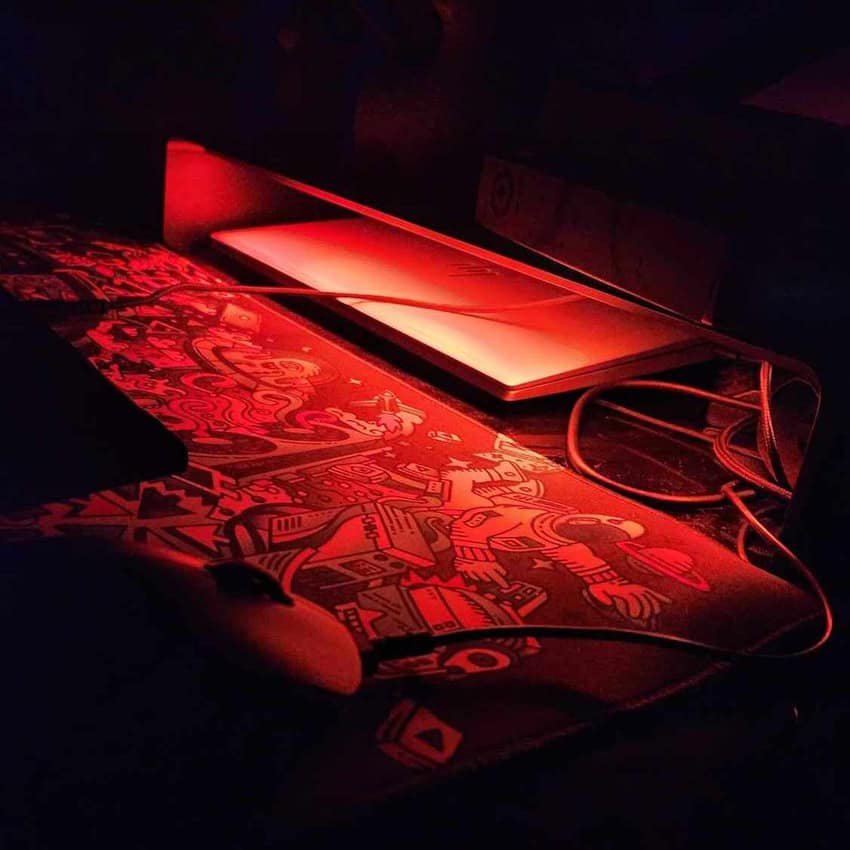
The stand features Razer’s Chroma RGB technology, allowing users to choose from 16.8 million colors and various lighting effects. The RGB lighting is subtle and adds a touch of flair to your setup without being overly distracting and weirdly, I find it incredibly relaxing and calming. You can be controlled via Razer’s Synapse software, which offers an easy-to-use interface for customizing the lighting to match your preferences or sync with other Razer Chroma-enabled devices. Personally, I use the fire setting and I’ve found myself just just sitting there after I turn of my desktop just enjoying the lights, like camping and watching the fire. I actually scared my housemate sitting in the dark watching the fire…. lights.
Additional Ports and Connectivity
The Razer Monitor Stand Chroma isn’t just a stand that offers nothing but stand-y-ness (that’s a word, right?).
One of the ultimate benefits of the Razer Monitor Stand Chroma is the inclusion of additional ports. The stand features two USB-A 3.2 ports, one USB-C port, and an HDMI 2.0 output. These ports are conveniently located on the right side of the stand, making it easy to connect peripherals such as keyboards, mice, and external storage devices. The USB-C port also supports power delivery, allowing you to charge your devices directly from the stand, which makes it better than the docking station my work gave me and less cumbersome.
However, the HDMI 2.0 output may disappoint some users, as it limits the display options to 4K at 60Hz. For users with high-refresh-rate monitors or those looking to future-proof their setup, this could be a drawback, but for 98% of the population, this won’t be an issue.
My only real complaint is the short length of the included USB-C cable. I’m actually using a different cable as my desktop is on the floor and the cable only barely reached. And yes, I hear you saying, “Didn’t you originally give it to your housemate?” and the answer is yes, I did. But as she has an all-white setup and didn’t like the black, I gladly took it back. Even though my monitors are on arms, I had to clear my desk every time I wanted to use my work laptop. Now, I never have to move my setup again and get to keep all my toys and hard drives on my desk while neatly hiding my cables with the Razer Monitor Stand Chroma.
At around the $330 price point, the Razer Monitor Stand Chroma isn’t your budget monitor stand. While it offers a range of features and high-quality construction that will outlive your monitor and PC several times over, the price may be hard to justify for some users. There are certainly more affordable monitor stands on the market that can elevate your monitor, but the additional ports, premium build quality, and RGB lighting make this worth it.
Final Thoughts
The Razer Monitor Stand Chroma is a top-tier product that shines in design, build quality, and extra features. With its sturdy aluminium construction, customisable RGB lighting, and additional ports, it’s a versatile and eye-catching addition to any desk setup that I didn’t know I needed but now can’t image living without. However, its high price and the HDMI 2.0 output, might make some buyers raise an eyebrow, but I think if this is in your price point & you want something that will last you a lifetime that blends the beauty of the of a monitor stand and a locking station. Then the Razer Monitor Stand Chroma is exactly what you need.
Get yourself a Razer Monitor Stand Chorma from Razer.com here





Recent Comments