
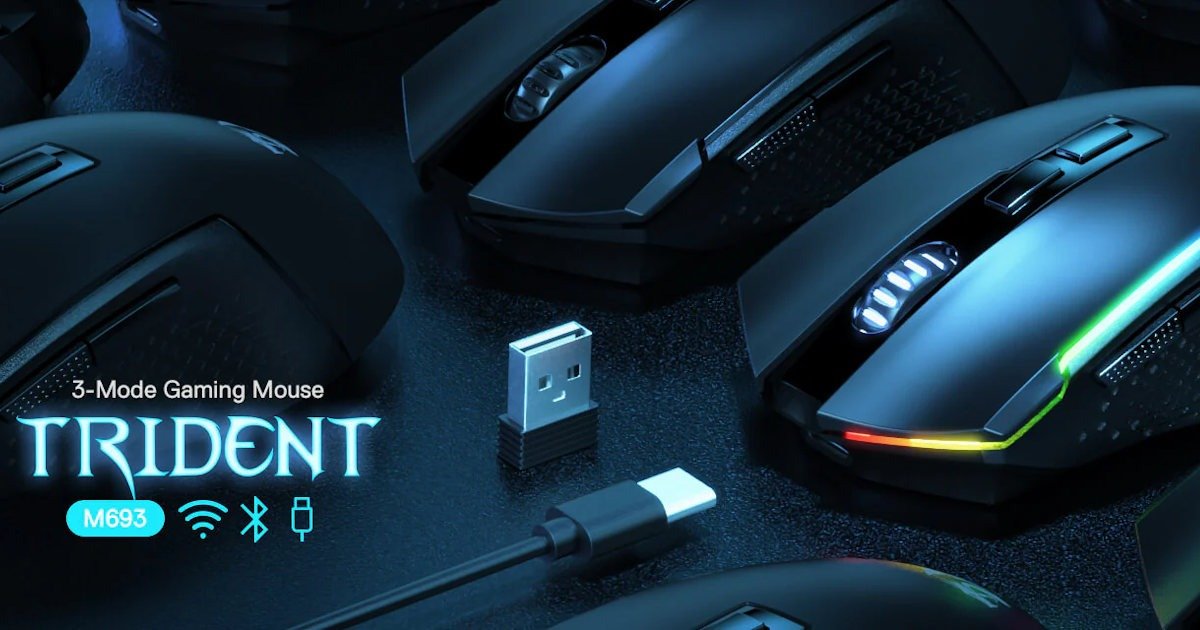
Second entry in the Redragon Pro Series Ecosystem coverage
I’ve moved on from the Galatin Pro keyboard to the Redragon Trident Pro mouse, and it feels like the natural next step. If the keyboard is the flagship, the mouse is the workhorse. It’s not trying to be flashy, but it’s clearly built to hold its own within this “Sub‑$250 Wireless Ecosystem” that Redragon is pushing through Electronic Rebellion here in Australia.
A wireless mouse under $40 AUD usually means compromises. Heavy shells, AA batteries, sensors that feel dated, or just an overall sense of cheapness. The Trident Pro sidesteps most of that. At $35.20 AUD (down from $44 at present), it’s priced like an entry‑level accessory but doesn’t behave like one. That caught me off guard in the same way the Galatin Pro keyboard did. I almost expected it to feel flimsy the moment I picked it up, but the weight was balanced, the clicks felt crisp, and the shell didn’t creak under pressure. At this price, I assumed it would be a “review it and forget it” kind of item, or that all the effort had gone into the keyboard instead. But no, it holds up.
It’s not pretending to be a high‑end eSports mouse, and you can see that in the specs. But it doesn’t need to. The PAW3104 sensor is more than enough for everyday gaming and productivity, and the rechargeable battery alone puts it ahead of most budget options. I’ve used plenty of mice in the sub‑$100 range, yet very few, if any, under $50 that don’t rely on disposable batteries. Those always end up costing more over time. Here, you just plug it in and keep going.
I think that’s what surprised me most: the way it blends practicality with value. It doesn’t scream premium, but it doesn’t scream budget either. It just works, quietly and consistently, and sometimes that’s exactly what you want from a mouse.
First Impressions
Out of the box, the mouse feels solid. At 91 grams, it sits in that mid‑weight zone, not ultralight, but not sluggish either. It’s about 11 grams heavier than my current Logitech G Pro Wireless Gaming Mouse. This made the Redragon Trident Pro mouse an easy swap, which felt instantly comfortable and familiar.
I know that when you read grams in an article, it isn’t always easy to picture what that actually feels like. So I’m bringing back the chocolate scale of weight. The Redragon Trident Pro mouse is roughly the same weight as one of those Original Natural Sweets Dubai Milk Chocolate Bars everyone seems to be obsessed with lately… including me. I think I went through three of them over the Christmas break. It’s a strange comparison, sure, but it gives you a sense of the weight from objects that we know.
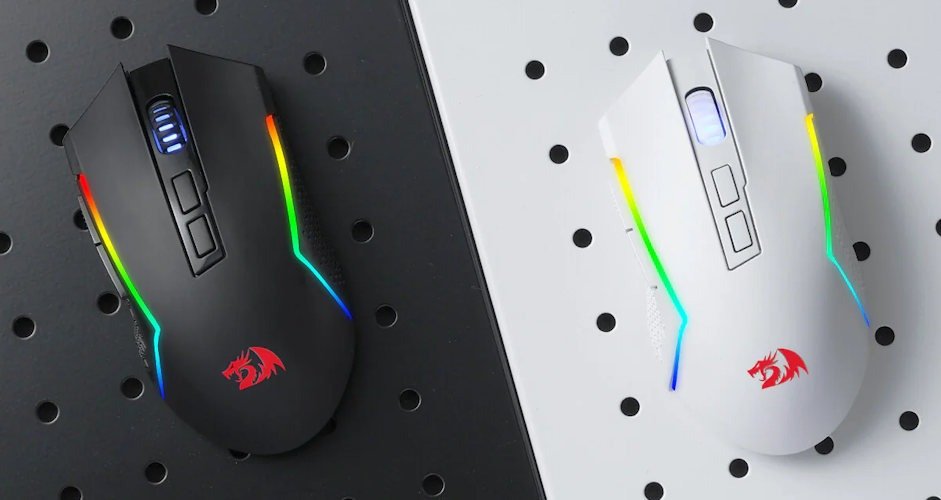
Light enough to move without effort, yet substantial enough that you always know it’s sitting under your hand. I’ve used heavier mice before, and they always made me feel like I was dragging a rock across the pad. On the other end, the super‑light esports ones tend to disappear under my chubby fingers. This one lands somewhere in the middle. I flicked through a few FPS matches just to see how it handled, and the weight never got in the way. I didn’t feel like I had to fight it or compensate for it, which is something I’ve had to do with cheaper mice in the past. And while I could tell the difference compared to my current daily driver, it was minimal, in a good way.
The design is straightforward. No wild curves or aggressive angles. Just a clean, familiar shape that settles into your hand without asking you to rethink your grip. I didn’t have to adjust anything, no awkward clawing, no shifting my fingers around to find a comfortable spot. It felt natural from the first few minutes, which is something I don’t usually say about budget‑priced mice, and as it felt almost the same as my current mouse, which is almost 4 times the price of the Redragon Trident Pro mouse, that is a huge compliment.
There’s a kind of quiet confidence to it. Nothing showy, nothing trying too hard. Just a mouse that feels like it knows what it’s supposed to do. And honestly, that first impression set the tone for the rest of my experience with it.
Sensor and Performance
The PAW3104 sensor in the Redragon Trident Pro mouse tops out at 8000 DPI. That’s not eSports‑grade, and honestly, I wouldn’t expect it to be at this price. But for most people, myself included, it’s more than enough. I ran it through a few sensitivity tests, swapped between DPI profiles, and never felt like it was holding me back. Tracking stayed consistent the whole time. No jitter, no weird acceleration, no sudden drops that make you question your life choices mid‑match. Well, there was the one time, but I think that was a person in Farlight 84 using auto aim… or I’m just getting slow in my old age… but like all great players, I’m blaming my tools! ha ha
I did notice the sensor feels a little less sharp at the absolute highest DPI settings, but I rarely play anywhere near that range anyway. I think most people don’t. For everyday use, browsing, editing, a bit of photo work, and casual gaming, the Redragon Trident Pro mouse feels completely fine. More than fine, actually. It’s predictable in a way that makes it easy to trust.
If I had to guess, 90% of users won’t even think twice about the sensor. It just does its job quietly in the background, which is kind of the whole theme of this mouse. It’s not trying to impress you with numbers; it’s trying to feel reliable. And in that sense, it succeeds.
Connectivity
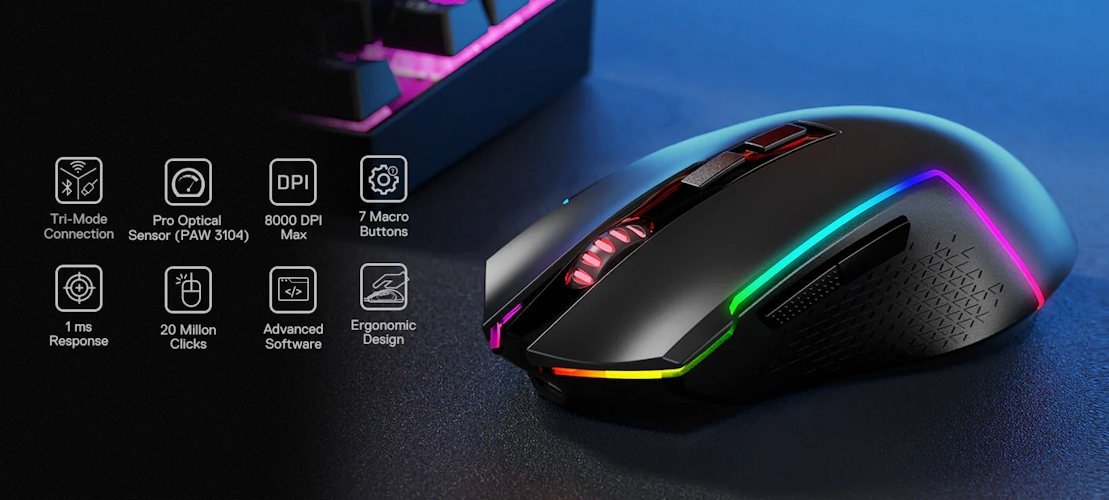
Like the Galatin Pro keyboard, the Redragon Trident Pro mouse supports tri‑mode connectivity: 2.4G wireless, Bluetooth, and wired USB‑C. That’s still pretty uncommon at this price point, and it’s one of those features you don’t fully appreciate until you start switching between devices without thinking about it. I used 2.4G most of the time, and the connection stayed solid. No lag spikes, no weird stutters, even when I pushed it a bit in faster games just to see if it would slip up.
Bluetooth worked fine on my laptop, too, though I wouldn’t use it for anything competitive. It feels more like a convenience mode, something you flick on when you’re working from the couch or jumping between devices. The Redragon Trident Pro mouse handled that without any fuss. Personally, I only use Bluetooth as a last resort, not my first choice, but I appreciate it as it works when others don’t, even if at times it’s slower.
Wired mode is there when you need it, and I ended up plugging it in once or twice just to top up the battery while I was editing. It didn’t feel like a compromise. If anything, it reminded me how nice it is to have a mouse that doesn’t rely on AA batteries. Especially as I find most budget mice are thirsty for them.
Switching between modes was quick enough that I barely registered it happening. I’d tap the shortcut, and suddenly the mouse was talking to a different device. No drama, no delay. And honestly, that’s exactly how it should be, the kind of feature that fades into the background because it just works.
Battery Life
The rechargeable 700mAh battery in the Redragon Trident Pro mouse is another pleasant surprise. I’ve used plenty of cheap wireless mice over the years that rely on AA batteries, and they always feel a bit wasteful, not just environmentally, but financially too. You end up buying a pack every few months, and it adds up. This one charges over USB‑C, which already puts it ahead of most mice in this price bracket. After a week of mixed use, I still haven’t had to top it up. I kept checking the battery indicator out of habit, expecting it to dip faster, but it just… didn’t. The eco‑friendly angle is nice, but honestly, the practicality is what stands out.
I did wonder how it would hold up during longer gaming sessions. Sometimes budget mice drain quicker than you expect once you start pushing them. But so far, the Redragon Trident Pro mouse hasn’t let me down. Even after a couple of late‑night sessions, the battery barely budged. The RGB lighting does drain it a little faster. That’s just how these things work, but I left the lighting on anyway because it looked good synced with the Galatin Pro keyboard, even if I’m not a fan of RGB lighting.
There’s something reassuring about a mouse that doesn’t make you think about battery life every second day or live in fear that this dungeon will have you stopping running around your house looking for batteries. And yes, that has happened to me on more than one occasion with other mice in the sub $100 price point. It was nice not have to stress about it. It just gets on with it, quietly, which fits the whole personality of the Trident Pro.

Everyday Use
Day to day, the Redragon Trident Pro mouse settles into your routine in a way that almost feels unintentional. I used it for editing, browsing, a bit of photo work, and a few longer gaming sessions, and it never really called attention to itself, which, funnily enough, is what made me notice it. The shape stayed comfortable even after hours at the desk. No hand cramps, no awkward finger stretching, nothing that made me want to swap back to my usual mouse just to give my wrist a break.
The buttons have a clean, confident click to them. Not too stiff, not too soft. Just that middle ground where you don’t have to think about the act of clicking at all. The scroll wheel is smooth, maybe a touch smoother than I prefer, but after a day or two, it stopped standing out. It’s the kind of thing your muscle memory quietly adapts to without asking your permission.
What surprised me a little was how consistent the Redragon Trident Pro mouse felt across different tasks. Some budget mice feel fine for browsing, but fall apart when you start flicking around in a shooter. Others feel great in games but weirdly clumsy when you’re dragging files around or scrubbing through a timeline. This one didn’t swing too far in either direction. It just behaved, which sounds boring on paper, but in practice, it’s exactly what you want from a daily driver.
The RGB lighting adds a bit of personality without going overboard. It’s bright enough to be noticeable, but not the kind of bright that turns your desk into a nightclub. When it synced with the Galatin Pro keyboard, the whole setup felt more cohesive, almost like the two devices were designed with each other in mind. I caught myself glancing at the glow more than once, especially when the lighting shifted in sync. It’s subtle, but it gives the mouse a bit of charm.
What I appreciated most, though, was how quickly the Redragon Trident Pro mouse faded into the background of my workflow. Not in a forgettable way, more in the sense that it didn’t demand attention. It didn’t force me to adjust how I work or play. It didn’t make me rethink my grip or sensitivity settings. It just slotted into place and let me get on with things, and perfectly replaced my current mouse, which is 4 times the price. And for a mouse in this price range, that kind of quiet reliability is worth calling out, especially as it’s playing with some of the features and stylings of the much bigger mid-range mice at the price of a Kmart gaming mouse.
Customisation & Software
Redragon’s software has always been a bit of a mixed bag for me. Sometimes it feels surprisingly capable, other times it feels like it’s still catching up to the big brands. With the Redragon Trident Pro mouse lands somewhere in the middle, in a good way, mostly.
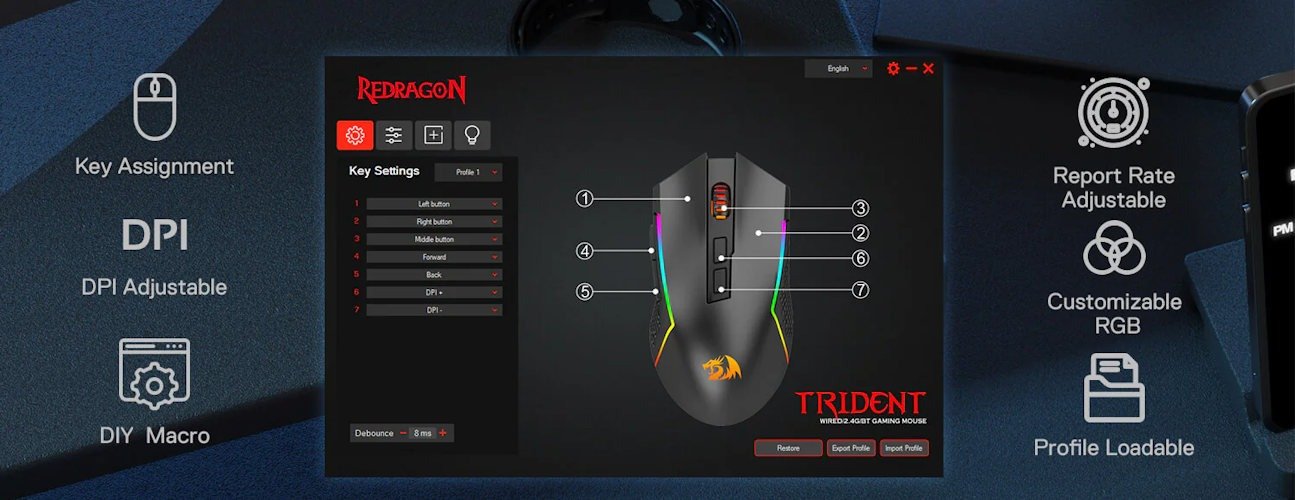
The customisation program gives you the basics you actually need: DPI steps, lighting effects, button remapping, polling rate, and a handful of performance tweaks. Nothing overwhelming, nothing buried three menus deep. I appreciated that. I’ve used mice where the software feels like it was designed by someone who wanted to win a UI design competition rather than help you change your DPI. This one is simple enough that I didn’t have to think too hard about it.
You can set up multiple profiles, which is handy if you bounce between games or switch from work to play. I made a “work mode” with lower DPI and no RGB, and a “party mode” with a much higher DPI and a soft breathing effect. Switching between them was quick, and the mouse didn’t freak out or freeze, something I’ve had happen with more often than I care to admit on more expensive brands, weirdly enough.
The lighting controls are straightforward. You’re not getting per‑LED customisation or anything wild, but you can adjust brightness, speed, and a few preset effects. Honestly, that’s enough for a mouse in this price range… or twice this price range. It syncs well enough with the Galatin Pro keyboard, too, which makes the whole setup feel more unified.
The only thing I’d say is that the software still feels a little utilitarian. Functional, but not pretty. It gets the job done, though, and once you’ve set your preferences, you probably won’t open it again for a while. And maybe that’s the point, it’s there when you need it, and invisible when you don’t.
For a mouse that costs $35.20 AUD, the fact that the customisation software even exists and works reliably is already a win. It rounds out the experience in a way that makes the Trident Pro feel like a proper part of the ecosystem rather than an afterthought.
Value and Positioning
At $35.20 AUD, the Redragon Trident Pro mouse feels genuinely disruptive. A rechargeable battery, tri‑mode connectivity, and a perfectly decent sensor at this price point just aren’t things you normally see. Most mice in this bracket cut corners so aggressively you can practically feel where the budget went. This one doesn’t give off that compromised feeling at all. It behaves like something that should cost more, and I still catch myself double‑checking the price because it doesn’t quite add up in my head. At $44 its a steal, but if you can get it at the discounted price, I would wait for a knock on the door from the cops, as this is highway robbery.
And honestly, if you’ve got a young teen who’s starting to get into gaming, or even just wants something reliable for school, homework, or the occasional Roblox marathon; this is the kind of mouse that makes sense. It doesn’t break the bank, it doesn’t feel cheap, and it doesn’t come with the usual “budget mouse” headaches. I’m honestly shocked by this little beauty. I expected a throwaway accessory that I wouldn’t even look at after reviewing it, and instead, I got something I’d happily recommend to people who don’t want to spend triple digits just to get a decent wireless setup.
It’s not pretending to be a high‑end eSports mouse. It’s not ultralight, and it doesn’t have the sharpest sensor on the market. But it doesn’t need to. The Redragon Trident Pro mouse is reliable, comfortable, and surprisingly refined for what it costs. That combination is rare enough that it stands out on its own, without needing any marketing spin.
Paired with the Galatin Pro keyboard, the Trident Pro really strengthens the whole “Sub‑$250 Wireless Ecosystem” idea Redragon is pushing. It makes the ecosystem feel intentional rather than gimmicky. If the headset holds up, and I’m genuinely curious to see if it does, this trio might actually deliver on the promise of premium‑style features without premium‑style pricing. And that’s not something I expected to say going into this series.
Final Thoughts
The Trident Pro is the kind of mouse that grows on you. It doesn’t shout for attention, but it keeps showing up in small ways: the stable connection, the comfortable weight, the convenience of charging instead of swapping batteries. Little things you don’t really appreciate until you go back to something else and suddenly miss them.
I enjoyed using it more than I expected. It feels like the dependable piece of the ecosystem that Redragon and Electronic Rebellion have brought to us. The one you don’t think about much because it just works. And maybe that’s the best compliment I can give. There’s no drama, no learning curve, no “give it a week, and you’ll get used to it.” It just fits into your day and quietly does its job.
If the Galatin Pro was the flagship, the Trident Pro is absolutely the workhorse. Affordable, practical, and surprisingly polished for what it costs. It makes the whole ecosystem idea feel more believable, like Redragon isn’t just throwing features at a spec sheet, but actually trying to build a lineup that makes sense together.
And honestly, after spending time with both, I’m starting to see the appeal of this “Sub‑$250 Wireless Ecosystem” pitch and releasing it is more a promise than just market jargon. If the headset follows the same pattern, Redragon might have something genuinely interesting here. Not perfect, not premium by any means, but a great, reliable wireless option that gives you more than you need for a price that doesn’t hurt the bank.





Recent Comments