
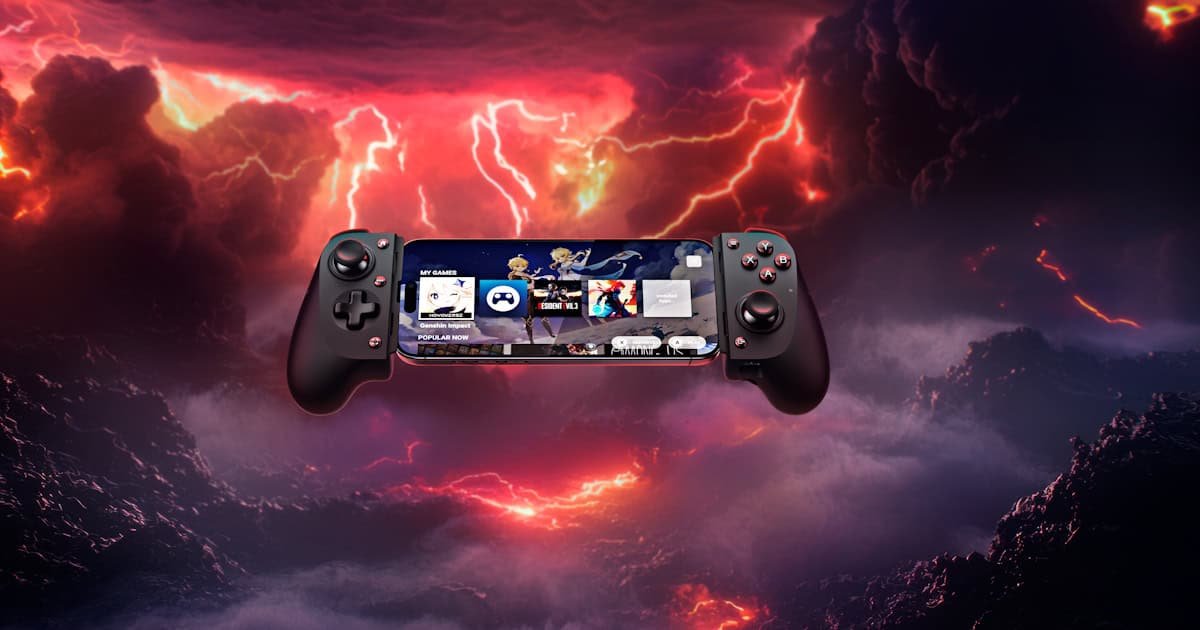
Mobile gaming has come a long way, from being a “you’re not a real gamer” to now a legitimate platform for competitive play and deep gaming experiences. But for all the progress, touch controls still leave something to be desired, especially when you have chubby fingers like yours truly. Enter the Razer Kishi V3.
Razer’s latest take on mobile gaming building right off what the Kishi V2 started. It’s designed to bring that console-like feel to your phone or tablet, with full-sized thumbsticks, programmable buttons, and some pretty impressive haptics. On paper, it’s got everything you’d want if you’re serious about gaming on the go.
But is it truly a game-changer, or just another gadget in the ever-growing pile of mobile accessories that never get used?
First Impressions
Right out of the box, the Kishi V3 feels… impressive. Not heavy, but solid and well-made. It’s got that full-sized controller form factor, which is a bit of a surprise at first. Mobile gaming usually involves some awkward balancing act between touchscreen controls and whatever third-party gamepad you can rig up, and I’m sad to say, I’ve brought quite a few. But here, you’re holding something that feels like it belongs in your hands for hours, not just a quick match on the train. Luckily for me, my train ride is about an hour, so I get the joy of both.
The grips are comfortable, the buttons have a satisfying click, and the whole thing just feels quality and well-built. I handed it to a friend who mostly plays on console, and his first reaction was, “Wait, this is for a phone? It feels like my controller at home” Before spending the hour-long drive playing it on the way to a recent fishing trip.
Compatibility and Device Support
One of the more thoughtful aspects of the Kishi V3 is its broad compatibility. It supports phones, Android tablets, and even iPads—up to 8 inches for the Pro version, and up to 13 inches for the XL. That’s a big deal if you’re someone who switches between devices depending on the game or situation. Which is a big improvement on the Kishi V2, as a big complaint was some issues with thicker cases or larger phones not fitting.

I tested the Kishi V3 on my phone during my morning commute to work. No adapters, no fiddling, no weird setup steps. It just worked. And honestly, that kind of plug-and-play flexibility shouldn’t feel like a big deal… but it kind of is. So many third-party controllers struggle with that; either they don’t fit quite right, or they need extra parts, or something just feels awkward.
With the Kishi V3, switching between devices was seamless. The more I used it, the more I appreciated how easily it adjusted to whatever I wanted to play on. Whether it was a quick game on my phone or switching to my friend’s larger phone, it just adapted effortlessly. Which will only improve if you purchase the Pro or XL, as swapping from phone to a tablet, especially for some game, will be game changer. That kind of reliability might not sound exciting on paper, but in practice? It makes a big difference and a huge plus to give you the flexibility to enjoy going how you want.
Controls and Customisation
The first thing I noticed when I picked up the Kishi V3 was how… deliberate everything felt. The buttons, the triggers, even the thumbsticks; they all seem tuned for people who care about precision. Not just in a competitive sense, as we all know that my love for gaming doesn’t translate to how good I am. But in that subtle, satisfying way where every press feels like it matters. It’s hard to describe, but if you’ve ever used a controller that just seems to feel like an extension of your hand, you’ll know what I mean.
The TMR thumbsticks are a standout. They’re full-sized, which already puts them ahead of most mobile controllers, but it’s the anti-drift design and the smooth pull from the anti-friction ring that really sold me. I haven’t swapped the caps yet, but knowing I can fine-tune them for speed or precision down the line? That’s something I’m genuinely looking forward to, especially as I’m a bit of a tinkerer. It just makes me happy.
And then there’s the back buttons. I wasn’t sure I’d use them at first. I mean, I’ve always been more of a traditional grip player. But after a few rounds of Farlight 84, a game I loved until they nerfed it a bit. It was so good to get back into it. I even started experimenting with claw grip, just to see. It’s… different, I don’t know that I liked it personally. It’s not instantly better, but there’s potential there. The responsiveness is wild; those mouse-click style actuations are no joke. I can see why pro players swear by it.
Is that not customisable enough for you? Well, the customisation goes deeper with the triggers, too. Through the Razer Nexus app, you can tweak the analog trigger range, which sounds like a niche feature until you actually try it. I set mine to register a little earlier than default, and suddenly, I was pulling off quicker shots in shooters. It’s subtle, but it adds up. There’s even a digital trigger mode if you want that instant, binary response. I haven’t used it much yet, as it doesn’t fit into my playstyle; but it’s there, and that’s kind of the theme with the Kishi V3: options. You don’t have to use everything, but it’s all there if you want to.
Honestly, the only “flaw” I’ve run into, and I use that term incredibly loosely, as it’s less of a flaw and more a be careful how far the rabbit hole you go, as there are almost too many tweaks you can make. It’s not overwhelming, exactly, but it does take a bit of time to dial everything in for your liking. Still, I’d rather have that than be stuck with a one-size-fits-all setup.

Software and Game Launcher
The Razer Nexus Game Launcher really impressed me. It’s clean, intuitive, and does exactly what you need. Quick access to games, firmware updates, and remote play, all without any clutter or bloat. It’s not trying to reinvent the wheel, but that’s part of its charm.
What really stood out was the customisation. Adjusting haptic feedback and filtering audio triggers gave me more control than I expected, and it genuinely enhanced my gameplay experience.
Best of all, it stays out of the way. Once everything’s set up, it quietly supports your gaming without demanding attention. It’s a companion app done right. Smart, subtle, and surprisingly useful. What more could you want? It does exactly what you need it to do.
Cloud Gaming
I’ll be honest—I’ve never been a huge fan of cloud gaming. Living in Australia, the internet can be… temperamental, to put it as professionally as possible. Even when streaming from a local PC, latency has always been the dealbreaker for me. That slight delay between input and action? It’s enough to pull me out of the experience, especially in fast-paced games where timing matters.
That said, the Kishi V3 gave it a fair shot. Cloud gaming on the Kishi V3 is one of those features that doesn’t scream for attention, but once you start using it, it quietly becomes essential. Through the Razer Nexus app, you can stream games from your PC or access cloud gaming services, turning your phone or tablet into a portable console. I tested it with a few sessions using Steam Remote Play, and the experience was surprisingly smooth. The latency was minimal, and inputs felt responsive enough that I didn’t feel like I was compromising just to play on the go or being pulled out of the experience. A few moments, there were some choice words when I swore I shot him first, put overall, it was a great experience and cloud gaming is growing on me.
What’s nice is that it doesn’t require any complicated setup. Plug in, launch Nexus, and you’re good to go. Whether you’re using Steam Remote Play, Xbox Cloud Gaming, or another service, the Kishi V3 handles it with ease. It’s not trying to reinvent cloud gaming, it’s just making it more accessible and more comfortable. And when paired with the full-sized controls and ergonomic grip, it really does start to feel like a console experience, just in your hands, wherever you are.
Haptics and Immersion
Now, the haptics. Razer’s calling it Sensa HD Haptics, and honestly, it’s one of the more interesting features packed into the Kishi V3 line. When it works, and I mean really works, it adds a layer of immersion that’s hard to ignore. I tested it with Genshin Impact, and during combat, the feedback wasn’t just a generic buzz. It felt directional, like the controller was reacting to where the action was happening on screen. Subtle pulses when I took damage, sharper jolts during heavy attacks, it’s not just your rumble pack style vibration, it’s textured.
What makes it stand out is how customisable it is. Through the Razer Nexus app (on Android), you can adjust the intensity of the haptics and even filter out certain types of audio, like character dialogue or voice chat, from being converted into feedback. That level of control is rare, especially in mobile gaming. It’s the kind of feature you don’t realise you want until you’ve used it, and then it’s hard to go back.
That said, there’s a catch: it’s not available on iOS. At all. Which is… unfortunate. If you’re on Android, it’s a great bonus. If not, well, you’re missing out on one of the more unique aspects of the Kishi V3 experience. Hopefully, that changes in the future, but for now, it’s an Android-only perk.
Still, for those who can use it, Sensa HD Haptics adds a surprising amount of depth. It’s not just a gimmick or selling point that doesn’t work; it genuinely enhances gameplay, especially in titles that support it well. I wouldn’t call it a game-changer across the board, but in the right moments? It’s pretty close.

Connectivity and Practicality
Connectivity on the Kishi V3 is refreshingly straightforward. You get USB-C passthrough charging, a 3.5mm audio jack, and the option to use it as a wired controller for PC or iPad. None of it is particularly groundbreaking, but honestly, that’s kind of the point—it just works. These are the kinds of features you expect in a premium controller, and Razer delivers without overcomplicating things. The inclusion of the audio jack is especially nice for those who still prefer wired headphones, which, let’s be honest, are still the most reliable for latency-free audio.
I tested the passthrough charging during a longer-than-planned session of Farlight 84, and it held up beautifully. No overheating, no weird disconnects, no noticeable input lag; just smooth, uninterrupted gameplay while my phone stayed topped up. It’s the kind of reliability that fades into the background, which is exactly what you want from your hardware. You shouldn’t have to think about whether your controller is going to keep up. With the Kishi V3 you don’t. It just does.
Final Thoughts
The Razer Kishi V3 isn’t just another mobile controller but a serious attempt to bring console-level quality to handheld gaming. And for the most part, it succeeds. The build is solid, the controls are responsive, and the added features like haptics and customisation give it a real edge.
As a former cloud gaming sceptic, the Razer Kishi V3 completely changed my mind. Paired with the Nexus launcher, it delivers a smooth, nearly lag-free experience, though it can be heavy on the mobile data. The Nexus launcher isn’t flashy, but it’s clean, customisable, and refreshingly free of bloat or CPU drain. The more I use it, the more I appreciate how it just works.
It’s not perfect if you are an Apple user, as the lack of haptics on iOS is a miss, yet, as an Android user, it’s perfect!
If you’ve ever been curious about mobile gaming or if you’ve tried it and bounced off because of clunky touch controls, the Razer might be the thing that changes your mind. It’s not just a better way to play. It’s a more enjoyable one.





Recent Comments