
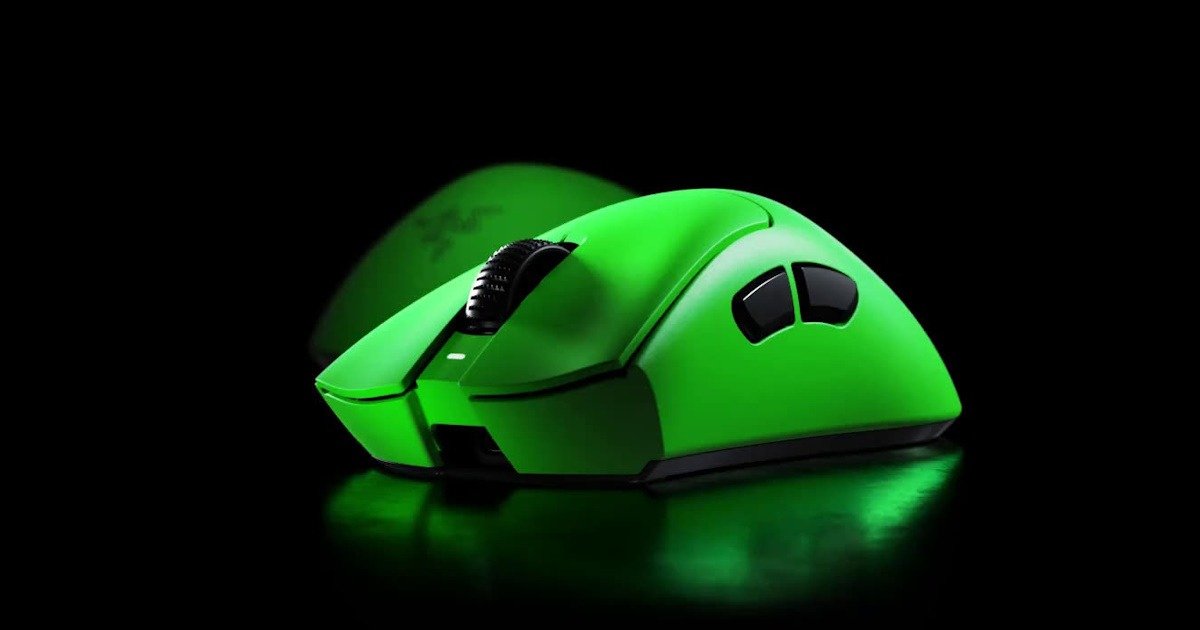
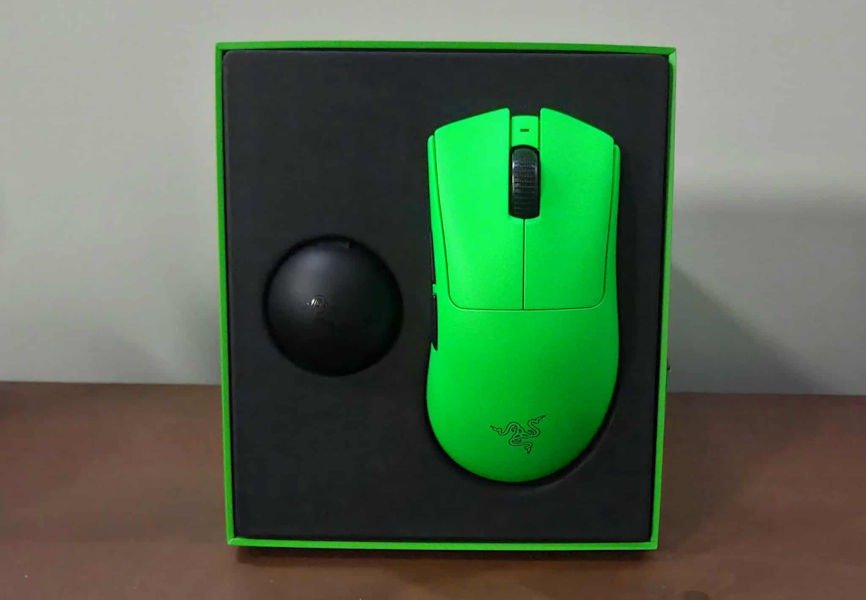
The first impression of the Razer DeathAdder V4 Pro Esports Edition starts before you even open it. The box feels deliberate. Clean, confident, and very Razer. There’s no clutter, no overexplaining. It gives the impression that this is a serious piece of gear, but not one trying too hard to convince you of that.
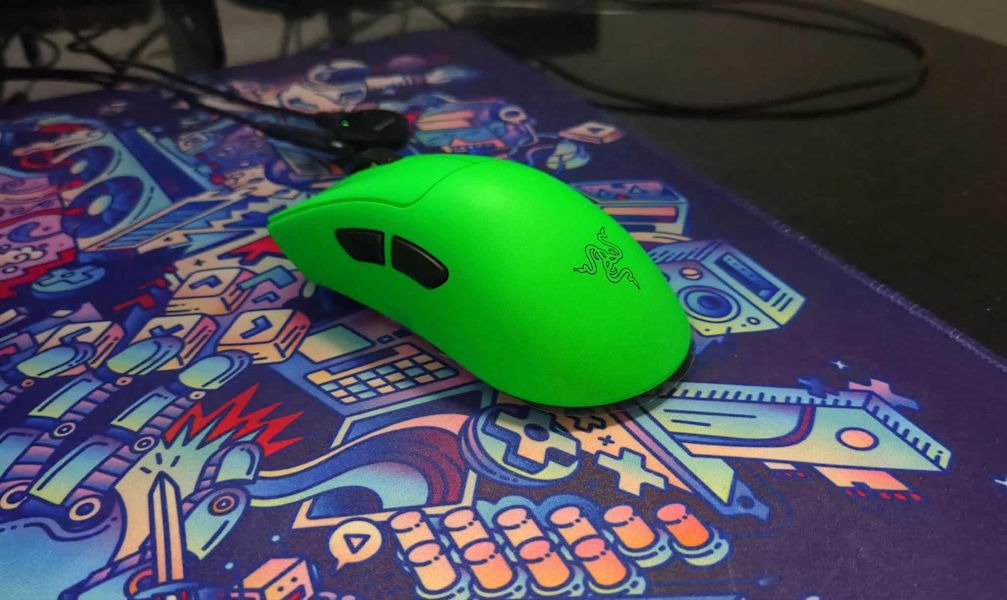
Opening it, the mouse sits there neatly, presented without drama. And immediately, the green stands out. That unmistakable Razer green. It’s bold, unapologetic, and instantly recognisable. I paused for a second longer than usual, just taking it in. Not because it was flashy, but because it felt familiar. Comforting, even. It brought back memories before I expected it to.
Lifting the Razer DeathAdder V4 Pro Esports Edition out of the box, it feels purposeful in the hand. Not fragile. Not over-engineered. Just solid and ready. There’s a sense that this mouse knows exactly what it’s meant to do. No gimmicks jumping out at you. No distractions. Just a clean first handshake.
It’s the kind of unboxing that doesn’t try to impress you with excess. Instead, it quietly sets expectations. This feels like a tool made to be used, not admired behind glass. And that, paired with the nostalgic punch of the green, made the first impression land harder than I expected.
The Green That Caught Me Off Guard
I didn’t expect to feel sentimental about a mouse colour. That’s not a sentence I thought I’d ever write, yet here we are. It caught me off guard, honestly. I picked the box up, saw the green on the Razer DeathAdder V4 Pro Esports Edition, and there was this brief pause where my brain stopped thinking about specs and started drifting somewhere else entirely.
The first thing that landed with me wasn’t the weight, the sensor, or the switches. It was the green. That specific Razer green. Loud to some people. A bit much, maybe. I can already hear the arguments about subtle setups and clean desks. But it hit a nerve in a good way. The first tech review I ever wrote was for the Razer Kraken headset in the same shade, years ago now. Thought I would recommend those ones now, the new version of the Razer Kraken are a lot better, even if they aren’t green. But back then, I didn’t really know what my voice was supposed to sound like on the page. I remember being nervous, overthinking every sentence, wondering if anyone would even read it. I probably refreshed the page too many times after it went live, just to see if it had any views at all.
Seeing that colour again, this time on the Razer DeathAdder V4 Pro Esports Edition, pulled me straight back there. Not in a dramatic way. Just a quiet, “oh yeah, that moment” kind of feeling. A reminder of when tech felt exciting and a little intimidating, instead of just exciting. It has a soft spot in my heart, no question. I didn’t expect that from a mouse, of all things, but I wasn’t mad about it either.
Polarising colours do that. They divide rooms. They invite opinions, sometimes unsolicited ones. This one just happens to make me smile. And maybe that’s enough reason to like it, even before you plug it in.
That DeathAdder Shape Still Feels Like Home
The DeathAdder shape has always felt… obvious in the best way. You put your hand on it, and nothing surprises you. No sharp angles, no experimental flares, no awkward contours trying to reinvent muscle memory. It’s a shape that doesn’t ask questions. It just exists, confidently, like it knows you’ll figure the rest out on your own.
And having owned 4 of these over the years, the Razer DeathAdder V4 Pro Esports Edition, that feeling is almost instant. My hand settled in almost immediately, without that brief shuffle where you adjust your grip and second‑guess placement. Palm grip felt natural, relaxed, like the mouse was meeting my hand halfway. Claw worked better than I expected, though I kept drifting back to palm without really thinking about it. That probably says something. Old habits, maybe. Or maybe the shape just gently nudges you there.
What stood out was how little attention it demanded once I started using it. The design fades into the background in a way that’s hard to appreciate until it’s missing. No pressure points. No edges reminding you they exist. I noticed that most after a long session, when I finally leaned back and realised my hand felt… fine. Actually, it felt great. No stiffness. No instinctive stretch or shake to bring feeling back. I hadn’t been thinking about comfort at all, which is sort of the point.
It’s one of those designs that disappears once you’re using it. Not because it’s boring, but because it’s settled. Considered. The Razer DeathAdder V4 Pro Esports Edition doesn’t try to earn your trust through novelty. It earns it by feeling familiar, dependable, and quietly right. Small thing. Easy to overlook. Still matters.
Weight and Balance, Without the Drama
The mouse feels light, but not in a way that draws attention to itself. It doesn’t feel hollow or fragile. There’s a balance here that feels deliberate. Controlled. Like someone actually spent time moving the weight around instead of just chasing a lower number for a spec sheet.
The Razer DeathAdder V4 Pro Esports Edition comes in at around 57 grams, which on paper sounds impressively light, but in the hand, it’s the balance that matters more than the number. The weight feels evenly distributed from front to back. Nothing tips forward. Nothing drags behind. When you lift it, it comes up cleanly. When you put it down, it settles exactly where you expect.
For a very Australian comparison, 57 grams is roughly the same weight as a KitKat Chunky. Light enough to forget about, heavy enough to feel real. And unlike the KitKat, it doesn’t mysteriously disappear halfway through the day. Mmm… KitKat Chunky.
I’ve used ultra‑light mice that almost feel like they’re floating away from you, like they’re one bad flick away from leaving the desk entirely. This isn’t that. The DeathAdder V4 Pro feels planted. When I flick, it stops where I expect it to stop. When I track, it stays steady. No wobble. No weird momentum. No moment where I feel like I have to correct for the mouse instead of just playing.
That balance shows up most during longer sessions. The weight never starts to feel tiring, but it also never feels vague or disconnected. It just keeps doing what you tell it to do. After a few days, I stopped thinking about the weight entirely. That’s usually a good sign. When a mouse disappears from your thoughts, it means it’s doing its job properly.
Performance That Stays Out of the Way
This is where it gets technical, and I mean that as the highest compliment.
From the first session, tracking felt exactly how you want a competitive mouse to feel: consistent, invisible, dependable. The Razer DeathAdder V4 Pro Esports Edition uses Razer’s Focus Pro 45K Optical Sensor Gen‑2, and while numbers like 45,000 DPI, 900 IPS, and 85G acceleration sound impressive on paper, the real takeaway is how little you ever notice the sensor at all. There’s no jitter, no weird correction, no moments where you question what just happened on screen. It simply does what your hand tells it to do, every single time.
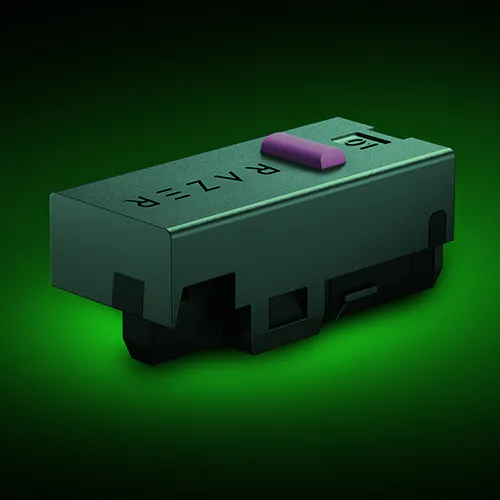
Clicks follow the same philosophy. The Gen‑4 optical switches are crisp without being sharp or fatiguing. There’s no exaggerated snap, no hollow echo, just a clean, controlled response that feels deliberate rather than aggressive. It’s the kind of click feel that fades into muscle memory quickly, which is exactly what you want when you’re several hours deep into a session. The optical scroll wheel follows suit, offering precise, tactile steps without accidental overscrolls or mushiness.
Side buttons were equally solid. They have enough resistance to avoid accidental presses, but they never feel stiff or awkward. Early on, I caught myself double‑checking inputs — more habit than necessity, but once muscle memory kicked in, they disappeared from conscious thought entirely.
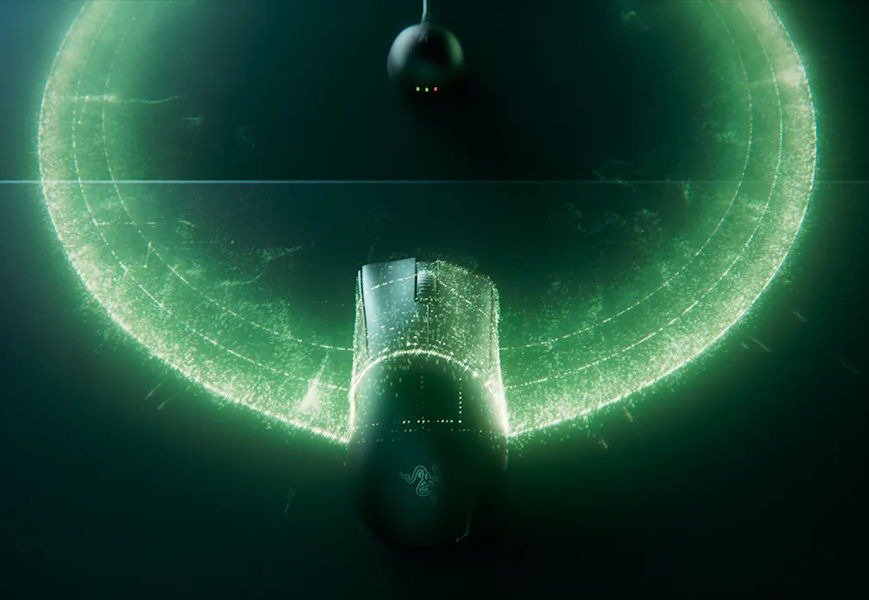
Wireless performance deserves special mention, because it simply never entered my mind after the first hour. Razer’s HyperSpeed Wireless Gen‑2 supports up to an 8000 Hz polling rate, even wirelessly, and in real‑world use, it translated to zero dropouts, no odd latency spikes, and no moments of second‑guessing whether a missed shot was the mouse or me… but I swear, I shoot him first. ha ha ha. That moment where you stop questioning your gear altogether arrived very quickly here, and that’s probably the highest praise I can give.
I didn’t spend my time chasing graphs, toggling edge‑case settings, or stress‑testing scenarios I’d never actually encounter. I just played games, edited, scrolled, and worked. The mouse never felt like an effort to move, lift, or reset. Performance never became the bottleneck or the variable. It simply stayed out of the way and let everything else happen.
Software That Knows When to Step Back
Where things get more interesting, quietly so, is in Razer Synapse.
Synapse gives you a lot of control, but it does it politely. Nothing pops up demanding attention. Nothing feels urgent. DPI settings are fully adjustable, with multiple stages if you like to fine‑tune on the fly, or a single locked‑in sensitivity if you’d rather set it and move on. I fall firmly into that second camp. I stripped it back to one DPI, nodded to myself, and never thought about it again. Polling rate options are there too, right up to the competitive end of the scale, and switching between them takes all of a few seconds.
Button remapping is flexible without turning into homework. Every button can be reassigned, disabled, or mapped to macros, but the layout stays readable and calm. Profiles are easy to create and can be linked to specific games or apps. I set one up out of curiosity, mostly to see how painless it would be. It was. Then I promptly forgot about it, which somehow feels like a compliment.
You also get lift‑off distance and surface calibration options for those who care deeply about how their mouse behaves across different pads. I do, to a point. I tweaked it once, tested it briefly, felt satisfied, and moved on. No endless adjusting. No feeling like I was chasing the “right” setting.
What I appreciated most is how quickly Synapse let me leave. I set things once, maybe twice, then stopped opening the software entirely. It stayed quiet. The mouse did its thing. And that balance between giving you control while knowing when to step back fits the DeathAdder V4 Pro perfectly.
Living With It Day to Day… And the Battery That Just Keeps Going
Battery life ended up being one of those pleasant, low‑key surprises. The kind you don’t notice straight away because nothing ever goes wrong, and that’s kind of the point.
In day‑to‑day use, the Razer DeathAdder V4 Pro Esports Edition just… lasts. I charged it, put it on my desk, and got on with things. Days passed. A mix of work, gaming, and plenty of idle time where I absolutely forgot to turn it off. When I finally remembered to check the battery level, it was still comfortably sitting there, completely unbothered. Almost smug about it. Like it was quietly saying, “You’re fine. I’ve got this.”
Razer rates the battery at up to around 150 hours at a standard 1000 Hz polling rate, which lines up well with my experience. Even pushing it harder at 8000 Hz, you’re still looking at roughly 20–22 hours, which feels reasonable considering how much it’s doing. In real terms, that meant I was charging it about once a week, sometimes longer, and never because it forced me to. And as someone who normally runs around 2000 Hz, it honestly felt like it would go forever. Most of the time I only plugged it in because I started to feel slightly nervous that I hadn’t charged it in a while.
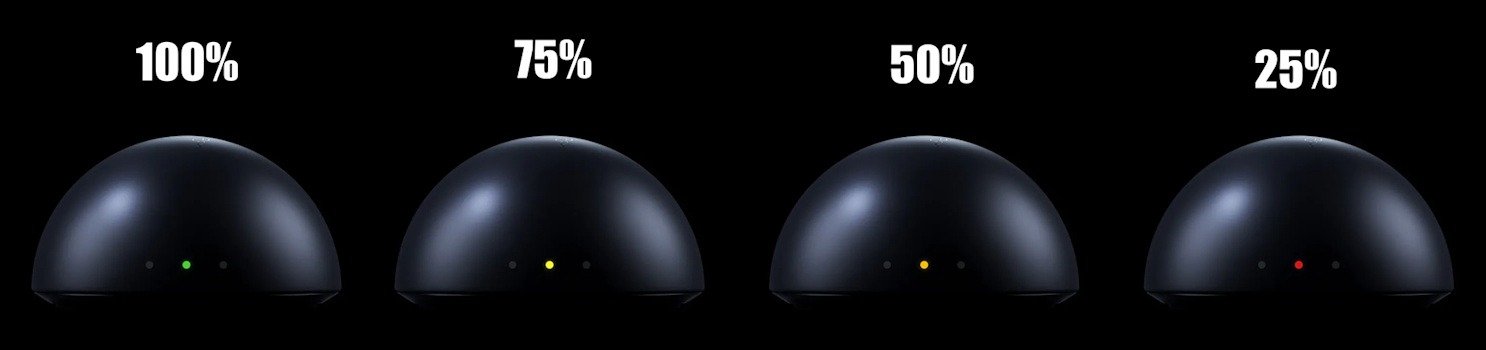
What I liked most was how little mental space it demanded. No battery anxiety. No mid‑session percentage checks. No sudden warning lights at the worst possible moment. It just quietly did its job in the background, a recurring theme with this mouse. And those rear lights? They’re a neat, instant readout of your battery life, like a quick guide at a glance. Something I never thought I’d use but make life so much less stressful.
Living with it day to day, the Razer DeathAdder V4 Pro Esports Edition feels dependable in the most boring, comforting way possible. The battery doesn’t demand attention, and honestly, that might be one of its best features.
The Green, Again, Because It Matters to Me
I know colour doesn’t affect performance. I know that. I’ve read the forums. I’ve seen the charts. Still, I cared. Probably more than I should. Definitely more than most people would admit out loud.
That green sits somewhere between nostalgia and outlandish. It doesn’t try to blend into a minimalist desk or politely fade into the background. It shows up. It stands there and announces itself, unapologetically green. I caught myself glancing at it more than once while working, usually mid‑sentence or mid‑thought, like my brain just wanted to check in and go, “Yep. Still green.” Which sounds silly. It is silly. But it kept happening.
I’m very aware that no one else in the room cares as much as I do. Friends see it and say something along the lines of, “Wow, that’s very green,” and then move on with their lives. Meanwhile, I’m over here quietly appreciating the exact shade, the way it catches the light, the way it looks slightly ridiculous and completely perfect at the same time. It sparks joy. I don’t make the rules.
It reminded me why I started writing about tech in the first place. Back when gear felt new and exciting. Not that it’s changed entirely, I still get excited about every piece that lands on my desk. Maybe it just reminded me of a similar time, when I could hand something over and say, “Here, editor, make me sound smart.” Now that job has quietly shifted to me, and honestly, I love that too.
A time when colour choices felt bold and personal instead of safe and neutral. That emotional pull doesn’t make the mouse better on paper. It won’t show up in benchmarks or graphs. But it made me enjoy using it more, and that enjoyment kept sneaking up on me in small moments throughout the day.
So yes, I love the green. Probably too much. I’m fine with that. If nothing else, it made me smile every time I sat down at my desk. And honestly, that counts for something.
Final Thoughts
After spending time with the Razer DeathAdder V4 Pro Esports Edition, what stuck with me most wasn’t a single headline feature or spec. It was how effortlessly it fit into my routine. This mouse never tried to impress me loudly or have flashy and ridiculous RGBs. It didn’t demand attention. It just showed up every day, did exactly what I asked of it, in a rather impressive way, and then politely got out of the way.
The shape feels like an old friend. The weight and balance feel considered, not chased. Performance stays rock‑solid without ever turning into a conversation. The software gives you control, then steps back. Even the battery life follows that same philosophy: dependable, calm, and quietly reassuring. At no point did I feel like I had to fight the mouse, babysit it, or adapt my habits around it. That matters more than I expected, and is something I’ve always loved about the Razer DeathAdder series.
And yes, the green matters to me. It won’t matter to everyone, and that’s fine, as it is also available in black. For me, it added a layer of enjoyment that’s hard to quantify. It made the mouse feel personal. It reminded me why I still enjoy reviewing tech after all these years. Not just because it’s good, but because sometimes it makes you feel something, even if that something is just a small smile when you sit down at your desk.
The Razer DeathAdder V4 Pro Esports Edition doesn’t try to redefine what a gaming mouse is. It refines something that already worked, then quietly perfects it. If you’ve ever loved a DeathAdder, this feels like the version that grew up without losing its personality. And if you’re new to the shape, this is a very good place to start.
Comfortable. Reliable. A little nostalgic. Slightly ridiculous in green. And genuinely easy to live with. For me, that combination worked far better than I expected.






Recent Comments