
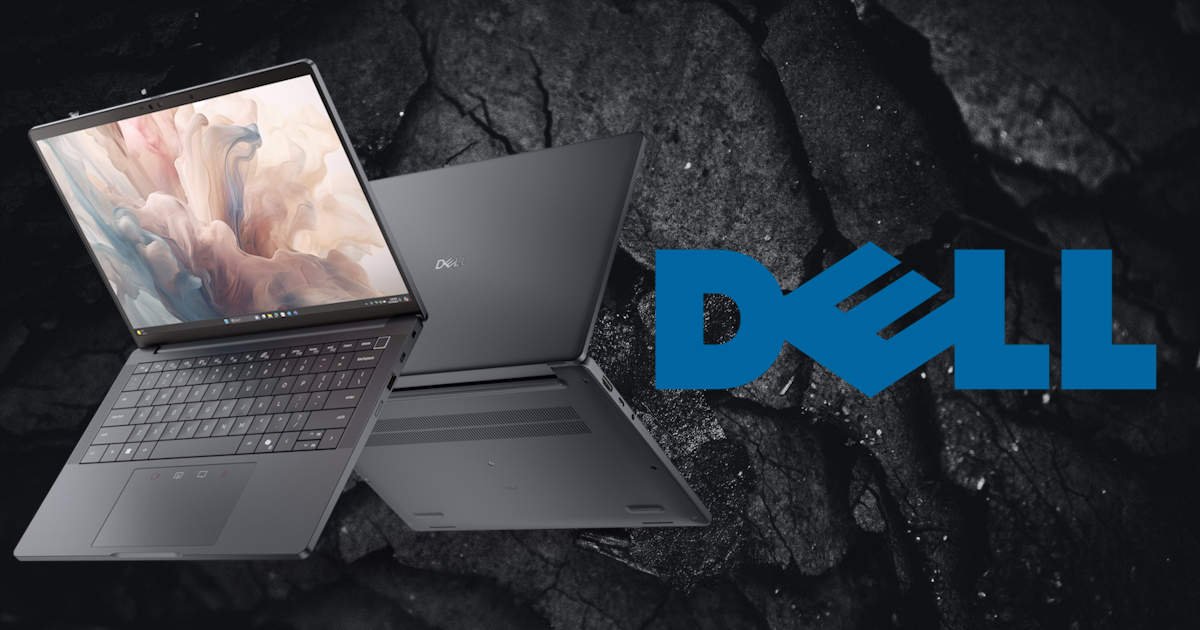
Dell Pro 13 Premium is a quietly capable machine with a few quirks you’ll easily forgive
I didn’t expect to like it this much. That’s the truth. The Dell Pro 13 Premium doesn’t scream for attention, and at just 13 inches, it’s smaller than I usually prefer. I tend to lean toward bigger screens. But there’s something about its quiet design, no flashy branding, no dramatic hinge, that feels intentional. The matte finish is understated, almost calming.
I remember unboxing it and thinking, “This looks like something I won’t have to baby.” And I haven’t. It’s held up without fuss, without needing constant care. Just solid, reliable, and surprisingly easy to live with.
It’s light. Not featherlight, but comfortably portable at 1.20 kg (2.65 freedom units or lbs). I’ve carried it between rooms, tucked it under my arm while juggling coffee, and it never felt awkward. The build feels solid, like it could survive a few bumps without drama. I haven’t tested that theory, and I don’t plan on it. The lid opens smoothly with no wobble, and the screen holds its angle without drifting. Small things that probably go unnoticed by most, but would be horribly noticeable if they were there.
I wouldn’t call it beautiful. That’s not quite the word. But it’s familiar. Reassuring. The kind of device you stop noticing because it fits so easily into your day. And that, I think, is what makes it quietly great.
Display and Visuals
The screen is sharp. That’s the first thing you notice when it powers on. Colours are clean, not oversaturated. Whites are crisp. I’ve edited photos and videos on it; nothing too serious, just product shots, a few thumbnails, and my friend’s YouTube video, and the Dell Pro 13 Premium held up well. Actually, better than well, this little guy surprised the hell out of me. There’s a slight coolness to the colour temperature, which I actually prefer. It makes text pop, and gives everything a slightly clinical edge that works well for writing and design.
Brightness is decent. Indoors, it’s great. Outdoors… well, you’ll squint. I tried using it on the patio once and gave up after ten minutes. Not a dealbreaker, just something to know. The anti-glare coating helps a little, but not enough to make it truly usable in direct sunlight. I’ve found myself tilting the screen, repositioning chairs, even shading it with my hand; none of which felt particularly dignified.
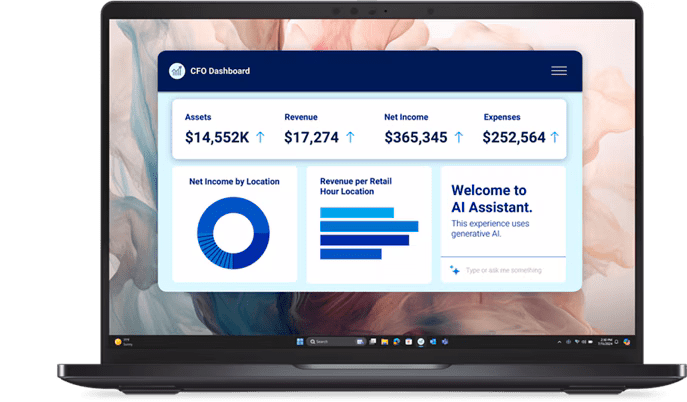
Viewing angles are solid. I’ve had it propped up beside me while cooking, following a recipe video (yes, even ex-Chefs sometimes need to watch a recipe video), and even from the side, everything stayed legible. There’s a bit of brightness drop-off at extreme angles, but nothing that ruins the experience. And let’s be fair, who is using their laptop sitting at a 30-degree angle from it? If you’re sharing the screen with someone, watching a clip, or reviewing a doc, it holds up.
One small thing: the bezels. They’re slim, but not invisible. I don’t mind them, actually. Something is reassuring about a bit of framing. It gives the screen a boundary, a sense of containment. Maybe that’s just me.
Keyboard and Trackpad
Typing feels good on the Dell Pro 13 Premium. The keys have a soft click, not too deep, not too shallow, striking a balance that feels intuitive. I’ve written the Dell Pro Plus Earbuds review on it without noticing my hands. That’s a compliment, especially for a laptop of this size. The layout is familiar, nothing weird or cramped. I did hit the arrow keys by accident a few times early on, but that stopped once muscle memory kicked in.
The key spacing on the Dell Pro 13 Premium is generous enough to avoid accidental presses, yet compact enough to keep your fingers gliding from one thought to the next. The backlighting is subtle and even, with no harsh glow, just a quiet assist when you’re working late in a dark office. There’s a tactile confidence to each keystroke that makes long typing sessions feel less like a chore and more like a rhythm you fall into.
The trackpad is smooth and responsive. It’s not oversized, which I appreciate. I don’t like trackpads, I have chubby hands and always find my wrist likes to click off things, especially when working on multiple screens like I do. The Dell Pro 13 Premium keeps it practical; the trackpad stays out of the way until you need it. Gestures register cleanly, two-finger scrolling, pinch-to-zoom, and three-finger swipes all work without lag or misfires. Which still freaks me out if I’m honest. It feels like witchcraft, how does it know? It’s coated with a matte finish that resists smudges and gives just the right amount of friction, so your fingers don’t skid or stick.
There’s a quiet precision to the whole input experience. The Dell Pro 13 Premium doesn’t demand attention; it earns it while impressing you. And in a world of flashy gimmicks and oversized glass slabs, that feels refreshingly intentional.
Performance
It’s fast. Quietly fast. The Dell Pro 13 Premium handles multitasking like it’s second nature. With an Intel® Core™ Ultra 7 268V vPro® processor and 32 GB of LPDDR5X memory, it chews through browser tabs, video calls, and light editing apps without breaking a sweat. I’ve had 31 tabs open (yes, all necessary), shared my screen on Zoom, and edited a thumbnail, all at once, and the only sign of strain was a brief, polite hum from the fan. It came and went like a whisper. My current work laptop sounds like it’s preparing for takeoff when I open Word, so this was a welcome change.
Boot times are snappy. Waking from sleep is nearly instant, thanks to the 512 GB TLC SSD and Windows 11 Pro keeping things lean and responsive. Apps launch with a crispness that feels deliberate, and switching between tasks is fluid, not forced. Even when I’ve pushed it, Photoshop layers, a video export, and a few background processes, it held up without complaint. The Intel® Arc™ Graphics aren’t built for gaming marathons, but for creative work and media playback; they’re more than capable.
There’s a kind of reliability here that’s hard to describe. It just works. Most of the time. And when it doesn’t, it recovers quickly and gracefully. No crashes, no weird freezes. Just a momentary pause as if it has to think a little extra, then back to business. The Dell Pro 13 Premium doesn’t try to impress with flashy benchmarks; it earns trust through consistency. It’s the kind of performance that fades into the background, letting you focus on what you’re doing instead of how your machine is doing it.

Battery Life
This part’s a little mixed. On a good day, the Dell Pro 13 Premium gives me around 9 hours, that’s with moderate use: writing, browsing, and a bit of video calls. It’s enough to get through most of the workday without hunting for an outlet. But if I push it with video editing, long Zoom calls, or anything processor-heavy, it dips closer to 6. Still respectable, but not quite the “all-day” promise you see in marketing. It’s dependable, just not invincible.
Charging is fast enough to keep pace. I’ve plugged the Dell Pro 13 Premium in during lunch and gained a few solid hours. That’s a lifesaver when you’re bouncing between meetings or heading out the door. The charger itself is compact, surprisingly so. It fits easily into my bag, no awkward bulge or cable tangle. It’s one of those small conveniences that ends up mattering more than you expect.
Ports and Connectivity
Plenty of ports. The Dell Pro 13 Premium doesn’t skimp here:

2. USB 3.2 Gen 1 Type-A
3. Thunderbolt™ 4 with Power Delivery 3.1 & DisplayPort 2.1 (USB Type-C™)
4. Wedge-shaped lock slot
6. Thunderbolt™ 4 with Power Delivery 3.1 & DisplayPort 2.1 (USB Type-C™)
7. Global Headset Jack
I didn’t see that first one coming as I’ve never seen that offered before, but I have a feeling it’ll get more use than most people expect, especially within businesses. It’s the kind of thoughtful detail that makes the machine feel designed for actual humans, not just to tick boxes on a spec sheet.
Wi-Fi is stable. No drops, no hiccups. I’ve streamed Netflix and Tubi, uploaded a video to YouTube, and joined calls without issue. Bluetooth hasn’t dropped once, which is rare, especially with my finicky, cheap wireless earbuds, but not anymore, as now I have the Dell Pro Plus Earbuds. The Dell Pro 13 Premium keeps connections smooth and predictable, which is exactly what you want when you’re trying to stay in flow
Quirks and Oddities
There’s a slight delay when switching between power modes on the Dell Pro 13 Premium. Not always, but occasionally. I’ll unplug it, and the screen dims a beat too late, subtle, but noticeable if you’re paying attention. It’s not disruptive, just one of those quirks you start to recognise over time.
The fingerprint reader works… most of the time. I’ve had to reposition my finger a few times to get it to register. It’s not frustrating, just mildly inconsistent, like it’s trying its best but occasionally forgets what a thumb looks like. For some, that might be annoying. Personally, I don’t rely on it much, but among the fingerprint readers I’ve used, this one’s been the most temperamental.
Final Thoughts
I like it. I trust it. That’s probably the highest praise I can give a laptop. The Dell Pro 13 Premium (PA13250) doesn’t chase trends or try to be clever—it just works. Quietly, confidently, and without fuss.
Would I recommend it? Yes. Especially if you want something professional without being sterile. It’s not perfect, but its flaws are the kind you live with, not the kind you fight. It’s the kind of machine that blends into your day, shows up when you need it, and stays out of your way when you don’t. No drama. No distractions. Just solid, dependable performance wrapped in a design that feels intentional.
In a world full of flashy gimmicks, the Dell Pro 13 Premium earns its place by being quietly great. And that, to me, is more than enough.





Recent Comments