
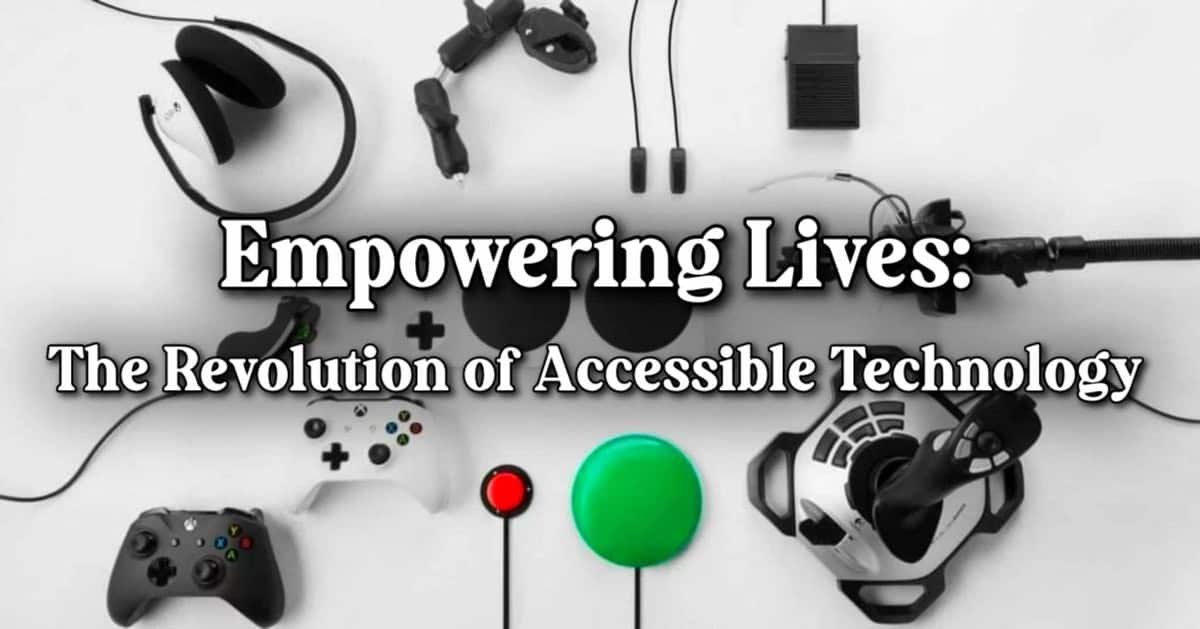
It’s absolutely thrilling to see how technology is evolving to become more inclusive and accessible for everyone!
The advancements in this field are not just impressive but also life-changing for many. From innovative gadgets to groundbreaking software, the tech world is buzzing with solutions designed to empower individuals with disabilities and mobility needs. Here’s an exciting list of 10 accessible tech categories that are making a significant impact and transforming lives every day:
Portable Magnifiers
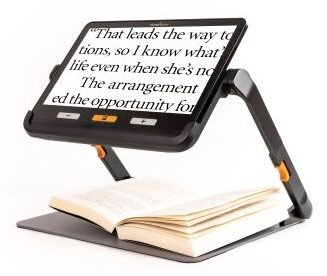
For those with low vision these are a must have. From a simple magnifying glass (often with an LED light) to tablet style devices that offer multiple magnifying levels and lights in both tabletop and handheld varieties.
Vision Australia lists two models from Human Ware. The explore 12 offers a 12 inch screen on a tabletop stand. The touch-screen allows pinch and button zooming for the page or item placed on the stand bed. The smaller explore 5 (5 inch screen) is similar but in an easy to use handheld model.
- https://shop.visionaustralia.org/campaigns/explore-12-with-stand.html
- https://shop.visionaustralia.org/campaigns/explore-5.html
Speech Recognition Software:
Tools like Dragon NaturallySpeaking or the built-in voice control features of operating systems found in most modern OS, allow users to control devices and dictate text using their voice, beneficial for those with mobility impairments, or who lack fine motor skills.
These tools have made huge advancements and offer a range of uses for all users. I often will ask Siri to set a timer or add an item to our shared shopping list. It’s quicker than opening the app and so far has worked pretty much 100%. It’s also a great tool when using Apple CarPlay (I assume the same for Google) where I can send text messages, hear replies etc.
The more integrated voice becomes and the better the AI (or machine learning) becomes the easier it will be to operate these devices, for all. 
Voice Assistants:
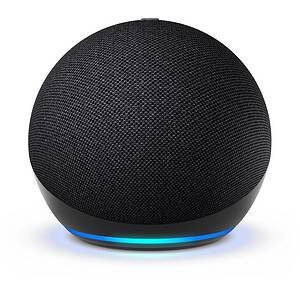
In the same vein as above, voice assistants through devices like Amazon Echo or Google Home can control smart home devices, provide information, and perform tasks through voice commands. This further enhances independence for people with various disabilities.
Beyond just simple tasks like ‘play my greatest hits mix on spotify’, in a smart home they can turn on lights, heaters, cameras, call emergency services and more. Using the voice to text features they can send emails or SMS, read out replies and using AI generate summaries or important points from complex attachments.
Augmented Reality Glasses:
I hear you, we don’t really need Meta getting more data from us do we. But did you know that the RayBan Meta glasses have an actual exciting use?
The volunteer supported Be My Eyes connects low or no vision people with sighted people. Volunteers become the ‘eyes’ for people with low or no vision. Using an app to connect users to sighted people they can hold up their phone for the volunteer to explain what they see or read the instructions etc.
However, not all tasks can be done with one hand holding a phone, that’s where RayBan and the Meta glasses come in. The user can wear the glasses so the volunteer can see and pass on verbal instructions.
This truly is a valid use case of cameras in glasses!
- RayBan Meta glasses
- https://www.bemyeyes.com/

Adaptive Controllers:
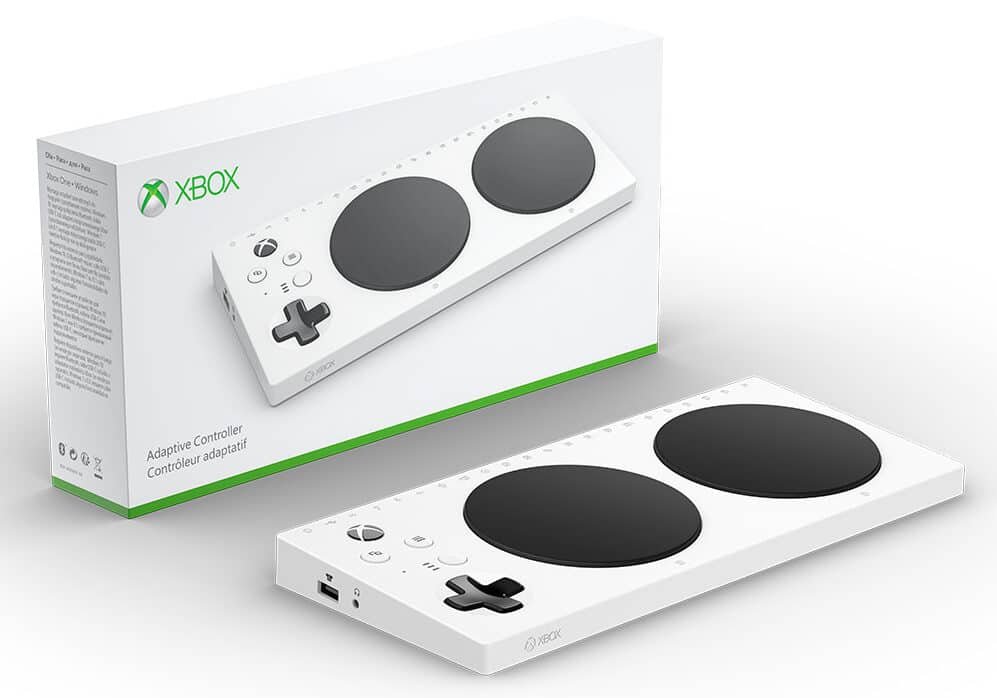
There are several accessible gaming controllers available such as Microsoft’s Xbox adaptive controller and Sony’s Playstation access controller. For both of these the controller inputs can be ‘mapped’ to a person’s preferences and used alongside the standard controller allowing disabled and non-disabled gamers to compete at the same level.
- https://www.microsoft.com/en-au/d/xbox-adaptive-controller/8nsdbhz1n3d8
- https://www.playstation.com/en-au/accessories/access-controller/
Mice
In truth the humble computer mouse is a pretty good accessible tech tool on its own. To be able to interface and interact with the screen by moving the cursor with precision was a great leap in computing. Without it we wouldn’t have what we have in modern computing.
However the humble mouse was designed around able bodied people, heck there are many out there that suffer pain using a standard mouse let alone those that truly struggle or can’t use one at all.
While I will cover this as one quick section the sheer amount of mouse alternatives almost could be an article all on its own. We have:
- Ergonomic mice – coming in left and right handed orientations and different size
- Vertical mince – which realign the wrist to a more natural ‘handshake’ position, transferring movement into the more powerful shoulder muscles
- Adjustable ergonomic mice are hinges along one side and allow for the mouse to alternate between a flatter more traditional position and the vertical, this encourages a variable wrist position and can help move from a normal mouse to a vertical.
- Bar mice are positioned directly in front of the keyboard and have a ‘bar’ that slides left and right and rolls for up and down movement. The position of the bar allows it to be operated with your thumbs and keeps your hands on or close to the keyboard.
- Trackball, trackerball or rollerball mice remain stationary with the cursor controlled by rolling a ball with thumb, fingers or palm. This means there is little to no wrist movement.
- Larger trackball mice are easy to use and may be particularly helpful for users who lack fine motor skills, including people with learning difficulties, tremors or arthritis. Also, like the BIG track mouse (with switches) shown here, they can be strong and are often suitable for being operated by elbows or feet.
- Touchpads (or trackpads) are stationary pads operated by sliding (or swiping) your finger(s) across the surface; clicking can be done with buttons or by downwards pressure / tapping lightly on the surface.
- Pen mice are held in the hand like a pen. They tend to be quite ‘chunky’; a similar size to a marker pen. Left and right click buttons are vertical on the pen shaft.
- Graphics tablets require a specialist tablet to write on, but the pens they use are more pen-like than pen mice and generally more comfortable to hold.
Graphics tablets tend to be more geared towards design than ergonomics.
Many tablet manufacturers are beginning to produce a pen or ‘stylus’ as another means of interacting with the tablet and will allow you to make handwritten notes. - Joysticks work in a similar manner to the controls on an electric wheelchair, with the joystick position determining the direction (and speed) of the mouse pointer.
Additional buttons on the joystick can operate left, right and double clicks, as well as other common shortcuts such as cut and paste. - Touchscreens use sensors in the screen to track movement and selections and are a very direct method of interacting with your device. Tablets and smartphones use touchscreens as well as many laptops. Touchscreen monitors are also available for use with desktop computers.
- Head movement tracking uses head movement to control the cursor. This can be done with a wearable device like the headset in the picture or using a camera. With head movement tracking, the cursor is ‘driven’ around the screen in the same way as using a joystick. Selections are made using a switch that can be controlled by a puff or bite (the blue bulb in the picture).
- Eye tracking systems track eye movement, using it to plot the position of the cursor on the screen. Dwelling on a location triggers a ‘click’. This can be used to control programmes as well as to type when used with the on-screen keyboard.
- Tracking eye movement means that the cursor does not need to be driven around the screen and so is typically much faster than head movement tracking. Although initially designed for use by people with very limited movement, eye tracking hardware and software is now relatively inexpensive and can present an interesting alternative for people experiencing temporary or situational disabilities; for example, a parent could hold their baby and still be able to interact with their computer.
- Foot mouse systems are typically designed to use both feet. One foot controls the cursor using a slip-on puck on a mat. The other foot controls switches, often with single and double click or other options controlled by separate buttons.
Wheelchair Technology:
Wheelchair technology has seen significant advancements, particularly in materials, power assistance, and smart features, leading to lighter, more durable, and more user-friendly wheelchairs. These advancements include the integration of AI for navigation and obstacle avoidance, improved braking systems, and enhanced customisation options for comfort and accessibility.
There are even some wheelchairs that can now climb stairs, check out the video from Jerry Rig Everything. This video is really inspiring and opens up so much more for Cambry to be more independent.
Smart Home Technology:
Systems that automate home functions like lighting, temperature, and door locks, providing greater control and accessibility for individuals with mobility limitations.
There are now a plethora of companies offering home automation. Amazon has lists of smart plugs or devices that can assist with everything from turning the Christmas lights on and off to wearable alarms that notify emergency services when someone falls.
I use smart power adaptors for lights on our front verandah. Great when hooking up Christmas lights but similarly when we return home late and forgot to put on the front lights I can open my phone (when on my wifi) and turn the lights on).
For those who might have memory issues or other cognitive disorders, automation can bring some sense of ease to family through notifications or auto locking doors and turning on alarms.
Closed Captioning and Subtitles:
Essential for individuals with hearing impairments, providing text versions of audio content in videos and broadcasts.
Streaming services and on-demand have made accessing and using entertainment much easier for everyone. However, the built in features of captions make it even more equitable for those with low or no hearing. Being able to switch on captions in almost every TV show or movie is a game changer for accessibility.
This is further enhanced by including multiple languages.
Mobile Accessibility Features:
Smartphones and tablets offer built-in accessibility features like screen magnification, voice control, and customizable display settings, making them versatile assistive tools.
The latest AirPod Pro 2 and AirPod 4 are offering hearing aid features (not fully available in Australia), an affordable option for those with low hearing. It’s truly inspiring to see companies and devices are offering more services and supporting people of all abilities to enjoy and use technology.
These technologies are continually evolving, creating more inclusive and accessible environments for everyone.
What have I missed? What pieces of technology help your everyday life?





Recent Comments