
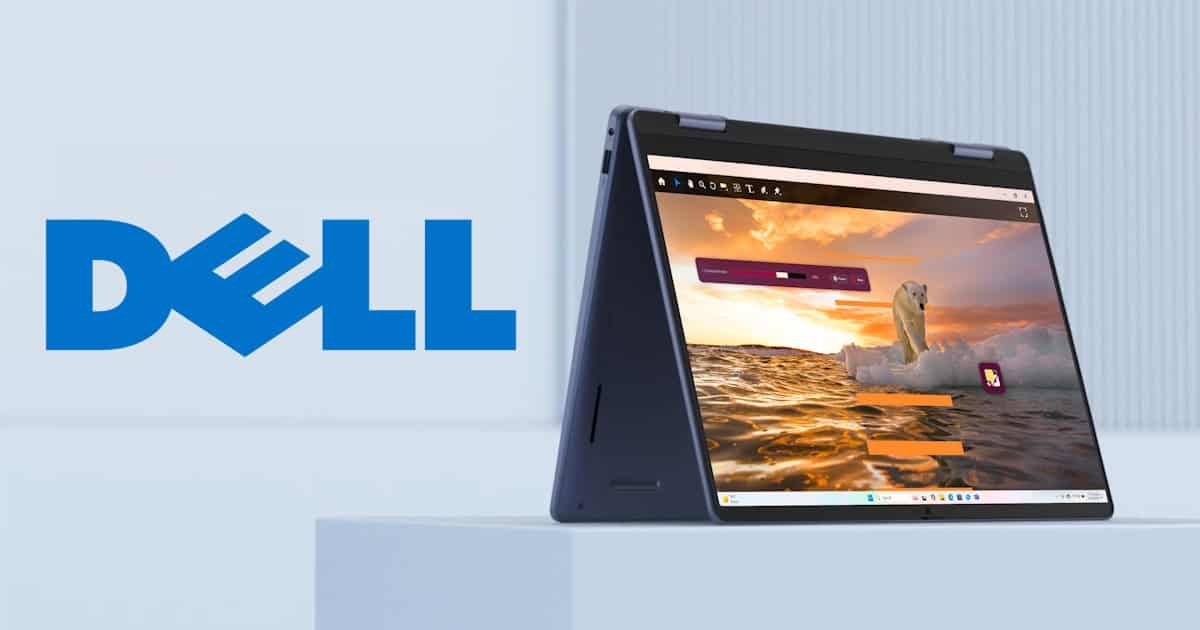
Some laptops try to dazzle you the moment you open the box. This one doesn’t, but not in a bad way. The Dell 14 2-in-1 DB04255 is understated. No flashy accents, no aggressive branding. Just a clean, midnight blue chassis and a form factor that feels like it was designed for people who want to get things done without making a scene.
It’s sleek, but not in a way that demands attention. More like the kind of device you notice after using it for a while and think, actually, this is really well put together. Like me, I kinda grow on you!
Design and Build: Subtle, Solid, and Practical
The 14-inch size hits a sweet spot. At 1.61 kg (3.55 lbs), the Dell 14 2-in-1 light enough to move around the house without feeling like you’re lugging a small child, but still roomy enough to work comfortably. I’m writing this from my dining table and honestly, it just feels right. No squinting at a cramped screen, no cluttered setup. And when I got kicked out so my housemate could watch TV, moving it was no hassle, it’s portable in a way that doesn’t feel like a compromise.
In contrast, my work laptop is a hulking 17-inch beast. Carting it to and from the office multiple times a week on public transport? That’s… well, it’s not fun. It adds up. If I’m honest, I wish this Dell 14 2-in-1 was my work machine. Not just because of the size, but because my current one is, frankly, a potato compared to this. The difference is night and day.
And then there’s the 2-in-1 aspect. Normally I avoid tablet mode. It often feels flimsy or like the hinge is daring you to snap it. But this one? It folds with surprising ease. The hinge is smooth, reassuringly firm, no creaks, no weird resistance. You don’t sit there questioning your life choices or pray to numerous gods chanting the ‘Don’t break, Don’t Break’ pray every time you switch modes. It just folds. Cleanly.
I’ve used 2-in-1s before that felt like a wrestling match every time I tried to change modes. This isn’t one of those. It’s actually a feature you’ll want to use, not just try out once to impress someone, then forget it exists. It integrates into the experience naturally, which is kind of rare for the 2-in-1 I’ve used in the past. That is a weird thought, as that is what these laptops are made for.

Display: Functional, Not Flashy
The display is a 14-inch FHD+ IPS touch panel with a crisp 16:10 aspect ratio, which gives you a bit of extra vertical space compared to the usual 16:9 layout, a subtle difference that actually makes a big difference. One I only noticed after going back to my work laptop, I found myself confused why it felts so small. When you’re working on documents or spreadsheets, scrolling through web pages, or just trying to see more without constantly zooming out, it was actually a game changer & I wish more laptops aimed at professionals used this aspect ratio. One slight consideration is the glossy finish of the monitor, it does mean reflections can be noticeable, especially near bright windows or under overhead lights, but it also lends a richer, more vibrant sheen to the visuals.
Colour reproduction of the Dell 14 2-in-1 is solid, with tones that feel accurate and pleasing to the eye, not too saturated, not too washed out. And with a brightness rating of 300 nits, it’s perfectly fine for typical indoor use like working at a desk, lounging on the couch, or taking a Zoom call at the kitchen bench. It won’t hold up well in full sunlight, but under most conditions, the screen feels sharp and engaging.
Touch responsiveness is smooth and intuitive. It’s not just tacked on as a gimmick, the screen reacts reliably and precisely to swipes, taps, and gestures. Paired with the 2-in-1 design, it makes casual browsing, flipping through photos, or quick sketching sessions feel natural rather than forced. Whether you’re scrolling with your fingers or dabbling in digital note-taking, it behaves exactly how you’d hope: fast, fluid, and fuss-free. Just be warned though Dell 14 2-in-1 is a fingerprint sponge, so keep a polishing cloth handy if you plan on using the touch screen.
Performance: Reliable, Not Reckless
Powered by the AMD Ryzen AI 5 340 and Radeon 840M graphics, the Dell 14 2-in-1 isn’t built to break speed records, but it doesn’t need to. It’s not trying to compete with the top-tier performance machines, or gaming laptops or chase benchmark glory. What it’s designed for is everyday usability, and in that space, it does more than hold its own.
I bounced between browser tabs, edited a couple of videos, and ran some moderate multitasking like spreadsheets, email, background music, the usual stuff and many of it all at once, and it didn’t flinch. No lag spikes, no stutters. It’s not blazingly fast, but it’s steady and reliable and a machine I loved using. And sometimes, that’s more valuable. There’s something reassuring about knowing your system won’t randomly choke halfway through a task. That kind of consistency? It counts.

The Radeon 840M isn’t built for hardcore graphics processing, but in this Dell 14 2-in-1, it’s perfectly serviceable for casual gaming (may have played my beloved Age of Empires 2), streaming the new Happy Gilmore movie, and light creative work. I wouldn’t use it for rendering large 3D projects or pushing the limits of modern titles, but then again, I don’t think that’s who this convertible laptop is aimed at; as no one that wants run CyperPunk 2077 at 4k ultra settings is thinking, I should get a 2-in-1.
The 16GB of LPDDR5X RAM makes a noticeable difference. It gives the system the headroom it needs, especially when multitasking gets messy. I had something like 15 tabs open, two of them streaming video, one playing music and the Dell 14 2-in-1 didn’t break a sweat. The performance stayed smooth, even when flipping between laptop and tablet mode mid-task, which is a weird feeling, as normally I wouldn’t use it in tablet mood, but this has converted me. Its great for certain things! And its this kind of real-world reliability is easy to take for granted until you use a system that doesn’t have it.
Storage-wise, the 512GB SSD is fast enough for most people. Boot times are snappy, file access feels responsive, and apps load without delay. If you’re used to a high-end NVMe drive, you might notice a fractional drop in speed, but honestly, for typical usage, it’s barely perceptible. It’s SSD. It’s quick. And crucially, it doesn’t feel sluggish; I just wish that had splashed out for an NVMe drive and if you are going to get it, pay a little bit extra for the 1TB drive.
As a package, the Dell 14 2-in-1 is the kind of reliable daily driver that quietly does its job, no drama, no fuss. It’s a versatile machine for general workloads, wrapped in a flexible form factor that adds just enough flair & if you wanted some added flair, did what I did and team it with the Dell Pro 14 Plus Portable Monitor P1425 (review coming on this for this soon). Which gives you the beauty of two monitors without the mismatching sizing you’ve come to know & hate from working at home! Like why give me a single 24 inch monitor to go with my 15inch laptop, “So I can work on 2 monitors.” Sorry, for the rage there, working on different screens so awkward especially when you don’t have a permanent workspace at home.
Battery Life: Quietly Impressive
With a 64Wh battery, the Dell 14 2-in-1 holds its own. You’ll easily get a full workday out of it with mixed use, web browsing, writing, video calls. Maybe not quite that if you’re pushing it with heavier tasks, like having YouTube videos playing all day but for most users, it’s enough. Fast charging via USB-C is supported, which is a nice touch when you’re in a rush and it can easily be removed to charge your phone during your workday. I kind love that everything is going down the USB-C route. As one cable can do everything.

Keyboard and Input: Comfortable and Familiar
The keyboard on the Dell 14 2-in-1 is backlit, which is always a welcome addition for anyone who works late or in dimly lit spaces. It’s evenly lit, no noticeable bleeding or harsh hotspots and the illumination feels practical rather than flashy. There’s a dedicated Copilot key tucked in, offering one-tap access to Windows 11’s AI features, which feels like a small but thoughtful nod to convenience, especially with AI being on the tip of every workplace’s lips. Whether you’re asking a quick question or launching a task or asking it to assist in make this email sounds less passive agressive, it’s a nice touch.
Key travel measures around 1mm, so it’s on the shorter side, but not uncomfortably so. In fact, typing feels surprisingly crisp. The response is snappy enough that you don’t need to mash the keys, and yet it’s not so shallow that everything feels mushy. After about 15 minutes of use, your fingers settle in and the experience feels fluid—almost second nature. The layout itself is familiar, especially if you’ve used any Dell machines before, with no odd placements or learning curve. As expected, there’s no numpad, but on a 14-inch device that’s standard fare.
As for the touchpad, it’s functional and responsive. Swipes, gestures, and taps register without delay, and the tracking feels smooth even across longer strokes. That said, it does have a slightly plasticky texture to it. Not unpleasant, just noticeable—enough that after an hour or so of use, you might find yourself reaching for a mouse, especially if precision is important for what you’re doing. For casual browsing or basic navigation, though, it’s more than up to the task.
Ports and Connectivity: Balanced and Modern
The Dell 14 2-in-1comes equipped with the following:

2. Universal Audio Jack
4. USB-C 3.2 Gen 2 (10Gbps) with Power Delivery and DisplayPort
5. USB-C 3.2 Gen 2 (10Gbps) with Power Delivery and DisplayPort
No Ethernet, no SD card reader, but that’s becoming standard in this category. Yet I do like the addition of a USB-A slot, as a few of the recent units I’ve reviewed haven’t had one. Though I love the movement towards USB-C, we still have so many things that require a USB-A. So I appreciate this!
The Dell 14 2-in-1 also comes equipped with Wi-Fi 7 and Bluetooth 5.4, which is great for future-proofing and feeling safe around getting one without worrying about it being unusable in a few years.
Final Thoughts: A Quiet Performer
The Dell 14 2-in-1 DB04255 isn’t trying to be everything, and that’s precisely what makes it appealing. It’s not a gaming rig, and it doesn’t pretend to be. But for everyday tasks like writing, web browsing, creative work, or any use that doesn’t involve high-end gaming or intensive rendering, it proves to be a dependable companion that handles the essentials with ease and reliability and at a remarkably affordable price.
The 2-in-1 versatility genuinely adds value, offering a smooth transition from laptop to tablet mode without feeling gimmicky. Its build quality is reassuringly solid, yet it avoids any unnecessary bulk, striking a balance between durability and portability that works well for users on the move or hopping between workspaces.
If you’re after a machine that slips into your workflow seamlessly, and don’t care about all the unnecessary flair or complications, this one’s worth a serious look. It’s not going to steal the spotlight in a coffee shop, and it doesn’t need to. Instead, it’s the kind of device thats a bit of a sleeper, you’ll find yourself reaching for day after day, without second thought. Reliable, unobtrusive, and quietly capable.






One Comment
[…] footprint feel modern and compact. And the 16:10 aspect ratio, a feature I came to love on the Dell 14 2-in-1, it was something I didn’t think I’d care about when I first experienced but it actually makes a […]
Comments are closed.