
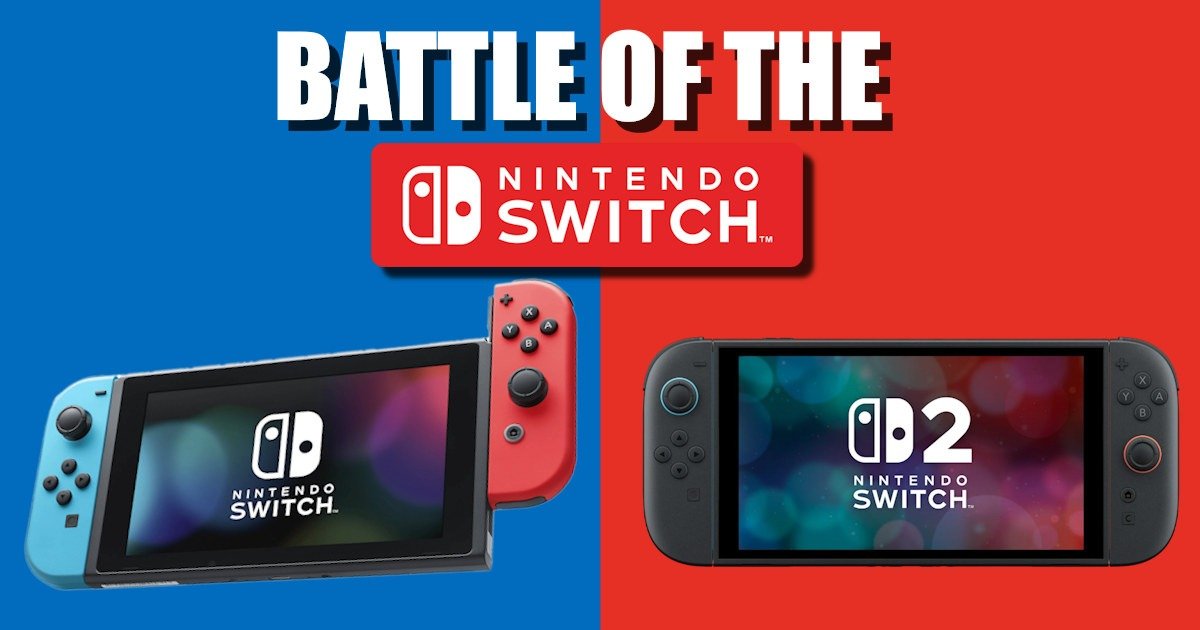
Do You Really Need to Upgrade?
It’s the age-old question, isn’t it? Do I stick with what I’ve got, or do I jump on the shiny new thing? Honestly, this upgrade felt a bit like going from a PS4 to a PS5. On paper, the PS5 was a beast compared to the OG PS4. But did you really notice that difference every single time you played? I’m not so sure.
That was my mindset going into this. My Nintendo Switch works perfectly fine. I’m not a hardcore Nintendo console person either. I just… kinda wanted the new Switch because of Two Point Hospital. Don’t tell the devs, okay? And maybe to see if the new Mario Kart feels like a real step up from the one I’ve been playing on my trusty OG Switch.
Size and Display: Is It Really Worth It?
The original Nintendo Switch comes with a 6.2-inch 720p display. It’s fine. Honestly, it’s done the job for years without me ever thinking, “Wow, this looks bad.” The Nintendo Switch 2, though? It jumps to a 7.9-inch screen, full 1080p resolution, and a 120Hz refresh rate. That’s a big leap on paper.
Now, I didn’t have an OLED model to compare against, so I can’t speak to that middle ground. But if you’re like me, sitting there with your OG Nintendo Switch, you’re probably asking the same question I did: “Do I really need that upgrade?”
Here’s the thing. At first glance, the difference doesn’t smack you in the face. It’s not like going from black-and-white to colour TV. But once you start playing, especially with fast-paced games like Mario Kart or anything that benefits from smoother motion, you notice it. The refresh rate makes animations feel more fluid. The colours pop more, and the extra screen real estate? It’s subtle but surprisingly nice.
I’ll admit, I was sceptical. I thought, “Okay, bigger screen, sharper resolution, so what, I’m not that hardcore a gamer?” But after a few hours, I found myself appreciating the clarity. Text is easier to read. Details in the background stand out. It’s like watching a movie on your phone versus a tablet. Both work, but one feels more comfortable and immersive.
Feel and Buttons: A Small Change That Surprised Me
This one really caught me off guard. The buttons on the Nintendo Switch 2 feel lighter when you press them. It’s not a huge difference; you’re not going to pick it up and think, “Wow, this is revolutionary.” But it’s there. Subtle, yet noticeable. It reminds me of switching from a keyboard to a gaming keyboard. At first, you think that there won’t be much difference, yet the more you use the more difference you notice.
I didn’t expect that to matter. Buttons are buttons, right? They aren’t keyboards with several moving parts. You press them, they work. But after a few hours of playing, I realised it actually changes the experience more than I thought. The lighter feel makes everything seem more responsive, almost like the console is reacting faster to you. It’s hard to explain, but it feels… nicer. And I might actually be becoming a better gamer! Should I play Dark Souls now?
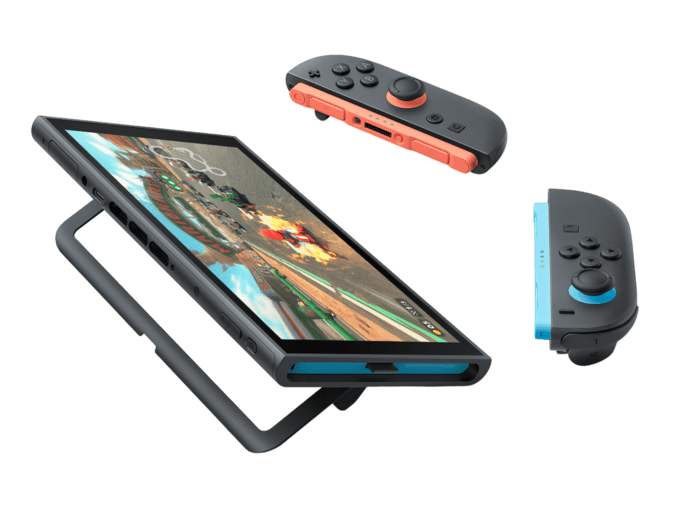
And here’s the weird part, I didn’t think I’d even comment on this. It’s such a small detail. But when you’re holding the console for long sessions, those tiny differences add up. The OG Nintendo Switch buttons always felt a bit stiff to me, not bad, just… firm. The Nintendo Switch 2 softens but not in a cheap way, in a way that feels very much intentional to better the gamer experience. It’s a good balance.
Design Tweaks: Subtle but Smart
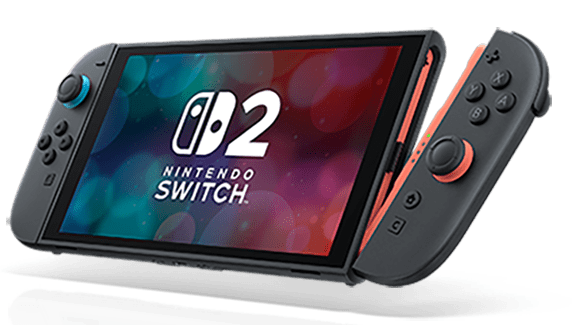
The bigger screen is the obvious change, and honestly, it makes a difference. You don’t need to chase an OLED upgrade anymore because the Nintendo Switch 2 already gives you that crisp, vibrant look with HDR support and a 120 Hz refresh rate. It feels modern without screaming for attention.
The overall layout? Pretty familiar, which I like. Nintendo didn’t reinvent the wheel here. The buttons are where you expect them to be, so there’s no awkward relearning curve. The only real addition is the Game Chat button, which sits quietly until you decide to use it (and, spoiler: I haven’t yet).
What I appreciate most is how the design feels more refined. The bezels are slimmer, so the screen dominates your view instead of the plastic frame. The kickstand is sturdier—no more feeling like you’re about to snap it off every time you use it. Even the dock looks cleaner and more functional, with an Ethernet port and better cable management. It’s not flashy, but it’s practical, and that matters when you’re using it every day.
It’s the kind of design update that doesn’t shout at you but quietly makes life easier. And honestly, that’s what I wanted.
Games and Performance: Where It Really Counts
Performance is where the Switch 2 truly feels like a next-gen leap. Switching games is faster now, thanks to the new card format and a more streamlined interface, but that’s just the start. Under the hood, the difference is massive. The original Nintendo Switch runs on an older NVIDIA Tegra X1 chip with 4 GB of RAM, which was fine for its time. The Nintendo Switch 2, though, packs an NVIDIA T239 processor paired with 12 GB of LPDDR5X memory and a GPU that supports DLSS and ray tracing. That’s not marketing fluff; it translates into real-world improvements you can feel.
Nintendo Switch vs. Switch 2 Specs
| Feature | Nintendo Switch (OG) | Nintendo Switch 2 |
|---|---|---|
| CPU | NVIDIA Tegra X1 (4× Cortex-A57) | NVIDIA T239 (8× Cortex-A78C) |
| GPU | Maxwell architecture, ~768 MHz | Ampere architecture, up to 3.07 TFLOPS |
| RAM | 4 GB LPDDR4 | 12 GB LPDDR5X |
| Storage | 32 GB eMMC | 256 GB UFS |
| Display | 6.2″ LCD, 720p, 60 Hz | 7.9″ LCD, 1080p, HDR10, 120 Hz |
| Docked Output | Up to 1080p @ 60 fps | Up to 4K @ 60 fps (HDR), 1440p @ 120 fps |
| Battery Life | ~3–6.5 hrs | ~2–6.5 hrs (larger battery, higher power draw) |
| Joy-Con Tech | Mechanical latch | Magnetic latch |
| Networking | Wi-Fi only | Wi-Fi + Ethernet port on the dock |
Load times are dramatically shorter. Games that used to take nearly half a minute to boot now load in around 10–12 seconds. Frame rates are more stable, too. Older titles like The Witcher 3 or Batman Arkham Knight, which struggled to maintain 20 fps on the OG Nintendo Switch, now run at a smooth 30-35 fps with better resolution scaling. Even mid-tier games like Dragon Quest Builders 2 hit a consistent 60 fps instead of bouncing between 20 and 40. And new Nintendo Switch 2 exclusives? They shine. Mario Kart World runs at native 1080p in handheld mode and up to 1440p docked, holding a rock-solid 60 fps. There’s even talk of 120 fps modes for certain single-player experiences, which is wild for a Nintendo console.
The extra horsepower also means better visuals without sacrificing performance. Dynamic lighting, sharper textures, and smoother animations make games feel more alive. Combine that with the 120 Hz display, and motion looks fluid in a way the OG Nintendo Switch simply couldn’t deliver. It’s not just about numbers, it’s about how responsive and polished everything feels. The other changes are nice and make it slightly more user-friendly, but this is where the Nintendo Switch 2. This leap forward makes the upgrade worth it.
If you’re wondering whether this matters for casual gaming, here’s the truth: if you mostly play lightweight titles or short handheld sessions, the OG Nintendo Switch still holds up. But if you want faster loading, richer graphics, and a console that feels ready for the next wave of Nintendo games, the Switch 2 is a clear winner.
Battery Life: Same, Same but Different
When I first started testing the battery, I honestly braced myself for disappointment. Higher resolution, better performance, 120 Hz display, usually all that means your battery melts faster than ice cream in summer. But after a few rounds of Mario Kart World, I glanced down and still had around 90% left. I wasn’t expecting that at all. I even double-checked because it felt like it should have dipped more.
Nintendo’s official estimate is roughly 2–6.5 hours, which, on paper, sounds a bit tight compared to what the newer models of the OG Nintendo Switch could manage. My original Nintendo Switch often floated around the 4-hour mark depending on the game, and of course, the OLED model stretched things even further. So hearing the Nintendo Switch 2 had similar or even shorter ranges didn’t come as a surprise. As it is almost 3 times more powerful and with greater output.
But here’s the thing: the Nintendo Switch 2 isn’t losing battery life because of a smaller cell. The battery is actually larger, which makes sense given the upgraded screen, more powerful processor, and higher-demand hardware inside. All that extra horsepower needs more energy, so the battery isn’t the issue; it’s the trade-off of running a more capable machine.
In real use, though, it doesn’t feel like a downgrade. At least not for me. The combination of smarter power management and more efficient components seems to balance everything out. I’m not expecting marathon sessions without charging, but for casual play or even a decent handheld session on the couch, it holds up better than I thought it would.
And yes, the OLED model still wins when it comes to pure longevity, but I’m okay with that. The Nintendo Switch 2 gives me better visuals, smoother performance, and just feels more modern overall. If the compromise is plugging in a bit sooner, I can live with that.
Nintendo Switch + Nintendo Switch 2 Game Share: A Surprisingly Cool Bonus Feature
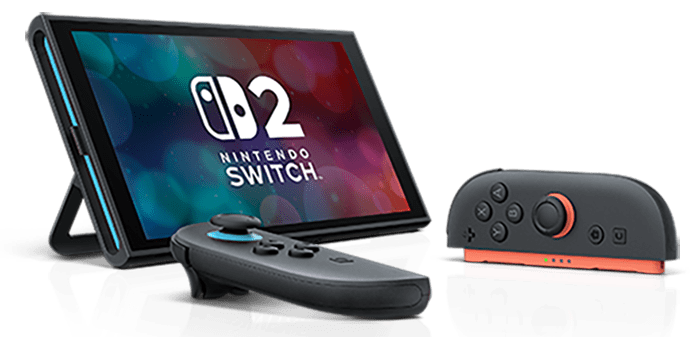
This was one of those features I didn’t even know I wanted until I stumbled into it. Having both a Nintendo Switch and a Nintendo Switch 2 in the same room opens up this surprisingly smooth local game‑sharing option, and honestly, it feels a bit magical the first time you try it. I tested it with Mario Kart World in my apartment, just me, my OG Nintendo Switch, and the new Nintendo Switch 2 sitting a few feet apart, and it worked so much better than I expected.
The Nintendo Switch 2 lets you share a game locally to another console, meaning the second player can join in without needing their own copy. The OG Nintendo Switch becomes the “viewer” in a way, but it still feels like proper native play. There wasn’t that awkward delay or glitching. I half-expected the usual things that tend to happen when one device is trying to stream gameplay to another one. Instead, it just loaded, connected, and off we went racing. It reminded me of those “share play” concepts other consoles always talk about, except this time it was sitting right there on my coffee table, working with a console from 2017.
You can also do this online, though that version works a bit differently. Only the Nintendo Switch 2 can start the sharing session, and it streams the game to the other console over the internet. It’s a nice option to have, especially if you’re not physically in the same space, but it’s definitely more finicky. You need a decent connection, and depending on the game, you might notice slowdowns or quality dips. And of course, you’ll probably need a Nintendo Switch Online membership if the game itself requires it for multiplayer.
It’s not the kind of feature Nintendo shouted about in trailers, but it feels like a thoughtful bonus, something that makes owning both consoles feel worthwhile instead of redundant. For families, housemates, or even just someone like me who refuses to get rid of the OG Nintendo Switch because it’s still sentimental (and, okay, great for travel), it adds a whole new way to play without buying extra copies of everything. I’m actually thinking of taking both Nintendo Switches on my next work trip so the boys and I can have a Mario Kart World championship.
I didn’t expect to appreciate this as much as I did. It’s simple, it’s fun, and it made the upgrade feel even more like a step forward rather than a full replacement.
The Dock
The new dock honestly feels like one of those upgrades you don’t fully appreciate until you go back and look at the old one. Right away, it’s just easier to use. Sliding the console in doesn’t require that tiny moment of hesitation where you’re thinking, Okay… is it lined up? Am I about to scrape something? With this one, the console settles into place without that awkward lean the OG dock sometimes had. It feels more secure, more intentional, like Nintendo finally accepted that people dock and undock their Switch a lot and shouldn’t have to wrestle with plastic every time.
The cable situation is noticeably better, too. There’s less strain when you plug things in, and you’re not bending cords at weird angles just to make them fit. Everything sits where it should, and you can actually see what you’re doing without needing to flip the whole thing around. It sounds minor, but when your entertainment setup already has a dozen cables fighting for survival, this feels like a small victory.
They did make the dock a little bigger, but it doesn’t feel bulky. If anything, the extra size makes room for features that actually matter, like the built‑in fan. The OG dock had a habit of trapping heat in ways that made you a little nervous during longer play sessions. The new fan helps the console stay cooler, which is reassuring considering how much more powerful the Nintendo Switch 2 hardware is.
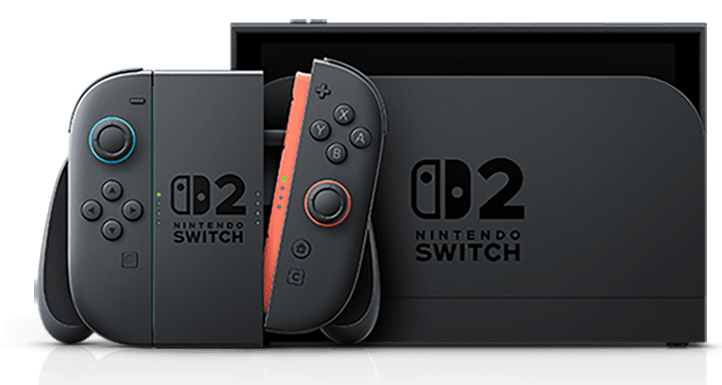
You’ve also got an Ethernet port now, which I really appreciate. Wi‑Fi works fine for casual stuff, but if you want stable online play or faster downloads, a wired connection makes such a difference. Especially given my Nintendo Switch 2 sits about 300mm from my modem.
And of course, the big bragging right: 4K output with HDR. That still feels surreal to say about a Nintendo console. Dock it into a compatible TV and the visuals look crisper, brighter, just… cleaner. You don’t have to fiddle with settings or deal with weird scaling issues; it just works. And sure, not every game is going to use 4K all the time, but when it does, you notice. It’s the kind of upgrade that quietly makes your whole setup feel more modern.
Final Thoughts
After spending real time with the Nintendo Switch 2, I’ve realised this wasn’t just an impulse buy or a shiny new toy moment. It actually feels like a proper step forward in the Switch lineup. Not a dramatic reinvention, Nintendo doesn’t really do those, but a meaningful evolution that fixes a lot of the annoyances I didn’t know bothered me until they weren’t there anymore.
The bigger screen, the smoother performance, the faster load times… all of those things add up in a way that’s hard to fully appreciate from spec sheets or marketing fluff. You kind of have to live with it for a bit. It’s the small improvements, like the softer buttons, the sturdier kickstand, and the better dock, that make the console feel more refined. More grown‑up.
And what surprised me most is that it still feels like a Switch. It hasn’t lost that “pick up and play” charm that made the original so easy to love. It just feels like the version Nintendo would have released back in 2017 if the tech and cost had allowed it.
Do you need to upgrade? Honestly, that depends on how you use your Nintendo Switch. If you’re still happily playing cozy games on the original one and you don’t care about resolution bumps or faster loading, your OG console is still perfectly capable. It’s held up well over the years. But if you want smoother gameplay, a cleaner handheld experience, and a console that’ll handle whatever Nintendo cooks up next without wheezing… then yeah, the Nintendo Switch 2 feels like the right move.
For me, I’m glad I upgraded and recommend an upgrade to all those who will listen. I don’t feel like I replaced something. I feel like I expanded what I can do, especially being able to keep my OG Nintendo Switch around for two‑player setups or travel. The Nintendo Switch 2 slips nicely into my life without demanding I rearrange anything, and sometimes that’s the best kind of upgrade, the one that just fits.
If Nintendo’s release lineup grows the way I think it will, this console is only going to get better with time. And honestly? I’m excited to see where it goes.





Recent Comments