
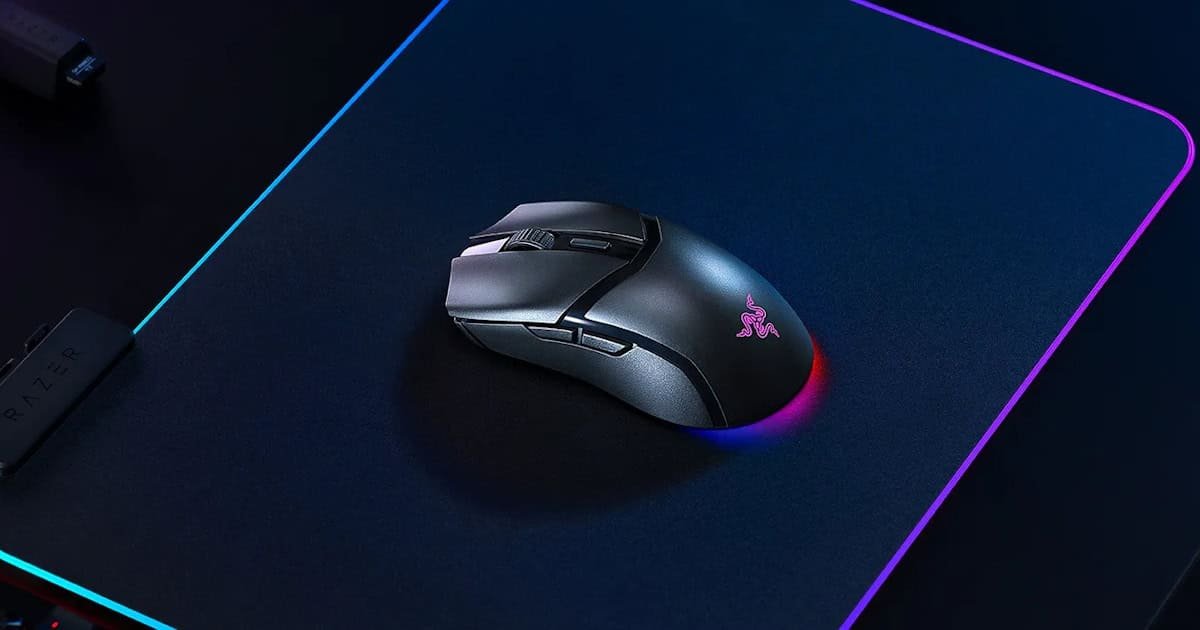
The Razer Cobra Hyperspeed doesn’t show up to the party wearing neon lights or screaming its brand name like it’s trying to win a popularity contest. No, this mouse is the quiet kid in the corner, compact, clean, and modest; probably sipping a Coke and judging your RGB setup.
At first glance, I wasn’t convinced it would be the right fit for me. I usually go for mice with a bit more bulk (Thanks to my chubby hands). Maybe a few extra buttons to press when I’m feeling lazy, as I love a mapped button. But after a few hours, the Razer Cobra snuck into my good graces like a cat that pretends it doesn’t care about you but suddenly starts sleeping on your keyboard.
It’s lightweight, but not in a cheap-feeling kind of way, as the mouse is beautifully designed. But at just 62 grams, it is going to surprise you when you’ve come from something heavier. The shape encourages a relaxed grip. I didn’t find myself constantly adjusting my hand, which is a refreshing change from other smaller mice that seem to play hide-and-seek with my palm.
It’s the kind of design that doesn’t scream for attention, and maybe that’s its secret weapon. Understated, comfortable, and surprisingly charming. Like a ninja in a business suit.
Everyday Use: Smooth, Responsive, Unobtrusive
Performance-wise, the Razer Cobra Hyperspeed is quietly impressive. It’s not trying to be flashy or overbearing; it just delivers where it counts. The sensor tracks with smooth precision across pretty much anything I threw at it—polished wood, a standard mousepad, even the glossy black desktop I use. It didn’t care. Tracking stayed fluid and accurate, with no jitter or hesitation, which made it easy to forget I was even relying on a sensor at all.
It’s powered by my beloved Razer’s Focus X sensor. A sensor that I’ve come to know and love. It’s capable of up to 26,000 DPI, not that I ever needed that much, but it’s nice knowing the headroom’s there if I ever do (And worst case, you have the Basilisk V3 Pro 35K).
Clicks are crisp and deliberate without being obnoxious. There’s a subtle tactile feedback that feels satisfying, more like a soft click than a loud announcement, like my mechanical keyboard. You know you’ve clicked, but it doesn’t echo through the room or draw attention. It’s the kind of detail that makes a difference over time, especially if you’re working late, sharing a space, or just spending all day on it. The clicking on my keyboard gets annoying after 10 hours on the computer. The Cobra Hyperspeed nails that balance between responsiveness and restraint.

I’ve used it across a pretty wide mix of tasks—from video editing and huge spreadsheets to a heavy gaming session (well, probably the equivalent of casual gaming for most people, yet I put in 6 hours of Farlight 84 in one sitting), and the usual late-night spiralling watching Bulldog reels. It handled all of it without breaking stride. No lag, no weird stutters, no moments where I had to stop and troubleshoot. The wireless connection stayed rock-solid, and the battery life hasn’t given me any reason to worry. It just works. And honestly, that’s what I want from a mouse most days—something that fades into the background and lets me focus on what I’m doing.
The Cobra Hyperspeed doesn’t scream for attention, but it earns it. It’s lightweight without feeling flimsy, responsive without being twitchy, and smartly designed for everyday use. Whether I’m hopping between tabs or lining up a shot in a game, it keeps pace without making me think about it. And in a world full of peripherals that try to impress with RGB overload or unnecessary complexity, something is refreshing about a mouse that just gets the job done, with quiet confidence.
Let me know if you want to add a quick note about battery life specs or polling rate, which could be tucked in just as cleanly.
Wireless & Battery: Quietly Reliable
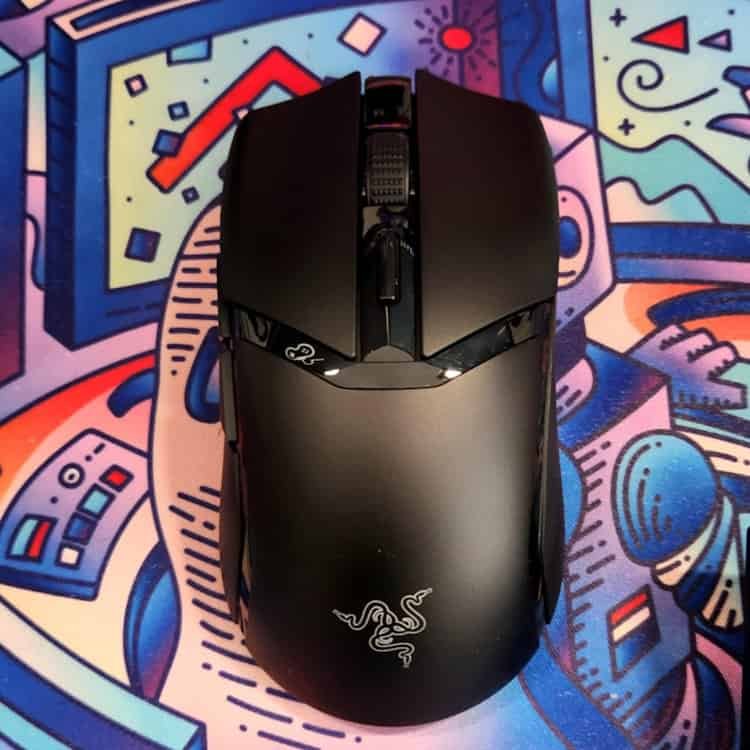
The Razer Cobra Hyperspeed doesn’t make you babysit it. Once I set it up, it just became part of the rhythm, no fiddling, no second-guessing, just an extension of your hand. The wireless connection held firm whether I was deep in a workflow or bouncing between apps with half a dozen things open. I didn’t have to think about it, which is kind of the point. It’s not trying to impress with gimmicks like RGB lighting or ‘now with 70 buttons,’ it just stays connected and keeps up.
I kept the dongle nearby, mostly out of instinct, but the Cobra Hyperspeed never flinched. Even when I moved it to a different USB port or shifted it to my KVM Switch under my desk, it didn’t miss a beat. That kind of consistency builds trust fast. You stop wondering if it’ll hold up and start assuming it will.
Battery-wise, it’s been refreshingly hands-off. I charged it to full when I first opened it and haven’t had to touch it since. No blinking lights, no sudden drop-offs or issues with connection when the battery gets low. The claimed 110-hour battery life is still going strong, and it has to be getting close to needing a recharge. But you can’t tell, as it is going as strong as it did with a fresh full charge. It’s just… there. Doing its job quietly.
There’s something reassuring about a device that doesn’t demand attention. The Razer Cobra Hyperspeed feels like it was built with that in mind, wireless that stays out of your way, and battery life that doesn’t become a chore. Not flashy, not fragile. Just solid, dependable tech that lets you get on with things.
Design Choices: Minimalism That Mostly Works
The Razer Cobra Hyperspeed leans into simplicity, and for the most part, it nails it. No sprawling button layout, no pulsing RGB spectacle, which as you know, I love! Just a clean, focused design that feels intentional rather than stripped down or like you are missing out. It’s the kind of minimalism that doesn’t scream “budget” or “barebones,” but instead suggests a quiet confidence in doing fewer things well.
For someone who prioritises precision and ease over endless customisation, the Razer Cobra Hyperspeed hits a sweet spot. It’s intuitive to use, with a shape that feels natural in the hand and buttons that are exactly where they need to be. There’s no learning curve, no need to dig through software just to make it usable. You plug it in, and it feels ready.
Still, the Razer Cobra Hyperspeed doesn’t pretend to be something it’s not. It’s not trying to win over macro-heavy MMO players or RGB enthusiasts. It’s built for people who want a mouse that feels good, works reliably, and doesn’t get in the way. And aside from that one missing shortcut, it delivers exactly that.
Fit & Feel: Not for Everyone, But Close
If your hands are on the larger side, the Razer Cobra Hyperspeed might feel a bit cramped. Mine aren’t especially big, more chubby, and even I noticed it on occasion. It’s not uncomfortable, just something to keep in mind, especially for longer sessions.
The build is solid, with responsive buttons and a textured scroll wheel, but the shell has a slight hollowness that makes it feel less premium than Razer’s top-tier models. Still, that’s not really the goal here. The Cobra Hyperspeed is built to be lightweight, fast, and fuss-free—and it delivers exactly that. It doesn’t try to be more than it is, and that’s part of why it works.
Final Thoughts: Quietly Excellent
Would I recommend it to everyone? Not quite….but for most people, absolutely.
If you’re chasing a mouse with a dozen programmable buttons, adjustable weights, or ultra-premium materials, the Razer Cobra Hyperspeed probably won’t tick every box. It’s not trying to be a flagship showpiece, and it doesn’t lean on specs to make its case. But if what you’re after is something reliable, comfortable, and quietly competent, it’s hard to fault. It nails the essentials without overcomplicating them.
It’s the kind of device you forget you’re using, and that’s often the best kind. No drama, no distractions, no need to constantly tweak settings or second-guess your gear. Just a mouse that shows up, does its job, and fades into the background while you focus on yours. Whether you’re deep in a spreadsheet, editing footage, or mid-match in a game, the Razer Cobra Hyperspeed keeps pace without demanding attention. And in a world full of tech that’s always trying to stand out, there’s something refreshing about a tool that’s content to simply work and do a great job at that!
If you want to get yourself the Razer Cobra Hyperspeed or find out more info on it, check it out here





Recent Comments