
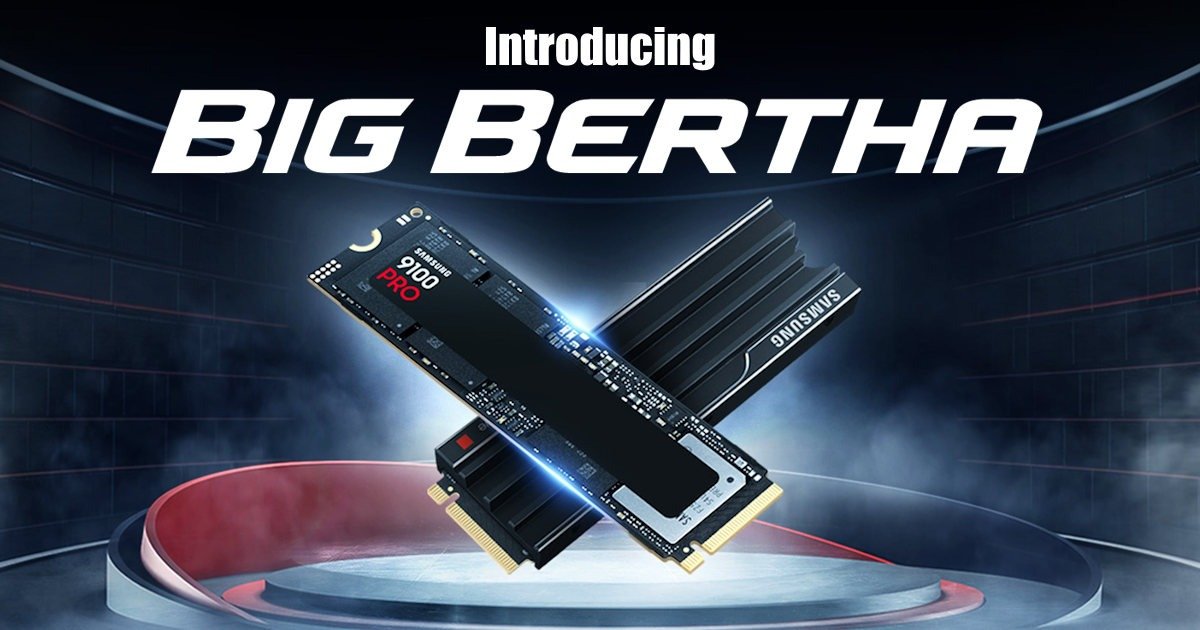
Storage has changed so much in the last decade. I still remember when a 1TB hard drive felt like a luxury, something you’d brag about. And now? We’ve got 8TB crammed into a tiny M.2 stick that looks almost fragile. The Samsung 9100 PRO series is wild.
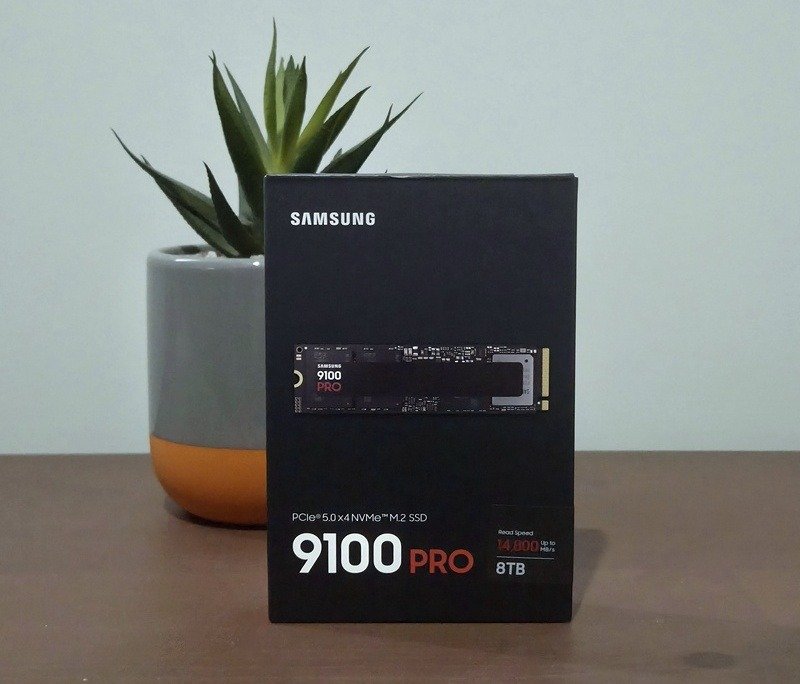
The Samsung 8TB 9100 PRO PCIe 5.0 NVMe M.2 SSD isn’t just another SSD. It feels like a statement piece for anyone chasing speed and capacity at the bleeding edge. But does it actually live up to the hype? Judging by the number of friends asking if they can “borrow” mine, I’m clearly not the only one excited about it. I’ve spent some time with this drive, and honestly… I have thoughts. Some good, some mixed.
Let’s get into it.
First Impressions
I’ll admit, the first thing that hit me with the Samsung 9100 PRO was the sheer size of the storage. 8TB on a single M.2 stick feels almost absurd. I remember holding it and thinking, This tiny thing could swallow my entire Steam library and still have room for video projects and still have 5TB left over. It’s sleek, too. Samsung’s design language hasn’t changed much since my first m.2, but if you get the one with the heatsink, it gives it a slightly aggressive look. Not flashy, just purposeful. It feels like it means business. I personally didn’t get that one
The packaging was minimal, which I appreciate. No unnecessary frills, just the drive and the essentials. Sliding it out of the box, I couldn’t help but notice the weight, or rather, the lack of it. For something that promises this much power and holds so much, it feels almost delicate. That contrast is weirdly satisfying…really weirdly satisfying
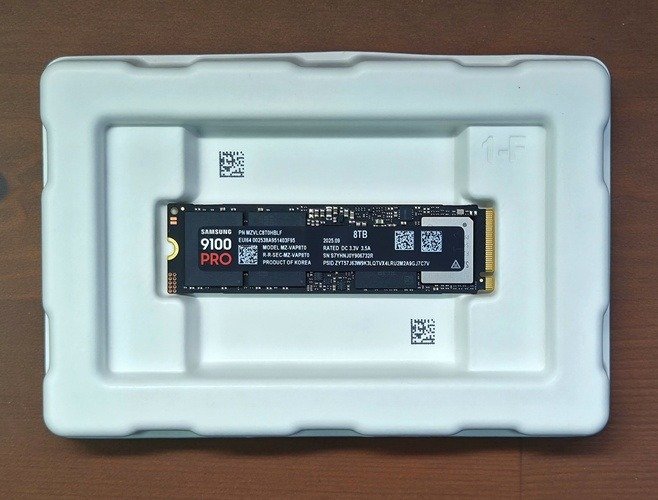
Installing the Samsung 9100 PRO was straightforward. Well, mostly. My motherboard’s PCIe 5.0 slot is tucked under the GPU, so there was a moment of awkward fumbling thanks to the rare disease I have, Subcutaneous Thickening of Fingers, or more commonly referred to as chubby fingers. Nothing unusual, but worth mentioning because these drives run warm, and you really want to give them room to breathe, or if you have the Samsung 8TB 9100 with heatsink, ensure you have the room for it. I had to reseat my GPU just to make sure airflow wasn’t compromised. A little annoying, but manageable. If you’re building in a tight case, plan ahead. Seriously.
Once it was in, I powered up and… silence. No drama, no flashing lights, just a quick recognition in BIOS and then straight into Windows. That’s something I love about Samsung drives: they just work. No weird compatibility issues, no firmware headaches. Just 8TB of rare storage power.
Performance That Feels Unreal
Samsung 9100 PRO Specs first, because that’s what everyone checks, even before they read the rest of the article:
- Interface: PCIe 5.0 x4
- Form Factor: M.2 2280
- Capacity: 8TB
- Sequential Read: Up to 14,000 MB/s
- Sequential Write: Around 12,000 MB/s
- Random IOPS: 1.6M read / 1.5M write
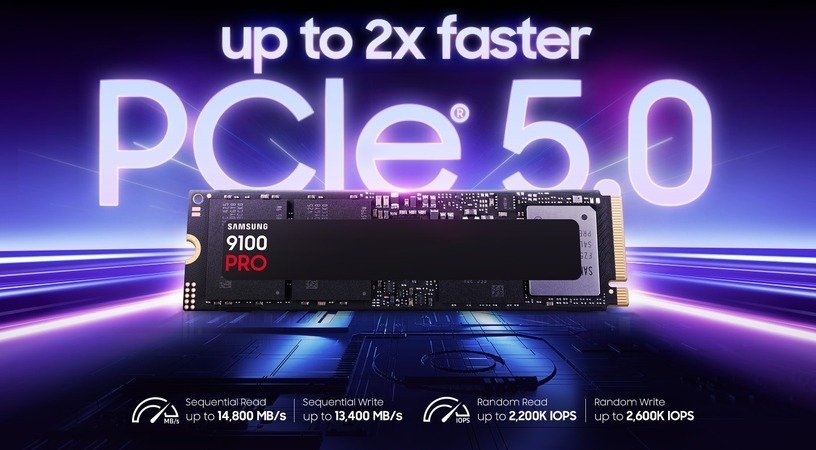
The spec numbers like that look almost theoretical. And honestly, in day-to-day use, you don’t always feel 14 GB/s…. until you copy your 800 GB gaming folder over? Sure, it was lightning fast as the specs suggest. But so fast that I caught myself staring at the progress bar like, wait, that’s it? I actually dragged the folder over again because I thought it failed, or I was seeing things. It just seemed impossible that it could have moved that quickly… but it did. The funny part? It probably would have been even faster if the PCIe 4.0 drive hadn’t been holding it back.
I was pulling other data off an old-school 3.5-inch HDD, which I’ve had for years. Most pictures from my trips & a few old school series. And wow, that felt like a time warp. Watching that mechanical drive chug along while this PCIe 5.0 monster, or Big Bertha as I have lovingly called her, waited patiently was almost comical. It reminded me of the first time I upgraded from a spinning disk to an SSD years ago, that same sense of disbelief, like technology had progressed from the wheel to a Buggati in only a few years.
Installing games on the Samsung 9100 PRO was another moment where I noticed the difference. I queued up a couple of big titles, about 75-100 GB each, and they were done before I had time to make coffee. No exaggeration. Steam barely had time to show its little progress animation. It’s the kind of speed that makes you rethink how long you’ve been tolerating slow installs. I actually deleted and reinstalled World of Warcraft, as I remember that taking almost 8 hours back in the day. And it was done in moments. If I had better internet, I think Big Bertha still had more to give.
To put it into perspective, the difference between my old drive, which the Samsung 9100 Pro is replacing, and the Kingston NV2 is massive. The Kingston NV2, being a PCIe 4.0 drive, tops out at around 3,500 MB/s read and 2,800 MB/s write, which is solid for everyday use. But the Samsung 9100 PRO? It’s on another level entirely, pushing up to 14,800 MB/s read and 13,400 MB/s write thanks to PCIe 5.0. That’s roughly four to five times faster in raw sequential speeds. It was actually mindblowing, as I thought my PCIe 4.0 m.2 drive was quick, but Big Bertha makes it look like an under-12 little athletic team vs Usain Bolt.
Now, Video editing on the Samsung 9100 PRO? That’s where this drive really flexes. I dumped a few 4K clips into my video software, and the timeline felt buttery smooth. No stutter, no lag when scrubbing through massive files. Rendering previews was quicker too, though that’s partly GPU-dependent, and my GPU is a potato. Still, the storage speed meant I wasn’t sitting around waiting for cache files to build. It’s subtle, but when you’re used to those little delays, the absence of them feels like magic. And makes that GPU upgrade look even more worth while!
Heat and Power
Here’s where reality kicks in: the Samsung 9100 PRO runs warm. Not dangerously hot, but enough that I wouldn’t skip the heatsink, I’ve actually got one on order from Amazon as I write this. During sustained writes, I saw temps creeping into the mid-70s Celsius (around 158°F). That’s within spec, sure, but it makes me wonder how it’ll behave in a cramped case or one with limited airflow.
If you’re planning heavy workloads like video editing, large data transfers, good airflow isn’t optional. It’s mandatory with the Samsung 8TB 9100 PRO. I noticed the temperature spike during an 800 GB transfer. It started in the low 50s Celsius (122°F) and climbed steadily as the writing continued. You can feel the heat radiating near the slot, and it’s not something you want to ignore. In a well-ventilated case, it’s fine. In a small form factor build? You might be flirting with thermal throttling.
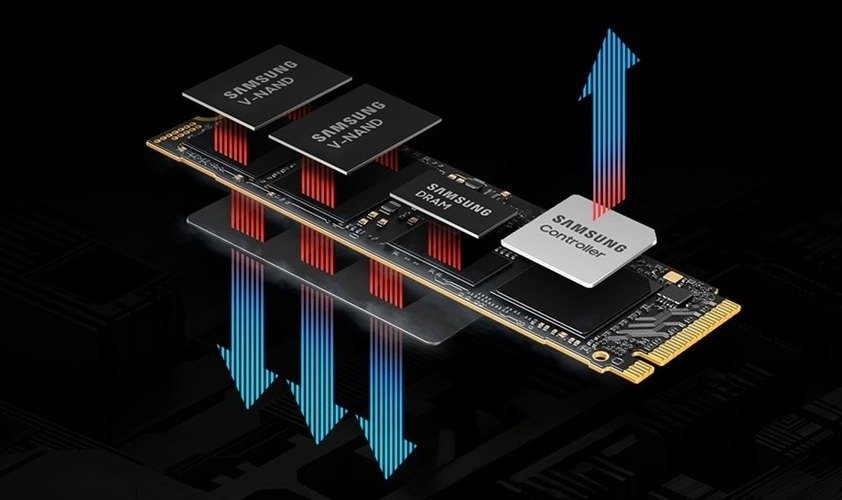
Now, here’s the interesting part: despite the heat, the 9100 PRO is engineered for peak performance without interruptions. Samsung’s advanced 5nm controller architecture improves power efficiency by up to 49% compared to the 990 PRO, or so it claims on the website, which is impressive given the jump to PCIe 5.0. Combine that with exceptional thermal control, and you’ve got a drive that keeps the most demanding programs running at full tilt without throttling, at least in my experience. Even under heavy loads, I never saw performance dip, which says a lot about how well this thing manages heat internally.
Of course, these speeds come at a cost. PCIe 5.0 drives draw more power, so be mindful when planning your build, and also, the additional energy turns into heat. It’s the trade-off for performance. I didn’t hit any throttling during my tests, and trust me, I tried. But I wouldn’t be surprised if someone pushing constant writes for hours sees temps creeping toward 80°C (176°F). That’s still safe, but it’s warm enough to make you think twice about airflow and whether those cheap fans are worth replacing with something better.
Real-World Use
I threw everything at the Samsung 8TB 9100 PRO: game installs, 4K video editing, even a few synthetic benchmarks just for fun. The benchmarks were ridiculous, as expected, but numbers only tell part of the story.
What really impressed me was how it handled real work.
Editing was the first big test. I don’t do heaps of editing; I wish I did more. I normally do two or three light videos a week. I loaded up a project with multiple 4K clips from a recent 4WD driving trip, just to see if it would choke. It didn’t. Scrubbing through massive timelines felt smoother than on my older PCIe 4.0 drive. No stutter, no lag when caching big files. I didn’t see the usual hiccups when generating previews. It’s the kind of speed that makes you forget about waiting entirely. You click, and it’s just there.
I actually found myself getting annoyed when I was editing my housemate’s YouTube video the day after my testing, and it was lagging, before I realised that she had put it on the wrong hard drive. Moved the files to Big Bertha, and it was gone. It felt almost like magic!
Game installs were another eye-opener. I queued up a few heavy hitters, well, heavy hitters for my little potato, titles that usually take ages to unpack, and they were done before I had time to grab a drink. Steam barely had time to show its progress animation. It’s almost unsettling how fast it moves data. You start wondering if something went wrong because the install finishes so quickly. Even playing the games on slightly higher settings was possible because of the drive. Which is weird, and I didn’t think that it would make much difference, but it was a real eye-opener.
I even tried multitasking during a massive file transfer, copying hundreds of gigabytes of movies and TV series while playing Borderlands 3. On my old setup, that would have been a recipe for stutter city. Here? Nothing. The game ran smoothly, and the transfer just kept going. It feels like the drive doesn’t even break a sweat.
Compared to older SSDs, even good PCIe 4.0 ones, the difference is noticeable. but mostly in heavy workflows. Every day stuff like launching Chrome or booting Windows? Not so much. Those tasks are already near-instant on modern drives. So yeah, diminishing returns are real. But if you’re moving hundreds of gigs or working with huge media projects, this thing feels like cheating.
Is It Worth It?
That’s the tricky part with the Samsung 8TB 9100 PRO verison of this series. The performance is phenomenal, no question about that. But the price for the 8TB model… Well, it’s steep. This isn’t the kind of drive you buy on a whim. It’s built for professionals handling massive datasets, creators working with 8K footage, or anyone running virtual machines and AI workloads. For the average user? Honestly, the 8TB is overkill. That said, the Samsung 9100 PRO series as a whole is outstanding, and it’s available in 1TB, 2TB, and 4TB options that make a lot more sense for most “normal” builds. If you go with any size in this lineup, you won’t be disappointed. It’s fast, reliable, and future-proofs your rig for years to come.
You won’t see the full benefit if all you do is browse, game, and store a few photos, but even then, there’s something reassuring about having that kind of speed under the hood. It’s like buying a car that can hit 200 mph even though you’ll never leave the city. Most of the time, you’re cruising, but you know the power is there. I caught myself reorganising files just because I could, moving terabytes around like they were nothing. It’s a strange kind of luxury, and maybe that’s part of the appeal for this particular drive in the series.
The other thing is peace of mind. With this much space and speed, you stop worrying about juggling drives or running out of room mid-project. Everything fits, everything loads instantly, and that changes how you work. It’s not just about speed, it’s about freedom. But again, that freedom comes at a cost, and unless you really need it, the 8TB model is hard to justify. For most people, the smaller capacities in the 9100 PRO series hit the sweet spot.
Final Thoughts
The Samsung 9100 PRO series is a powerhouse. It’s the kind of hardware that reminds you just how far storage tech has come. PCIe 5.0 speeds aren’t just numbers on a spec sheet; they’re a real shift in what’s possible, especially for people who work with massive files or need uncompromising performance.
But let’s be honest: the 8TB model is a statement piece. It’s incredible, but it’s also excessive for most users. Unless you’re editing 8K video, running virtual machines, or managing huge datasets, you’ll never push this drive to its limits. That doesn’t make it any less impressive; it just means the smaller capacities in the 9100 PRO lineup (1TB, 2TB, 4TB) are the smarter choice for most builds. They deliver the same cutting-edge speed without the eye-watering price tag.
What stands out most is the sense of freedom. No juggling drives, no worrying about space, no waiting for transfers. It changes how you think about storage. And while that freedom comes at a cost, if you’re the kind of person who values time and efficiency, or just loves having the best, this series delivers.
Bottom line? The Samsung 9100 PRO isn’t just fast; it’s future-proof. The 8TB model is overkill for many, but the entire series sets a new standard for what high-performance storage should feel like. And I, for one, will be recommending them to anyone who listens! As for me, the Samsung 9100 PRO is the pinnacle of excellence!





Recent Comments